



It is late at night, and you are rushing to finish a task. In the hurry, you accidentally commit your AWS secret keys and push them to a public GitHub repository. Your first instinct might be to run git revert and push the update, thinking the problem is solved.
Unfortunately, it isn't.
Why git revert Isn't Enough
Using git revert simply creates a new commit that undoes your changes. However, the original commit containing your sensitive data remains in your Git history. Anyone can run git log, find that specific commit, and read your secrets in plain text.
Beyond human eyes, automated bots scan every public push to GitHub in real-time. Within minutes or even seconds, your keys can be harvested. While AWS runs scanners and may email you a warning, someone may have already attempted to use those keys by the time you receive it.
Here is a step-by-step process to help you with this situation.
The 3-Step Response To Fix It
If you have exposed secrets, follow these three steps in this specific order to secure your environment:
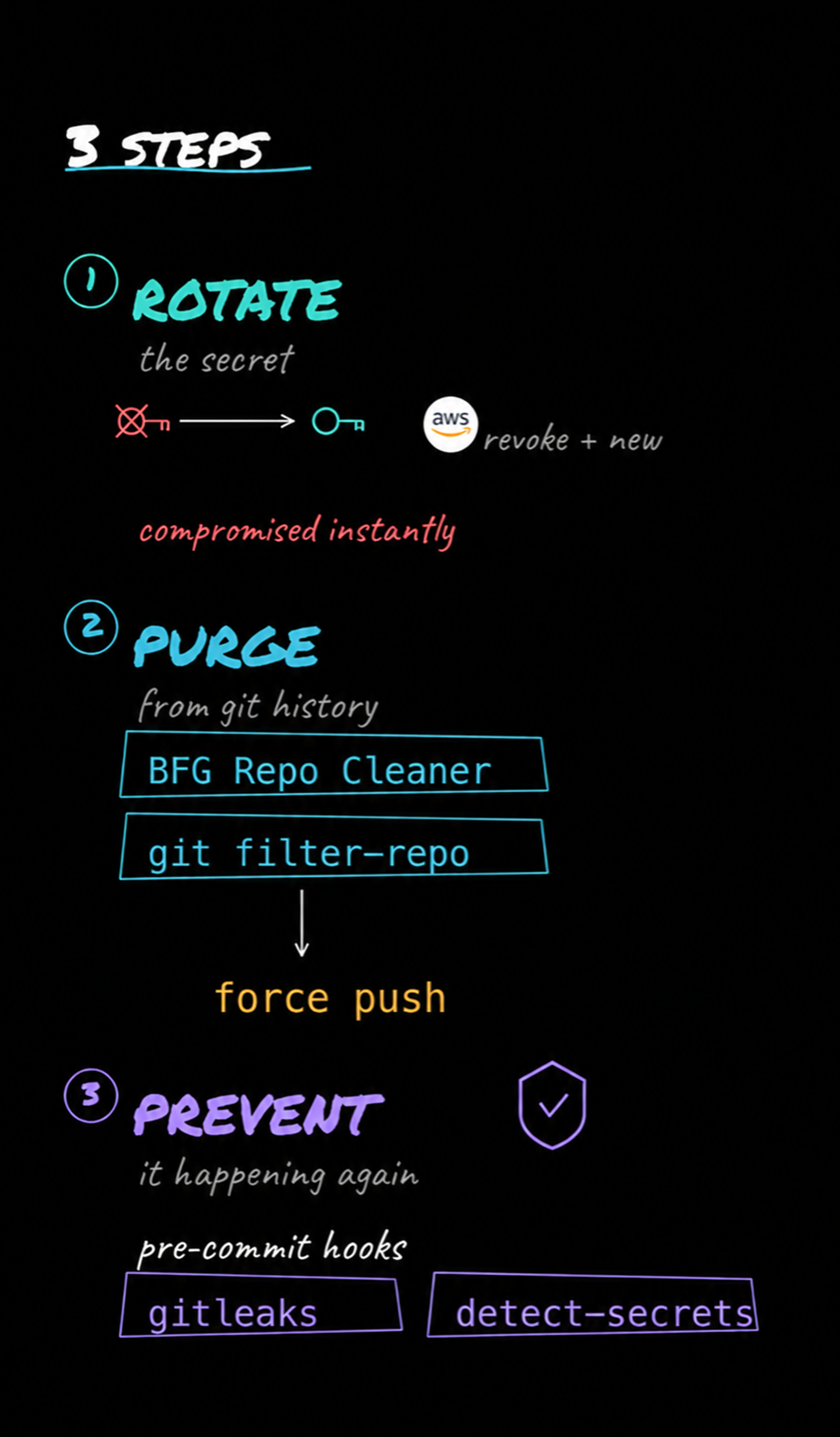
Step 1 - Rotate the Secret Immediately:This is the most critical step. Before touching Git, go to AWS, revoke the compromised key, and generate a new one. Consider the old key compromised the moment it hits GitHub.
Step 2 - Clean Your Git History:After the key is revoked, use tools like BFG Repo-Cleaner or git filter-repo to rewrite every commit and purge the secret from your history. Once cleaned, perform a force push.
Step 3 - Implement Prevention:Set up pre-commit hooks to ensure this doesn't happen again. Tools such as Gitleaks or detect-secrets can scan for API keys and tokens before they ever leave your machine.
Don't waste hours scrubbing history while a live key is still active. Rotate first, clean second, and automate your protection for the future.
You can also practice Git & Version Control with our hands-on free labs. Check it out now!






Discussion