



You are hunting for log files on a server where you are a regular user, not root. You type one innocent find command and the terminal answers with a wall of Permission denied messages, dozens of them, with your actual results buried somewhere in the noise. The fix is seven characters long: 2>/dev/null. This post shows what it does, then unpacks what each of those characters means, because the expression looks like line noise until someone takes it apart once.
The problem: more errors than results
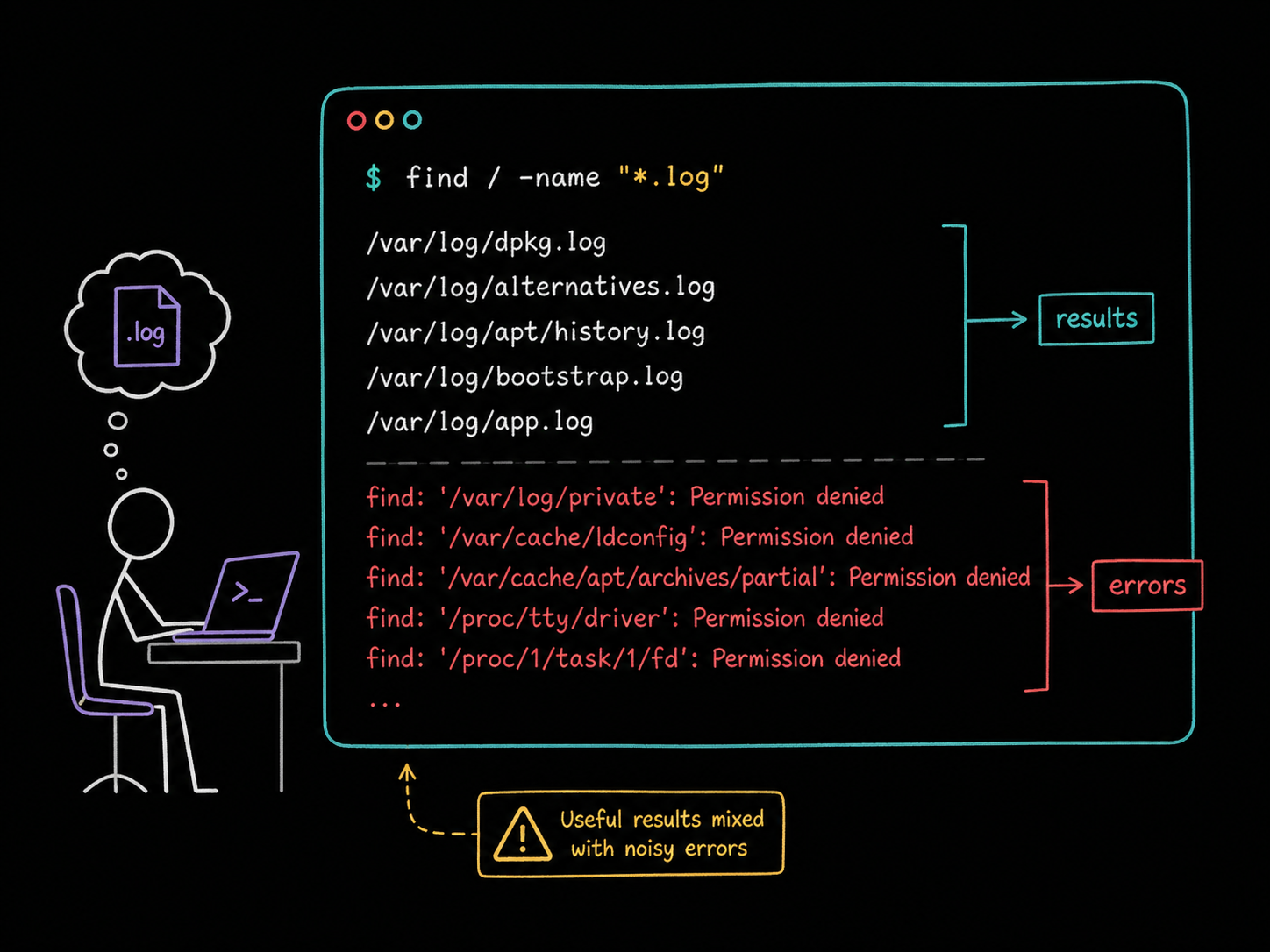
Here is the situation, reproduced on a clean Ubuntu container as a regular user called student:
find / -name "*.log"
/var/log/dpkg.log
/var/log/alternatives.log
/var/log/apt/history.log
/var/log/bootstrap.log
/var/log/app.log
find: ‘/var/log/private’: Permission denied
find: ‘/var/cache/ldconfig’: Permission denied
find: ‘/var/cache/apt/archives/partial’: Permission denied
find: ‘/proc/tty/driver’: Permission denied
find: ‘/proc/1/task/1/fd’: Permission denied
find: ‘/proc/1/task/1/fdinfo’: Permission denied
...
The output above is trimmed. The real run produced far more error lines than results, because find walks the entire filesystem and reports every directory it is not allowed to enter. The command is working correctly. It is just telling you about every locked door it passed, and you do not care.
The fix: throw the errors into /dev/null
Add one thing to the end of the same command:
find / -name "*.log" 2>/dev/null
/var/log/dpkg.log
/var/log/alternatives.log
/var/log/apt/history.log
/var/log/bootstrap.log
/var/log/app.log
/home/student/notes.log
Clean output, nothing but log files. Notice it even surfaced a result that was hard to spot before: notes.log was in the earlier run too, but it was drowned out by the error lines around it.
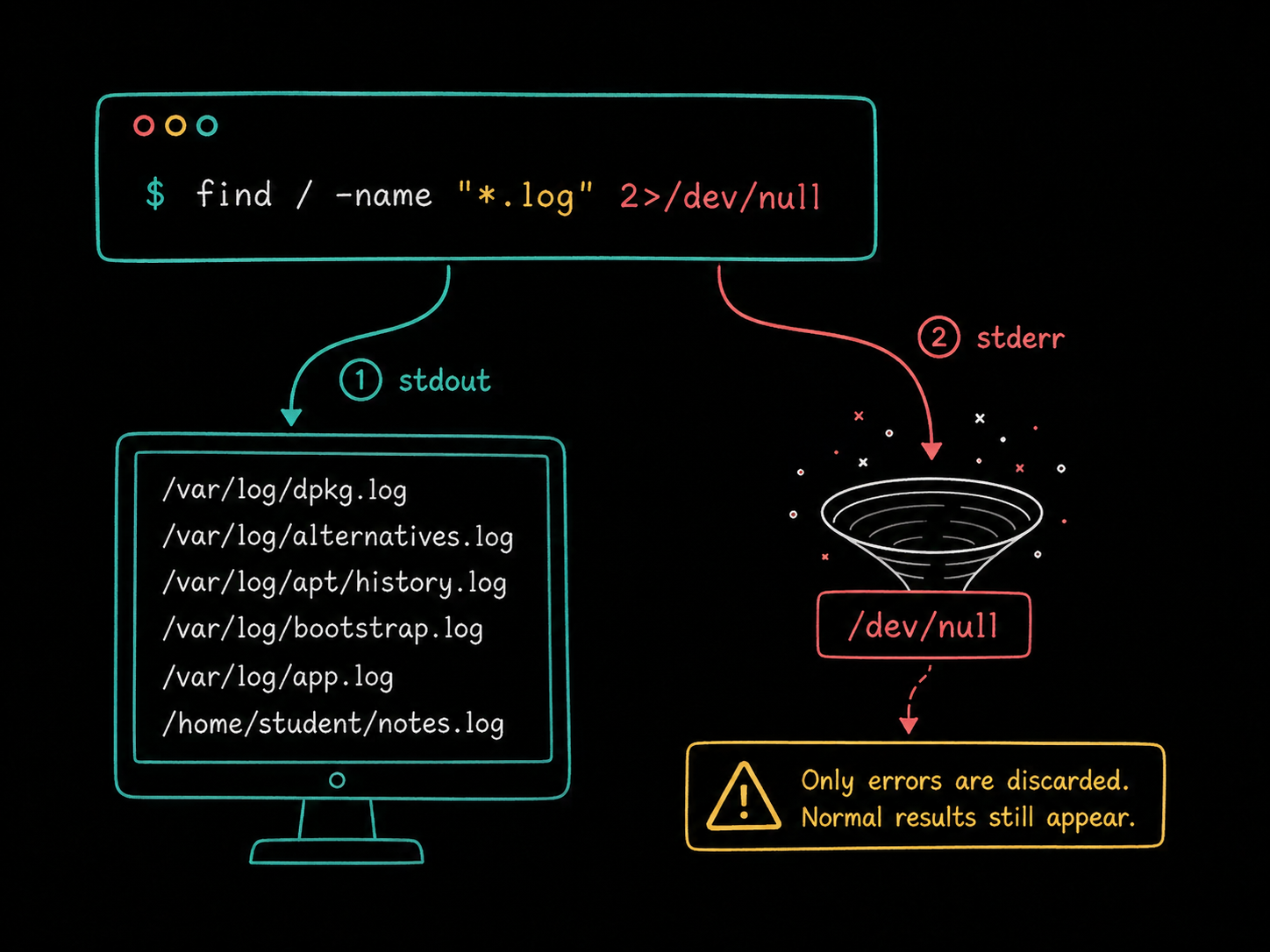
/dev/null is a special file that discards everything written to it. People call it the Linux black hole, and the name is fair: data sent there is not saved, not displayed, and not recoverable. 2>/dev/null tells the shell to send the command's error messages into that black hole instead of onto your screen.
What the 2 and the > actually mean
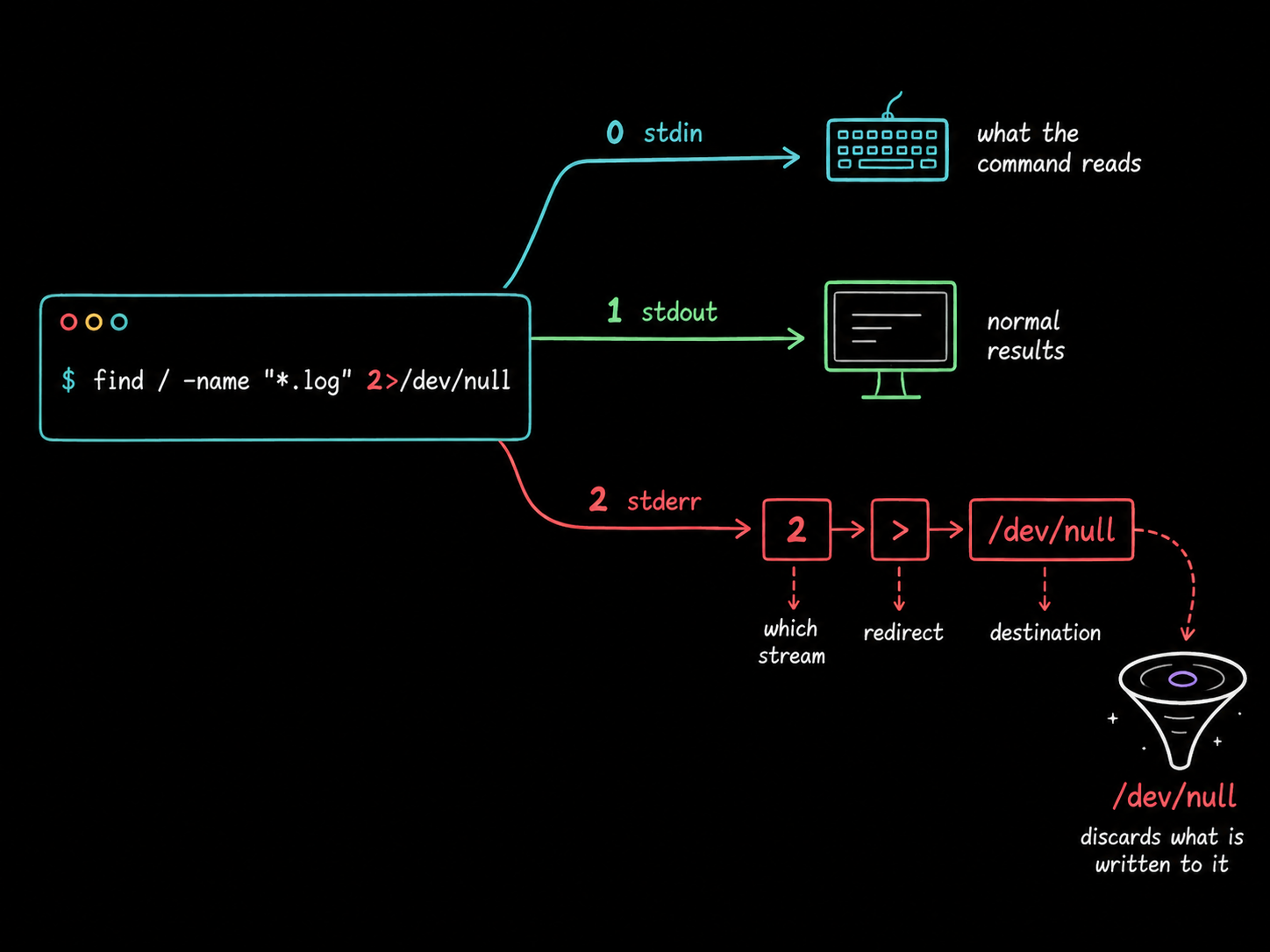
Every Linux process starts with three standard streams, each with a number:
0is standard input (stdin), what the command reads.1is standard output (stdout), the command's real results.2is standard error (stderr), its errors and warnings.
The > symbol is the shell's redirection operator: it points a stream somewhere other than the terminal. You have probably used it to save output to a file with command > results.txt. Written with no number, > redirects stream 1, the normal output.
Put a 2 in front and you are redirecting stream 2 instead. So 2>/dev/null reads, left to right: take standard error, redirect it, destination /dev/null. The results still arrive on your screen because stdout was never touched. That separation is the whole trick, and it is why the shell keeps errors on their own stream in the first place: so you can treat results and complaints differently.
Hiding normal output, or hiding everything
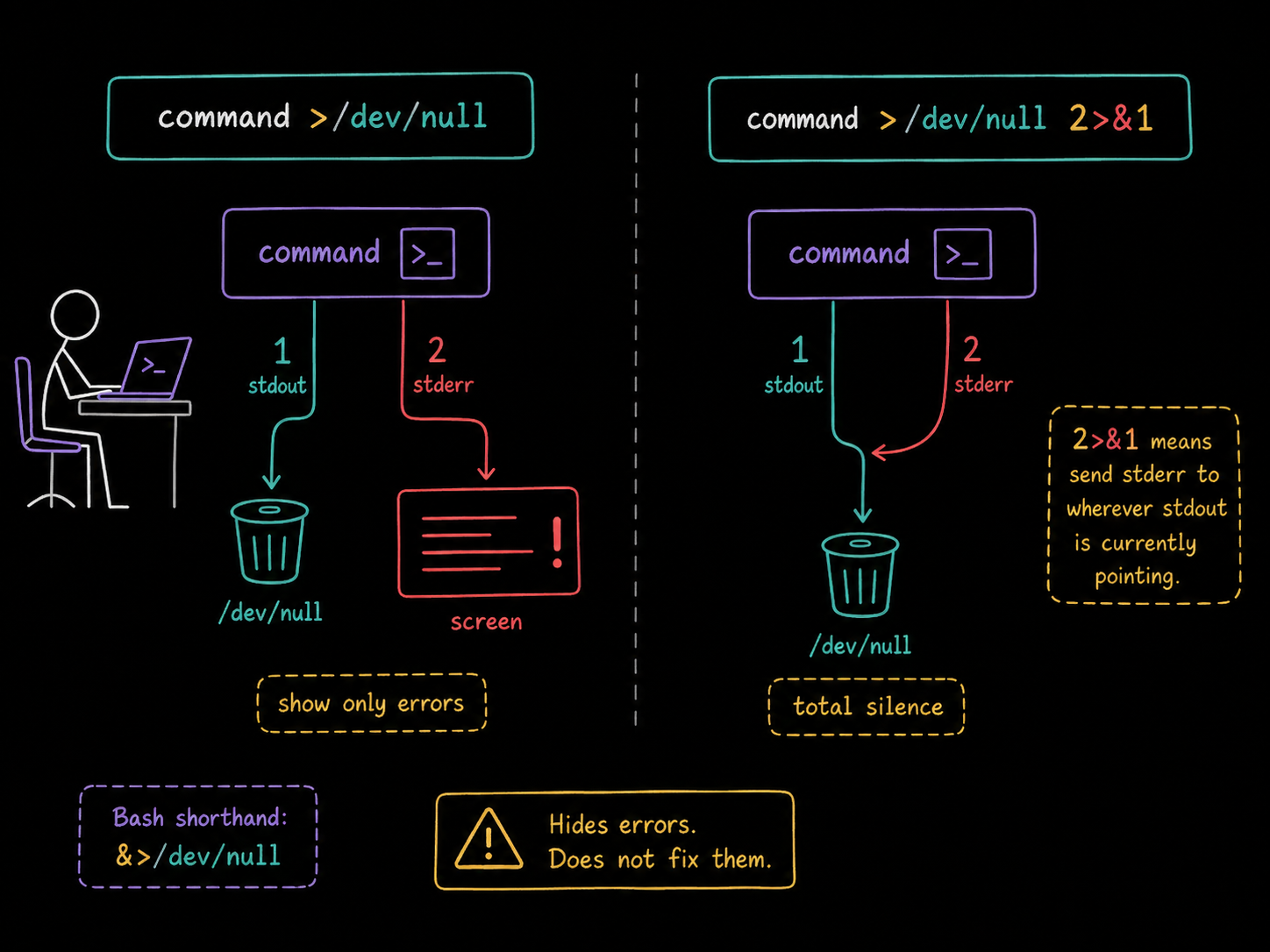
The same idea works on the other stream. command >/dev/null discards the normal output and shows only errors, which is handy when you only care whether something failed. And when you want total silence, a pattern you will meet constantly in scripts and cron jobs:
command >/dev/null 2>&1
This sends stdout to /dev/null, then 2>&1 says "send stderr to wherever stream 1 is currently pointing". The order matters. Write it backwards as command 2>&1 >/dev/null and stderr gets copied to the terminal (where stream 1 was pointing at that moment) before stdout is redirected, so the errors still appear. If that ordering rule feels fussy, modern Bash accepts the shorthand &>/dev/null, which redirects both streams in one go.
Use it on noise, not on signals
One caution before you bolt 2>/dev/null onto everything: it hides errors, it does not fix them. Suppressing thousands of expected Permission denied lines from a filesystem-wide find is exactly what it is for. Suppressing stderr on a backup script is how a failure stays invisible for three months. Redirect errors you have already decided are noise, and let everything else reach your screen or your logs.
The takeaway
2>/dev/null means: take standard error (2), redirect it (>), and discard it (/dev/null). Your results stay, the noise goes. For the find-across-the-whole-filesystem case it turns an unreadable scroll of Permission denied into a clean list of matches, and the same seven characters work on any command that mixes complaints into its output.
FAQs
Q1: Does 2>/dev/null affect the command's exit code?
No. The command still succeeds or fails exactly as before, and $? still reports it. Redirection only changes where the error text goes, which is why scripts can stay quiet with >/dev/null 2>&1 and still check whether the command worked.
Q2: Is anything sent to /dev/null recoverable?
No. /dev/null is a character device that acknowledges every write and stores nothing, so there is no buffer or file to dig through afterwards. If you might need the errors later, redirect them to a real file instead: 2>errors.txt.
Q3: Why do I see 2>/dev/null so often with find specifically?
Because find reports every directory it cannot enter on stderr, and a regular user running it from / may hit thousands of them (under /proc and /root especially). The matches you want are on stdout, so discarding stderr filters the noise without losing a single result.





Discussion