


Master Multi-Cloud Engineering, Hands-On
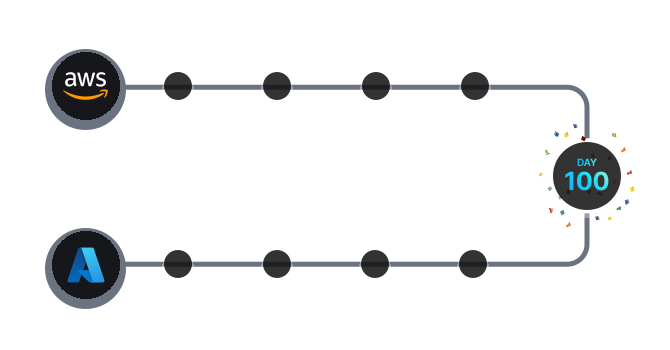
The multi-cloud challenge every engineer should take.

.svg)
What You'll Build Along the Way

Versioning




.svg)
.svg)
.svg)
.svg)
.svg)
.svg)
.svg)

What you will Learn
.svg)


.svg)

.svg)
Logging
.svg)
.svg)
.svg)
Architecture
Why Engineers Love It

.svg)
By Day 100 You’ll Have
.svg)
Trusted by organizations of all sizes to scale their DevOps capabilities with confidence


.webp)

.webp)






Frequently Asked Questions
How does task unlocking work in the KodeKloud 100 Days of Cloud challenge?
Task unlocking in the KodeKloud 100 Days of Cloud challenge varies by subscription plan.
Free & Standard Plans: You can attempt 1 task per day with unlimited re-attempts on the same task. Tasks unlock sequentially after completion, and the next task becomes available the following day.
Pro & AI Plans: You can attempt unlimited tasks per day with sequential unlocking. Complete tasks at your own pace on the same day.
Can I skip tasks in the 100 Days of Cloud challenge?
No, skipping tasks is not allowed on any plan. Tasks must be completed sequentially in order. Each task unlocks only after the previous task is completed.
What's the difference between KodeKloud Free and Pro plans for 100 Days Cloud challenge?
Free & Standard Plans allow 1 task attempt per day with the next task unlocking the following day. Pro & AI Plans allow unlimited task attempts per day, letting you complete multiple tasks on the same day at your own pace. Both plans require sequential task completion.
Can I retry a failed task in the 100 Days of Cloud Challenge?
Yes, you can retry failed tasks unlimited times on the same day across all plans (Free, Standard, Pro, and AI). After successfully completing a task, the next task unlocks based on your plan type.
How can I complete my 100 Days tasks faster ?
Upgrade to KodeKloud Pro or AI Plan to complete the 100 Days campaigns faster with unlimited daily task attempts.
Can I switch from Free to Pro plan during a KodeKloud 100 Days challenge ?
Yes, you can upgrade from a Free to a Pro plan during the KodeKloud 100 Days challenge to remove the one-task-per-day limit and gain faster access to tasks. Upgrades can be done instantly via the pricing page, and you will only pay the difference, allowing you to proceed through the challenge at a faster pace.