



Here’s a thing about DevOps interview questions: sometimes the answer that sounds obvious is actually the wrong one.
Take this scenario. A developer on your team builds a Docker image for a simple Node.js API, and the image ends up being 2 GB. Their response?
"Storage is cheap. Who cares?"
At first, that argument sounds reasonable. But storage isn't really the issue here. In fact, that's where a lot of people get distracted.
The real problem is what happens every time that image has to be pulled.
Think about it. Every deployment means downloading those same 2 GB. Every new container on every server needs that image. Now imagine you're running autoscaling and traffic suddenly spikes. If ten new containers spin up, that's 20 GB that needs to be transferred immediately.
Suddenly, a deployment that should finish in 10 seconds is taking two minutes. And when you're dealing with an outage, two minutes feels like forever.
But that's only half the story.
A bloated image usually means you're shipping far more than your application. Build tools, compilers, debugging utilities—things that were useful during development are now sitting inside your production containers.
And every extra package creates another potential vulnerability.
You're basically handing an attacker a fully stocked toolbox and saying, "Go ahead, pick whatever you need."
So, what's the right approach?
1. Use Multi-Stage Builds
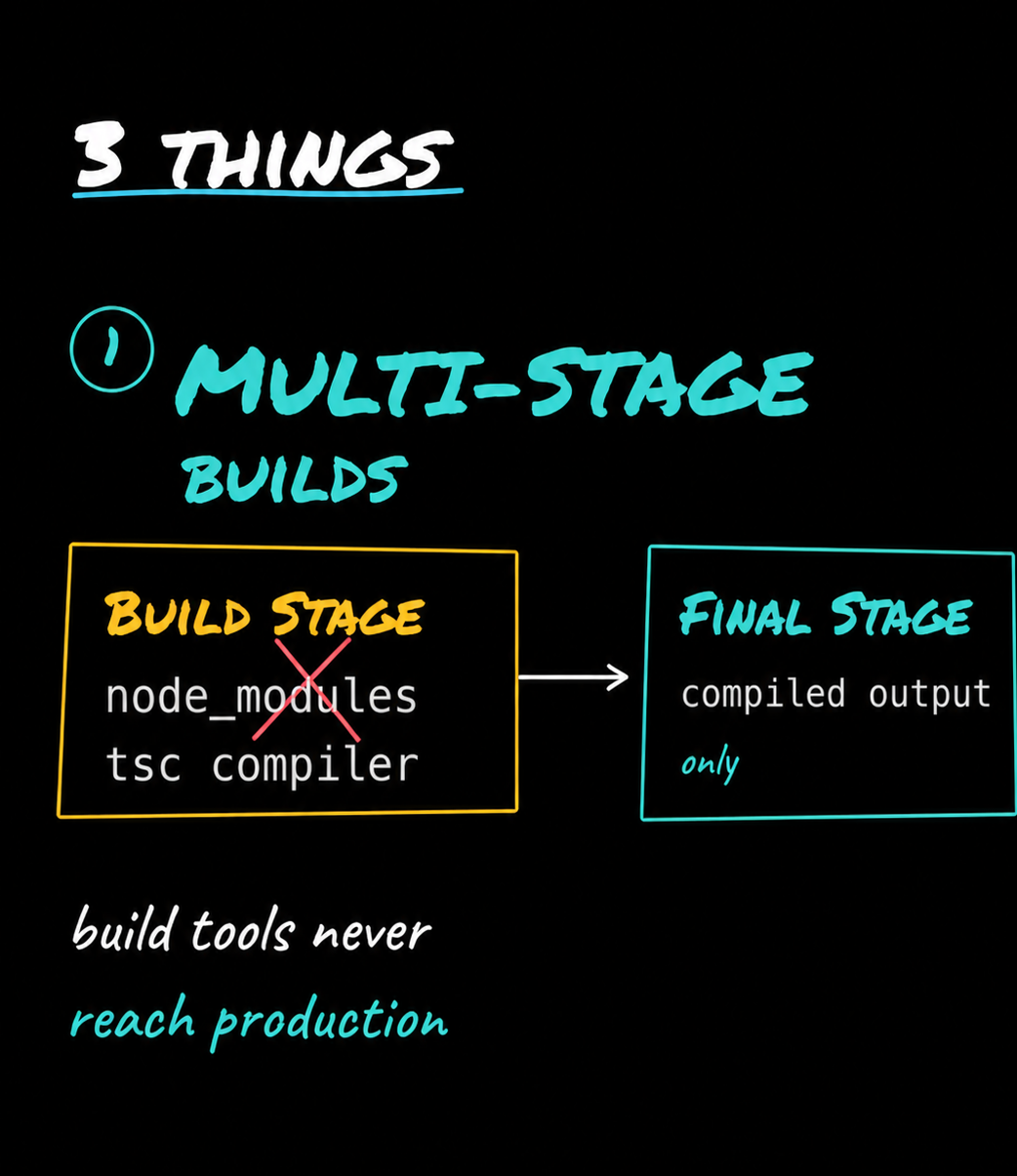
This should be your first move.
Build the application in one stage with everything you need—development dependencies, TypeScript compiler, node modules, and other build tools.
Then create a second, clean stage and copy only the compiled output into it.
The result? None of those build tools ever make it to production.
Your application gets everything it needs, and nothing it doesn't.
2. Start with a Smaller Base Image
Another common mistake is using unnecessarily large base images.
Instead of something like node:18, switch to node:18-alpine.
The difference is huge. Alpine images are tiny compared to full distributions. That single change can dramatically reduce image size.
And if you really want to go minimal, consider using distroless images.
No shell. No package manager. No extra utilities.
In other words, fewer things for attackers to exploit.
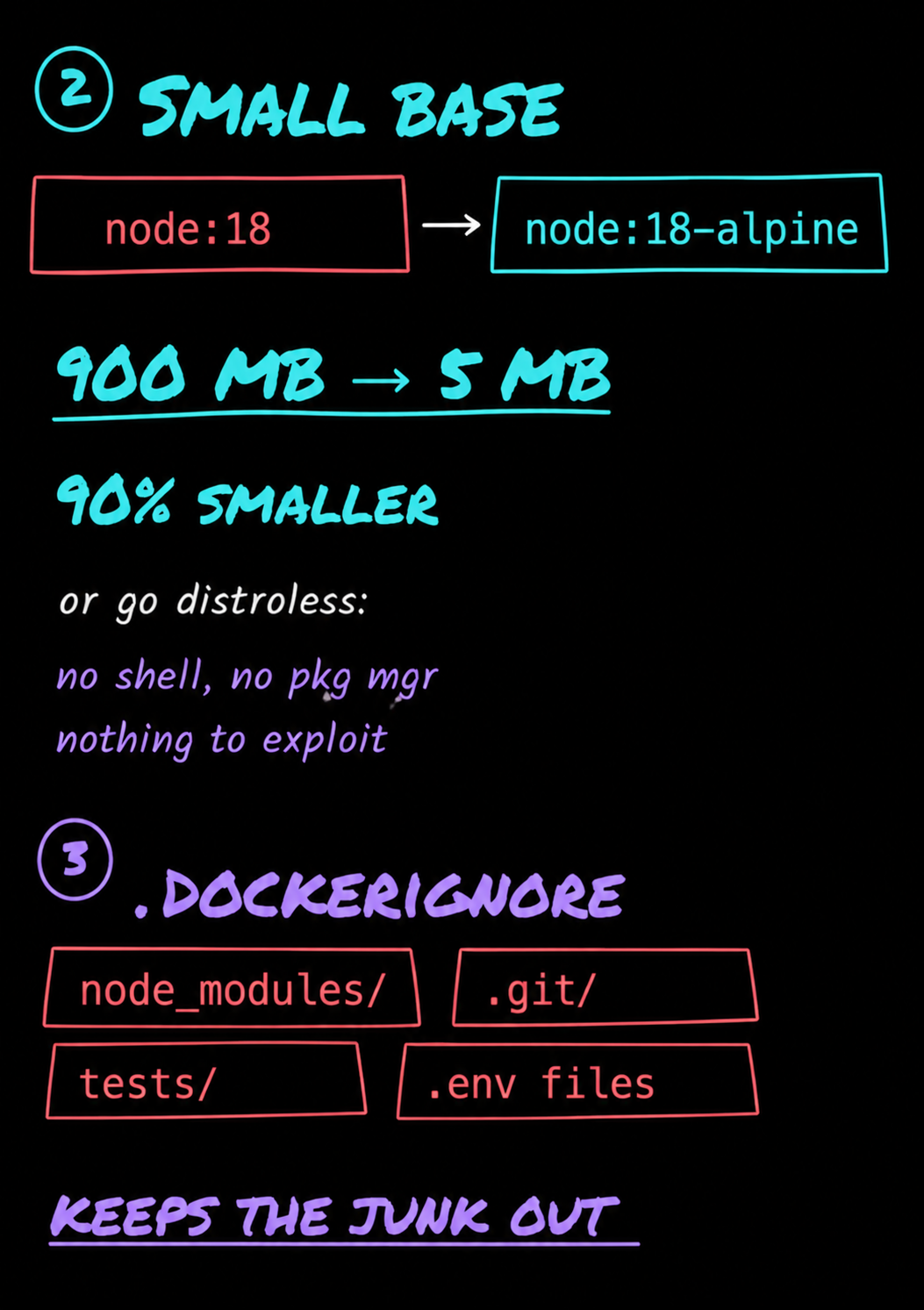
3. Don't Forget .dockerignore
This one gets overlooked all the time.
You'd be amazed how many teams accidentally copy things like:
- node_modules
- test files
- local environment files
- logs
- temporary folders
straight into their Docker images.
A .dockerignore file works just like .gitignore. It keeps unnecessary files out of your build and prevents your image from filling up with junk.
And here's the interesting part.
I've seen teams spend weeks trying to optimize Kubernetes clusters and tune resource allocations, only to discover that the actual bottleneck was a 3 GB Docker image that took forever to pull.
The cluster wasn't the problem.
The image was.
Smaller images deploy faster. They scale faster. They consume less bandwidth. And they expose fewer tools and packages that attackers could potentially abuse.
So when someone says, "Storage is cheap. Who cares?"
The answer is simple:
Storage isn't the problem. Speed, scalability, and security are.
make it little short and tight
Here’s the thing about this DevOps interview question: the obvious answer is actually the wrong one.
A developer builds a Docker image for a simple Node.js API, and it ends up being 2 GB. Their response?
"Storage is cheap. Who cares?"
But storage isn't the issue.
A 2 GB image means every deployment has to pull 2 GB. Every new container on every server has to download it. If autoscaling kicks in during a traffic spike, you're pulling those 2 GB multiple times. Suddenly, a deployment that should take seconds takes minutes—and during an outage, those minutes matter.
It gets worse. Large images often contain build tools, compilers, and debug utilities that have no business being in production. Every extra package is another potential vulnerability. You're basically shipping a toolbox an attacker could use.
So, what's the fix?
First, use multi-stage builds. Build the app with all the dev dependencies, then copy only the compiled output into a clean final image. The build tools never reach production.
Second, start with a smaller base image. Instead of a full Node image, use something like node:18-alpine, or go even leaner with distroless images.
Third, add a .dockerignore file. It keeps things like node_modules, test files, and local environment files from getting copied into the image.
I've seen teams spend weeks tuning Kubernetes when the real problem was a bloated 3 GB image slowing everything down.
Small images deploy faster, scale faster, and give attackers less to work with. That's why image size matters.
You can also learn more about docker from our other blogs here :
 Nimesha Jinarajadasa
 Nimesha Jinarajadasa
 Nimesha Jinarajadasa





Discussion