



It comes up in DevOps interviews because it keeps happening in real rooms: production is at 98% CPU during a traffic spike, and the manager leaning over your desk already has the solution. "Just add more RAM and CPU." The interviewer asking the vertical scaling vs horizontal scaling question is rarely testing whether you know the definitions. They are testing whether you reach for hardware before you know what the problem is, because most people get this one backwards.
What vertical scaling buys you, and its three walls
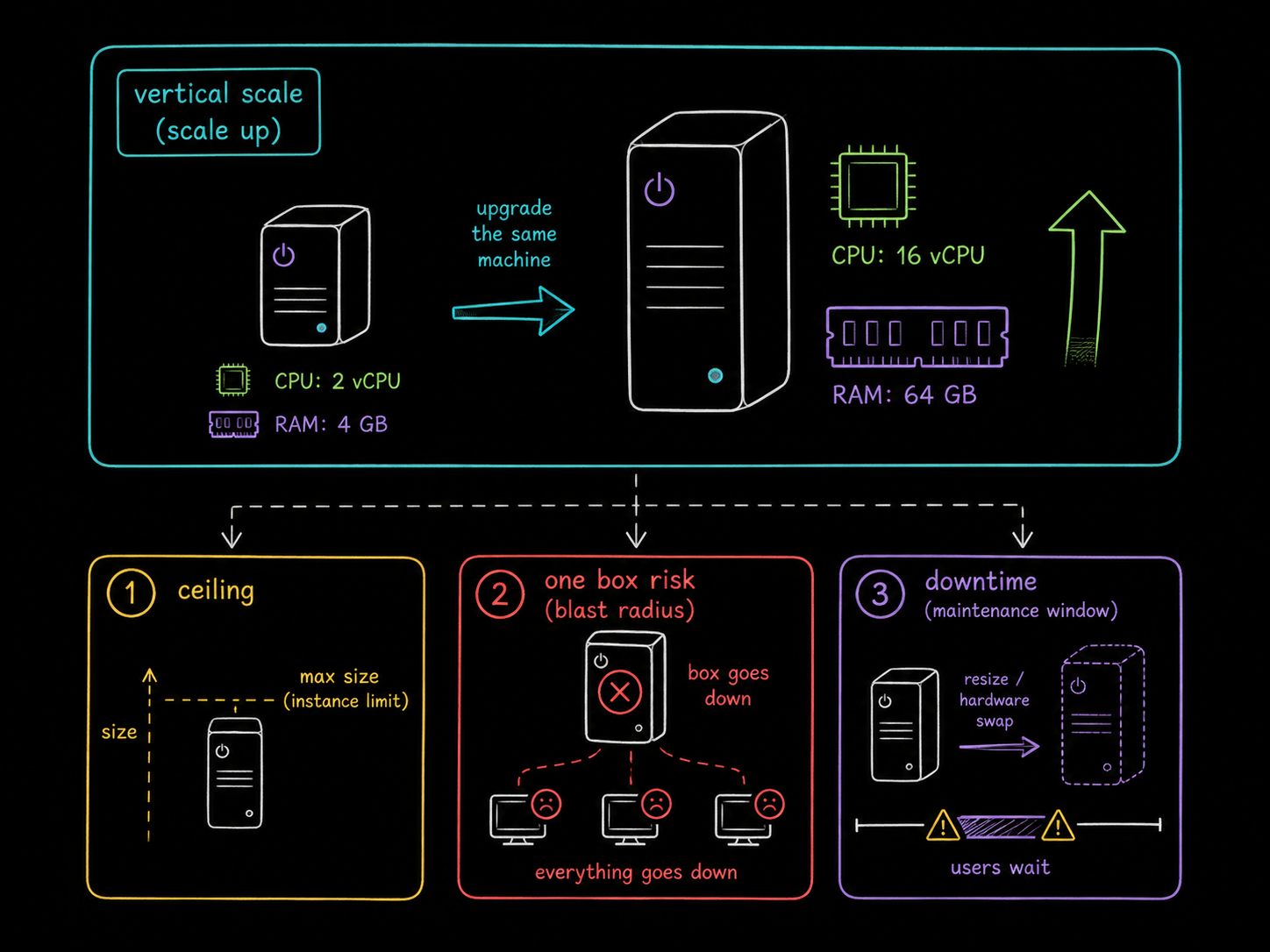
Vertical scaling means upgrading the machine you already have: more CPU, more RAM, a bigger instance type. It is genuinely simple, nothing about your application has to change, and that is exactly why managers love it. It also runs into three walls.
First, there is a hard ceiling. A single machine can only get so big before you run out of instance types to click. Second, one beefy server is one point of failure; when it goes down, everything goes down with it. Third, the upgrade itself usually costs you downtime, because you are resizing a VM or swapping hardware while users wait.
Why horizontal scaling is not automatically the answer
The reflexive counter, "scale out instead, add more servers", has its own trap, and this is the part people get wrong. Horizontal scaling only works if your application can tolerate running as several copies.
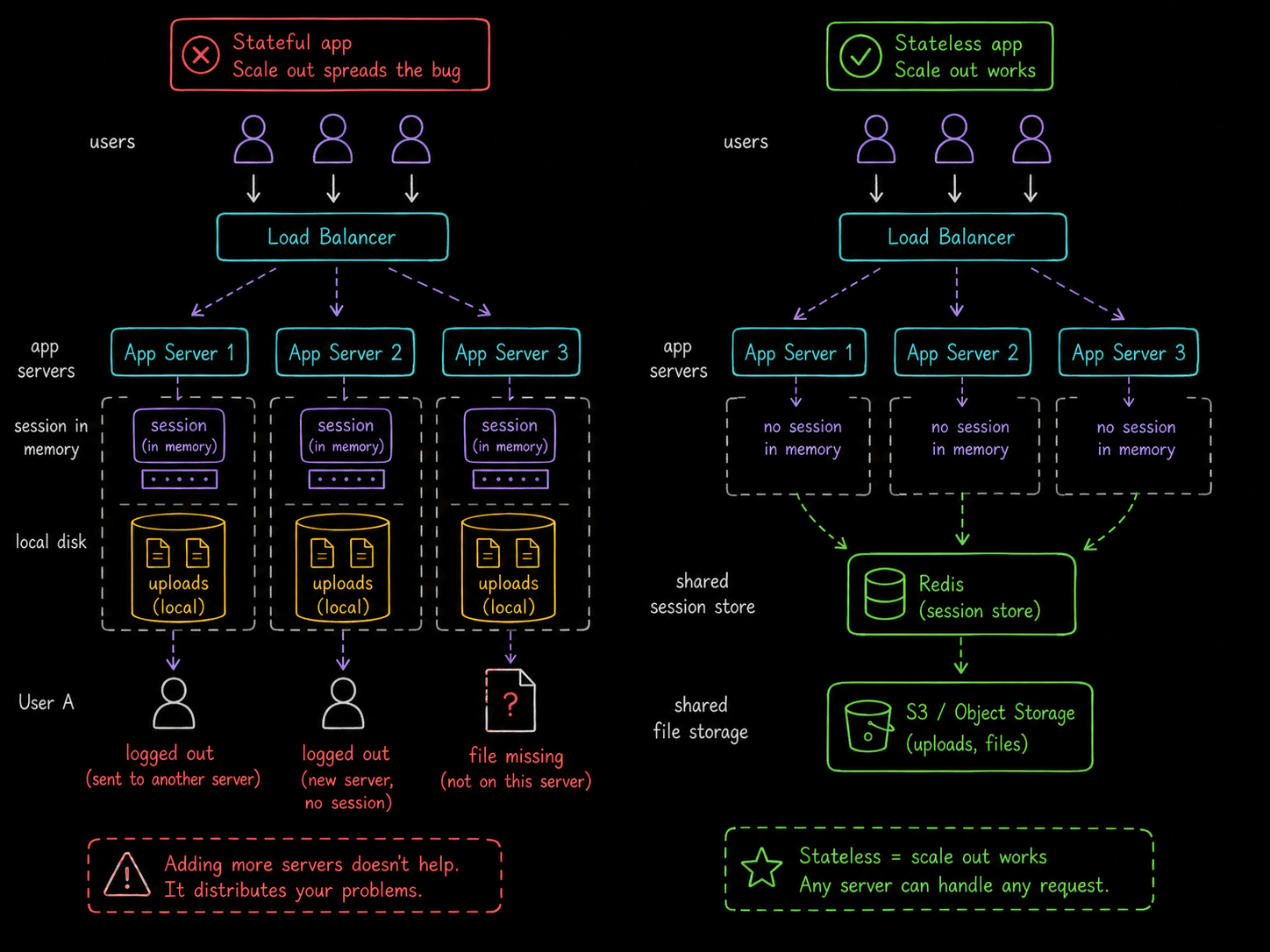
If it stores sessions in memory, the second server logs users out every time the load balancer sends them to a different box. If it writes uploads to local disk, those files simply do not exist on the other machines. Scale out a stateless application and traffic spreads beautifully. Scale out a stateful one and you have distributed your bug across three servers.
The answer that gets the nod
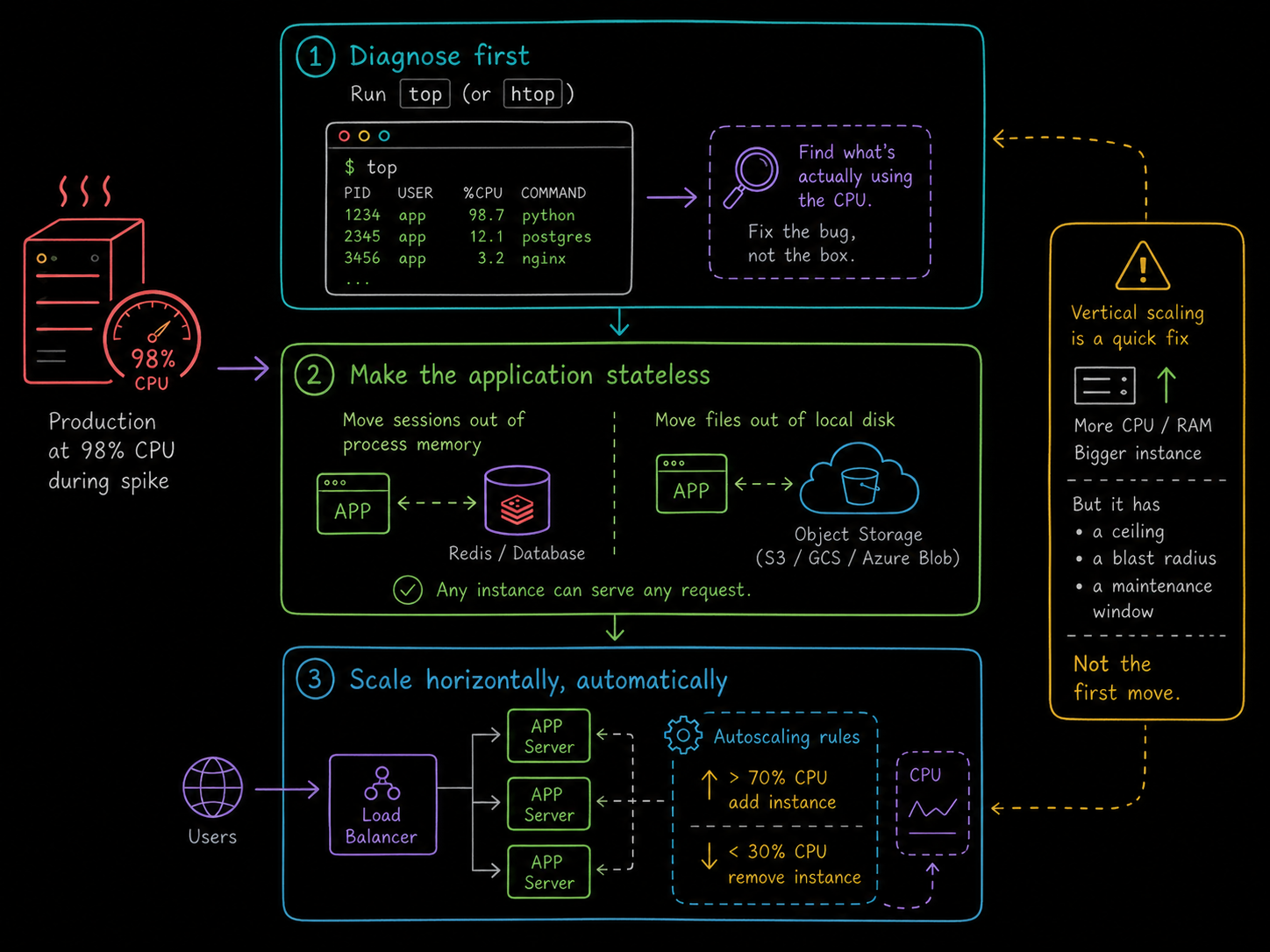
The strong response has three steps, in a strict order.
Diagnose before you scale. Run top (or htop) and look at what is actually eating the CPU. One runaway database query pinning a core is not a scaling problem, it is a bug. A memory leak driving constant garbage collection is not a capacity problem either. Scaling hides bugs; it does not fix them, and it hides them at a monthly price. Teams have burned thousands upgrading instances when the real fix was one bad SQL query.
Make the application stateless. Move sessions out of process memory into Redis or a database. Move file storage to object storage like S3, or a shared volume. The test is simple: any copy of your app should be able to serve any request without caring which server it is on. This step is the actual work, and it is what makes step three possible.
Then scale horizontally, automatically. Put the servers behind a load balancer and let autoscaling rules do the reacting: for example, add an instance when average CPU crosses 70%, remove one when it drops under 30%. Now the next traffic spike is handled by a rule instead of by whoever is on call.
The takeaway
Vertical scaling is a quick fix with a ceiling, a blast radius, and a maintenance window attached. Horizontal scaling is the durable fix, but only after the application is stateless, and neither is the first move. The first move is top. Diagnose, make it stateless, then scale out; that order is the answer interviewers are listening for, and the same reasoning transfers across every cloud provider's version of this question.
FAQs
Q1: When is vertical scaling actually the right call?
When you need breathing room right now and the fix is coming (a bigger instance is a fine tourniquet), when the workload is inherently hard to distribute (a traditional relational database primary is the classic case), or when you are small enough that one size up is cheaper than the engineering time to go stateless.
Q2: What makes an application stateless?
Nothing a request needs lives only on one server: sessions sit in a shared store like Redis, files sit in object storage, and any instance can be created or destroyed without losing data. State does not disappear; it moves to systems built to hold it.
Q3: Doesn't Kubernetes handle all of this for me?
It automates the mechanics, not the prerequisites. A horizontal pod autoscaler can add replicas in seconds, but if those replicas keep sessions in memory or write to a local volume, you get the same broken behavior with faster provisioning. The app has to be stateless first; the scale-out design rules are the same on any platform.





Discussion