



A few years ago, learning something technical meant reading, watching, and then trying. If you got stuck, you searched, opened six tabs, and hoped one of them matched your exact version of the problem.
That still works. But there's a faster loop available now, and a lot of people haven't switched to it yet.
You can ask. Not "search and hope", actually ask, in your own words, with your own broken code pasted in, and get an answer written for your situation. Then ask a follow-up. Then admit you didn't understand the follow-up and ask again in simpler terms. Nobody is judging you. Nothing is being logged into a permanent record of your ignorance.
That changes what learning feels like.
What you can actually do now
Ask the dumb question. The one you've been avoiding for two years because everyone assumes you know it. What a subnet actually is. Why your Docker image is 1.2GB. What "idempotent" means when people say it in meetings. You can ask that at 11pm and nobody knows.
Learn from your own broken thing. Generic tutorials teach a generic example. You have a real error, in your real repo, with your real config. Paste it in. The explanation lands harder because it's about your problem, not a made-up one.
Get the same idea explained five ways. If the first explanation doesn't click, ask for it as an analogy. Then ask for it with a diagram. Then ask for the version you'd give a five-year-old. One of them will stick. This used to require finding five different teachers.
Compare how different models answer. This one surprises people. Ask the same question to two models and read both. One gives you a clean definition. The other reaches for an example. One mentions the edge case that matters, the other misses it. Reading both teaches you more than reading either, partly about the topic, and partly about how much these tools vary, which is itself a thing worth knowing.
Practise the actual skill. Being good at prompting isn't a trick or a list of magic words. It's noticing that the answer missed the point, working out what you failed to specify, and asking again. That's it. That's the whole skill, and it only gets better with reps.
What still hasn't changed
Two things.
You still have to type it yourself. Reading a perfect explanation of a Kubernetes deployment feels like understanding. It isn't. Understanding is when you write it, break it, and fix it. The model can shorten the loop; it can't run the loop for you.
And the model is confidently wrong sometimes. Version numbers, flags that were deprecated, a command that looks right and isn't. Assume this. Run it, check the docs, notice when things don't line up. Catching an AI being wrong is a genuinely useful skill, and you build it by getting burned a few times on small things.
The bit that gets in the way
Here's the annoying part. All of this only works if you can get to the first prompt quickly.
Think about the last time you tried. You signed up somewhere. Then somewhere else, because you wanted to compare. You put in a card. You installed one SDK, then a second one that does the same job with different method names. You generated three keys and wrote yourself a note about which was which.
Then it was late, and you hadn't asked a single question.
That evening taught you nothing. Not one thing about prompting, not one thing about how models differ. It was setup, the tax you pay before the learning starts.
The good news is this part is solvable. You just need one key, one endpoint, and the ability to switch models without signing up again.
One way to do it: KodeKey
KodeKey is included in your KodeKloud subscription, so there's nothing separate to sign up for or pay for. One key reaches models from Anthropic, Google, DeepSeek and others through a single endpoint. Switching models is a one-word change in your code.
It's built for learning, practice, and short experiments. It's not sized for running a product with real users, and it isn't trying to be an enterprise AI gateway. That's worth knowing up front, it tells you what to use it for, and when you've outgrown it.
Here's how to set it up. It's one page.
1. Pick a model
At the top of the KodeKey page is Select a Model. Open the dropdown and you get a searchable list grouped by provider, Anthropic (Claude Haiku 4.5, Claude Sonnet 4.6, Claude Sonnet 5), DeepSeek (V3.2, V4 Flash, V4 Pro), Google (Gemini 3 Flash Preview, Gemini 3.1 Flash Lite), and more as you scroll. How many are unlocked depends on your plan.
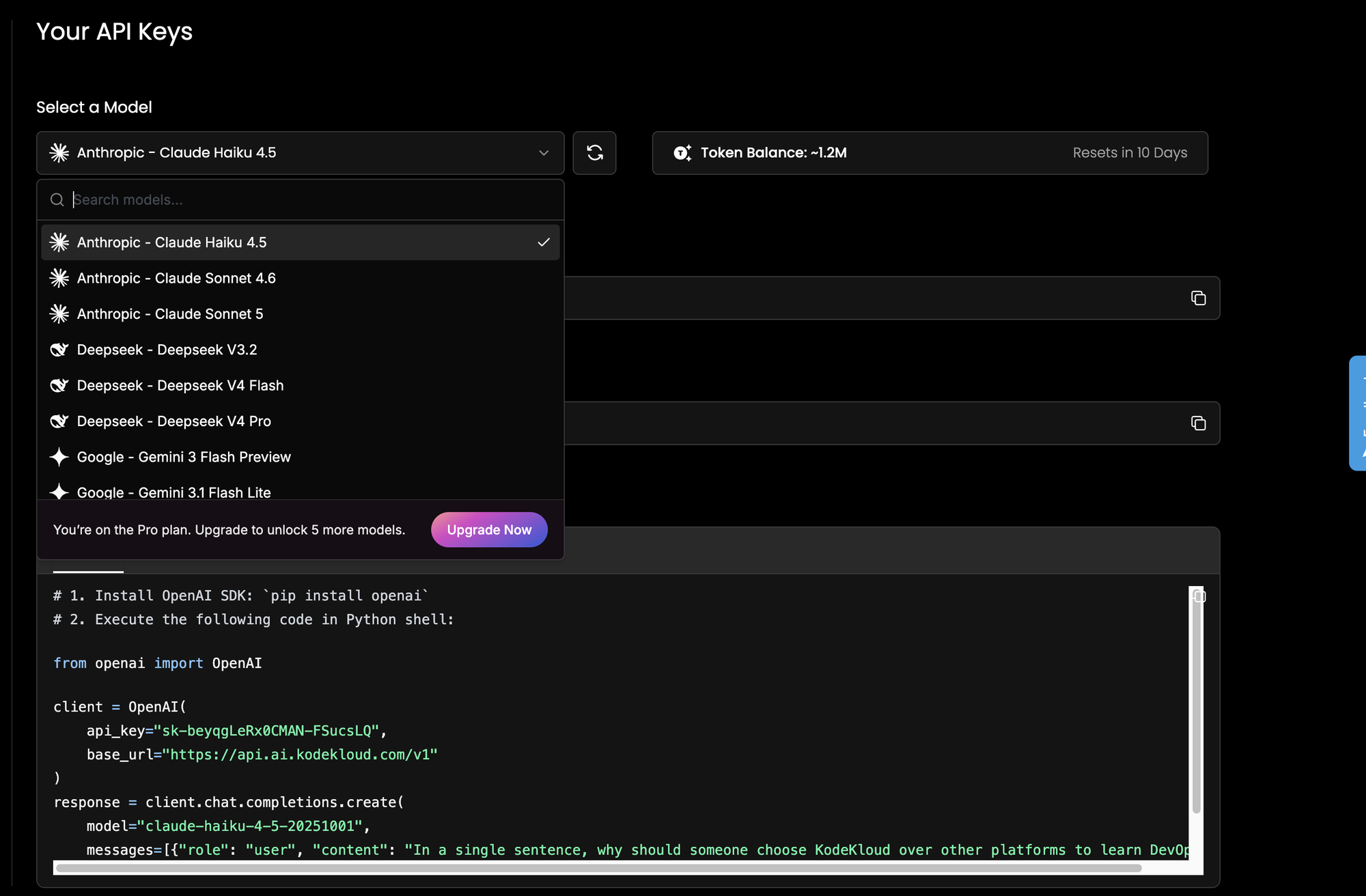
Come back to this dropdown whenever you want to compare answers. It's the whole "ask two models" habit in one click.
2. Check your tokens
Next to the dropdown is your Token Balance, with a reset countdown beside it. Note the line under it: how far your tokens go depends on which model you picked. Smaller, cheaper models stretch the same allowance a lot further, which matters when you're doing repetitive practice rather than something that needs the strongest model.
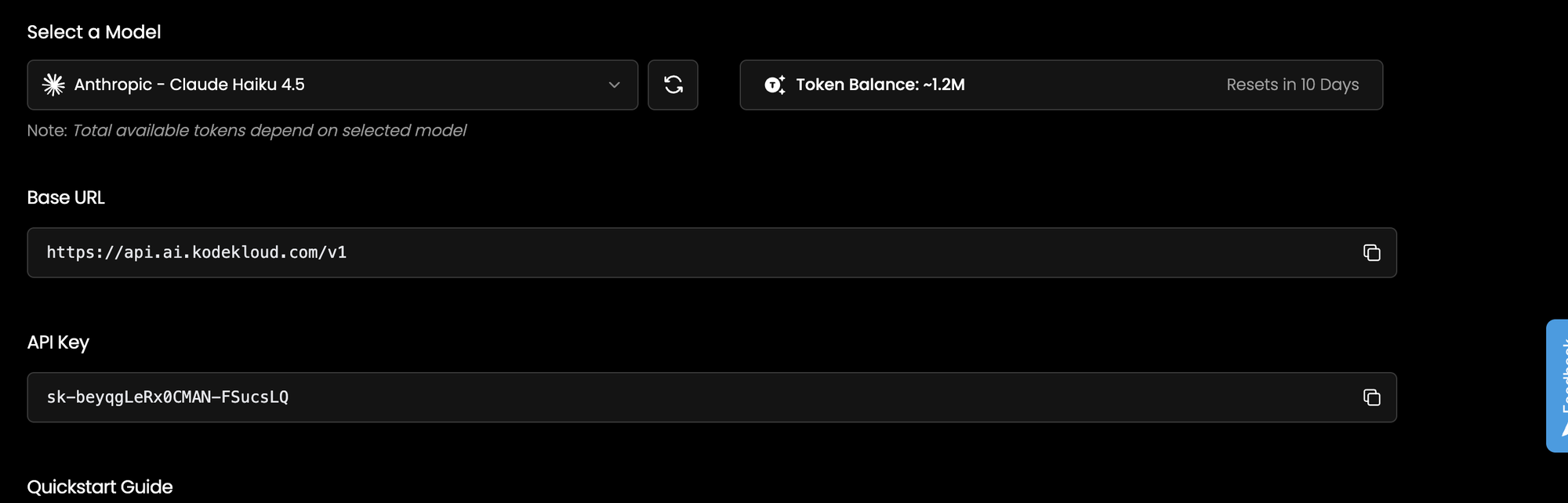
The refresh button next to the dropdown re-checks the balance.
3. Copy the Base URL
https://api.ai.kodekloud.com/v1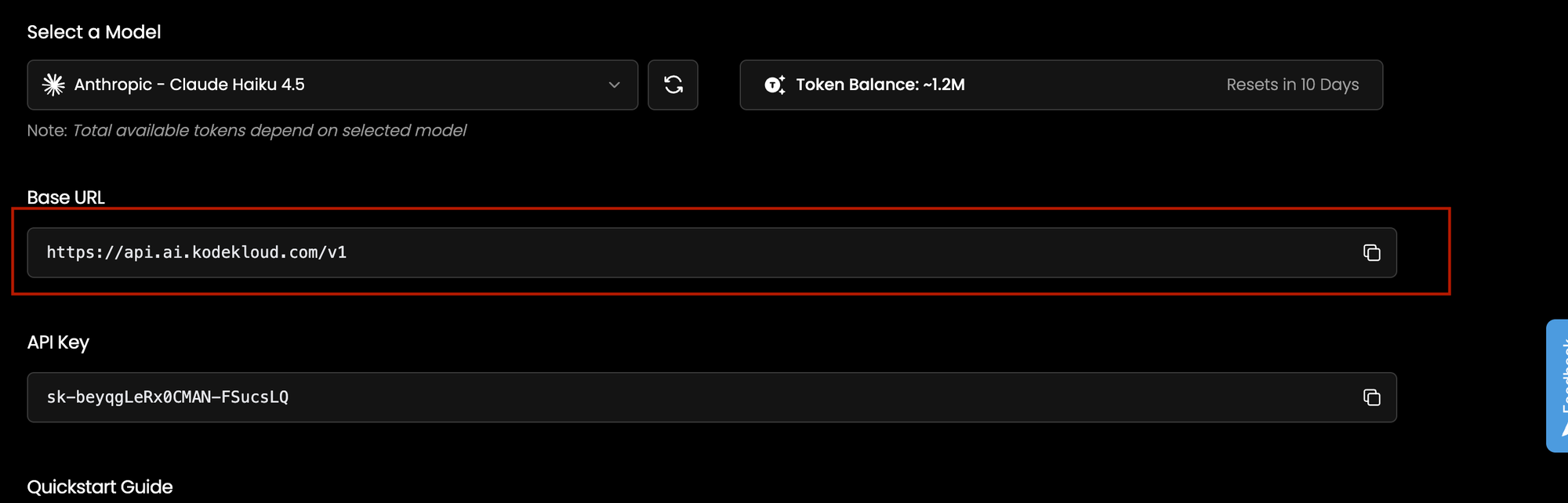
Every model goes through this one address. The /v1 matters more than it looks — it means the endpoint speaks the OpenAI API format. That's why you only ever install one SDK. Claude, Gemini and DeepSeek all arrive through the same client.
4. Copy your key
Under API Key is your personal key, starting with sk-, with a copy button beside it.
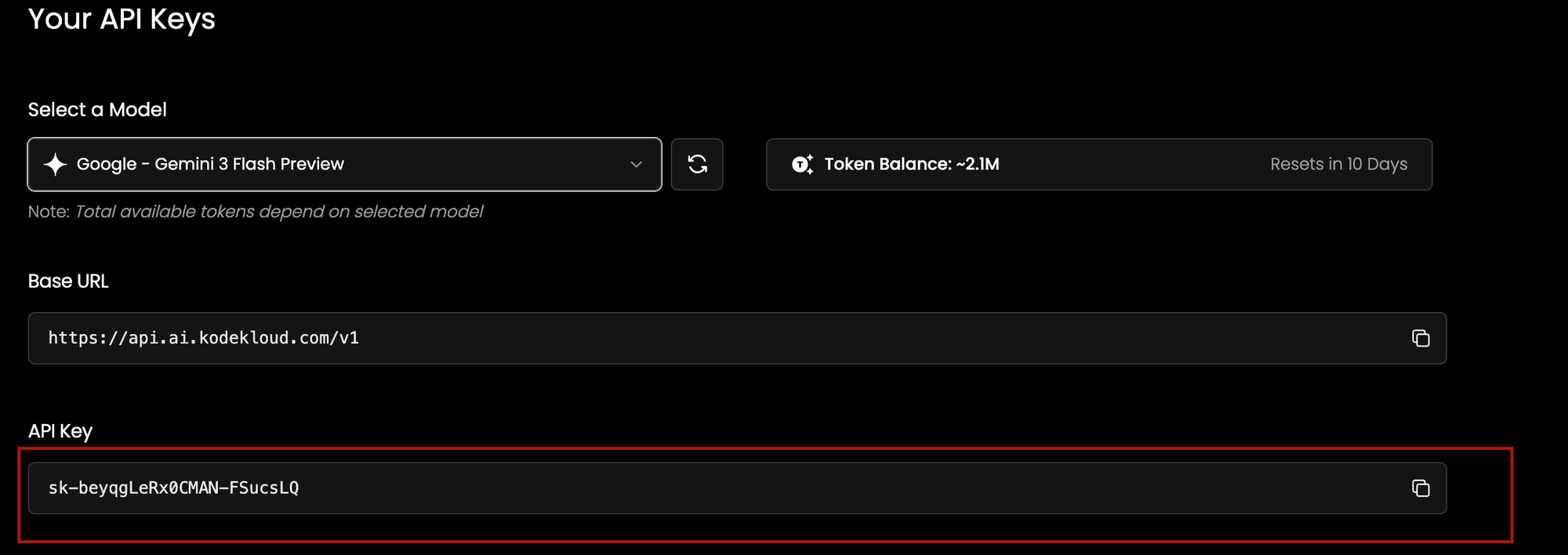
Treat it like a password. Don't paste it into a screenshot, a public repo, or a notebook you're about to share. In real code, keep it in an environment variable:
export KODEKEY_API_KEY="sk-your-key-here"If it ever leaks, regenerate it from this page and the old one dies.
5. Send your first prompt
At the bottom is the Quickstart Guide, with tabs for Python, JavaScript and cURL. Each one comes pre-filled with your key and whichever model you selected. The Python one looks like this:
# pip install openai

import os
from openai import OpenAI

client = OpenAI(
    api_key=os.environ["KODEKEY_API_KEY"],
    base_url="https://api.ai.kodekloud.com/v1",
)

response = client.chat.completions.create(
    model="claude-haiku-4-5-20251001",
    messages=[{"role": "user", "content": "Explain Kubernetes ingress in one paragraph."}],
)

print(response.choices[0].message.content)
Two things to notice.
The import says openai even though you're calling Claude. That's not a mistake. The OpenAI SDK is just the interface here, not the provider.
And the model value is the full versioned ID (claude-haiku-4-5-20251001), not the friendly name in the dropdown. If you change the dropdown, the Quickstart snippet updates with the right ID, so copy it from there instead of guessing.
6. Now do the comparison thing
This is the part that actually teaches you something:
question = "Explain Kubernetes ingress in one paragraph."

for model in ["claude-haiku-4-5-20251001", "claude-sonnet-4-6", "deepseek-v3.2"]:
    response = client.chat.completions.create(
        model=model,
        messages=[{"role": "user", "content": question}],
    )
    print(f"--- {model} ---")
    print(response.choices[0].message.content)
    print()
Read all three. Notice what one includes that the others skip.
7. Take it into your editor
Nothing above is playground-only. The same three lines - key, base URL, model- work in a Jupyter notebook, a VS Code project, or a shell script using the cURL tab. There's no second setup to learn when you move from playing around to building something.
Try this today


Ask it to explain one thing you've been quietly confused about for a while. Then change one word and ask a second model the same question. Five minutes. Which is five minutes more learning than the evening you spent on setup.





Discussion