



The kernel update is installed and the server needs a reboot, but not now: the backup job finishes at 2, traffic dies down after midnight, and the safe window is 3:00 a.m., an hour when you intend to be asleep. You do not need to be awake for this. The shutdown command can schedule a reboot in Linux hours or even days ahead, and the server handles it alone.
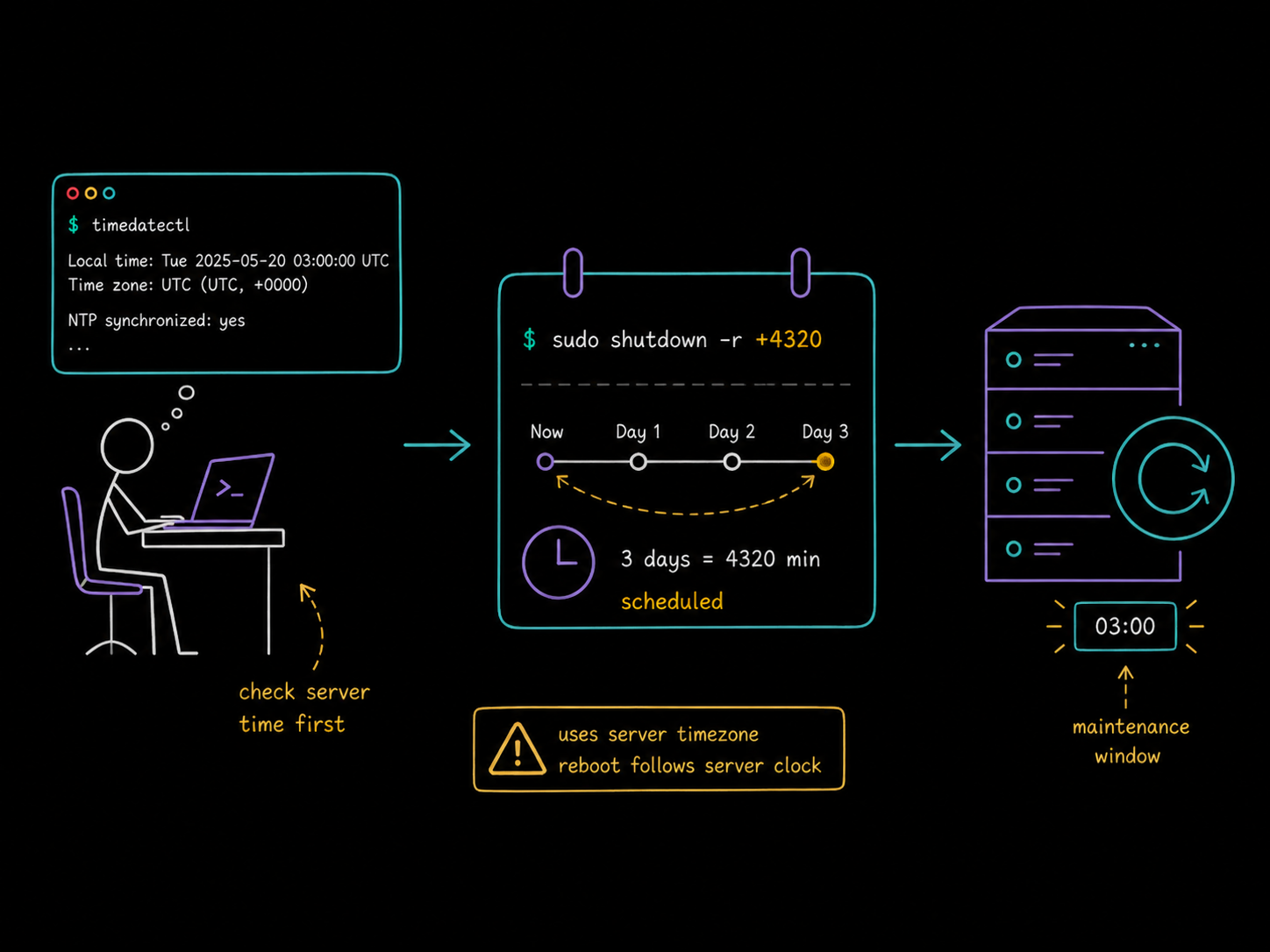
First, check what time the server thinks it is
A scheduled reboot fires at the server's 3:00 a.m., not yours, and on cloud machines those are rarely the same clock. Check before you schedule:
timedatectl
               Local time: Fri 2026-08-21 03:04:29 UTC
           Universal time: Fri 2026-08-21 03:04:29 UTC
                 RTC time: n/a
                Time zone: UTC (UTC, +0000)
This server runs on UTC. If your window is 3:00 a.m. in your own timezone, either convert the time in your head or set the server's timezone first (sudo timedatectl set-timezone Europe/Amsterdam), because two timezones in one command is how reboots land in the middle of peak traffic.
Schedule a shutdown or a reboot for a specific time
To power the server off at 3:00 a.m., give shutdown the time in 24-hour hh:mm format, anything from 00:00 to 23:59:
sudo shutdown 03:00
Shutdown scheduled for Sat 2026-08-22 03:00:00 UTC, use 'shutdown -c' to cancel.
Usually you want the machine back, though. Add -r for reboot:
sudo shutdown -r 03:00
Reboot scheduled for Sat 2026-08-22 03:00:00 UTC, use 'shutdown -c' to cancel.
Notice what the confirmation line reveals: this was run shortly after 3:04 a.m., so 03:00 was interpreted as the next 3:00, tomorrow. The hh:mm form always means the next occurrence of that time, which is why it can only reach up to 24 hours ahead. Logged-in users get warned automatically, and in the final minutes before the deadline new logins are blocked.
Scheduling more than 24 hours ahead
Need the reboot after a three-day soak test, not tonight? There is a second time format: +minutes, and it is not capped at a day. Do the arithmetic (60 minutes x 24 hours x 3 days = 4,320) and pass it with a plus:
sudo shutdown -r +4320
Reboot scheduled for Mon 2026-08-24 03:04:31 UTC, use 'shutdown -c' to cancel.
Three days out, exactly. Drop the -r and the same trick schedules a power-off instead.
Why not cron or at?
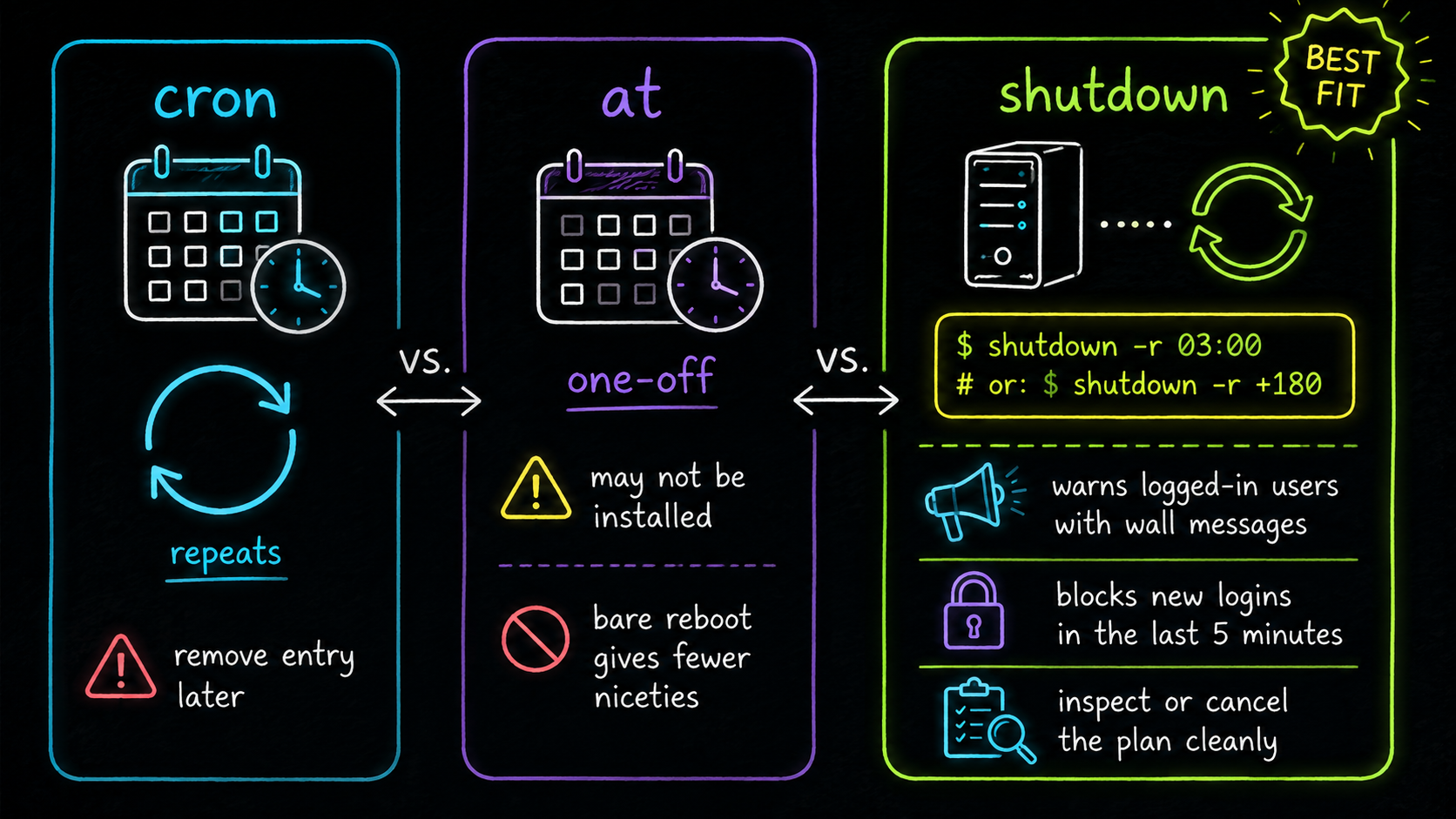
Fair question, since Linux has other schedulers. Cron is the wrong shape for this: it exists to run things repeatedly on a schedule, and wiring a one-off reboot into it means remembering to remove the entry afterwards or rebooting every night at 3:00 forever. The at command can run a one-off job, but it is often not installed, and a bare reboot fired from it restarts the machine with none of the courtesies. shutdown is already on the box, and those courtesies are the point: it warns logged-in users with wall messages as the deadline approaches, blocks new logins in the last five minutes, and gives you a clean way to inspect or cancel the plan.
Check it, cancel it
A schedule you cannot inspect is a schedule you will second-guess at midnight. Two companions worth knowing:
sudo shutdown --show   # is anything scheduled?
sudo shutdown -c       # cancel the scheduled shutdown or reboot
--show prints the same "Reboot scheduled for ..." line, or "No scheduled shutdown." if the calendar is clear. Cancel works right up until the deadline, which turns a mistyped time from an incident into a non-event.
The takeaway
Confirm the server's clock with timedatectl, then sudo shutdown -r hh:mm for any point in the next 24 hours, or sudo shutdown -r +minutes to reach past that limit. Verify with --show, sleep through the reboot, and let shutdown -c save you if plans change. For the command's full option set beyond scheduling, the Linux shutdown command guide covers the rest.
FAQs
Q1: Does a scheduled shutdown survive a reboot or a cancelled login session?
It survives your logout fine (the schedule is held by the system, not your shell), but it does not survive a reboot: the pending schedule lives in the running system's state, so if the machine restarts for another reason, your scheduled shutdown is gone and needs re-creating.
Q2: How do I warn users with a custom message?
Append it after the time: sudo shutdown -r 03:00 "Rebooting for kernel update, save your work". Logged-in users see the message in their terminals along with the countdown warnings the system already sends.
Q3: What is the difference between shutdown +10 and shutdown 03:00?
+10 means "ten minutes from now" wherever now happens to be; 03:00 means "the next time the clock reads 03:00". Relative times are what scripts tend to use, absolute times are what maintenance windows tend to use, and +minutes is also the only form that can schedule beyond 24 hours.





Discussion