



Let’s start with the basics. What is Kubernetes?
Kubernetes runs your containers across a fleet of machines for you. The key thing is you don’t tell Kubernetes where to run anything. You write a YAML file that says ‘I want three copies of this app,’ you run kubectl apply, and from then on Kubernetes maintains three copies for you. If a machine dies and takes a copy with it, Kubernetes notices you’re down to two and starts a third copy somewhere else. You declare the end state - Kubernetes does all the work to get there.
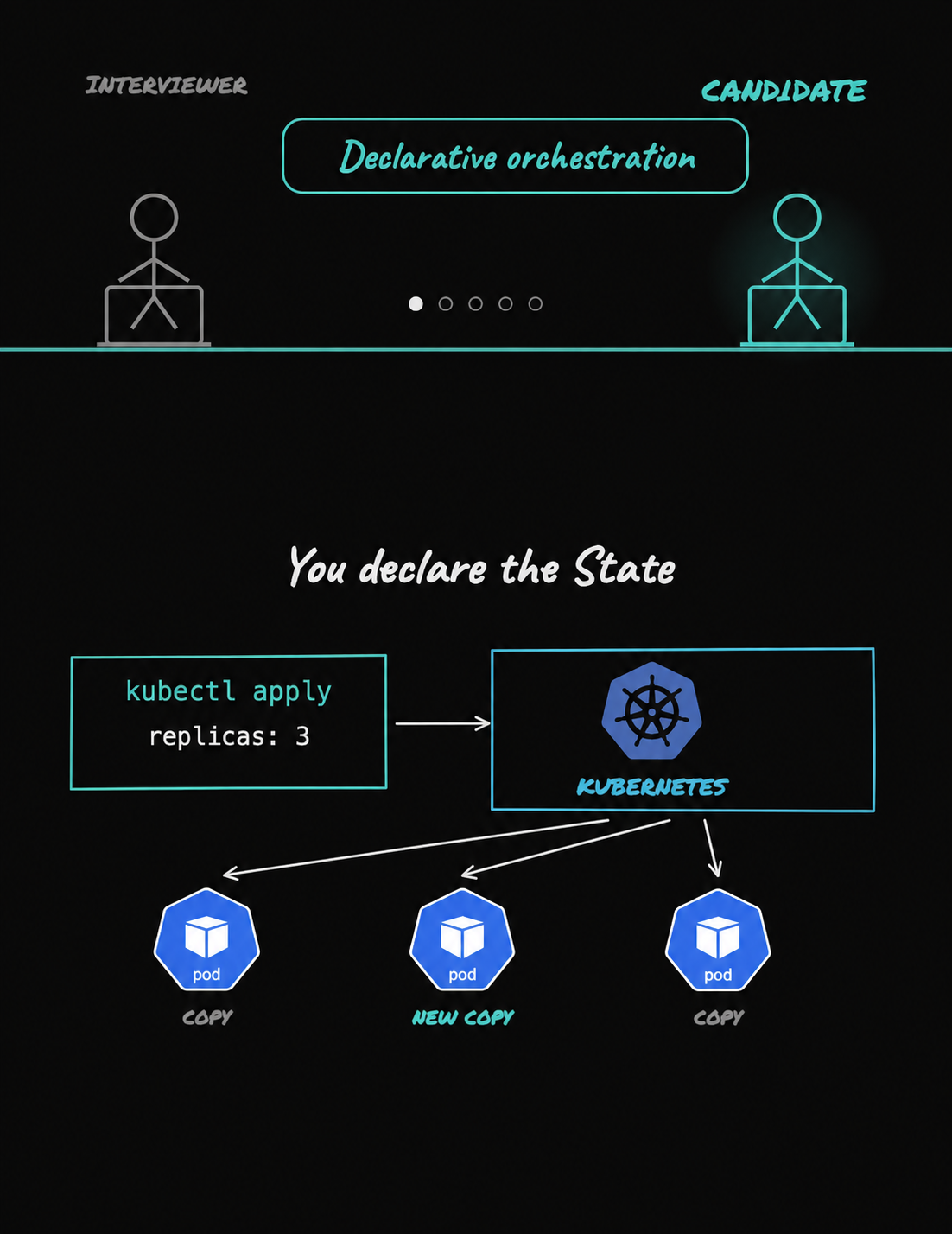
Kubernetes maintains the end state. So, what’s the actual component which is doing that work?
That’s the control plane - it’s the brain of the Kubernetes cluster. In the control plane, a few components work together. The API server is the main entry point. Everything talks to Kubernetes through the API server, and only the API server writes to etcd. Etcd is the database. It stores what you want the cluster to look like and what the cluster actually looks like. Controllers constantly watch the API server. They compare the desired state with the current state and fix any differences. For example, if you want three replicas but only two are running, the replica controller creates one more.
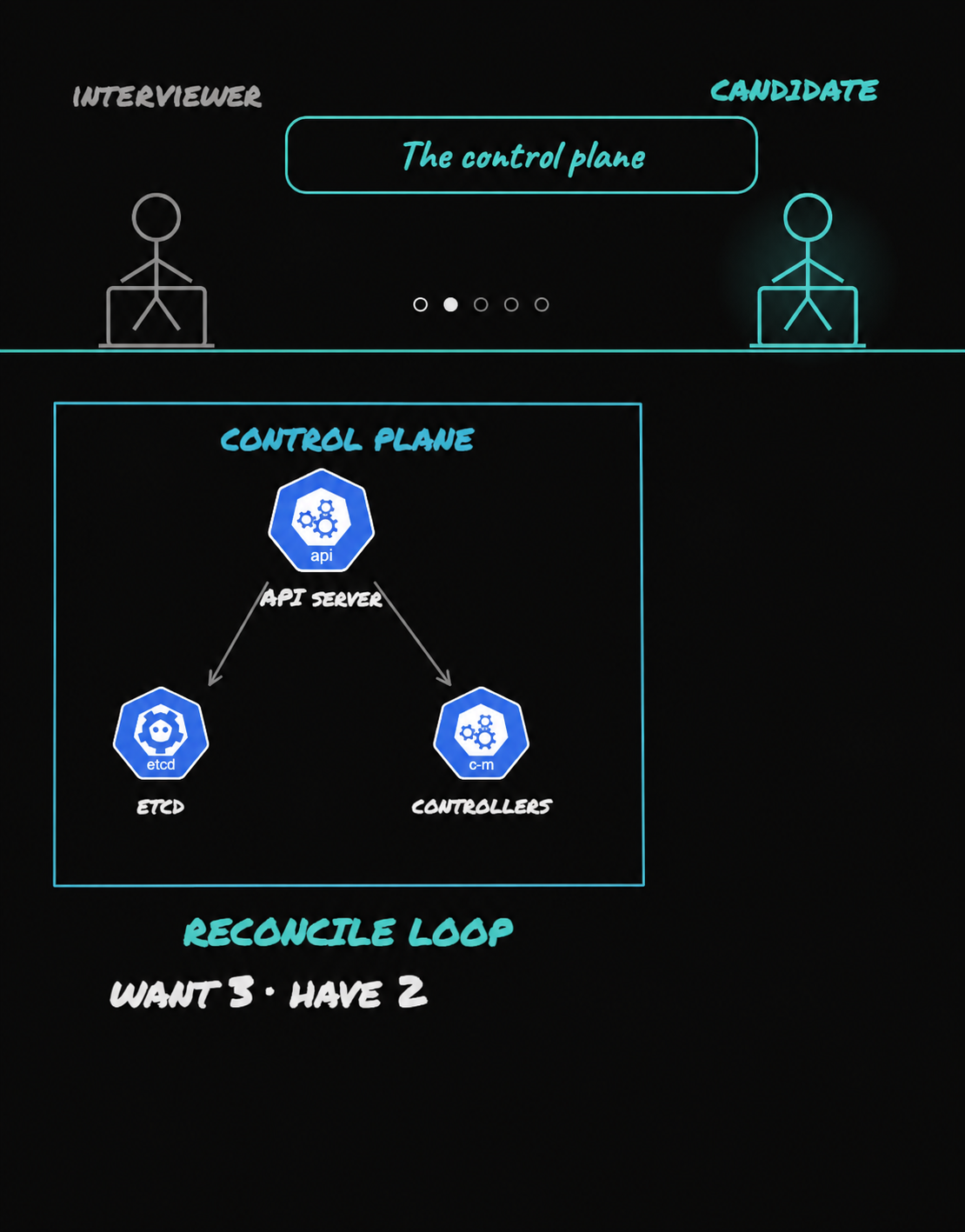
A controller decides a third pod has to exist. How does that pod actually land on a machine?
That’s the function of the scheduler. When a new pod is created, it waits without a node assigned to it. The scheduler watches for these unassigned pods and decides which node they should run on. First, it filters out nodes that cannot run the pod. For example, if the pod needs 2 GB of memory and half a CPU, the scheduler removes any node that does not have enough free resources. It also removes nodes with taints the pod does not tolerate. Then, the scheduler scores the remaining nodes and picks the best one. After that, it writes the chosen node name back through the API server. But the scheduler does not start the container. It only decides where the pod should run.
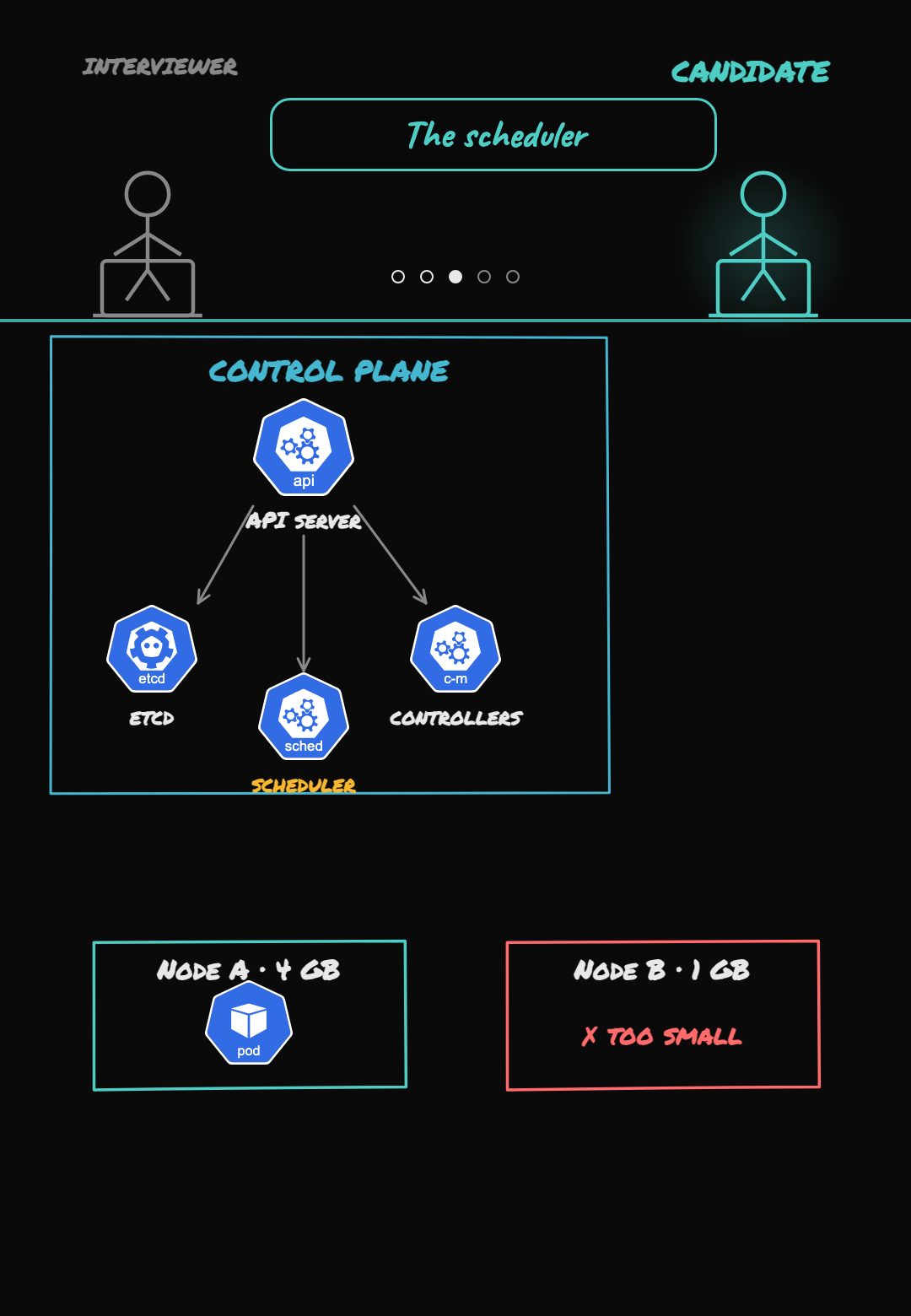
The scheduler just picks the address where the container will live. Who actually starts the container once it’s been picked?
That’s the kubelet’s job. There is one kubelet running on every node. The kubelet is the node agent that does the actual work. When a pod is assigned to its node, the kubelet pulls the container image and tells the container runtime to start the container. After the container starts, the kubelet keeps checking its health and reports the status back to the API server. For example, it may run a liveness probe every few seconds. If the container stops responding, the kubelet kills it and starts a new one on the same node.
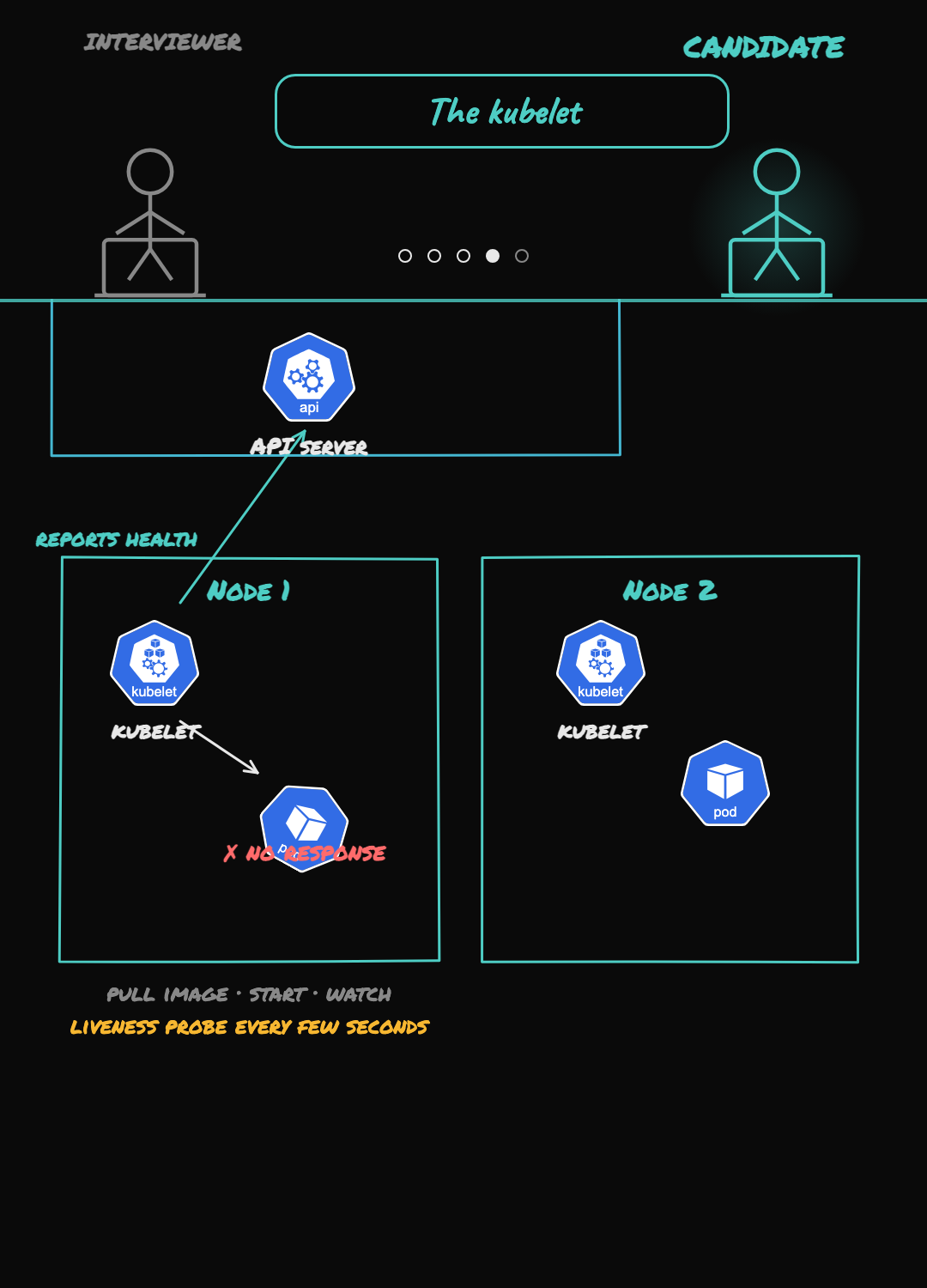
Now those containers are spread across different nodes, and they need to talk to each other. How does Kubernetes pull that off?
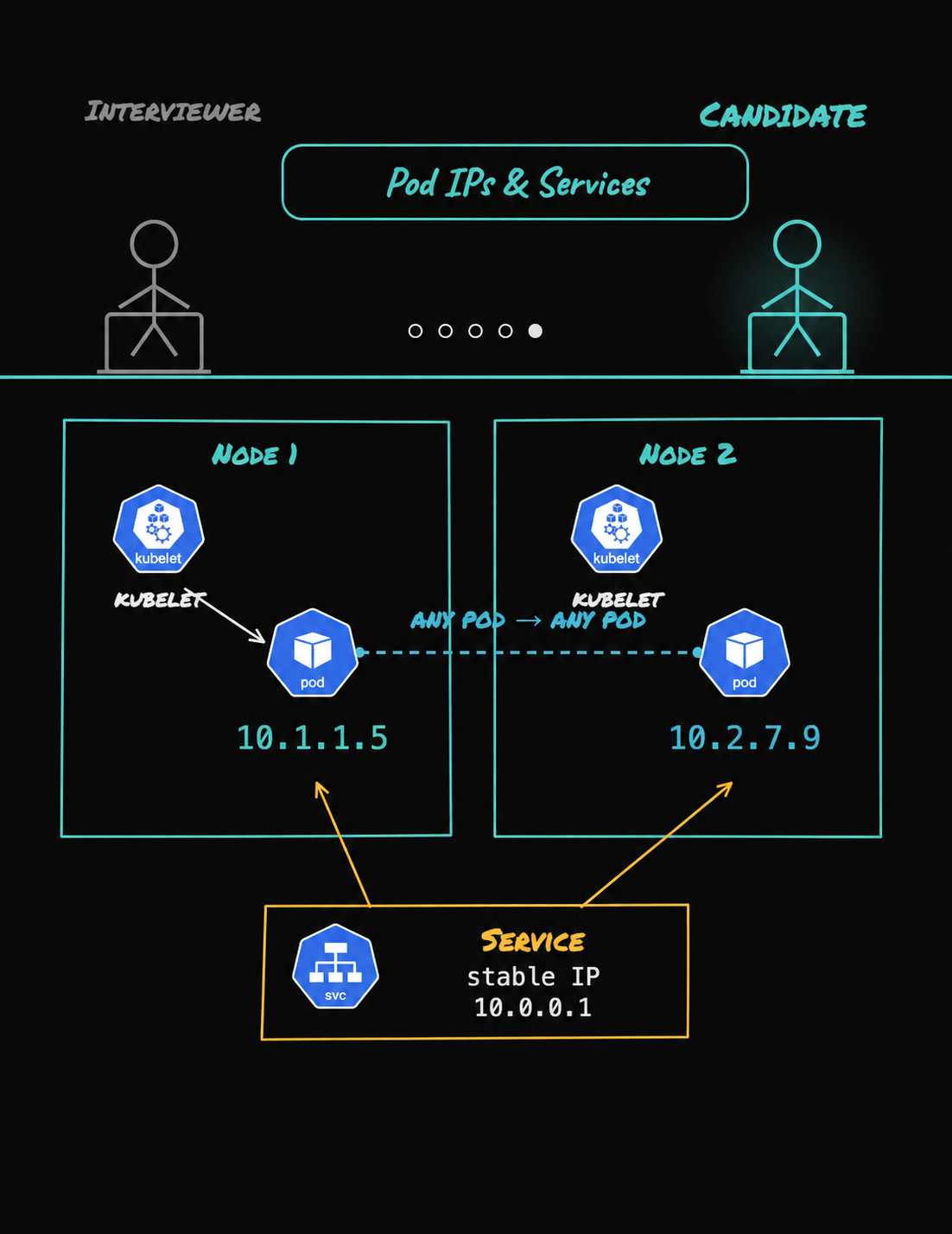
Every pod gets its own IP address. Kubernetes has a flat network, so any pod can talk to any other pod directly, even if they are running on different nodes. But pods are temporary. If a pod dies and Kubernetes creates a new one, the new pod gets a new IP address. So you should not hard-code pod IPs. That is why you use a Service. A Service gives you a stable name and a stable IP address. It sends traffic to the healthy pods behind it, even if those pods are replaced.
We also break this down visually in a short video.





Discussion