



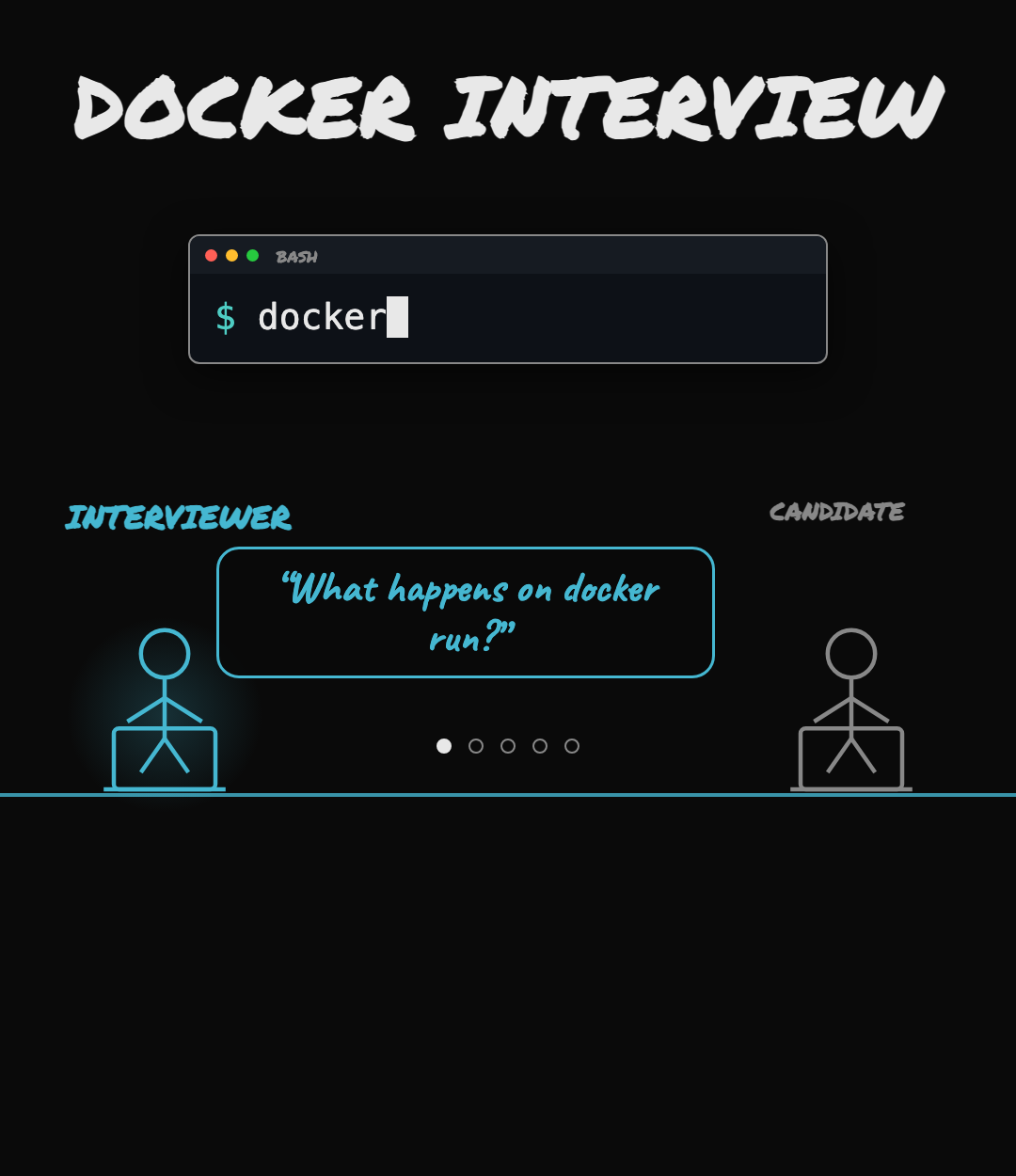
What happens when you type docker run nginx and hit enter.
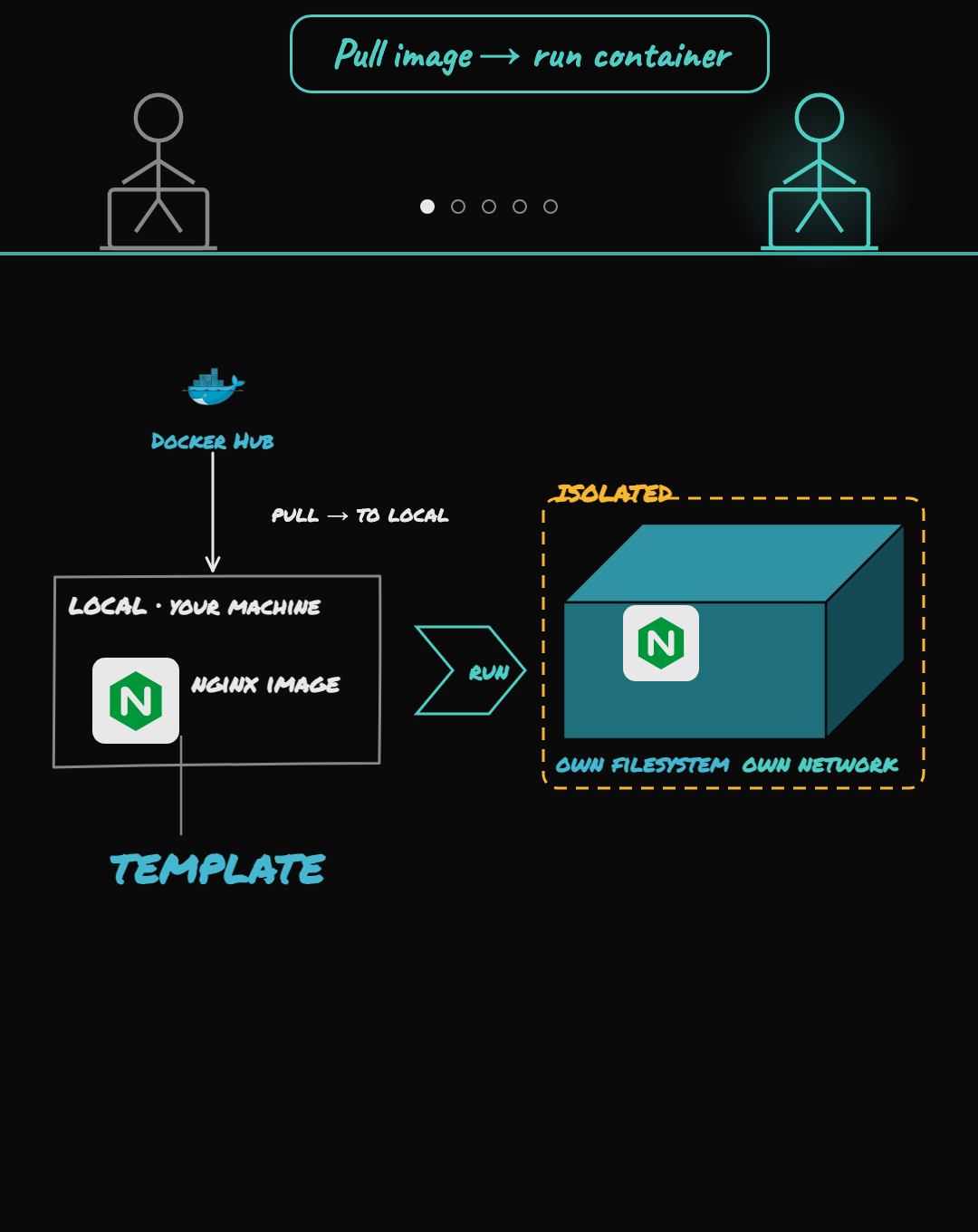
First Docker checks if it has the nginx image locally. If the image is not there locally, docker pulls it from a registry like Docker Hub. Once the image is there, Docker creates a container from the image, and a container is just a normal Linux process, important thing is that containers are isolated and given its own little world. For creating a container, docker prepares an isolated filesystem and network environment, then launches nginx inside this environment. The key thing is the image is a template, and the container is a running instance created from template.
What’s actually inside that image?
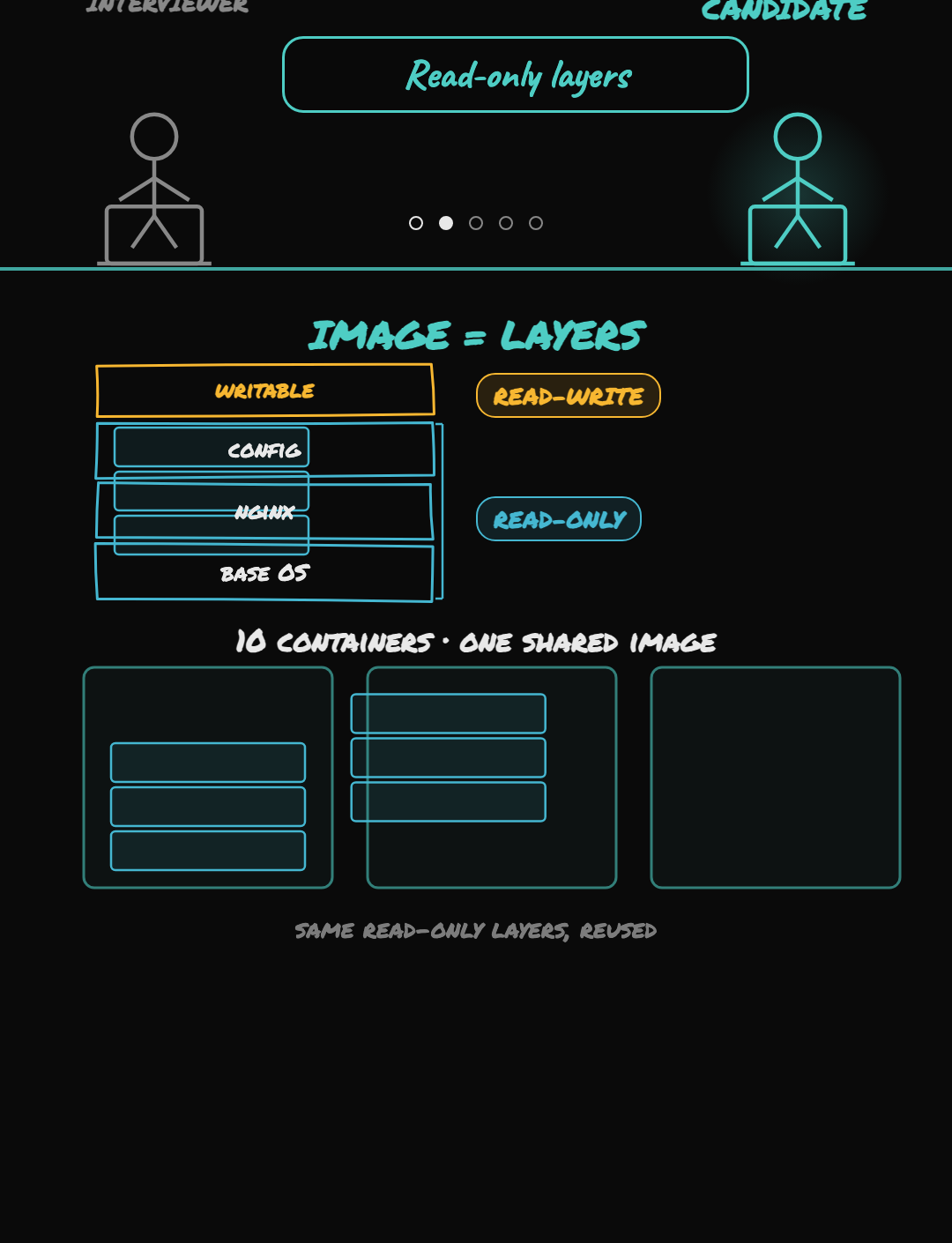
A Docker image is made of layers. One layer may contain the base operating system files. Another layer may contain nginx. Another layer may contain configuration files. These layers are read-only, so Docker does not edit them when the container starts. Instead, Docker adds a small writable layer on top for that specific container. For example, if nginx creates some logs or temporary files, those logs or temporary files go into the container’s writable layer. So if you start ten containers from the same image, they all reuse the same image layers underneath. That makes containers lightweight and quick to start.
What actually makes a container isolated from the host and from other containers?
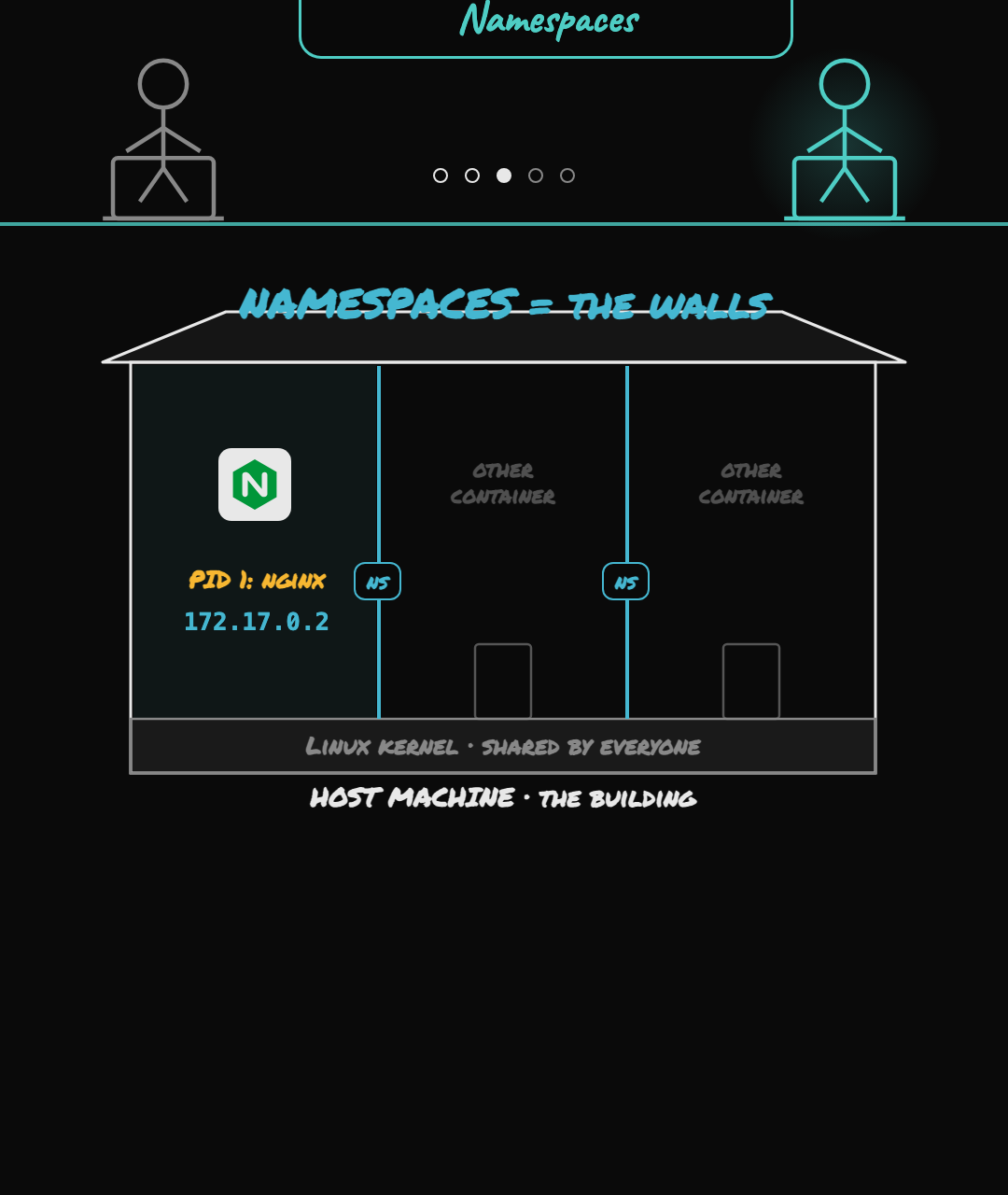
That isolation comes from namespaces, which are a Linux kernel feature. Think of namespaces like separate rooms inside the same building. The building is the host machine. The Linux kernel is shared by everyone. But each container is placed inside its own room, so it does not see everything happening in the whole building. For example, because of the process namespace, nginx does not see all the processes running on your laptop. It only sees the processes inside its own container. So from inside the container, nginx feels like it is running in its own small system. Similarly, because of the network namespace, the container gets its own network space. It gets its own network interface and its own IP address. That is why the container can have its own private network setup, separate from the host.
What stops that one container from eating all the host’s CPU and memory?
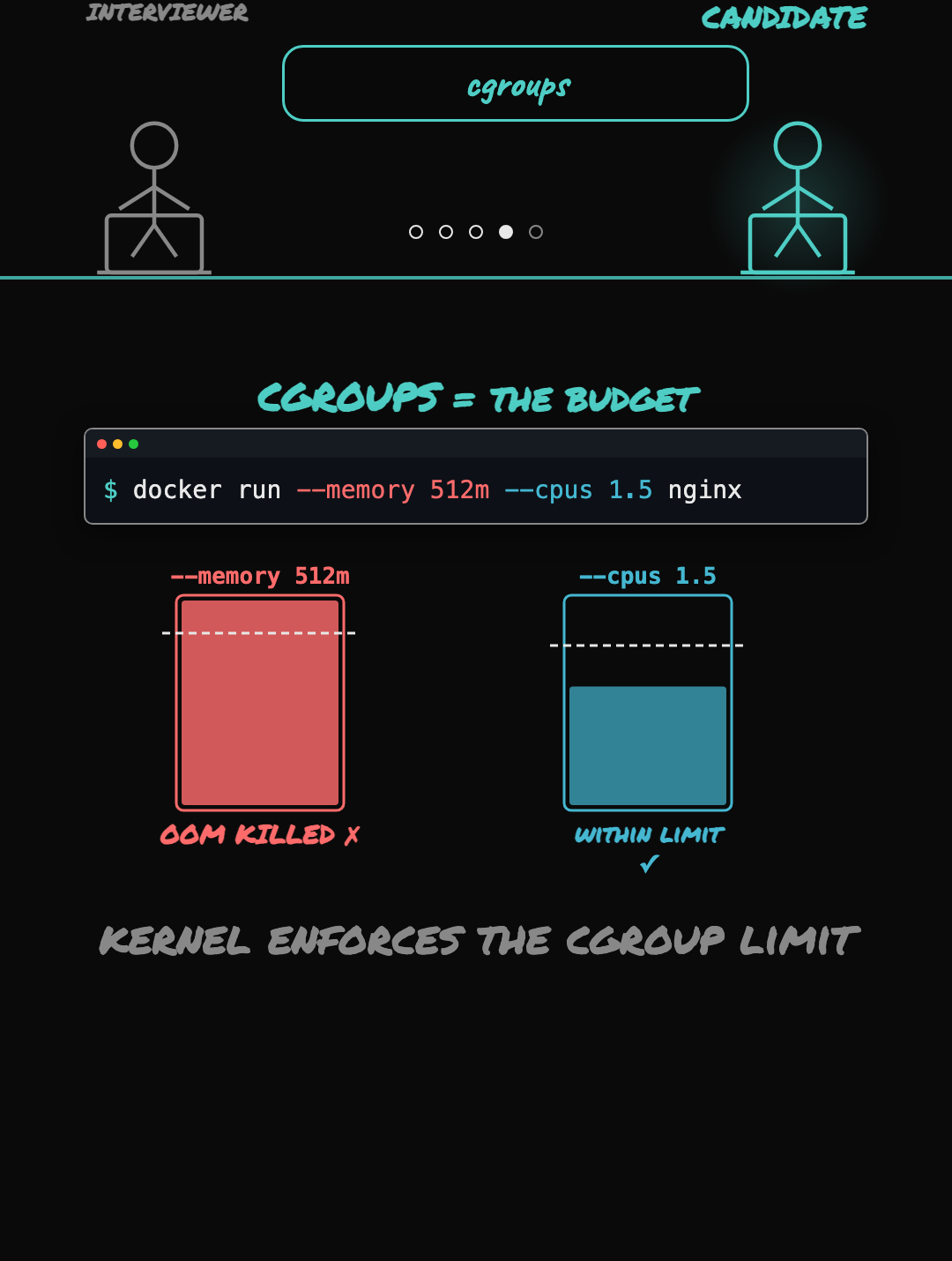
The control groups helps here, which is also a kernel feature. Where namespaces control what a container can see, cgroups control what it can use. When you pass
-memory or -cpus to docker run, Docker writes those limits into a cgroup for the container. The kernel enforces them, if the container goes over its memory limit, then the OOM killer kills it. So namespaces are the walls, and cgroups are the budget.
How does a container talk to the network and the outside world?
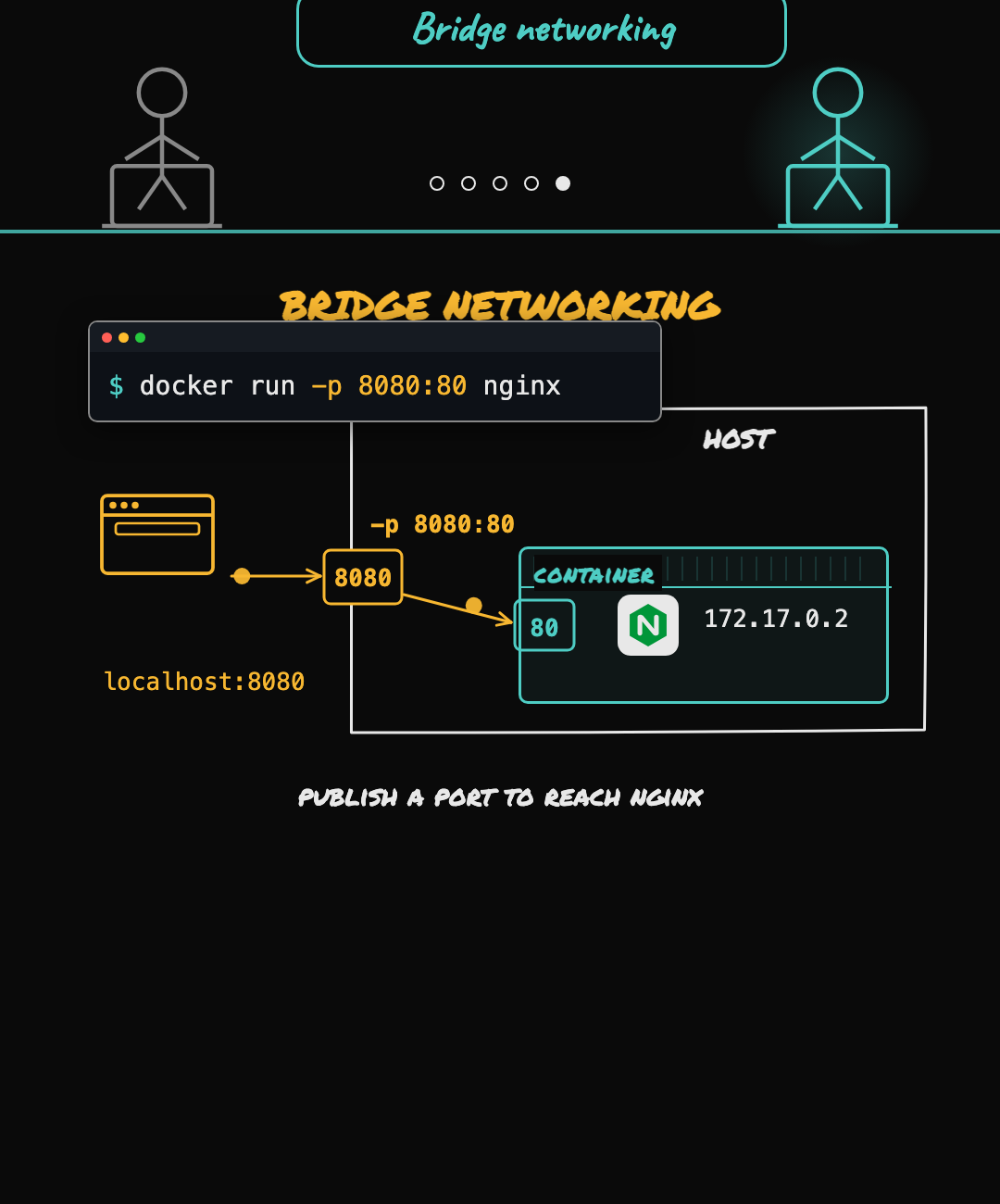
Docker puts the container on a private network on the host and container gets its own internal IP address. The container can send traffic out, but outside traffic cannot reach nginx unless we publish a port. When we publish the port with this command, Docker maps host port 8080 to container port 80. Now, if someone opens localhost:8080, Docker forwards that request to nginx inside the container.
We also break this down visually in a short video.





Discussion