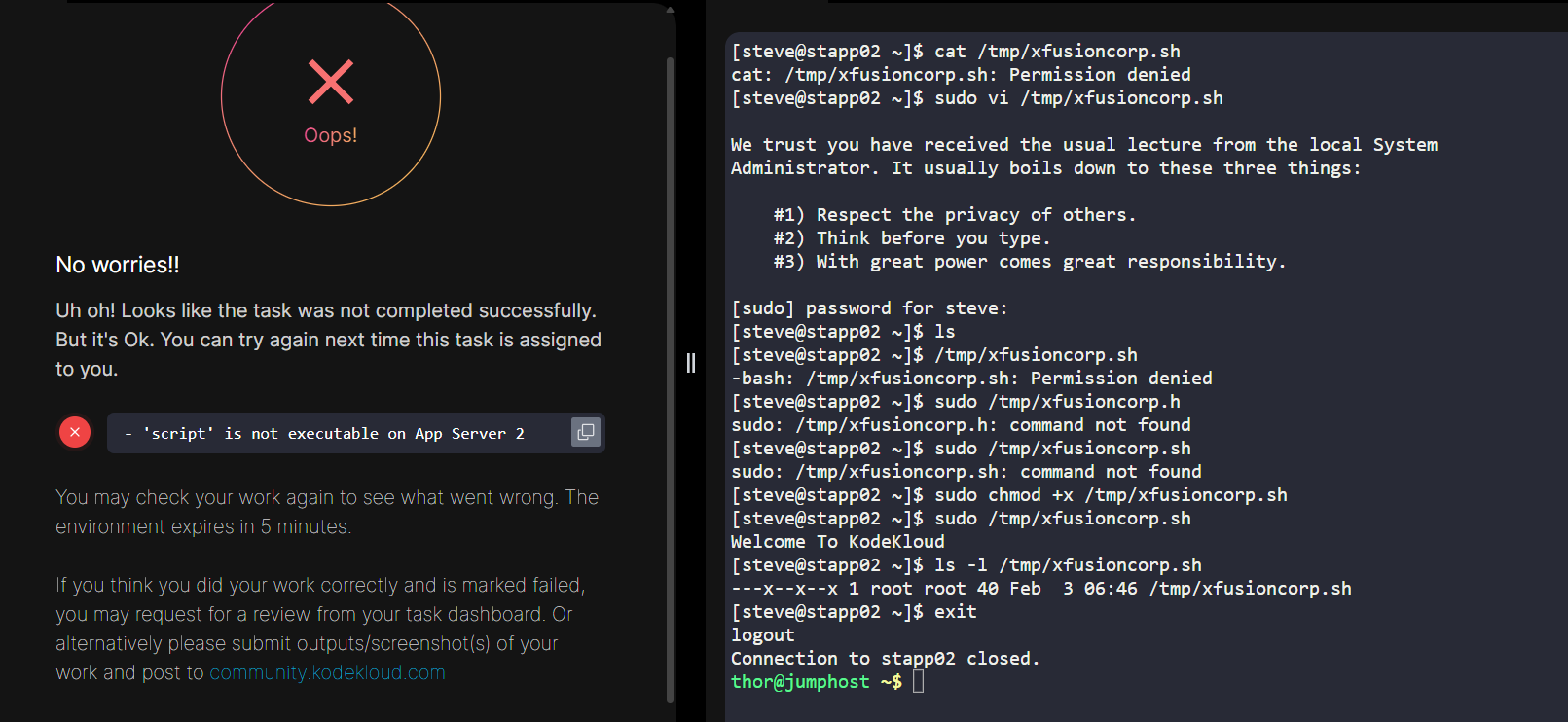
task was to change the bash script file permission on app server 2 , so that it can be executed by every user. I just added the +x (executable permission) on the script file. but its not getting accepted
Hi @anup_mmmut
Is this task called Linux Bash scripts?
If so, try this solution and see if it helps.
Hello , Snatosh
Problem title is : Script Execution Permissions
task was to allow ,every user to be able to execute the bash script, at /tmp/xfusioncorp.sh
As you can see in the screen shot , as am logged in as regular user and ran the script after modifiying the permissions. And its working.
I am also facing issue. I gave chmod a+x xfusioncorp.sh but still i am not able to finish it successfully
Hi @anup_mmmut @ankit.pramanik98040
What did command you use to grant the permission? I’ve just checked it and it’s worked properly from my end.
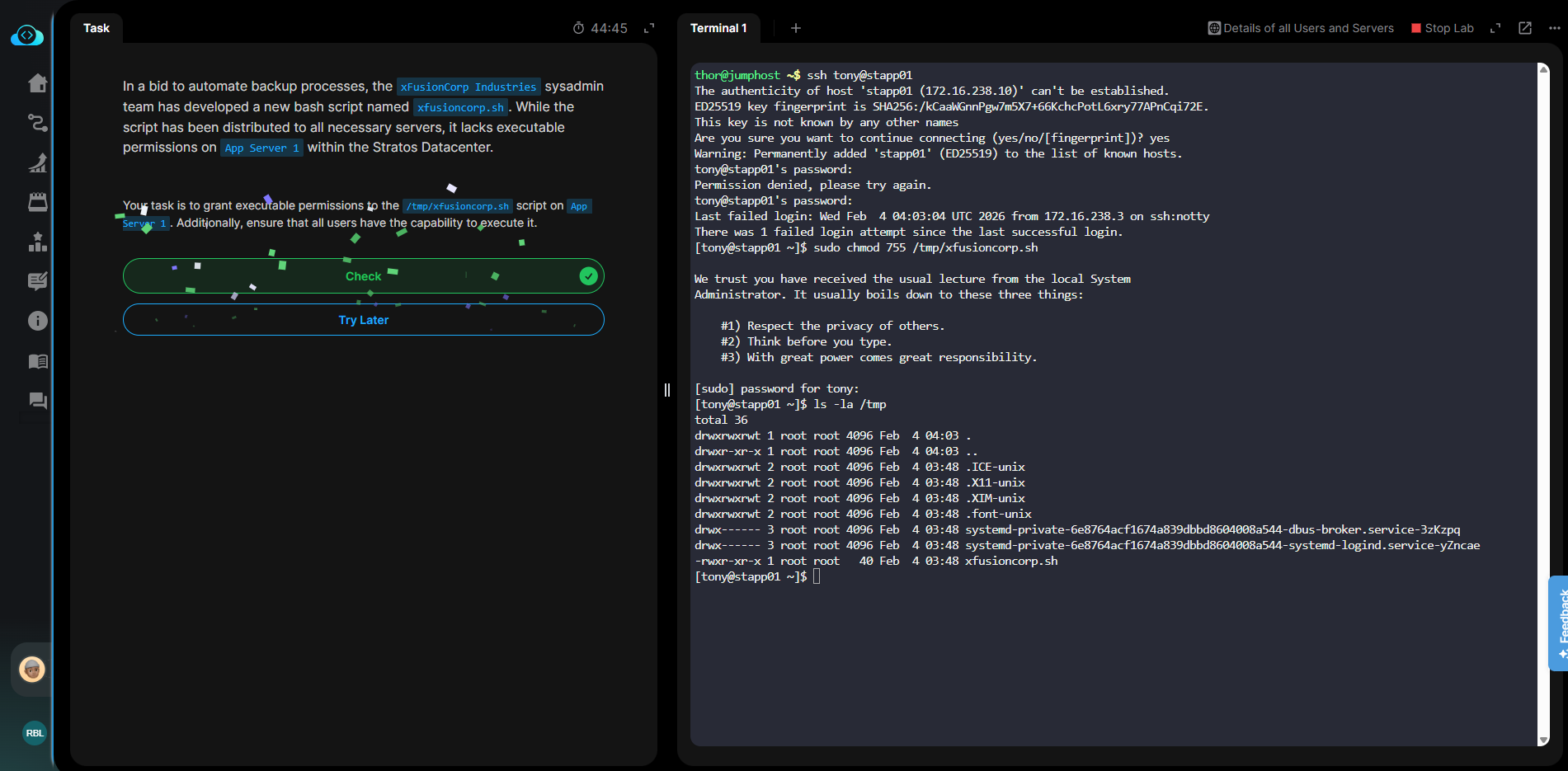
I was not adding the read permissions and that is why it was failing. Now it got working. thank you
Actually, question is to provide the executable permission to xfusioncorp.sh bash file. so I just added +x , so that i can be executed by every user. As you can see I have logged it as well.
its showing —x–x–x , which represents , it can be executed by owner, group and others.
But still , task it flagged as not completed. Now , according to others comment on this and your solution. Do i need to provide the read access as well ? if yes then why ? because it problem statement, its only required to make it executable.
What i am thinking is, bash file need to be compiled or interpreted inorder to get executed , for that system or compiler needs to read it. For this , maybe required to provide both r-x permission.
I need your pov on it @raymond.baoly
is there any case , where I only have to provide +X , no read no write. because this way (the above one ), one always have to provide read and execute permission.
A permission of --x--x--x will not pass because while the script may have execute permission, there is no read permission to enable it to be loaded from disk in the first place.
So the script requires both r and x permission
Its means for every execute permission, read permission will always be required !!
It does. You cannot execute that which you cannot read first.
Look at it this way. You are in a kitchen which is where you execute a recipe - so you have execute rights by being allowed into in the kitchen. But unless you have first read the recipe, how do you execute it? If the recipe book is in a locked cupboard then your read right is to have the key to the cupboard.
A computer program is a recipe. The filesystem is the recipe book. The CPU is the chef.
There is one exception. root can execute without read permission. If any other user needs to be able to execute it, then both execute and read are required.
1 Like