Hi!
Currently making the next lab after the one that recently posted was successfully done with this post by the help of @rob_kodekloud Jenkins lab error - #4 by rob_kodekloud
Now in this new one I’m having an issue with connecting to the stapp01 server, which have the database, but I’m having a particular issue.
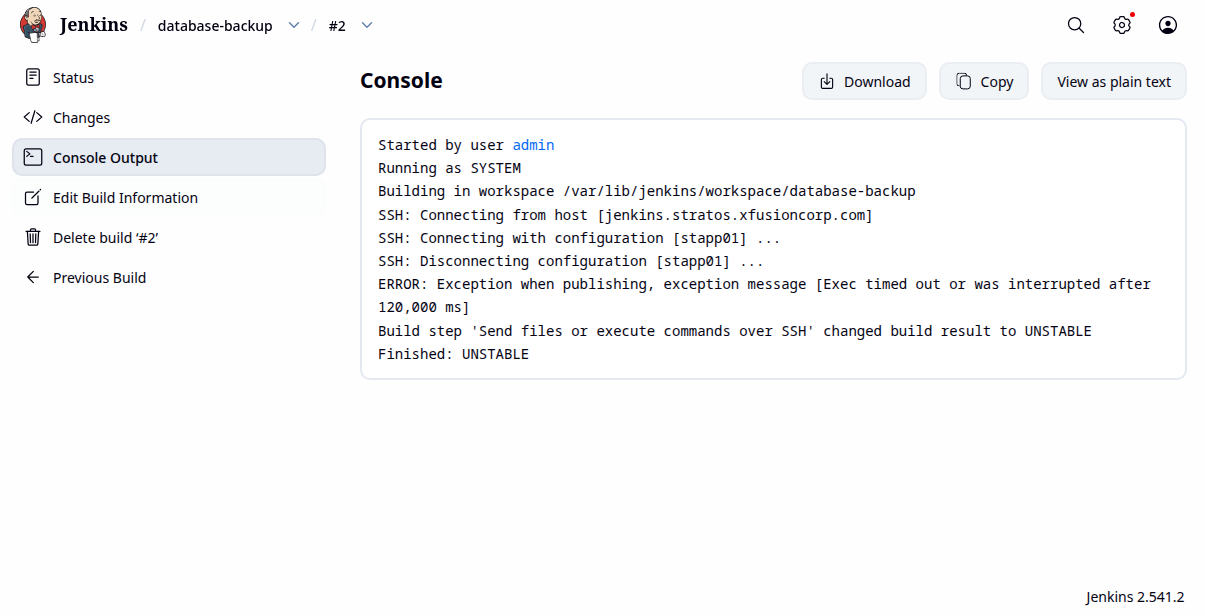
I tried with using the SSH plugin + SSH credentials, and the publish over SSH plugin alone. In both cases the connection to the stapp01 fails while creating the build with this:
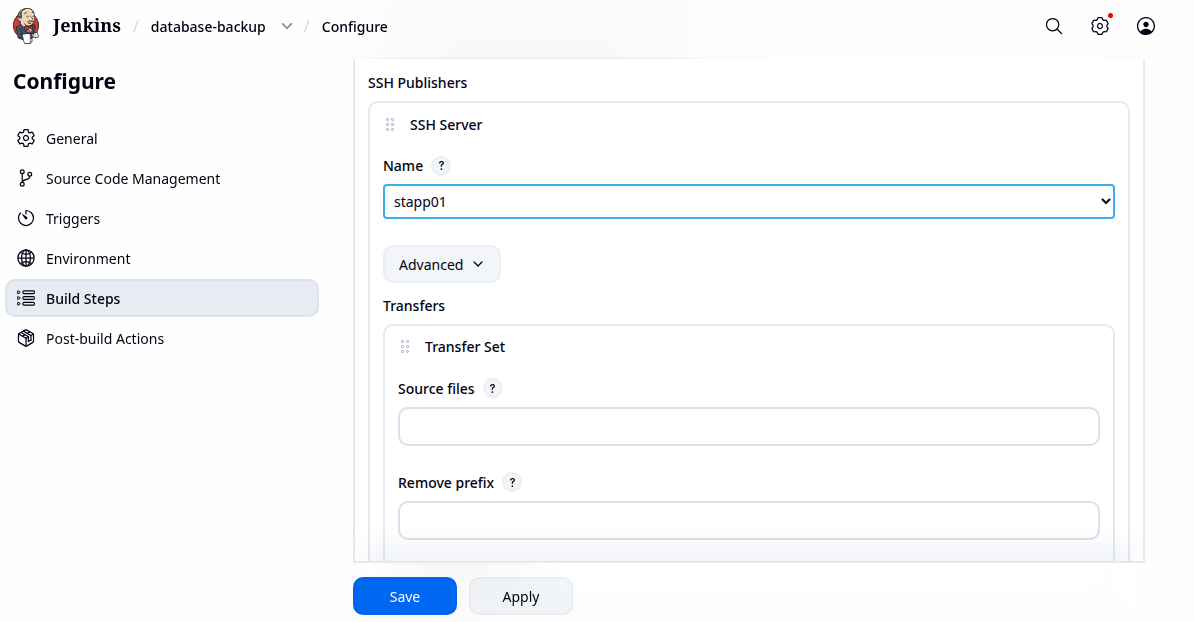
As you can see, the connection is failing with trying to connect with stapp01, but as you can see in these images, Jenkins is able to make the connection. Here are my setup using build over SSH config in jenkins config, by adding the server:
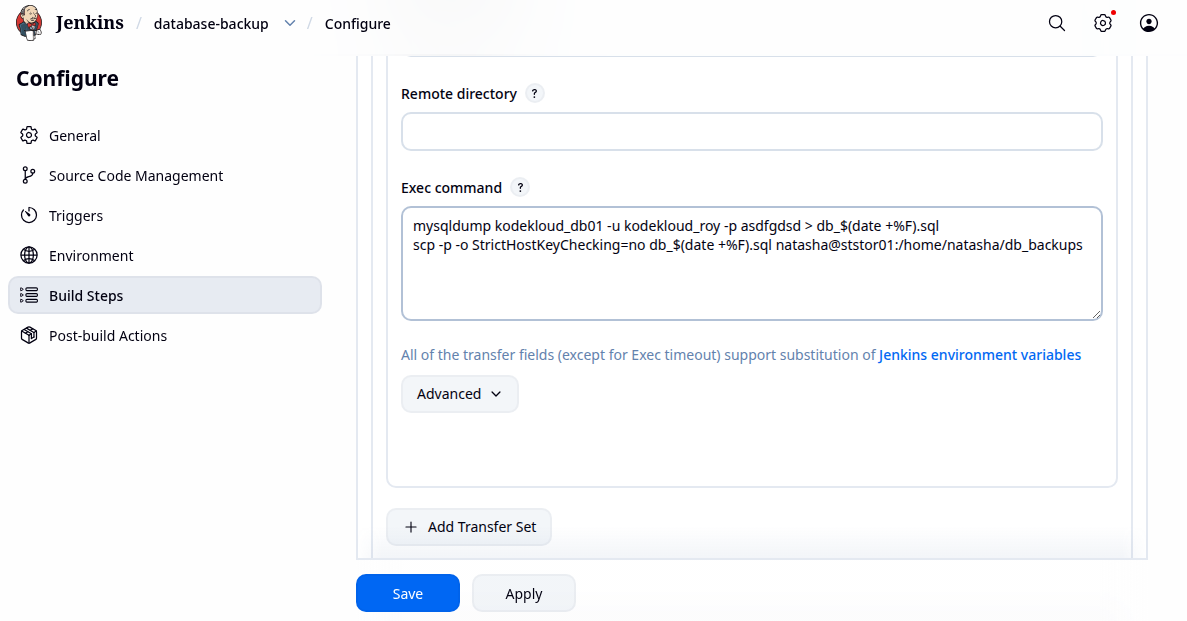
As you can see it’s sucesfully connected in that instance, but not in the build. Here are my build config [I’m adding the schedule parameter of 10 minutes by the way]:
I don’t see any strange with the script, and also the script doesn’t seems to be the case of why it’s failing, since the jenkins job is unable to work with establishing the connection with the stapp01, which in theory says it can in the setup global config of jenkins.
Also in the script, in order to work I made an ssh key and add it with ssh-copy-id to the ststor01 to backup the db dump, and connected with a nested ssh config from stapp01 to see if it works, which it does. I’m not sure if this is a bug of the lab or a again a plugin issue, please check this.
Thanks for the support and help in advance!
I don’t think I’d use that module for this task. I’d try something like this:
- Log into the Jenkins server and create a key pair, installing it stapp01 and ststor01.
- Do the backup using “ssh -i KEY tony@stapp01 mysqldump… > PATTERN”
- Copy the backup file using scp to ststor01.
Hi @carlos140
The SSH connection is fine. The issue is your mysqldump command. You used -p asdfgdsd, which causes mysqldump to wait for an interactive password input. Since Jenkins is running it non-interactively, the command hangs until the 120-second timeout. Please use -p'asdfgdsd' instead and try the build again.
mysqldump -u kodekloud_roy -p'asdfgdsd' kodekloud_db01 > /tmp/db-backup/db_$(date +%F).sql
1 Like
Thanks @raymond.baoly I manage to solve it as you said. But can I ask you what is going on under the change ? I also notice that for some reason you should not need to add an space between -p and ‘asdfgdsd’. So the answer must be like this:
-p'asdfgdsd'
And not like this:
-p 'asdfgdsd'
May I ask why ? I don’t think is an issue with globbing issue with the shell. I wonder why it should need to be done in that way. I don’t understand why in detail this syntax avoids the interactive password input. I’m not sure if it comes by the mysqldump command (Which I think so), the shell interpreter or jenkins itself. Can you explain in more in detail what is going on in a lower level ?
Thanks for the help ^^
Hi @carlos140
Yes, this behavior comes from mysqldump/MySQL option parsing, not from Jenkins or shell globbing.
For the -p option, if you provide the password on the command line, it must be attached directly:
-p'password'
If you use:
-p 'password'
mysqldump interprets -p by itself as “prompt for the password interactively.” The shell passes 'password' as a separate argument rather than as the value of -p.
Since Jenkins runs the command non-interactively, there is no terminal where you can enter the password, so the process waits until it times out.
So this is specific to how MySQL client tools parse the -p option.