Hi!
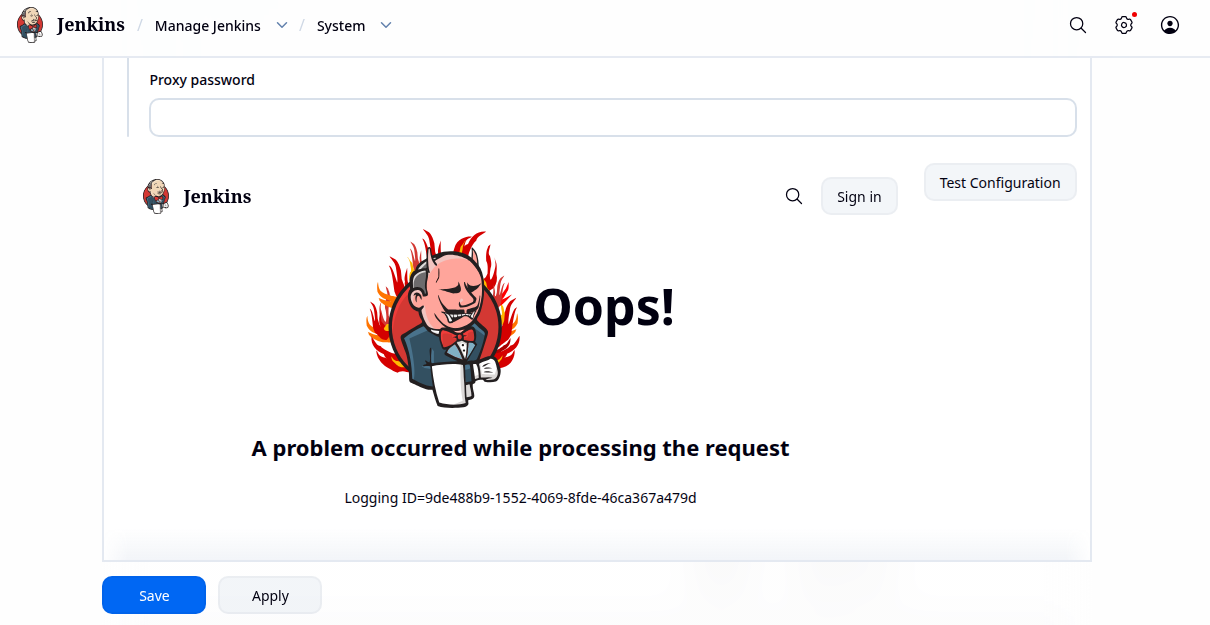
I’m trying to do the level 2 lab 3 of Jenkins called “Jenkins Workspaces”. But I’m unable to make a proper connection to the stapp01 server that must be done with the publish over SSH plugin. I got an error with an useless ID and nothing else, apart of the default devil Jenkins image for errors.
I had tried to do every possible way to connect with ssh, and the only available option is to add the ssh server at the end but not as a part of the publish over ssh configuration. Every other option fails in trying to do the connection, also making it in a script, like manually putting the user and password to make the ssh connection and do the task, which of course that should be not be a thing to consider in prod.
The issue with this is that I’m unable create an SSH connection from the Jenkins server to the stapp01 while using Jenkins, because if I make a pair of keys and sent one to the stapp01 without password, I can login by using the terminal, but not in Jenkins with publish over SSH, which I think the task seems to be done. Because all other options failed, whatever if you try to do an script to copy the repo and send it to the stapp01, or if you just can connect with SSH in the Jenkins GUI but only ending with a shell in the stapp01 and not from the jenkins one, in order to build a script, which would be hilarious to do since you end with a shell from the stapp01 and you should go back into the jenkins server to fetch the repo and do an scp from over there and logout, which I guess defeats the entire idea of using Jenkins.
I think this lab does have a bug or something. Can you please check it ? Is one of those in which also you can’t ask for a review as far as I can see.
I find this one a bit confusing myself. There’s a treatment of it in this blog post; see if it clarifies anything.
1 Like
Hi @rob_kodekloud
Thanks for the reply. I had been exactly doing the same as the link that you provided, and I’m unable to create configure the Publish over SSH connection. It’s the following part of the post that you provided basically:
If Publish Over SSH is available (as in your previous lab), configure it.

Global Configuration

Go to:

Manage Jenkins
→ System
→ Publish over SSH

Configure:

Field Value
Name stapp01
Hostname stapp01
Username tony
Password Ir0nM@n
Remote Directory /var/www/html

Test Configuration → Success
But of course instead of making a Success in the test configuration, I’m having the following output:
Now I’m mostly sure that I’m having this an error from the lab. Please I suggest that you can check it. I’m from Latam so you can check what is going on in my region.
Thanks in advance ^^
Please let me know if it is a bug in the lab, seems more like that now with the link that you provided.
It actually isn’t a lab bug, I’ve discovered – it’s a “publish over ssh” bug. The github issue descirbes the work-around.
TLDR: you need to:
- downgrade that plugin per the issue;
- configure POS plugin to use a password rather than a key for stapp01
Then the procedure in the blog post works, and passes the grader.
I expect that the plugin owner will fix this shortly, so I"m not going to flag the lab.
2 Likes
Thanks @rob_kodekloud I tried today and it seems that the default download plugin of Publish over ssh now works, I didn’t had to downgrade the package. But I"m not sure if they fixed the issue, it seems that the github issue is still open, or at least not closed with a message saying that was fixed.
Thanks for your help ^^ !