Verification Issue with Day 55 100 days of devops Task (Task ID: 680b48ee1f1bf1cf5ff48343)

​Hello KodeKloud Support Team,

I am facing an issue with the verification for Day 55 of the 100 Days DevOps Challenge.

Task ID: task?id=680b48ee1f1bf1cf5ff48343

I have completed the task, but the verification keeps failing with the following messages:

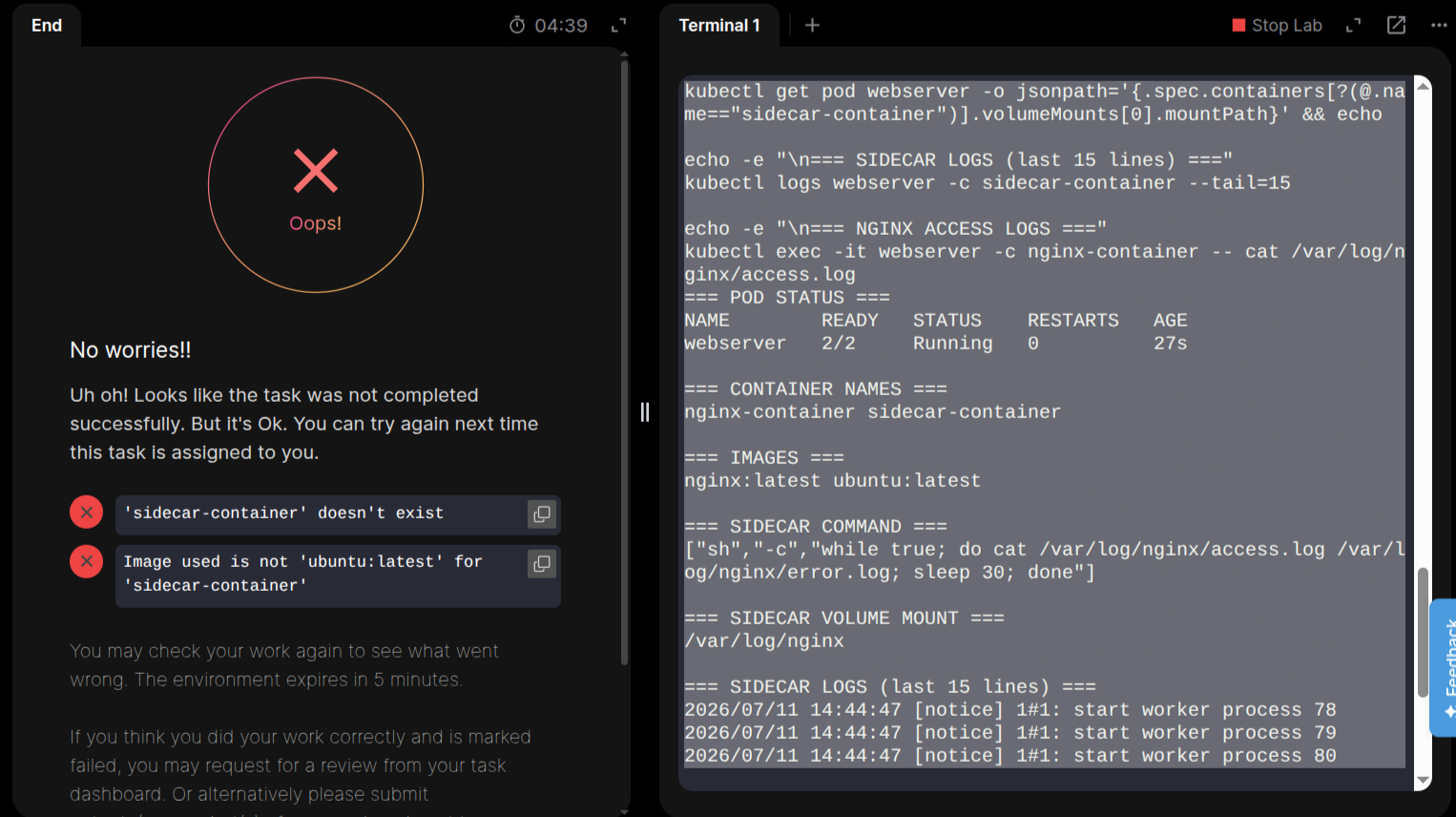
Uh oh! Looks like the task was not completed successfully. But it's Ok. You can try again next time this task is assigned to you.

'sidecar-container' doesn't exist

Image used is not 'ubuntu:latest' for 'sidecar-container'

I believe there is an issue with the verification system. I have verified my solution multiple times and also cross-checked it using AI tools, GitHub repository solutions, and the task requirements. Everything appears to be correct, but the validator continues to fail with the same errors.

I have already submitted feedback about this issue multiple times, but it still has not been resolved. Could you please investigate this task and fix the verification if it is broken? If the issue is with my solution instead, please let me know exactly what is incorrect so I can correct it.

For reference, here are the commands I used to verify my pod configuration:

echo "=== POD STATUS ==="
kubectl get pod webserver

echo -e "\n=== CONTAINER NAMES ==="
kubectl get pod webserver -o jsonpath='{.spec.containers[*].name}' && echo

echo -e "\n=== IMAGES ==="
kubectl get pod webserver -o jsonpath='{.spec.containers[*].image}' && echo

echo -e "\n=== SIDECAR COMMAND ==="
kubectl get pod webserver -o jsonpath='{.spec.containers[?(@.name=="sidecar-container")].command}' && echo

echo -e "\n=== SIDECAR VOLUME MOUNT ==="
kubectl get pod webserver -o jsonpath='{.spec.containers[?(@.name=="sidecar-container")].volumeMounts[0].mountPath}' && echo

echo -e "\n=== SIDECAR LOGS (last 15 lines) ==="
kubectl logs webserver -c sidecar-container --tail=15

echo -e "\n=== NGINX ACCESS LOGS ==="
kubectl exec -it webserver -c nginx-container -- cat /var/log/nginx/access.log

I would appreciate it if you could look into this as soon as possible, as I am unable to complete the challenge due to what appears to be a verification issue.

Thank you for your support.

Best regards,
Jidnyesh patil
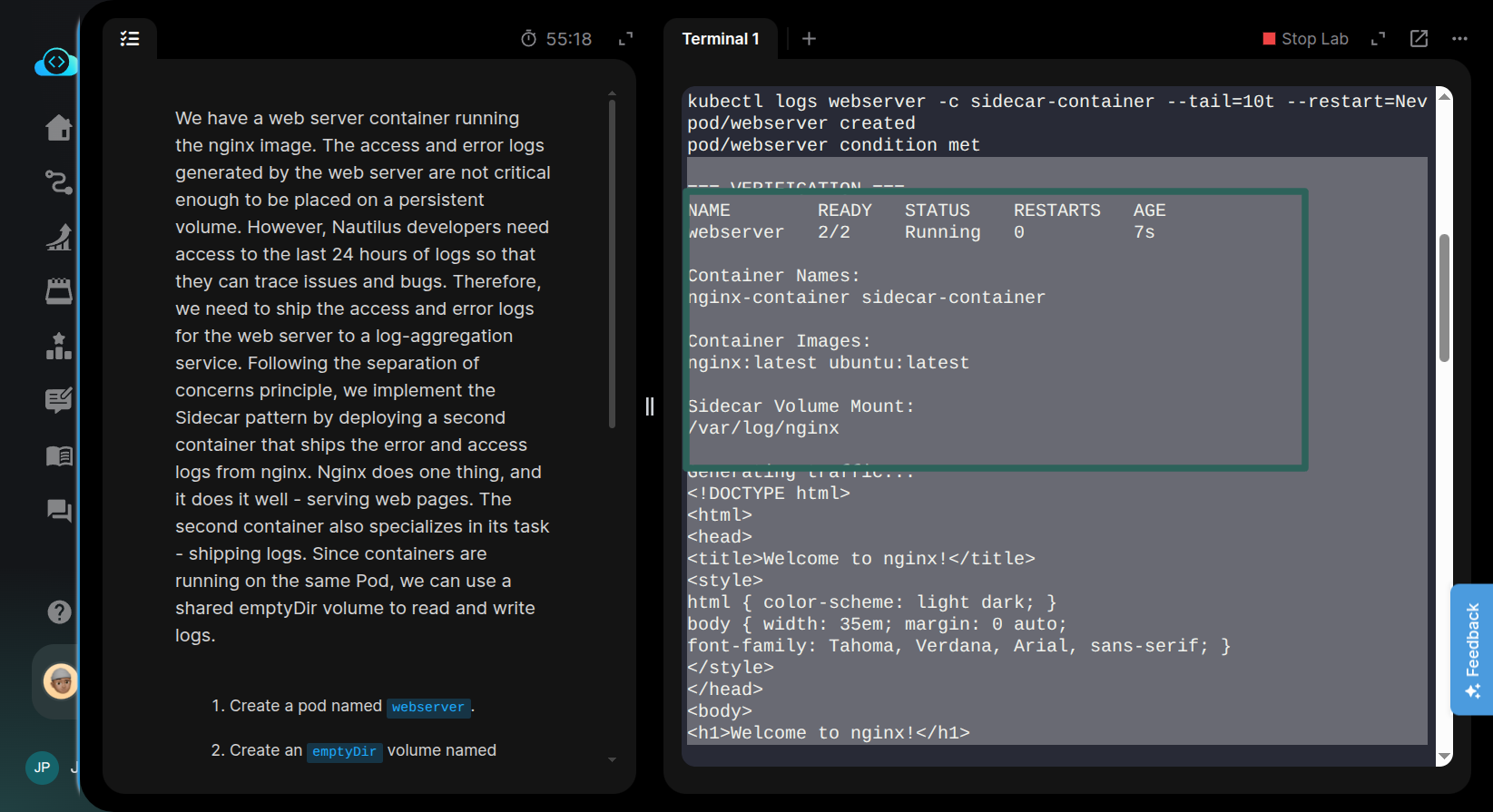

It would have helped to assist you if you had shared the manifest.

This requires placing the sidecar-container in the initContainers with restartPolicy set to Always.

Refer to the official docs for more on sidecar containers.

i used all ai solutions chat deepseek even github repo too that solved 100 days of devops kodekloud nothing was working even ai also said verifer is failing part

apiVersion: v1
kind: Pod
metadata:
name: webserver
spec:
volumes:
- name: shared-logs
emptyDir: {}
containers:
- name: nginx-container
image: nginx:latest
volumeMounts:
- name: shared-logs
mountPath: /var/log/nginx
- name: sidecar-container
image: ubuntu:latest
command:
- sh
- -c
- while true; do cat /var/log/nginx/access.log /var/log/nginx/error.log; sleep 30; done
volumeMounts:
- name: shared-logs
mountPath: /var/log/nginx

It helps readability if you wrap your YAML in a code block using the </> button in the editor ribbon.

Do not rely on AI chatbots blindly; they can misguide you.

Your manifest is still missing a initContainers block with restartPolicy: Always.

initContainers:  # This is important 
- name: sidecar-container
  image: ubuntu:latest
  command: [“sh”, “-c”, “while true; do cat /var/log/nginx/access.log /var/log/nginx/error.log; sleep 30; done”]
  restartPolicy: Always  # This one as well
  volumeMounts:
  - name: shared-logs
    mountPath: /var/log/nginx
containers:
- name: nginx-container
  image: nginx:latest
  volumeMounts:
  - name: shared-logs
    mountPath: /var/log/nginx
- name: sidecar-container   #<-- This it NOT a sidecar. It is a co-located container
  image: ubuntu:latest
containers:
- name: nginx-container
  image: nginx:latest
  volumeMounts:
  - name: shared-logs
    mountPath: /var/log/nginx
initContainers:
- name: sidecar-container   #<-- This IS a sidecar
  image: ubuntu:latest
  restartPolicy: Always
1 Like

Hi Alistair,

Thank you for the clarification and for correcting the example.

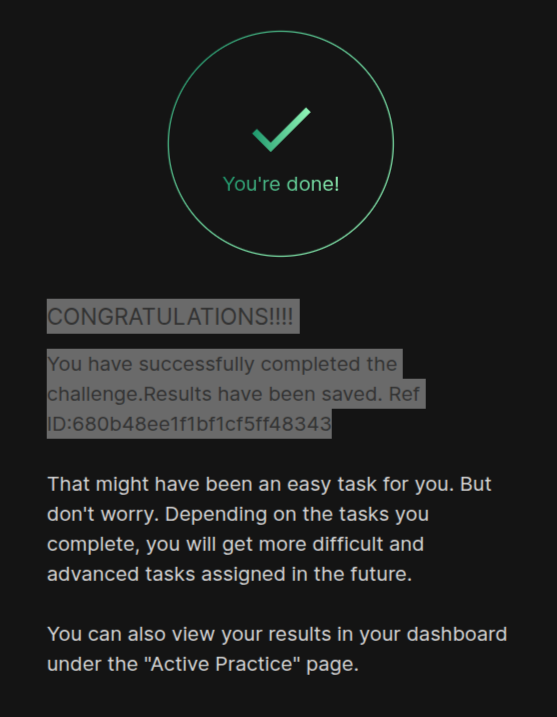
The distinction between a co-located container and a sidecar was exactly what I was missing. Your updated manifest showing the sidecar under initContainers with restartPolicy: Always made it much clearer, and I was able to understand the requirement and complete the task successfully.

I really appreciate you taking the time to explain it and correct the earlier example. Thanks again for the excellent support!

Have a great day! :slightly_smiling_face:

Thank you for pointing that out.

I understand now that wrapping the YAML in a code block using the </> button makes it much more readable. I also appreciate the reminder not to rely on AI chatbots blindly, as they can sometimes provide incorrect guidance.

You’re absolutely right—I had missed the initContainers block with restartPolicy: Always in my manifest. Thank you for taking the time to review it and explain what was missing.

I really appreciate your help and guidance. Have a great day! :grinning:

You’re welcome!

The reason that sidecars are placed where they are is that they are guaranteed to start before the main container(s) and stop after.

This is important when the main containers depend on something that the sidecar provides. Istio is a good example because the sidecar provides network and authentication services for the main containers, thus it needs to be up and running for the entire lifetime of the application in the main container.