Hi Team,
I’m trying to complete a lab task that requires creating a VM using Azure CLI.
I used this command:
az vm create
–resource-group
–name xfusion-vm
–image Ubuntu2204
–size Standard_B2s
–location westus
–admin-username azureuser
–generate-ssh-keys
–os-disk-size-gb 30
But the VM creation always fails with this error:
{“status”:“Failed”,“error”:{“code”:“DeploymentFailed”,“target”:“/subscriptions/f0c3bcdd-5ce2-4fa0-8cf3-41559747512b/resourceGroups/kml_rg_main-38f7ca9e182a4862/providers/Microsoft.Resources/deployments/vm_deploy_6OameyvVgtz1ebUiHokRyNJ15muejdW2”,“message”:“At least one resource deployment operation failed. Please list deployment operations for details. Please see Deployment history - Azure Resource Manager | Microsoft Learn for usage details.”,“details”:[{“code”:“ResourceDeploymentFailure”,“target”:“/subscriptions/f0c3bcdd-5ce2-4fa0-8cf3-41559747512b/resourceGroups/kml_rg_main-38f7ca9e182a4862/providers/Microsoft.Compute/virtualMachines/xfusion-vm”,“message”:“The resource write operation failed to complete successfully, because it reached terminal provisioning state ‘Failed’.”,“details”:[{“code”:“RequestDisallowedByPolicy”,“message”:“Resource ‘xfusion-vm_OsDisk_1_c2922b8a98434b69a252789a897e68c6’ was disallowed by policy. Reasons: ‘Global: This storage configuration is not allowed. Ensure the disk size is 128 GB or less and the SKU is not Premium for Compute disks. For Storage accounts, use Standard_LRS or Standard_RAGRS SKUs.’. See error details for policy resource IDs. Target: ‘/subscriptions/f0c3bcdd-5ce2-4fa0-8cf3-41559747512b/resourceGroups/kml_rg_main-38f7ca9e182a4862/providers/Microsoft.Compute/disks/xfusion-vm_OsDisk_1_c2922b8a98434b69a252789a897e68c6’.”}]}]}}
The same VM works when I create it through the Azure Portal UI, where I can select Standard HDD manually.
In the CLI, the OS disk type cannot be changed (the flags for setting Standard_LRS are not supported in the lab).
So every Ubuntu image ends up using Premium_LRS → which is denied → and the VM deployment fails.
I tried alternate images and URNs, but many are blocked or return “Artifact not found”.
Bottom line:
I am unable to complete the lab using only the CLI because Ubuntu22.04 always triggers a policy block in the KodeKloud Azure sandbox.
Can someone please check this?
Either allow Standard_LRS for Ubuntu22.04 by default, or enable CLI parameters to change the OS disk SKU.
Thanks!
The --resource-group flag takes an argument – the resource group to use when creating the instance. You are not adding that argument, which is a syntax error.
To get a good value for it, you can run az group list, which will tell you what the default group is for your current session.
You mentioned that the --resource-group flag needs an argument.
I am already using a valid resource group from az group list, for example:
kml_rg_main-5bdc3a70e6a245fb
And here is the full command I ran with the resource group included:
az vm create
–resource-group kml_rg_main-5bdc3a70e6a245fb
–name nautilus-vm
–image Ubuntu2204
–size Standard_B2s
–location westus
–admin-username azureuser
–generate-ssh-keys
–os-disk-size-gb 30
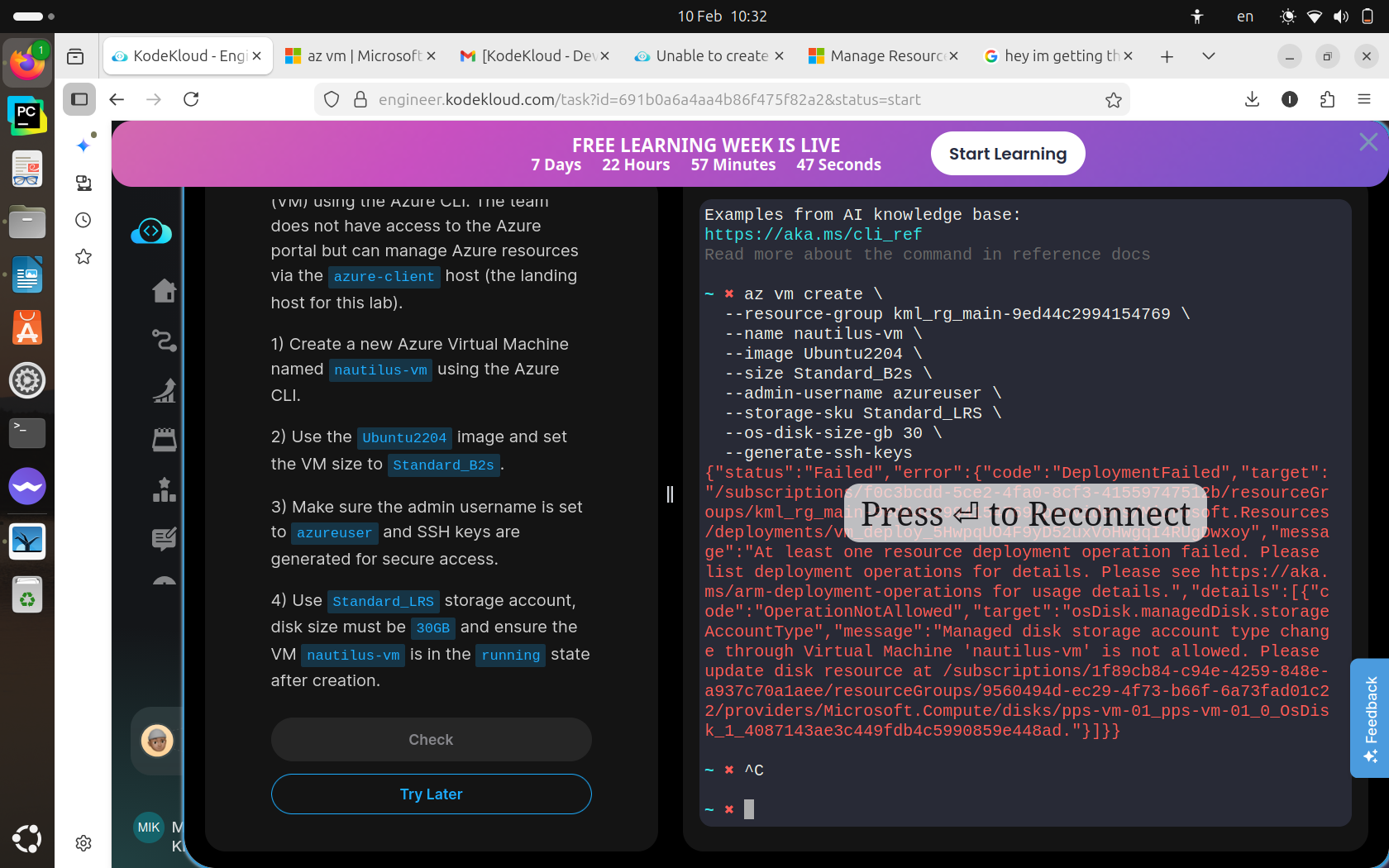
The issue is not missing the resource group — the CLI accepts the command, but the VM deployment fails because the OS disk is automatically created as Premium_LRS, which is blocked by the sandbox policy.
Error:
{“status”:“Failed”,“error”:{“code”:“DeploymentFailed”,“target”:“/subscriptions/f0c3bcdd-5ce2-4fa0-8cf3-41559747512b/resourceGroups/kml_rg_main-5bdc3a70e6a245fb/providers/Microsoft.Resources/deployments/vm_deploy_gieroE5BsclmZp7bmtznNSdOczJGjqk0”,“message”:“At least one resource deployment operation failed. Please list deployment operations for details. Please see Deployment history - Azure Resource Manager | Microsoft Learn for usage details.”,“details”:[{“code”:“ResourceDeploymentFailure”,“target”:“/subscriptions/f0c3bcdd-5ce2-4fa0-8cf3-41559747512b/resourceGroups/kml_rg_main-5bdc3a70e6a245fb/providers/Microsoft.Compute/virtualMachines/nautilus-vm”,“message”:“The resource write operation failed to complete successfully, because it reached terminal provisioning state ‘Failed’.”,“details”:[{“code”:“RequestDisallowedByPolicy”,“message”:“Resource ‘nautilus-vm_OsDisk_1_2dd9ce0bf7934b1e8d7e32278f54bb35’ was disallowed by policy. Reasons: ‘Global: This storage configuration is not allowed. Ensure the disk size is 128 GB or less and the SKU is not Premium for Compute disks. For Storage accounts, use Standard_LRS or Standard_RAGRS SKUs.’. See error details for policy resource IDs. Target: ‘/subscriptions/f0c3bcdd-5ce2-4fa0-8cf3-41559747512b/resourceGroups/kml_rg_main-5bdc3a70e6a245fb/providers/Microsoft.Compute/disks/nautilus-vm_OsDisk_1_2dd9ce0bf7934b1e8d7e32278f54bb35’.”}]}]}}
Just wanted to clarify that the --resource-group value is correct — the actual issue is the enforced Premium_LRS disk.
1 Like
Thank you for bringing this up. I ran into exact same issue and did some googling/youtubing and was able to get the option I needed to put. From your post I learned that if I don’t mention SKU, it picks up as ‘Premium’ which is not allowed in our sandbox.
Following code resolved it for me.
After getting “az group list” to grab the resource group
→ group= resourcegroupname-kml-sdf4232
	~ ➜  az vm create \
	> -g $group \
	> -n xfusion-vm \
	> --image Ubuntu2204 \
	> --size Standard_B2s \
	> --admin-username azureuser \
	> --generate-ssh-keys \
	> --storage-sku Standard_LRS \
             > --data-disk-sizes-gb 30  (This was different between your code and mine) you did '--os-disk-size' and I learned '--data-disk-sizes'
and then mine worked.
let me know if your code worked.
Thanks Ahmad,
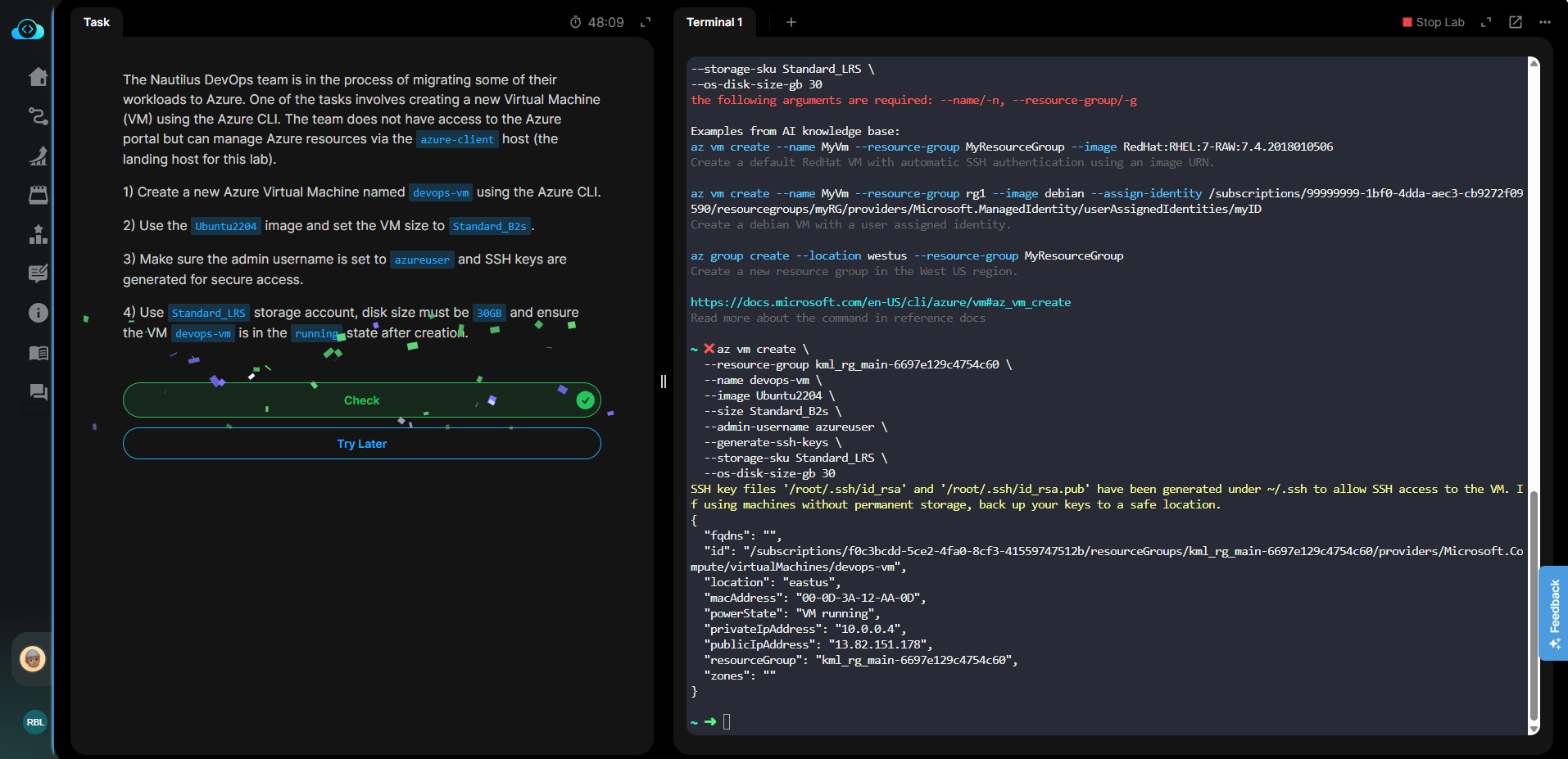
I used the same –os-disk-size-gb 30 and it worked.
az vm create
–resource-group $group
–name nautilus-vm
–image Ubuntu2204
–size Standard_B2s
–admin-username azureuser
–generate-ssh-keys
–storage-sku Standard_LRS
–os-disk-size-gb 30
hey i too am in day 3 , i tried both of the above codes yet i’m still getting this error ,
did you create storage seperately before or what ?
Hi @kjjlhlhgytf
I’ve just checked it and it’s worked properly from my end, could you please try again and let me know if it persists?