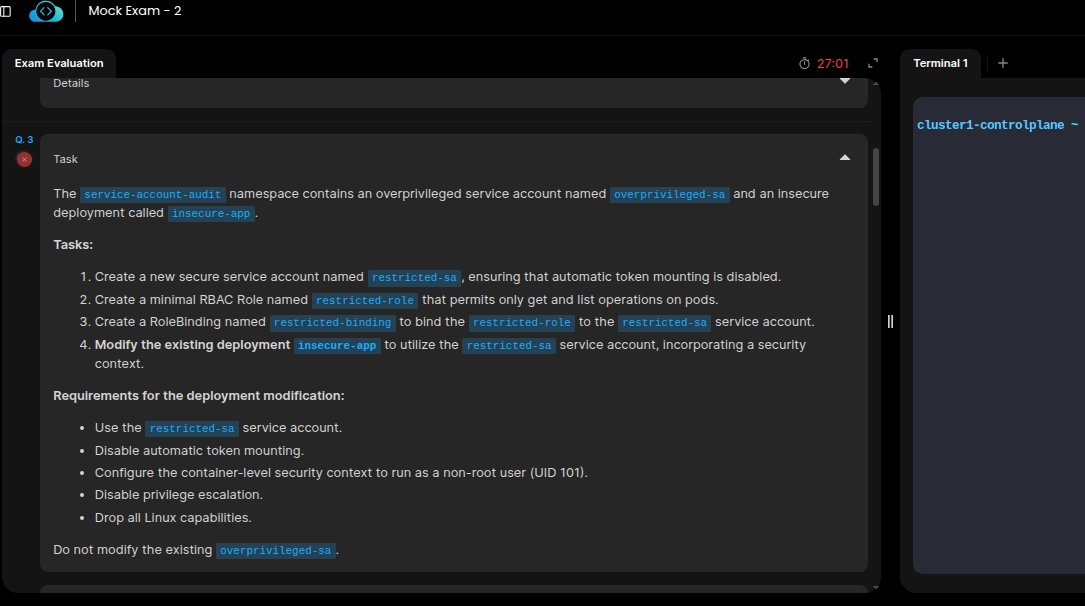
Q3
The
service-account-auditnamespace contains an overprivileged service account namedoverprivileged-saand an insecure deployment calledinsecure-app.
• Is the deployment using security context with runAsNonRoot?
The checker doesn’t detect runAsNonRoot: true in the pod’s securityContext, the checks only work in container’s securityContext.

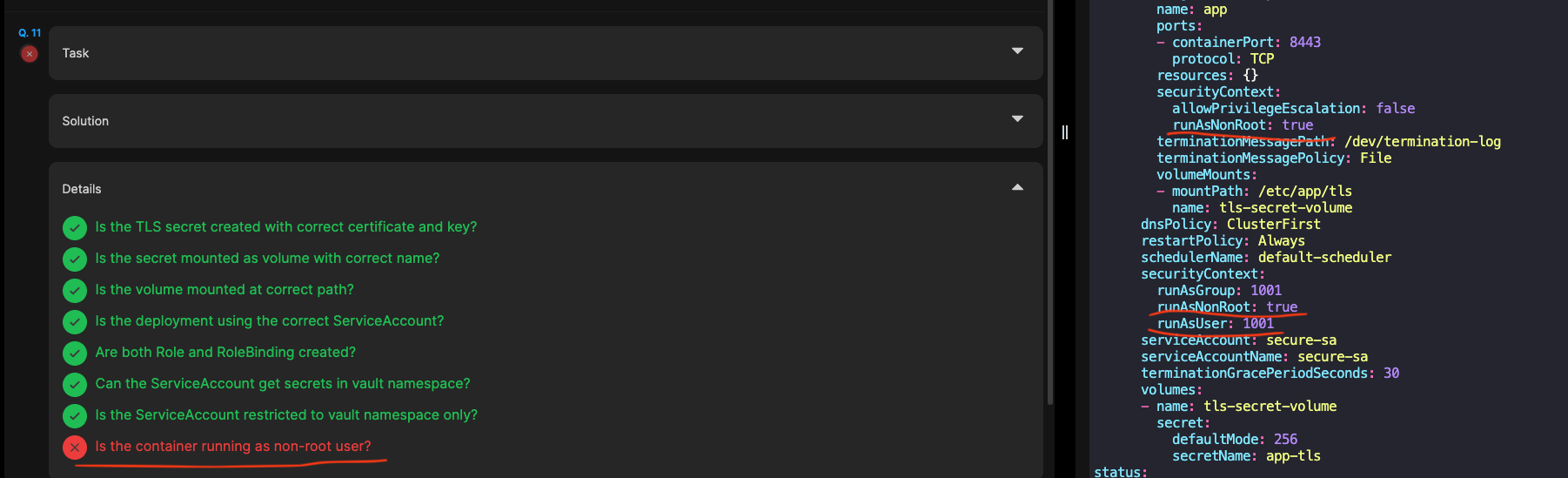
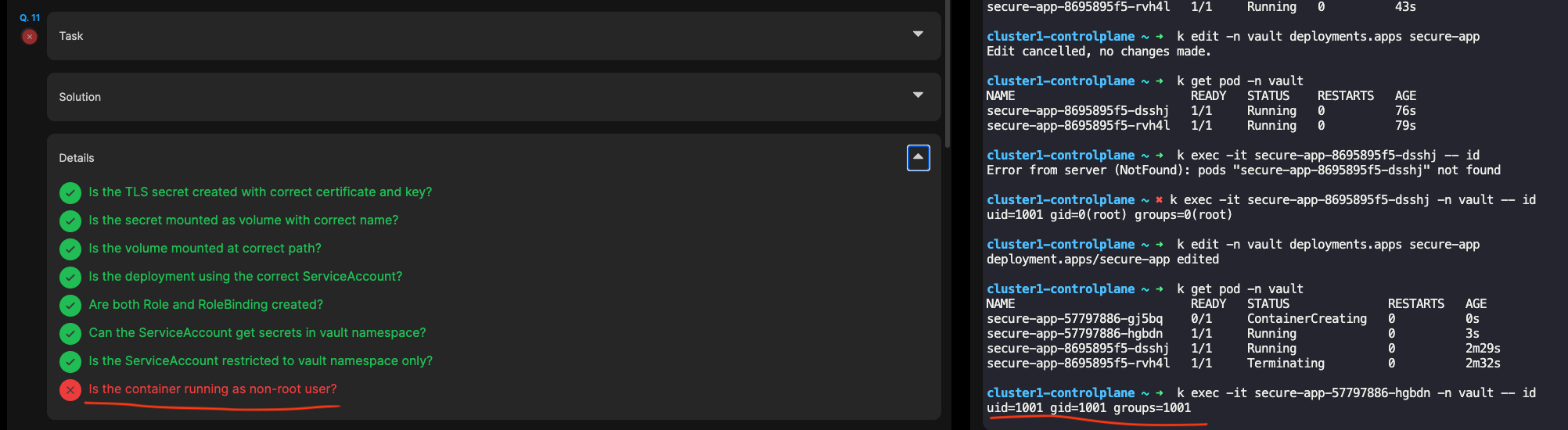
Q11
In the namespace
vault, you need to implement secure secret management for the deploymentsecure-app.
• Is the container running as non-root user?
Similar to Q3 but the check is even more broken, it doesn’t react to anything, neither pod’s securityContext nor container’s. Even if I do more changes to harden it to use uid/gid 1001.
Q13
A vulnerable deployment has been identified in the
security-scanningnamespace. Your task is to utilize the pre-configured KubeLinter configuration located at/root/kube-linter-config.yamlto identify and rectify all security issues in this deployment.
Technically can’t be solved (at least not according to the solution). It requires nginx unprivileged image.
Non-root and unprivileged access with drop all on capabilities does not allow nginx to run on port 80 (not to mention some empty dirs for cache for example have to be created due to read only root fs).
nginx: [warn] the "user" directive makes sense only if the master process runs with super-user privileges, ignored in /etc/nginx/nginx.conf:2
2026/07/21 10:16:47 [emerg] 1#1: bind() to 0.0.0.0:80 failed (13: Permission denied)
nginx: [emerg] bind() to 0.0.0.0:80 failed (13: Permission denied)

But the task passes even with these issues  . Maybe the question should state that the pod doesn’t need to run successfully. But my suggestion is to just change the default image in this template to nginx unprivileged.