Task: Create Azure VM datacenter-vm (Ubuntu, Standard_B1s), generate SSH key on azure-client, associate static public IP datacenter-pip, and confirm SSH access.
What I did (all steps completed successfully, confirmed in terminal output):
- Generated SSH key pair on azure-client:
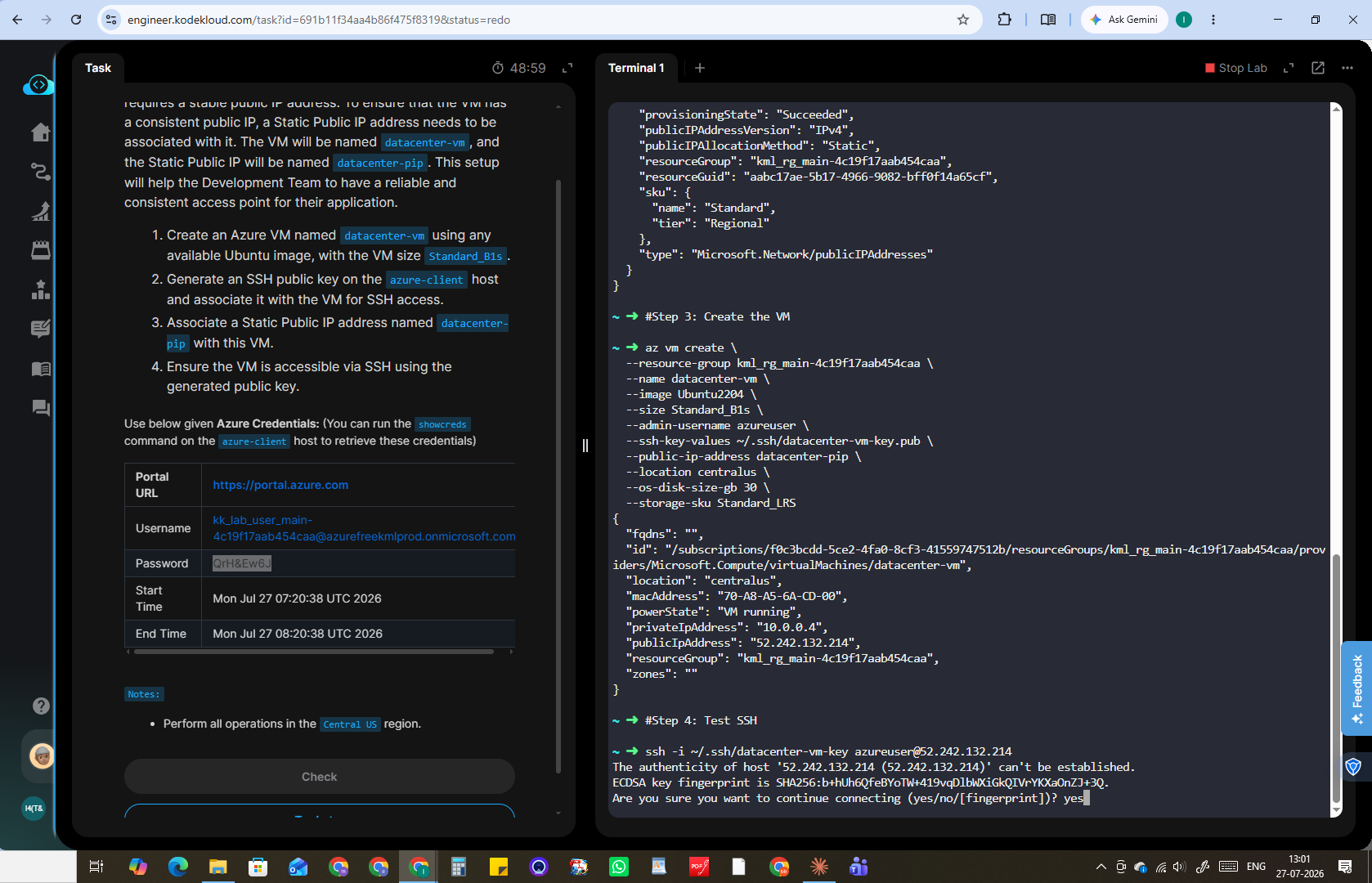
ssh-keygen -t rsa -b 4096 -f ~/.ssh/datacenter-vm-key -N "" - Created static public IP
datacenter-pipin Central US — confirmed viaaz network public-ip create, output showed"provisioningState": "Succeeded","publicIPAllocationMethod": "Static", IP52.242.132.214 - Created VM
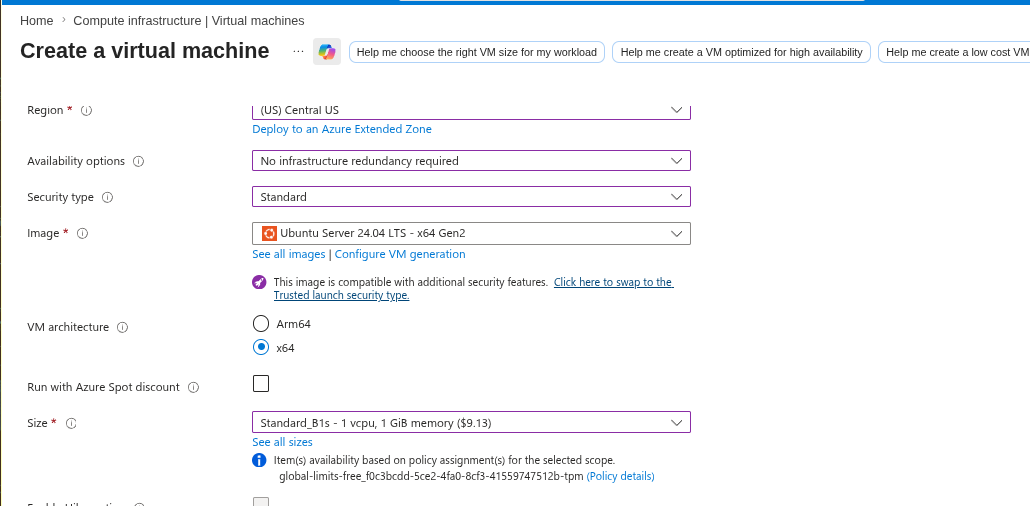
datacenter-vmwithaz vm create, using--os-disk-size-gb 30 --storage-sku Standard_LRSto comply with the subscription’s disk policy. Output confirmed"powerState": "VM running"with the correct public IP attached. - Verified with
az vm show -d --output table— showedPowerState: VM running, correctPublicIps, correct resource group. - Tested SSH:
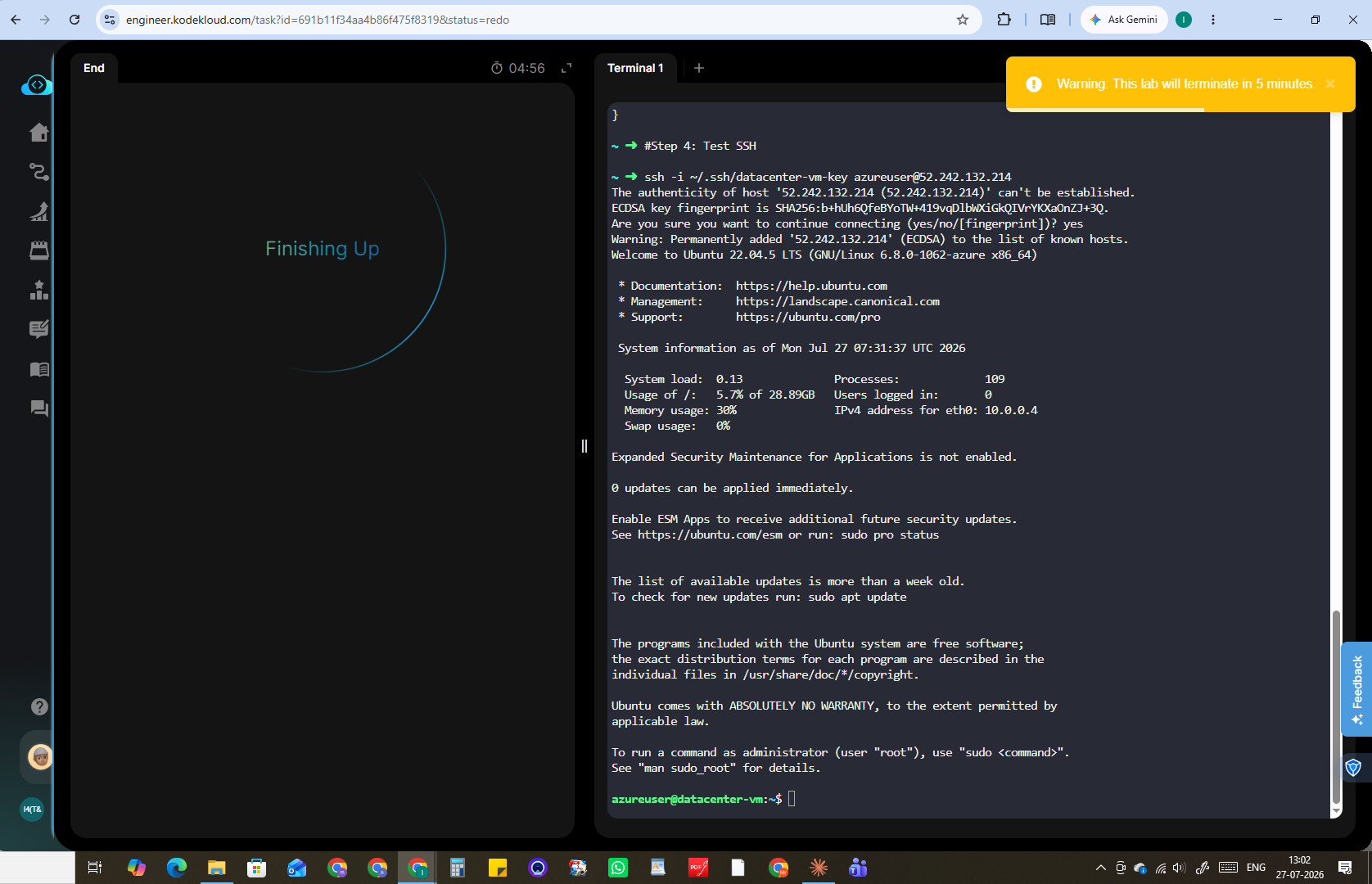
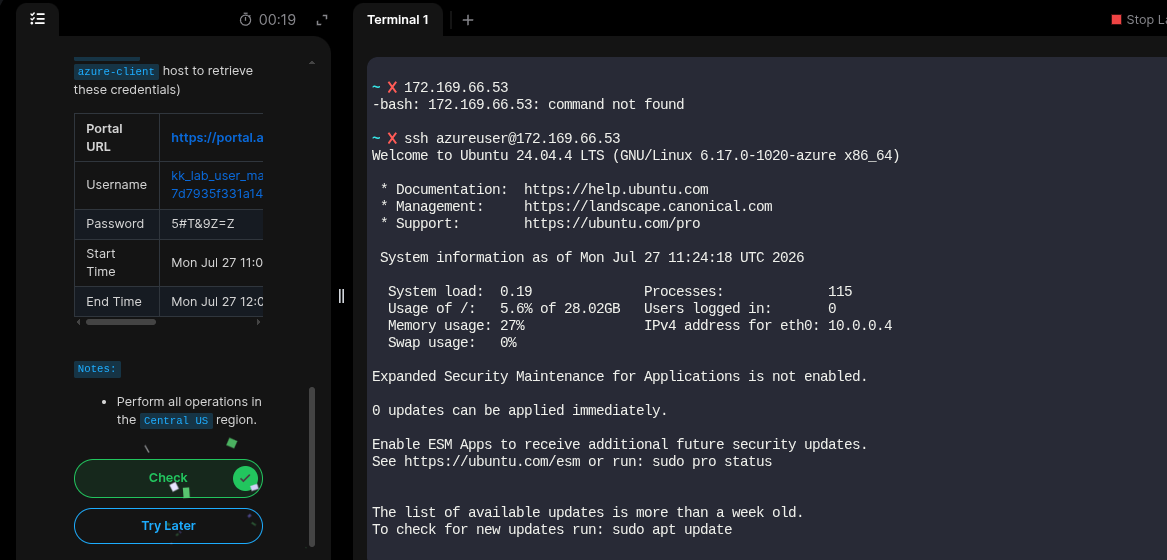
ssh -i ~/.ssh/datacenter-vm-key azureuser@52.242.132.214— connected successfully, landed on the Ubuntu 22.04.5 LTS welcome banner, session was live and interactive.
Result: Clicked “Check” immediately after confirming SSH access. Task was marked failed with: “SSH access to ‘datacenter-vm’ failed or VM is not in the ‘running’ state.”
Observed pattern: This happened twice in a row. Both times, the environment timer crossed below the 5-minute mark at almost the exact moment I clicked Check, and the failure message appeared right after. In both cases my own terminal showed the VM running and SSH already connected successfully before clicking Check.
Suspected cause: A timing/race condition where the grading backend’s own verification (SSH probe + resource check) doesn’t complete before the lab environment begins tearing down near the 5-minute expiry mark, producing a false failure even though the actual Azure resources were correctly configured and reachable.
Attached evidence: Screenshots of the terminal showing the successful az vm create, az vm show (PowerState: VM running), and the live SSH session with the Ubuntu banner, taken immediately before clicking Check.
Request: Please review the attached evidence and mark this task as complete, and/or look into whether the Check mechanism has a timing issue when triggered close to environment expiry.