Hi team,
I completed the “Set up EC2 with ALB and Target Group” task (xfusion-ec2 / xfusion-alb / xfusion-tg)
twice, and both times the grading result failed with:
instance 'xfusion-ec2' does not exist.
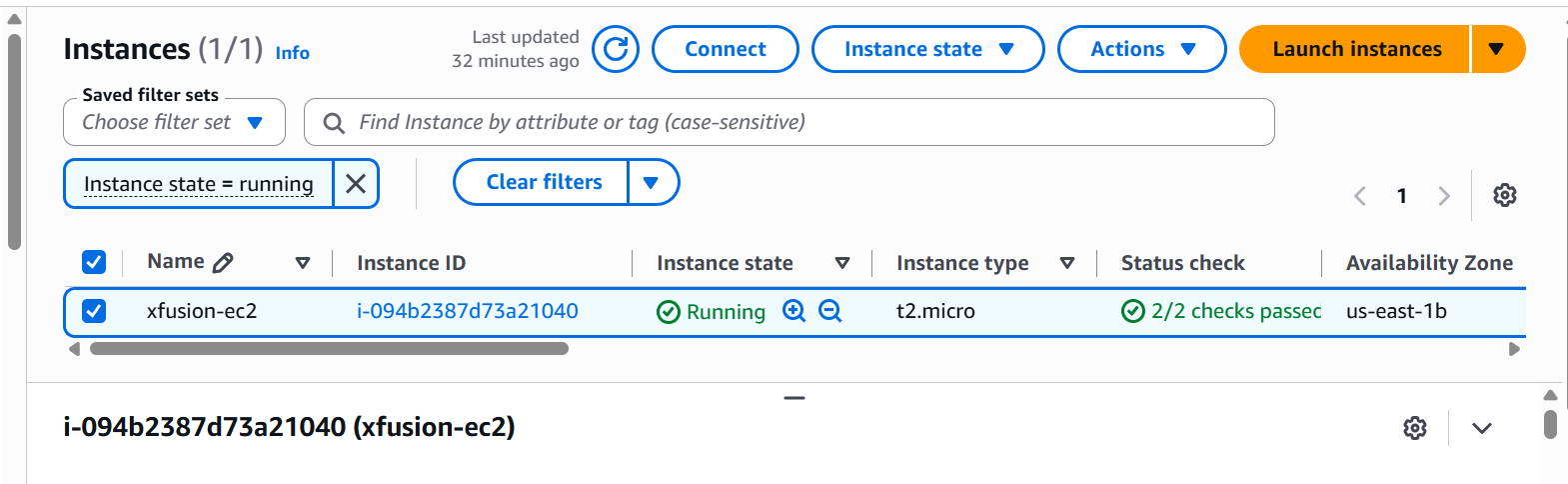
However, at the time of grading, the console clearly showed:
- Instance xfusion-ec2 was in “Running” state with 2/2 status checks passed
- Target group xfusion-tg showed the instance as “healthy”
- Load balancer xfusion-alb was “Active” and Internet-facing
- All security group rules were configured correctly per the task requirements
I’m attaching screenshots showing the instance running and passing status checks
at the time the task was marked failed.
This looks like it may be a timing/race condition with the grading script running
right as the lab environment expired, rather than an actual misconfiguration on my end.
Could someone from the team take a look, or let me know if there’s a known issue
with grading timing on this particular task?
Thanks!