Hi Everyone,
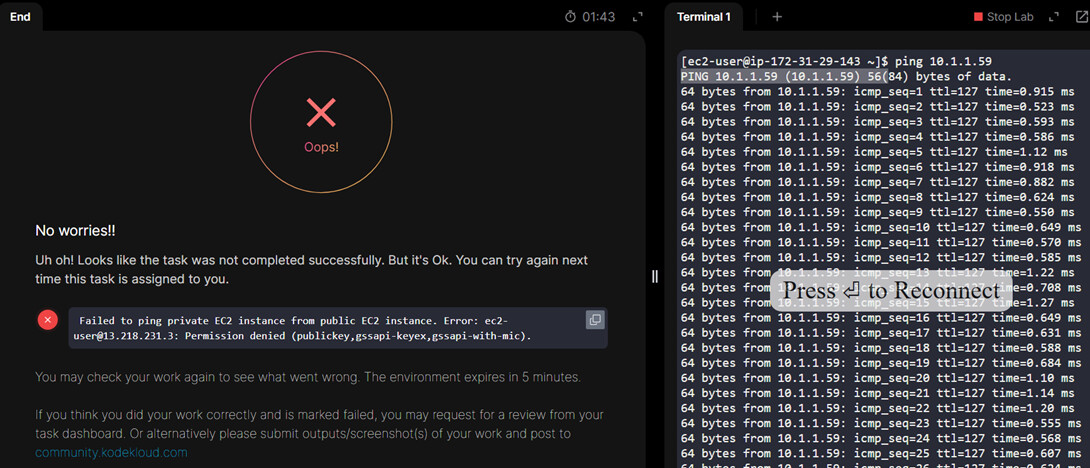
I like to share my experience while working on AWS Level 2 ( Task 13). Where I am presently facing as incomplete, eventhough it seems as resolved from my end presepctive. could any one verify what could be problem. sharing Question and output. please go through on this request. thank you.
Question:
The Nautilus DevOps team has been tasked with demonstrating the use of VPC Peering to enable communication between two VPCs.
One VPC will be a private VPC that contains a private EC2 instance,
while the other will be the default public VPC containing a publicly accessible EC2 instance .
-
There is already an existing EC2 instance in the public vpc/subnet, Name: nautilus-public-ec2
-
There is already an existing EC2 instance in the private vpc/subnet, Name: nautilus-private-ec2
-
There is already an existing Private VPC: Name: nautilus-private-vpc, CIDR: 10.1.0.0/16
-
There is already an existing Subnet in Name: nautilus-private-vpc:
Name: xfusion-private-subnet , CIDR: 10.1.1.0/24
- Create a Peering Connection between the Default VPC and the Private VPC:
VPC Peering Connection Name: nautilus-vpc-peering
- Configure Route Tables to enable communication between the two VPCs.
Ensure the private EC2 instance is accessible from the public EC2 instance.
- Test the Connection:
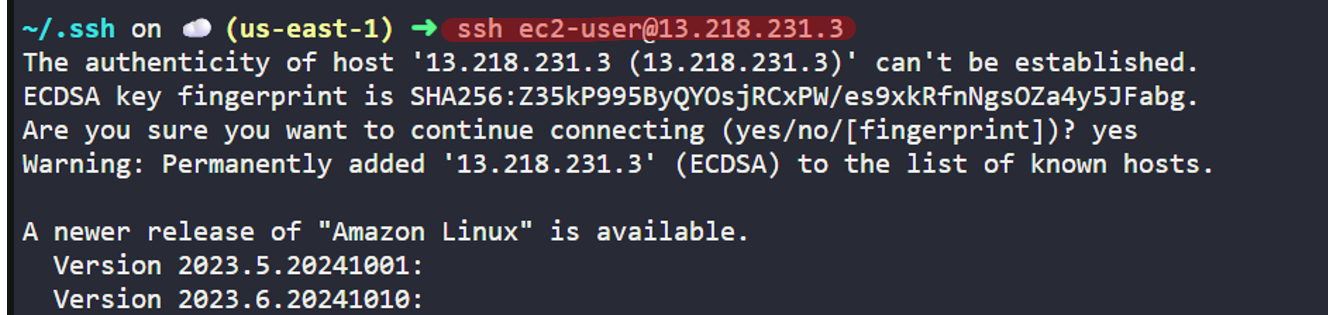
Add /root/.ssh/id_rsa.pub public key to the public EC2 instance’s ec2-user’s authorized_keys to make sure we are able to SSH into this instance from AWS client host.
You may also need to update the security group of the private EC2 instance to allow ICMP traffic from the public/default VPC CIDR. This will enable you to ping the Private EC2 instance from the Public EC2 instance.
SSH into the Public EC2 instance and ensure that you can ping the Private EC2 instance.
OUTPUT: