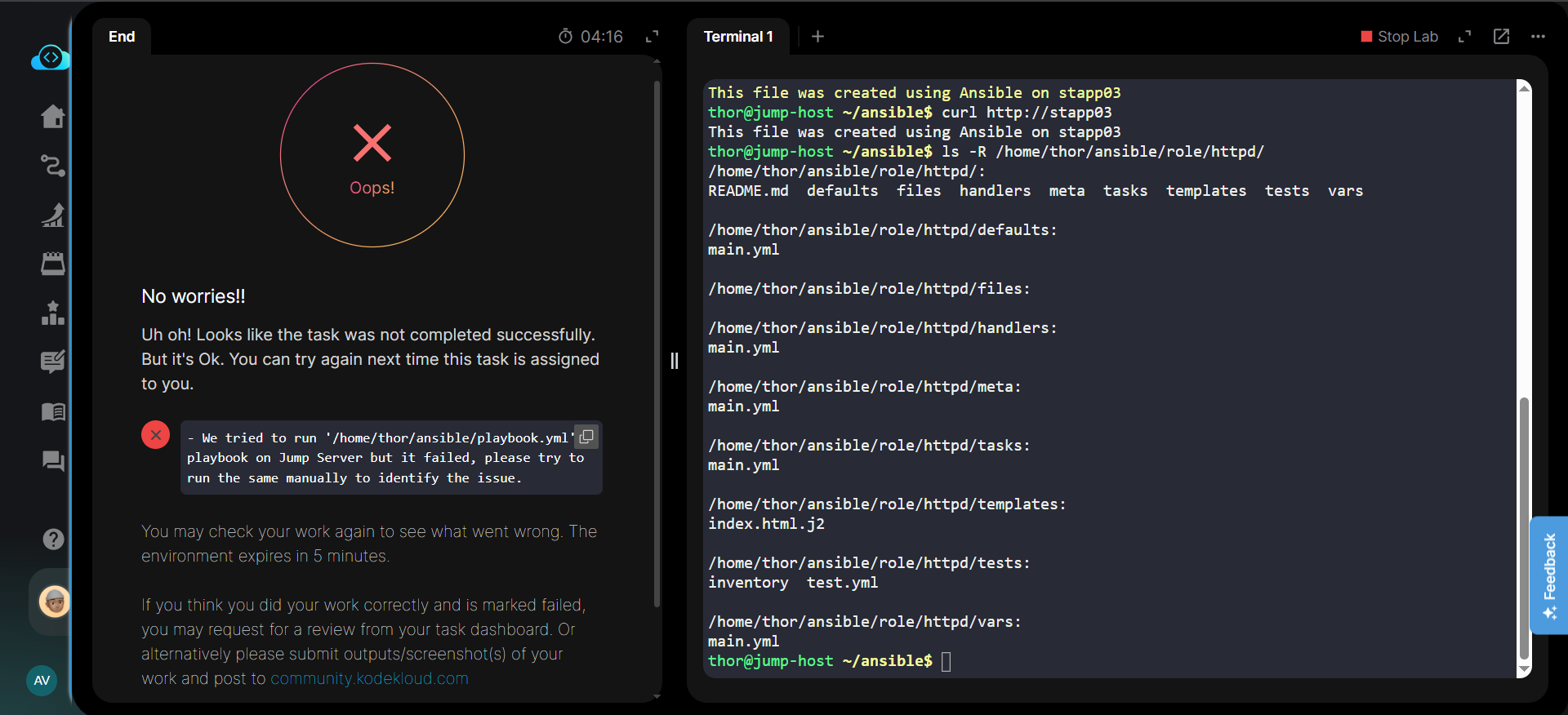
We’ve all been there. You’ve triple-checked your syntax, your manual verification via curl is returning the exact string required, and the permissions on the target server are looking flawless. Yet, the automated validator still gives you that dreaded red “Oops!” circle.
I’m currently tackling the Day 92 task: Managing Jinja2 Templates Using Ansible, and I’ve hit a wall that I’m hoping the community can help me break through.
The Objective
The goal is to deploy an httpd role that uses a Jinja2 template to create a dynamic index.html file on App Server 3 (stapp03). The requirements are specific:
-
Permissions:
0744. -
Ownership: The respective sudo user (
bannerfor stapp03). -
Content: “This file was created using Ansible on stapp03” (using the
inventory_hostnamevariable).
My “Bulletproof” Execution Plan
I tried to avoid the common pitfalls found in older guides (like using hosts: all or adding unnecessary HTML tags). Here is exactly what I ran:
1. The Environment Fix (ansible.cfg) I created this to handle the singular role directory and bypass SSH fingerprinting:
Ini, TOML[defaults] inventory = ./inventory roles_path = ./role host_key_checking = False
2. The Playbook (playbook.yml) Targeting only the required server:
`YAML—
- name: Deploy httpd role to App Server 3
hosts: stapp03
become: yes
roles:- httpd`
3. The Jinja2 Template (index.html.j2) A clean string to ensure exact matching:
Code snippetThis file was created using Ansible on {{ inventory_hostname }}
4. The Role Tasks (role/httpd/tasks/main.yml) Ensuring httpd is installed and running before the template is landed:
`YAML- name: Install httpd package
ansible.builtin.yum:
name: httpd
state: present
-
name: Start httpd service
ansible.builtin.service:
name: httpd
state: started
enabled: yes -
name: Deploy index.html template
ansible.builtin.template:
src: index.html.j2
dest: /var/www/html/index.html
mode: ‘0744’
owner: “{{ ansible_user }}”
group: “{{ ansible_user }}”`
The Result: Success in Terminal, Failure in Lab
As you can see in the screenshot below, my manual checks are successful. The curl command returns the correct string, and the directory structure is exactly where it should be.
The Error Message: “We tried to run ‘/home/thor/ansible/playbook.yml’ playbook on Jump Server but it failed, please try to run the same manually to identify the issue.”
The Head-Scratcher 
If the playbook runs manually without errors and the end-state on the server is correct, why is the validator failing?
- Is it a directory context issue (running from
~vs~/ansible)? - Is there a hidden dependency in the
inventoryfile I might be missing? - Has anyone else encountered this specific “shadow failure” where everything works but nothing passes?