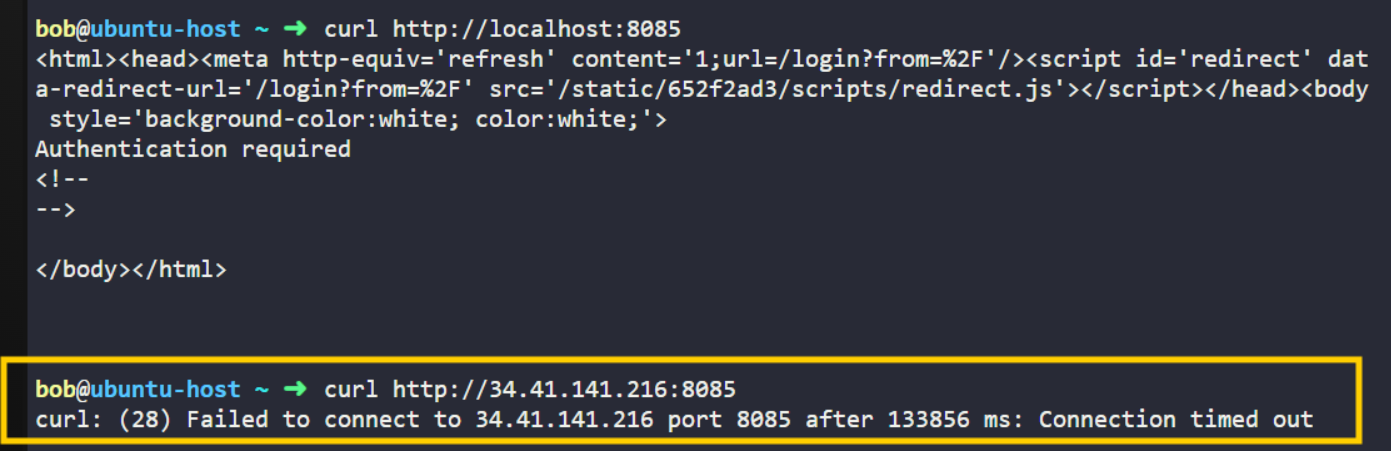
I am facing issue in first lab of Jenkins for beginners, Lab: “Jenkins Installation and Shell Script Project”.
Jenkins is running correctly on the VM and listening on port 8085. The issue is not with Jenkins itself. The problem is that the KodeKloud lab environment blocks external inbound access to custom ports like 8085, so accessing:
http://34.41.141.216:8085
from the browser times out.
Inside the VM, Jenkins works correctly on:
http://localhost:8085
Lab Expectation: I am suppose to open the Jenkin UI and perform some installations. The problem is it timeouts.
The webserver is actually NOT configured to listen to 8085 at that IP – it’s actually listening at 443 using https. There’s a bit more on that web server than that, so unless use the correct domain name, you’ll get a 403 error:
root@ubuntu-host ~ ➜  curl -k https://34.120.45.220
<html>
<head><title>403 Forbidden</title></head>
<body>
<center><h1>403 Forbidden</h1></center>
<hr><center>nginx/1.27.5</center>
</body>
</html>
Using the actual domain name (which resolves to an IP like that) does work like you expect, but not on 8085
root@ubuntu-host ~ ➜  curl  https://8085-port-cfjwkealcitiwlbe.labs.kodekloud
.com
In general, if you just use the link for “Jenkins UI” in the upper left of your screen, you’ll get to the page you need to continue the lab.