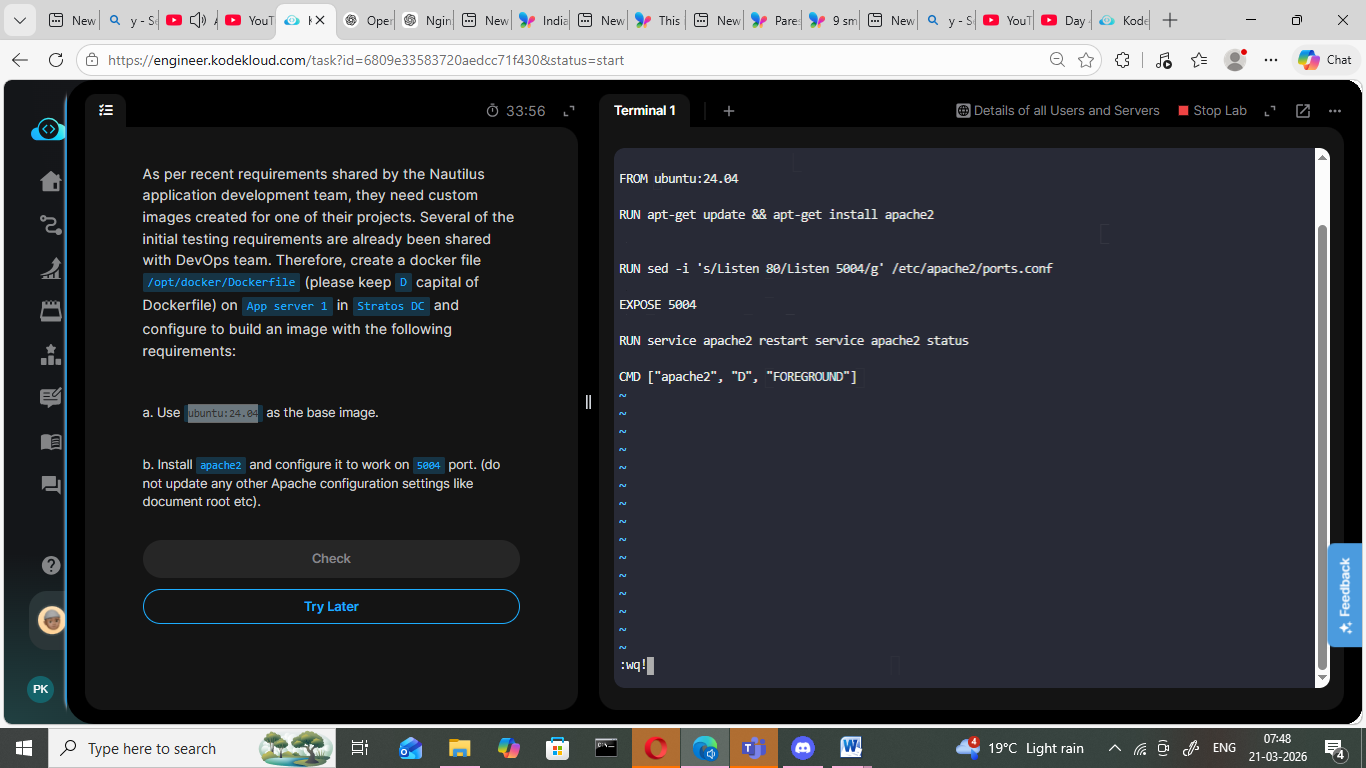
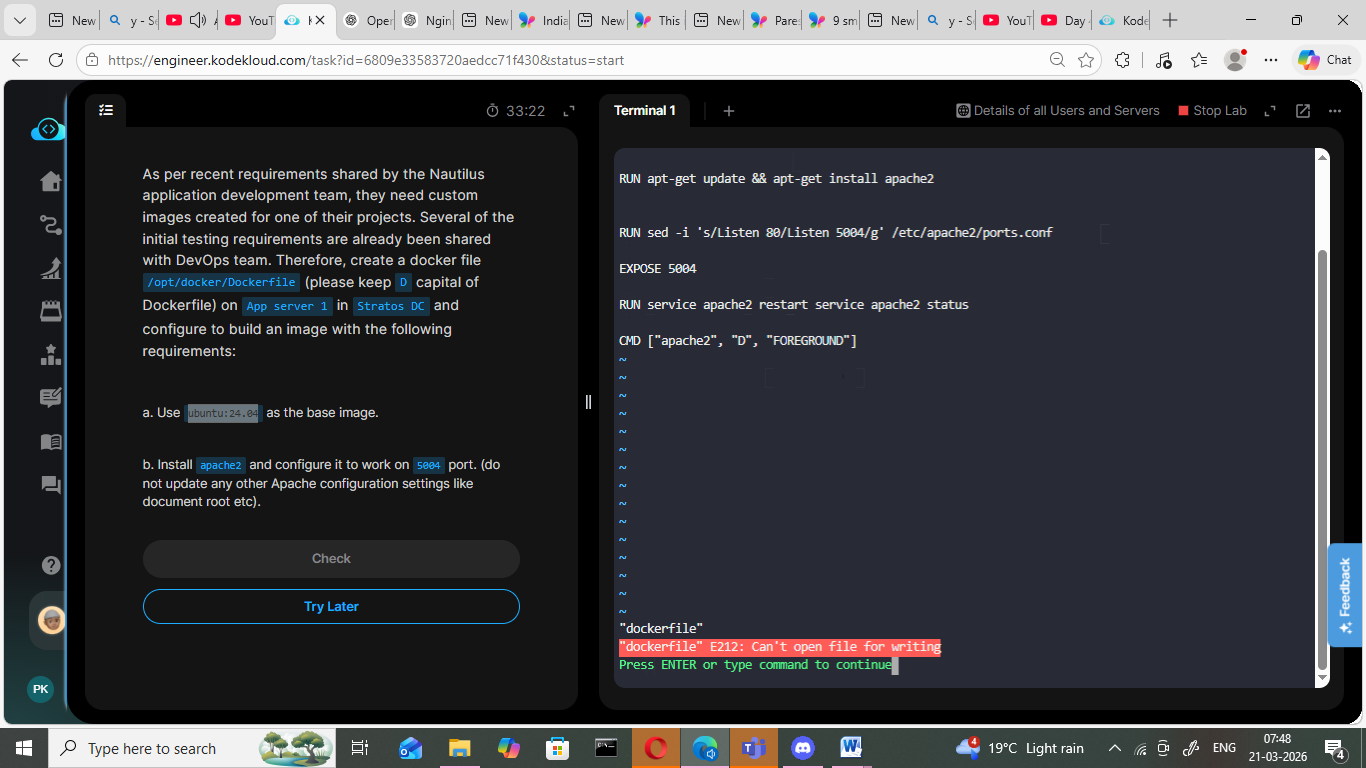
Hi Team,
I am doing day 41 lab of “100 days of Devops” challenge. I have created the Dockerfile … but I am not able to come out of it by applying the Esc+:wq! . Pls help.
Regards,
Hi Team,
I am doing day 41 lab of “100 days of Devops” challenge. I have created the Dockerfile … but I am not able to come out of it by applying the Esc+:wq! . Pls help.
Regards,
Please note that on App Server 1, the /opt/docker directory belongs to root, so you’ll need to become root to edit Dockerfile in that directory:
[tony@stapp01 ~]$ ls -l /opt
total 8
drwx--x--x 4 root root 4096 Mar 21 01:53 containerd
drwxr-xr-x 2 root root 4096 Mar 21 02:32 docker
[tony@stapp01 ~]$ sudo -i

We trust you have received the usual lecture from the local System
Administrator. It usually boils down to these three things:

    #1) Respect the privacy of others.
    #2) Think before you type.
    #3) With great power comes great responsibility.

[sudo] password for tony:
[root@stapp01 ~]# cd /opt/docker/
[root@stapp01 docker]# touch Dockerfile
[root@stapp01 docker]# ls -l
total 0
-rw-r--r-- 1 root root 0 Mar 21 02:34 Dockerfile
[root@stapp01 docker]# vi Dockerfile
[root@stapp01 docker]#
I suspect that’s your problem.
And when you hit that particular error because you’ve tried to edit something belonging to root when you are not root, the only way to quit vi is to exit without saving, because you cannot save. That’s ESC + q! (the ! means force quit without asking questions)
Select/copy your work with the mouse first, then re-edit the file after first becoming root as shown by Rob and paste back in.