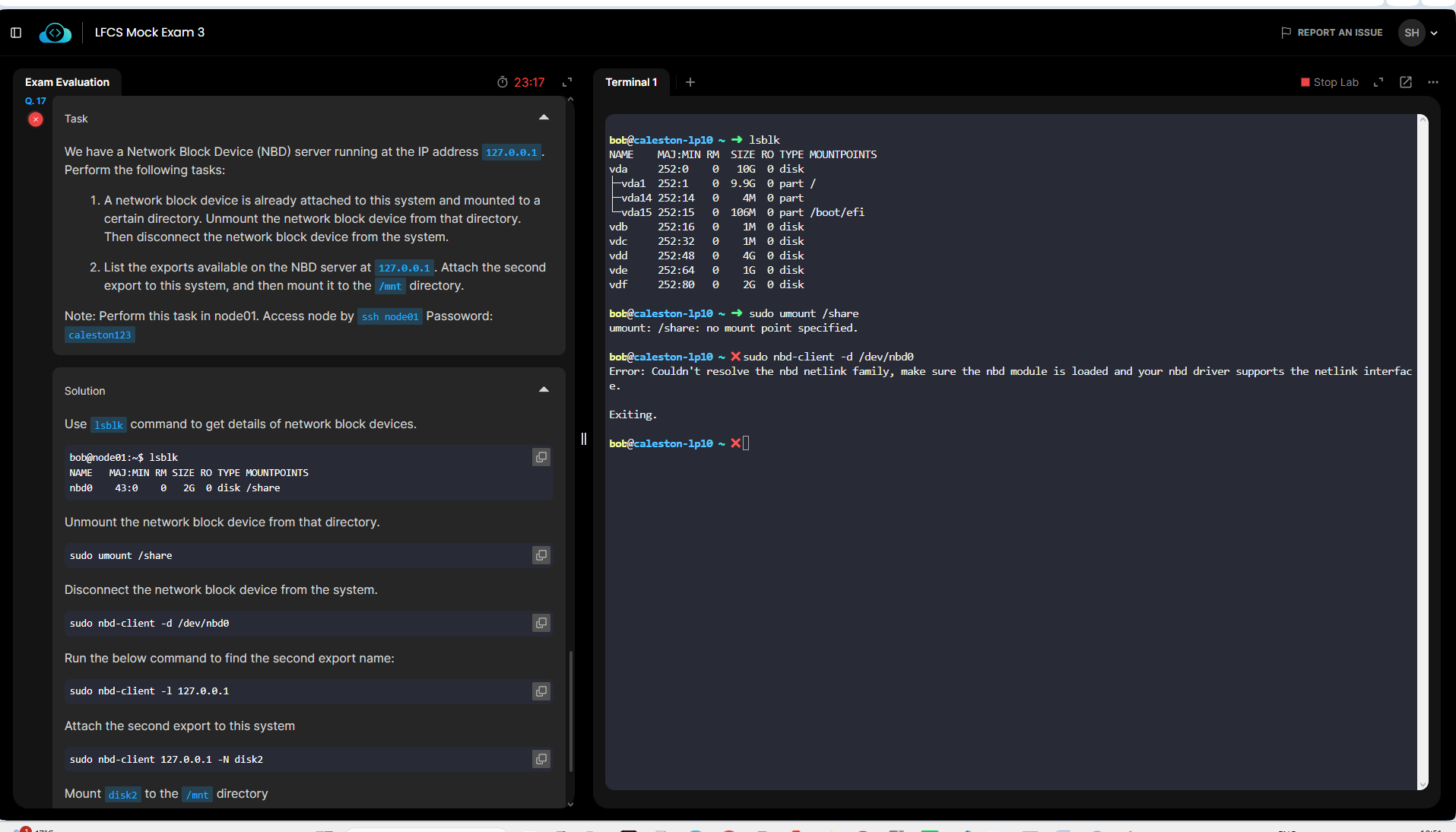
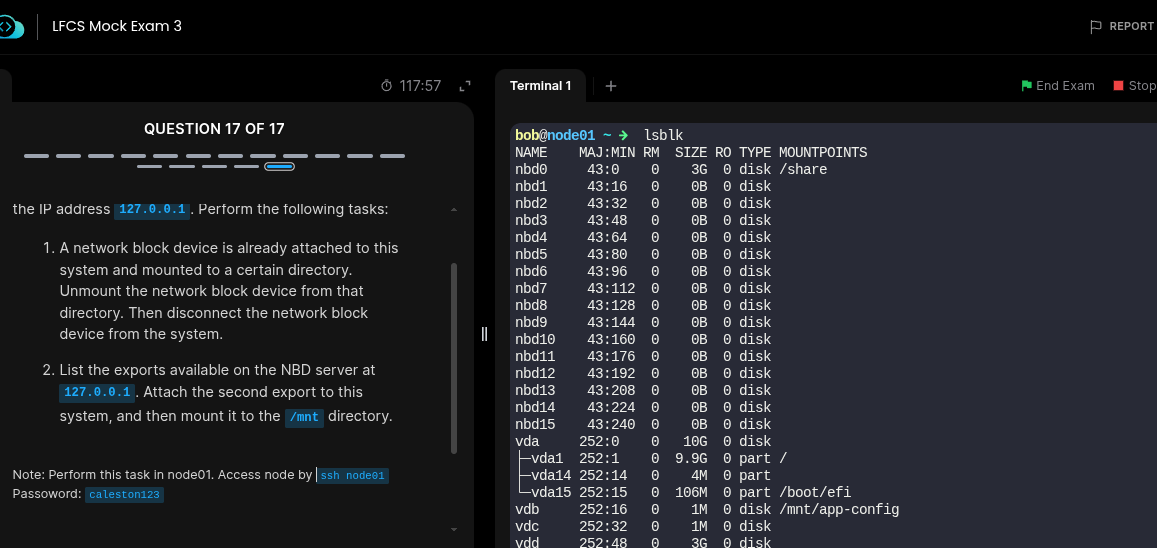
Hi, LFCS Mock Exam 3 Question 17- there is no mount point called ‘/share’ . From this point , all other steps dont work to solve the task.
Could you please take a look ?
Regards
Shopnobaz
Hi, LFCS Mock Exam 3 Question 17- there is no mount point called ‘/share’ . From this point , all other steps dont work to solve the task.
Could you please take a look ?
Regards
Shopnobaz
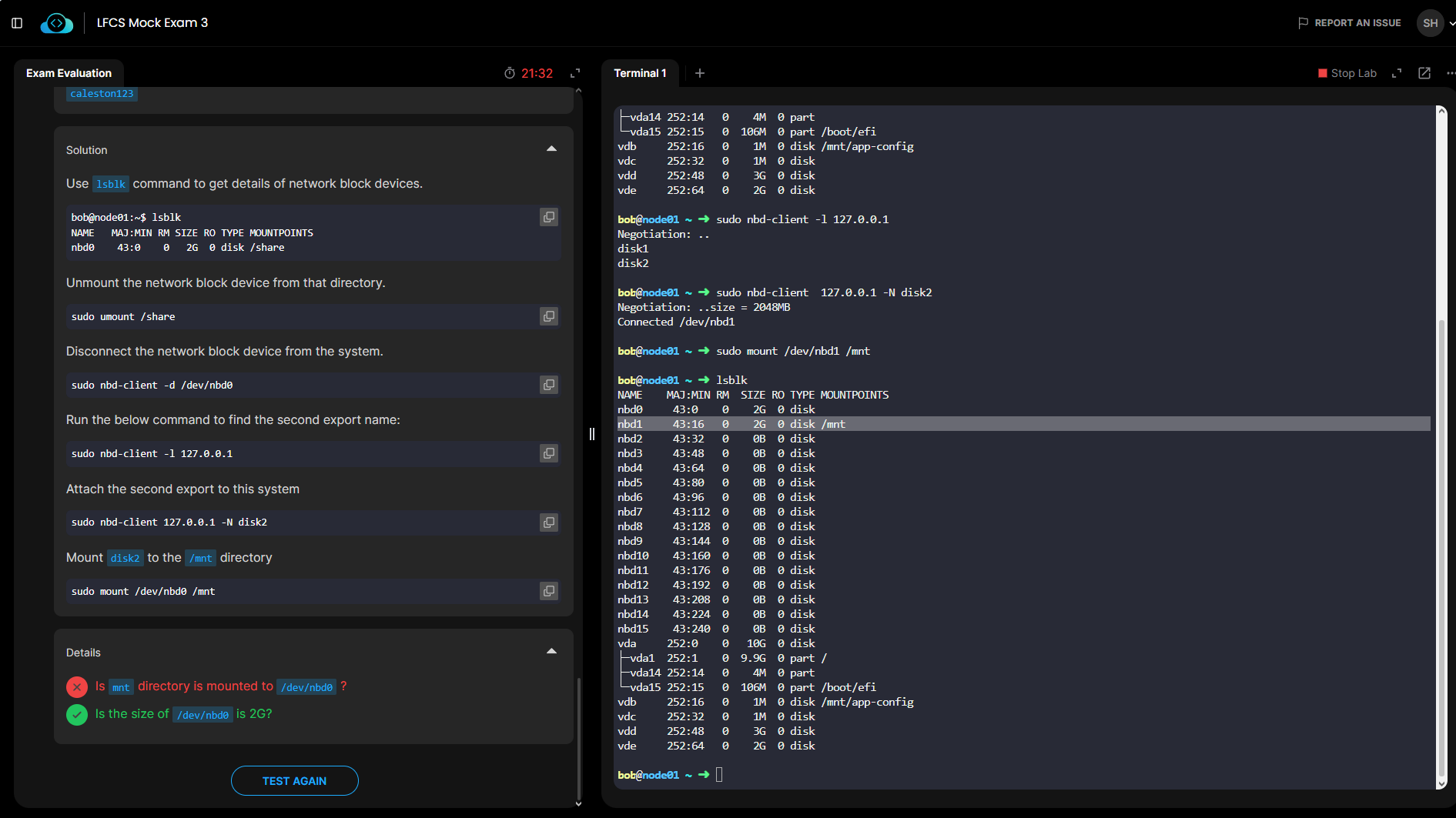
Hi, From the image, disk2 shows ‘/dev/nbd1’ in the lab practice . But in the provided answer, it shows we need to mount ‘/dev/nbd0’ to /mnt directory. why so?
It appears you have not detached the earlier mounted nbd. You can see /nbd0 still showing 2GB.
First you need to umount the device, and then detach it:
sudo umount /share

# And then detached the nbd0

sudo nbd-client -d /dev/nbd0
Then you check the new expoirts and mount it ask desired.