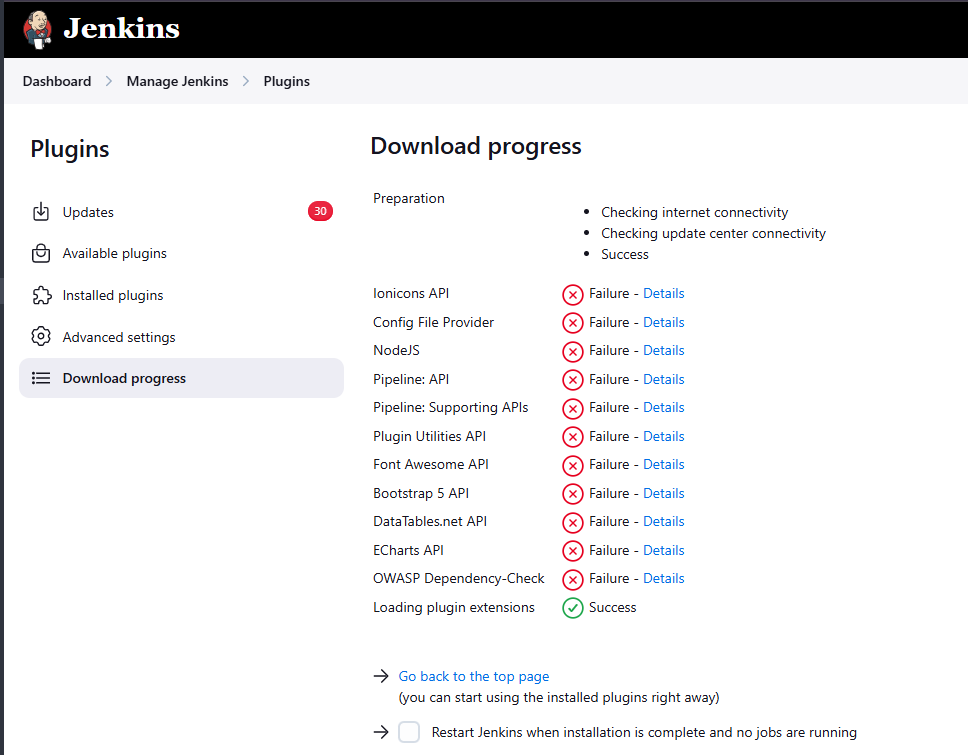
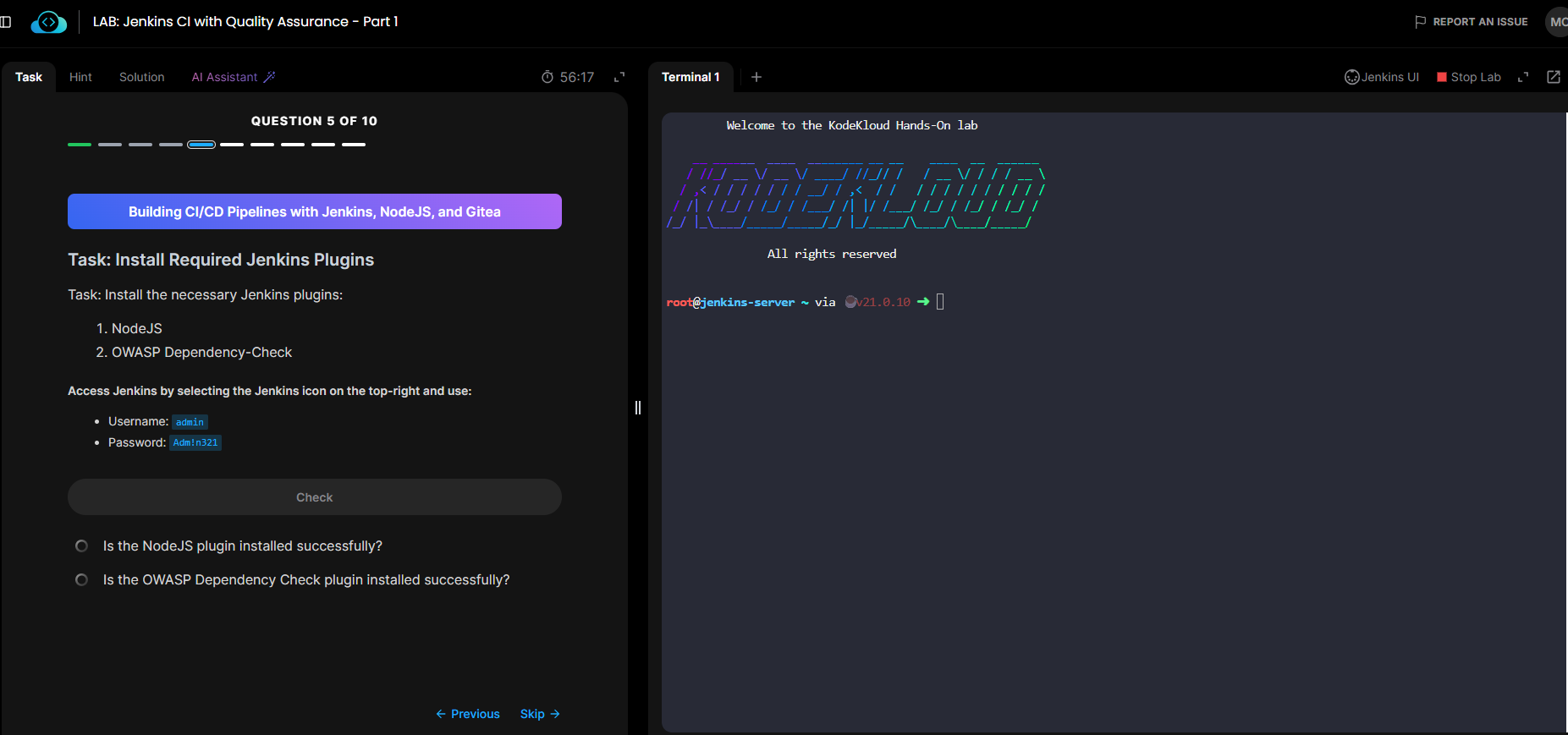
when i installed plugin mentioned on question number 5 in “LAB: Jenkins CI with Quality Assurance - Part 1” the plugins:
- NodeJS
- OWASP Dependency-Check
cannot be installed and it runs into error:
if we have to report everytime we do a LAB i think this is waste of money, apart from the beginners course nothing seems to be working. I completed few beginners course , i had few errors but now a days everytime i start a lab i run into one of these erros. I think there should be someone to mantain the server if you are selling course for money. I think this is more than 8 times i have reported in Jenkins course.
Please include a link to this lab – I’m not clear even what course this is from  Once I can find the lab, I’ll give it a look.
You know its a hassle to turn on the lab again and again right?, i am having issue on two courses
- Jenkins for Begninner
- Jenkins Pipelines
hope you can do a fix becasue its been last 15 days just for this fix @rob_kodekloud
OK, let’s take this one in pieces. For the Jenkins Pipelines lab, the problem is that the Jenkins install is old enough that the NodeJS and OWASP Dependency-Check will no longer install. I’ve asked engineering to update the lab; unfortunately, Jenkins plugins are a mess, and we struggle to keep up with this issue.
As for the Jenkins For Beginner’s lab, Q9: here you need to split this out into 3 tasks:
- Just update all of the plugins using the Jenkins console. Don’t mess with the command line solution for this – the console is easier in this case. click to select all of the stale plugins, and restart jenkins once the update process stalls. This will work.
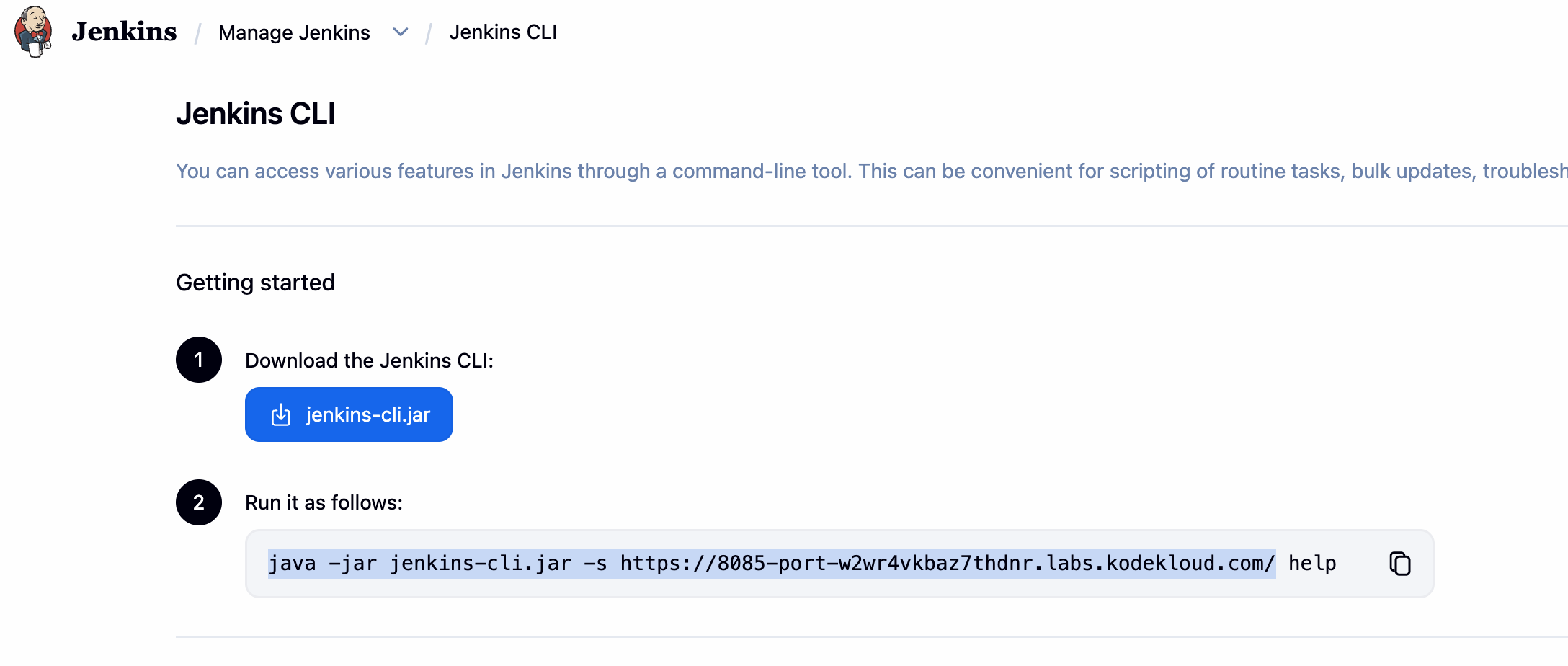
- Download the CLI binary, as directed in the solution, and find the format of the command to run the CLI off the current Jenkins install:
- Now copy the last part of the command for downloading the BlueOcean plugin to the “help” command you see in the previous part. (“-auth ‘admin:Adm!n321’ install-plugin blueocean -deploy”) This will give you a valid full command, which isn’t the case in the solution.
This will now work:
➜  java -jar jenkins-cli.jar -s https://8085-port-w2wr4vkbaz7thdnr.labs.kodekloud.com/ -auth 'admin:Adm!n321' install-plugin blueocean -deploy
Installing blueocean from update center
what about this
@rob_kodekloud isnt this the command to insatll blue ocean by command line?
The solution tab is not dynamically generated and the URL of the Jenkins server is dynamic, so you need to substitute the actual URL of the server for an invocation of “java -jar jenkins-cli.jar” to work correctly.
yes i am aware fo that @rob_kodekloud , i did not copy paste soluton tab command directly, i did replace the jenkins url therfore i was able to see the help command and was also able to update the packages. when installing the blueocean with -deploy flag it says that error. so i did asked other mods too he did say there was issue while installing from jenkins-cli in this lab of question number 9. i am just wondering when can that be fixed. I also have question why dont you guys ping the jekins version and packages so that lab dont get disrutpted with auto update. Isn;t there any settings like that?
We do pin the version of Jenkins, but that’s not the issue here – we cannot pin the various repos that people use for plugins. Plugins are not easy to manage in Jenkins, and they get updates all the time. This is a complicated problem for Jenkins users generally, and for us as someone that needs to maintain a lot of Jenkins related labs. If anything, the solution is to keep updating Jenkins to the latest version. Which we try to do, but the plugins continuously change their requirements, and that can be difficult to track.
Then maybe because of this people dont opt to use Jenkins in their CICD most of the time because of this nature. It has everything but its very unstable , you need to have a dedicated guy looking after the jenkins on daily basis. or else it might get broken any second of a day.
It’s a reason why some teams are migrating off of it, that would be accurate. There are tools like gitea that will run Github Action compatible actions, which allows you to get the privacy of a local Jenkins install without dealing with Jenkin’s plugin dependency hell
1 Like
We’ve updated the Jenkins version for this lab, and I’m told this now works. Thanks for reporting this.
1 Like