I’m on the ‘Demo - Deploying voting app on Kubernetes with Deployments’. I’m running this on Apple Silicon and unable to get the worker-app running using the worker-app-deploy.yaml file. Below is the code:
waiting for server to shut down…2022-01-07 01:48:00.123 UTC [49] LOG: received fast shutdown request
2022-01-07 01:48:00.124 UTC [49] LOG: aborting any active transactions
2022-01-07 01:48:00.126 UTC [49] LOG: background worker “logical replication launcher” (PID 56) exited with exit code 1
2022-01-07 01:48:00.127 UTC [51] LOG: shutting down
2022-01-07 01:48:00.139 UTC [49] LOG: database system is shut down
Please follow these full steps to know what you have missed and try again :
Note: We will create deployments again so please before following the steps, Runkubectl delete deployment --allto delete old deployments and avoid any conflicts.
Run git clone https://github.com/mmumshad/example-voting-app-kubernetes-v2.git
Run cd example-voting-app-kubernetes-v2/
Run vim postgres-deployment.yml and modify it’s content as below then save and exit.
Run kubectl create -f . if you create deployments for the first time, if you created the same deployments before Run kubectl apply -f . .
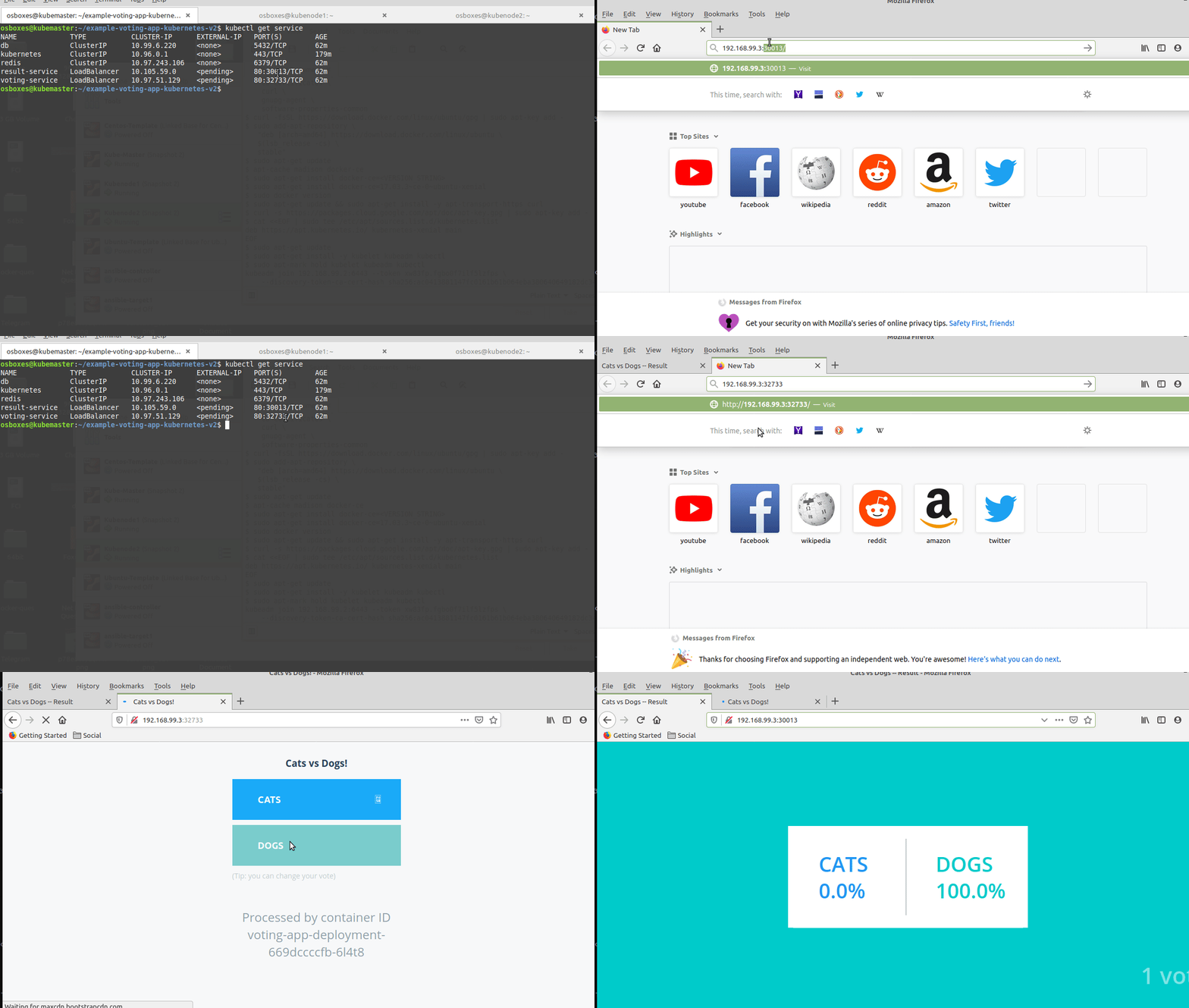
Run kubectl get service to get the exposed ports.
For example if the output of the command as above you can accces the voting app by hitting One_of_the_worker_nodes_IP:32733 on your browser and the same for the resulting app >> One_of_the_worker_nodes_IP:30013.
Check :
Note: The voting application only accepts one vote per client. It does not register votes if a vote has already been submitted from a client.