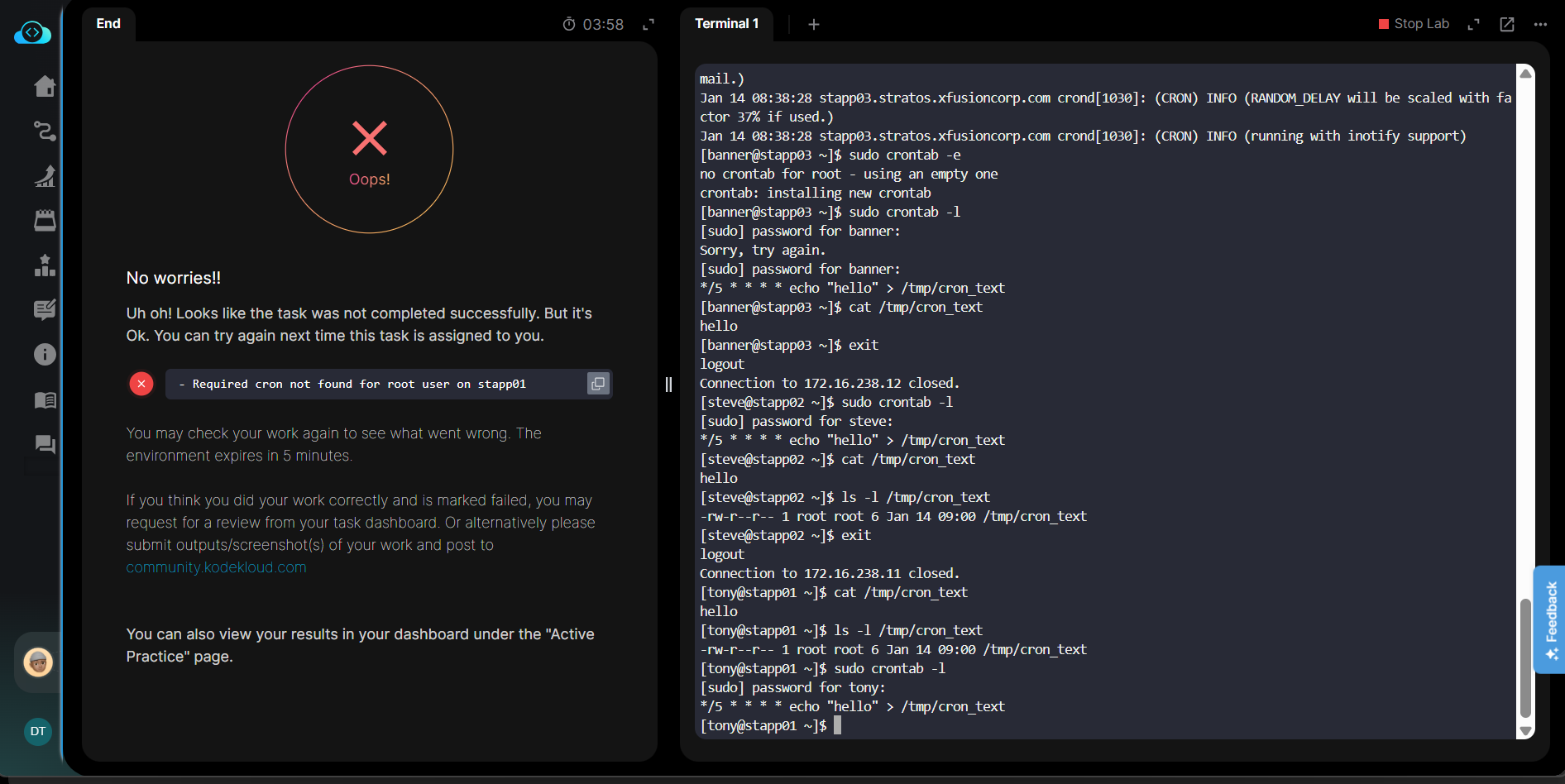
I am attaching the screen shot kindly look into it.
also may i know is there any way to pay only for kodekloud engineer instead of complete course + tasks
Thank you in Advance
I am attaching the screen shot kindly look into it.
also may i know is there any way to pay only for kodekloud engineer instead of complete course + tasks
Thank you in Advance
Hi @Dinesht0006
Did you add the */5 * * * * echo hello > /tmp/cron_text cron to /etc/crontab file and restart crond service?
yes i have added the crontab entry
not by manually writing in the /etc/crontab file but using crontab -e command i guess which is preferred solution which does syntax checking. and automatically restarts the crond service
so what i did was
sudo crontab -e
and then added the crontab entry in the file and also verified the running of crontab by checking at the file.
There is a difference between using crontab -e and updating the /etc/crontab manually. Refer to man crontab
Try updating the file for the lab.
yes i completely agree with you @Santosh_KodeKloud there is a difference between using crontab -e and manually editing in the /etc/crontab file
based upon my understanding on reading the documentation. i found that
crontab -e [-u ], for editing user level cron entries
/etc/crontab, is for assigning system level cron entries isn’t it.
and the question says that cron job should be scheduled to the root user not as a system level job.
Thank you for your help. and correct me if i am wrong.
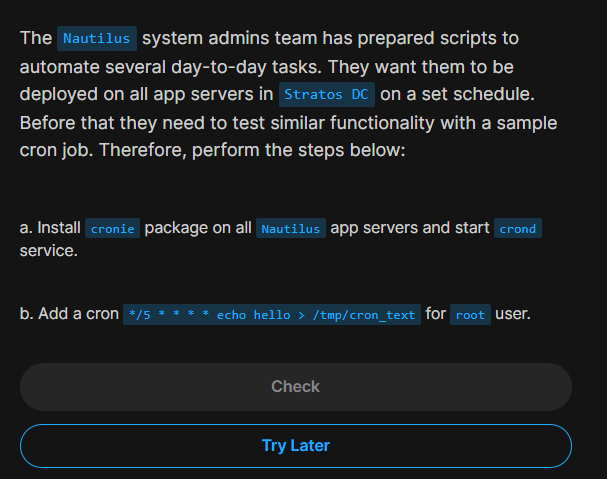
i have also tried as you said which is creating system level cron job for root user by manually typing in /etc/crontab file
and then restarted the crond service
also i verified the working by cat /tmp/cron_text
but still the task fails
i am having doubt that whether it is failing due to the revise coz i had already completed this task i am just revising it
Every session is a fresh instance of the lab.
root
cronie, verify if running. Else restart the crond service/etc/crontab file and append the required cron at the endI tried this, and it worked.
Using crontab -e creates a new file for each user under /var/spool/cron/$USER. It asks for the editor when opened at first instance, but I am unable to verify this.
As we need to add the cron as root, adding an entry to /etc/crontab is also a valid solution.