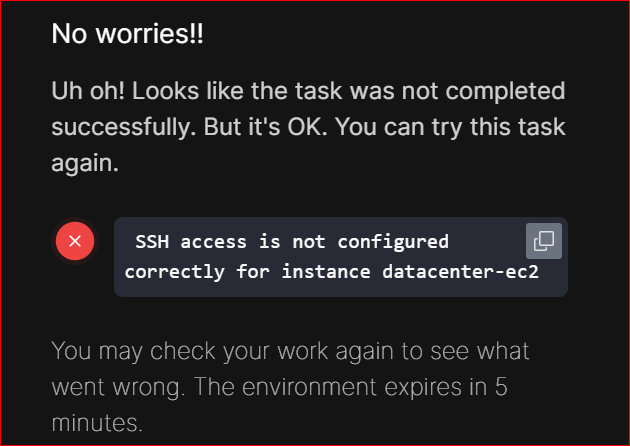
Issue : Secure SSH Access to instace

Hi Gents,

I’m currently facing an issue with Level 2 cloud AWS while configuring secure SSH access to an EC2 instance. Below, I’m sharing the steps I followed, but the outcome didn’t match the expected result.
Step 1 :
aws ec2 create-key-pair --key-name temp-keypair --query “KeyMaterial” --output text > temp-keypair.pem

Step 2:
chmod 400 /root/temp-keypair.pem

step 3:
find ~ -name temp-keypair.pem

Step 4:
ssh -i /root/temp-keypair.pem ec2-user@52.91.57.100

If anyone has experience with this setup or spots any mistakes, I’d appreciate your insights to help troubleshoot this.

Thanks in advance for any support!
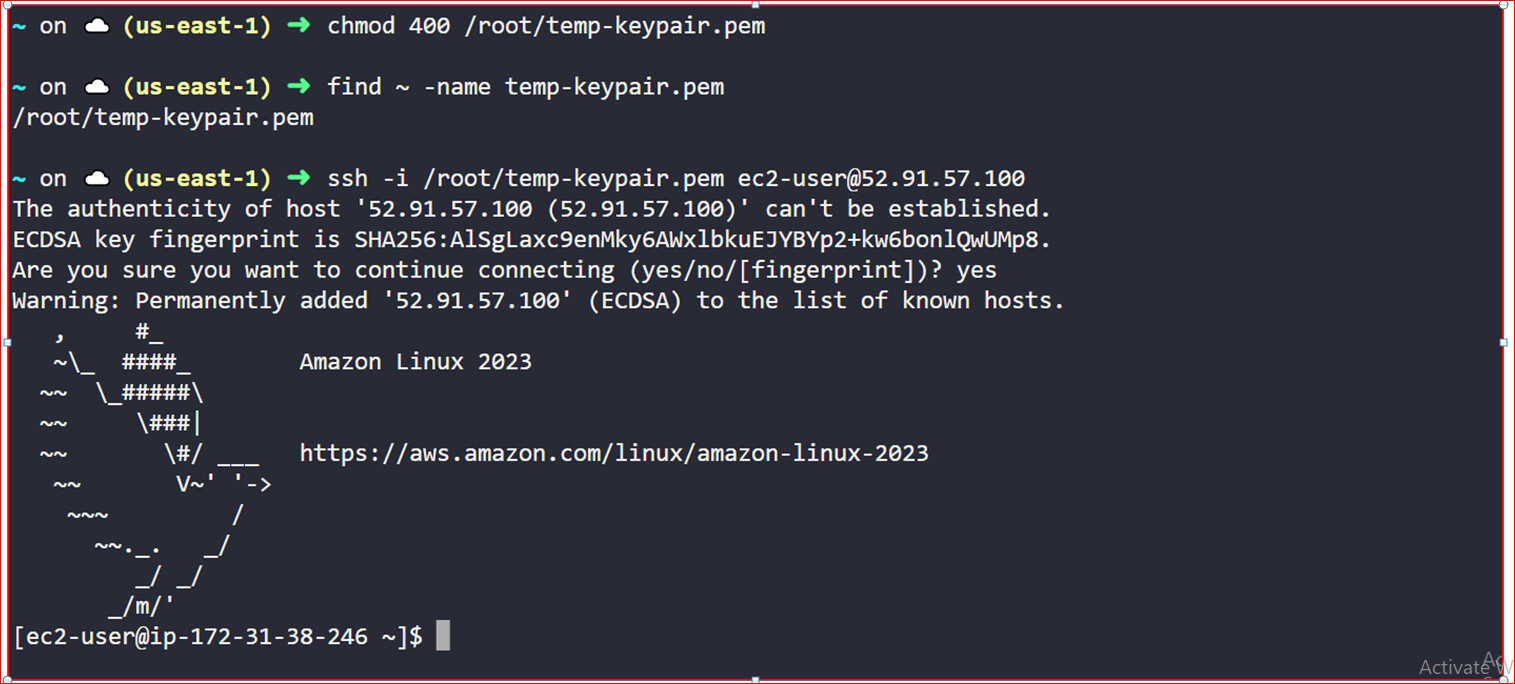
Er, what’s the point of step 3 above? You already know where it is :slight_smile:

And, what is the actual issue? It appears you are logged into the EC2 instance.

sssh error

this is the error after completed the LAB
and i don’t no what’s the issue
thank u for reply

HI, I am facing the same error. But, I was able to ssh into the instance as root without password. I tried multiple times but still the task is throwing error. Could someone please suggest the solution?

The solution is here: Task Passwordless authentication for root user on EC2 (AWS level 2) fails even after getting the desired output please help! - #19 by Alistair_KodeKloud

1 Like