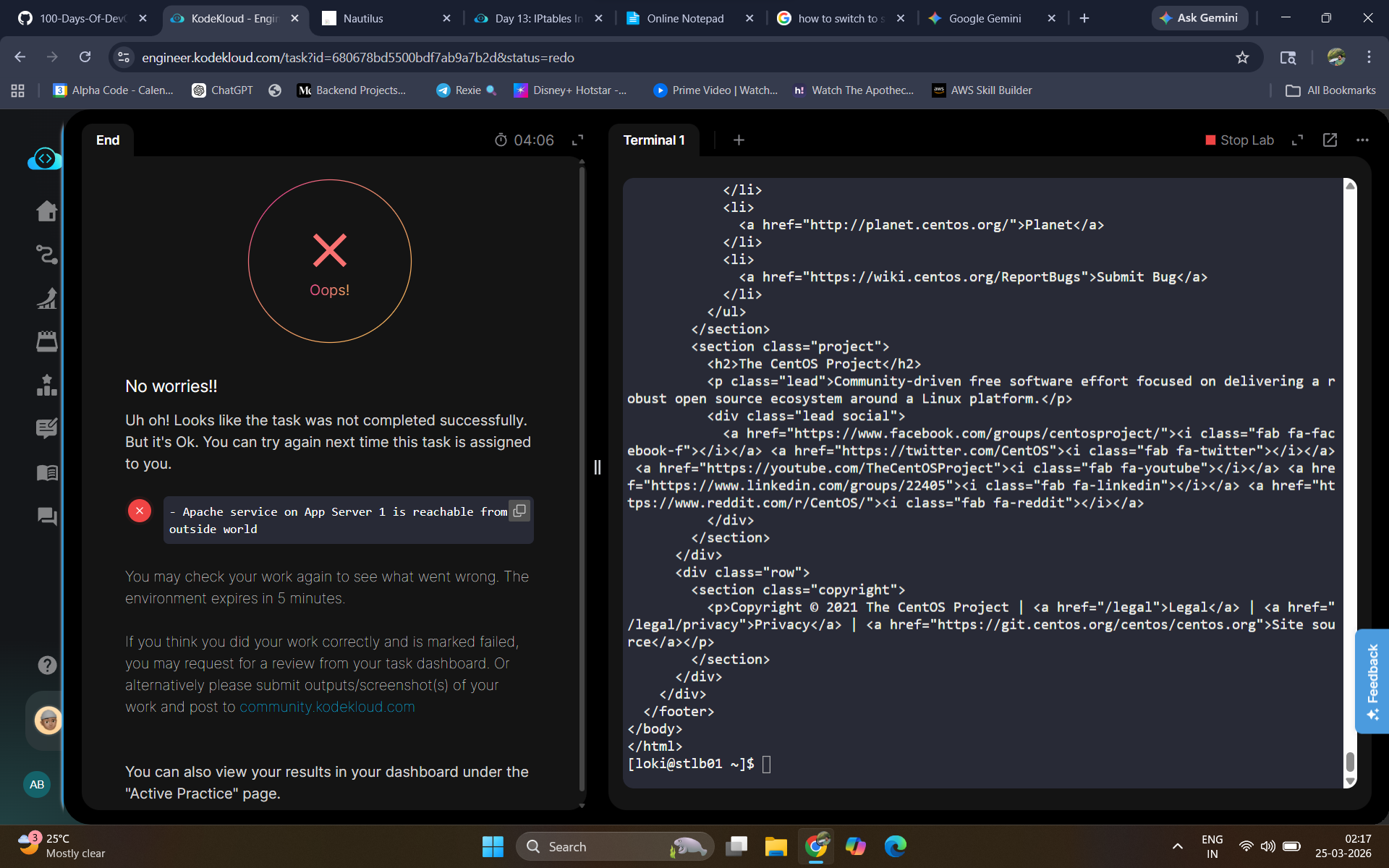
Whatever I do I am unable to complete this task. Attached a screenshot aswell.
Adding the below rules in iptables.
sudo iptables -A INPUT -s 10.244.0.0/16 -p tcp -m tcp --dport 6400 -j ACCEPT
sudo iptables -A INPUT -p tcp -m tcp --dport 6400 -j DROP
I am able to curl http://stapp01:6400 from Load balance server but in the task I am getting error
Your main problem is that you’re not doing the requested task. The task is:
We have one of our websites up and running on our Nautilus infrastructure in Stratos DC. Our security team has raised a concern that right now Apache’s port i.e 3003 is open for all since there is no firewall installed on these hosts. So we have decided to add some security layer for these hosts and after discussions and recommendations we have come up with the following requirements:
-
Install iptables and all its dependencies on each app host.
-
Block incoming port 3003 on all apps for everyone except for LBR host.
-
Make sure the rules remain, even after system reboot.
So you need to configure iptables to only allow the LBR host; everything else should be blocked. You’re allowing the whole subnet, and that’s not what you were asked to do.
I’ve written some hints for this task here; it should put you on the right path.
Tried the above commands but faced issues with loadbalance server connecting to App servers.
Anyway I have completed it now by modifying somethings. Adding the full solution below for others
sudo yum install -y iptables iptables-services
sudo systemctl enable iptables
sudo systemctl start iptables

sudo iptables -F
sudo iptables -A INPUT -p tcp --dport 8088 -s 10.244.13.60 -j ACCEPT
sudo iptables -A INPUT -p tcp --dport 8088 -j REJECT

sudo sh -c 'iptables-save > /etc/sysconfig/iptables'
sudo iptables -L -n
Order of the table matters here so flushing(Removing some predefined rules) with sudo iptables -F was crucial.
NOTE: Loadbalncer IP and Port no are different for each users
Perform it on all 3 servers and verify by using curl http://stapp01:8088 from Loadbalncer and JumpHost. Should Work in Loadbalncer but not in Jumphost