lab link in kodekloud Engineer: https://engineer.kodekloud.com/task?id=66f3a18bd8001a22a9d80fc0&status=start
lab title: Integrating AWS SQS and SNS for Reliable Messaging
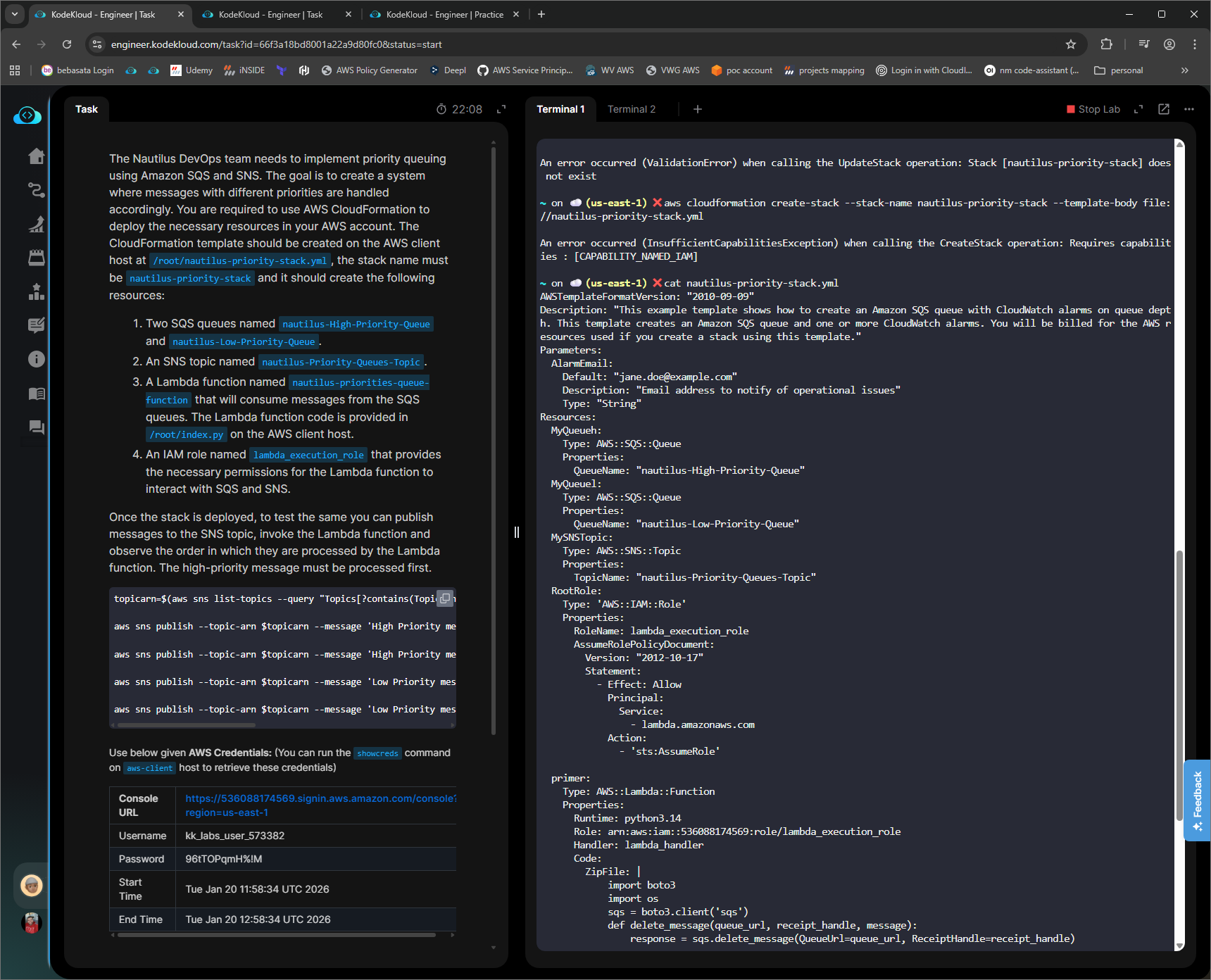
This is normal when deploying a stack that includes IAM resources. Since incorrect IAM can damage the security of an AWS account, you have to assert the capabilities you require explicitly, effectively telling AWS that you know what you are doing.
In this case, it requires you to provide this additional argument to the create-stack command
--capabilities CAPABILITY_NAMED_IAM
@Alistair_KodeKloud Thank you very much, now I can create the role however I still can’t attach policies to it ( for the lambda function to receive and delete the messages)
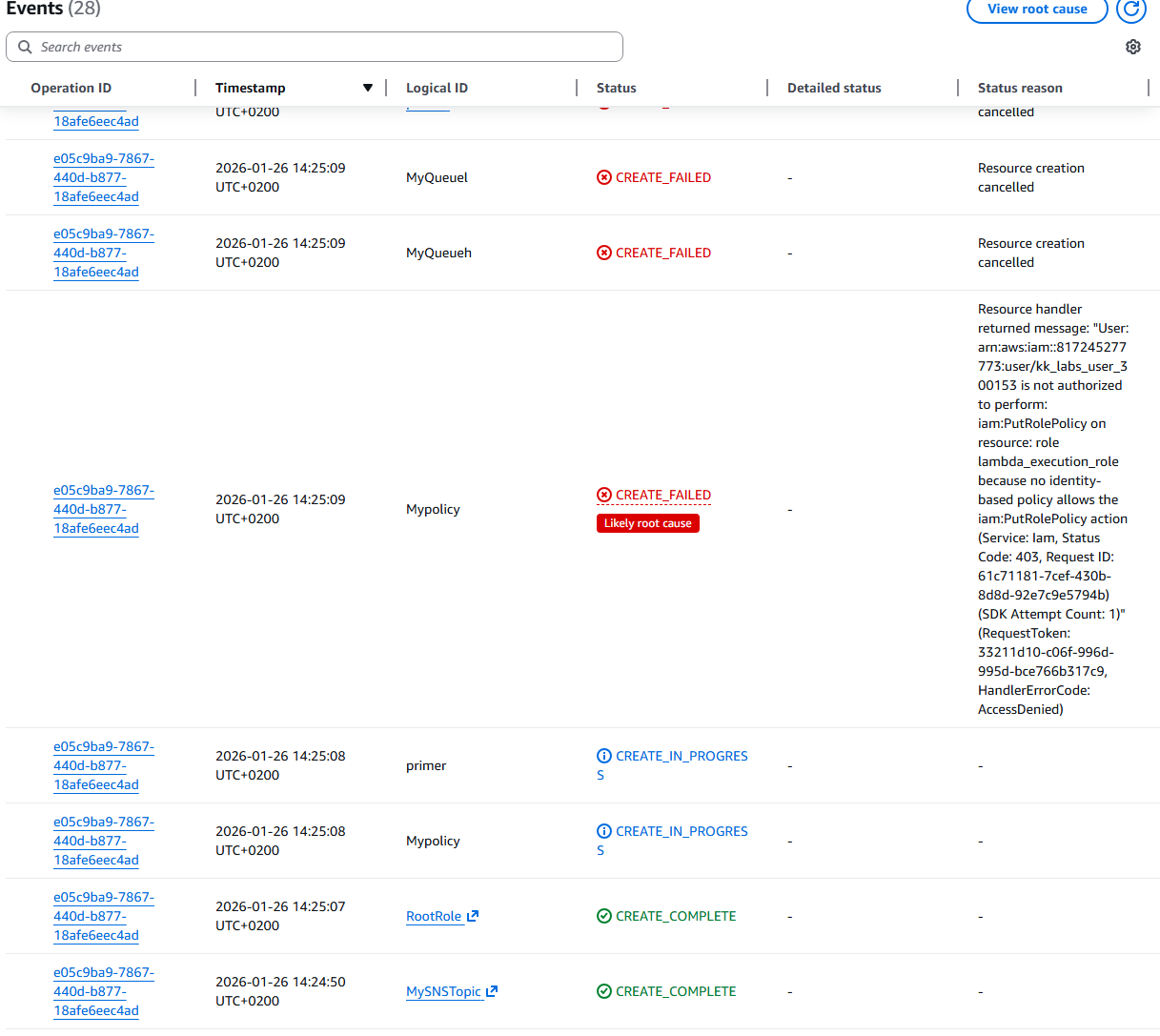
Rather than create a separate policy, instead create the policy inline with the role using the Policies attribute of the IAM::Role resource.
@Alistair_KodeKloud
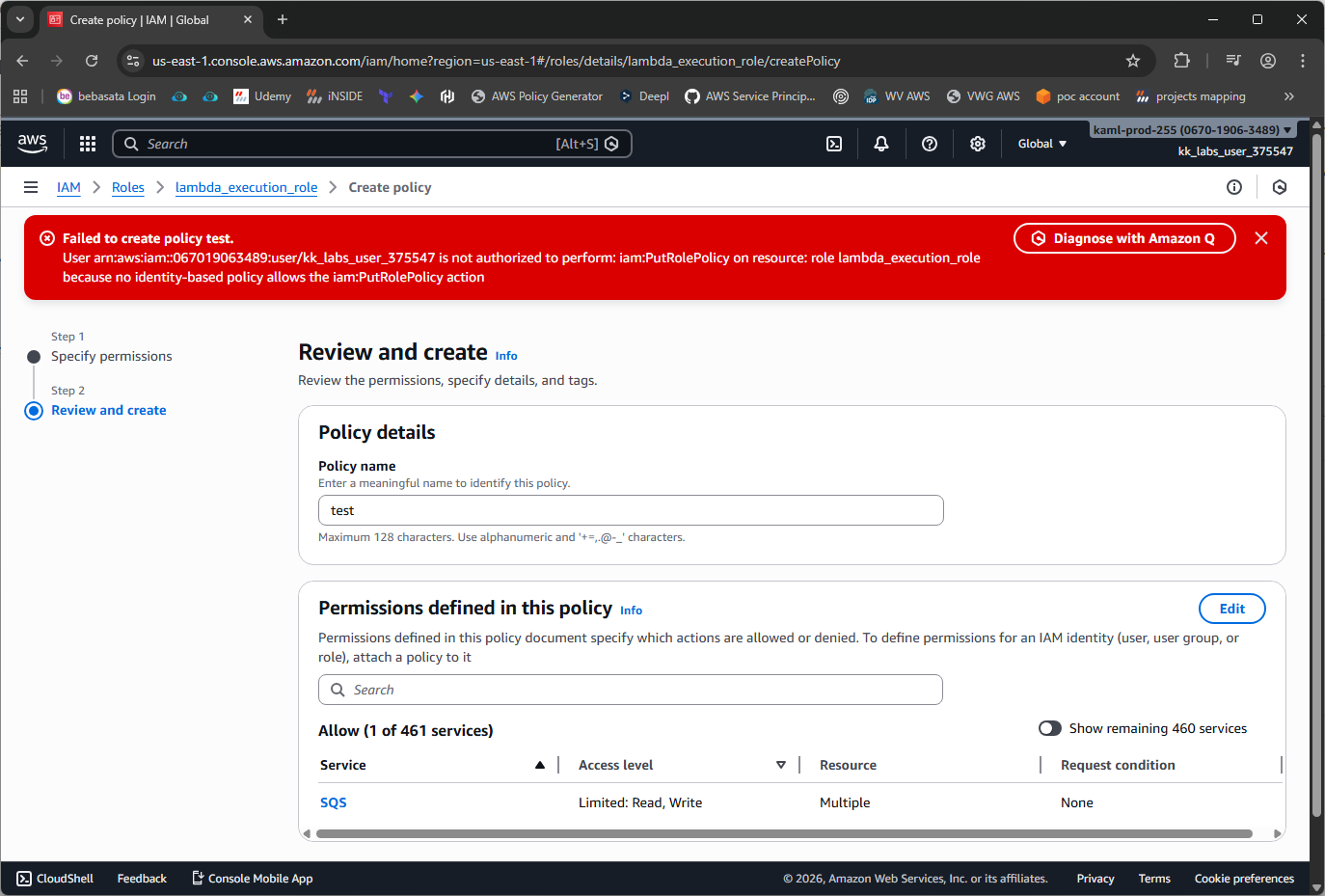
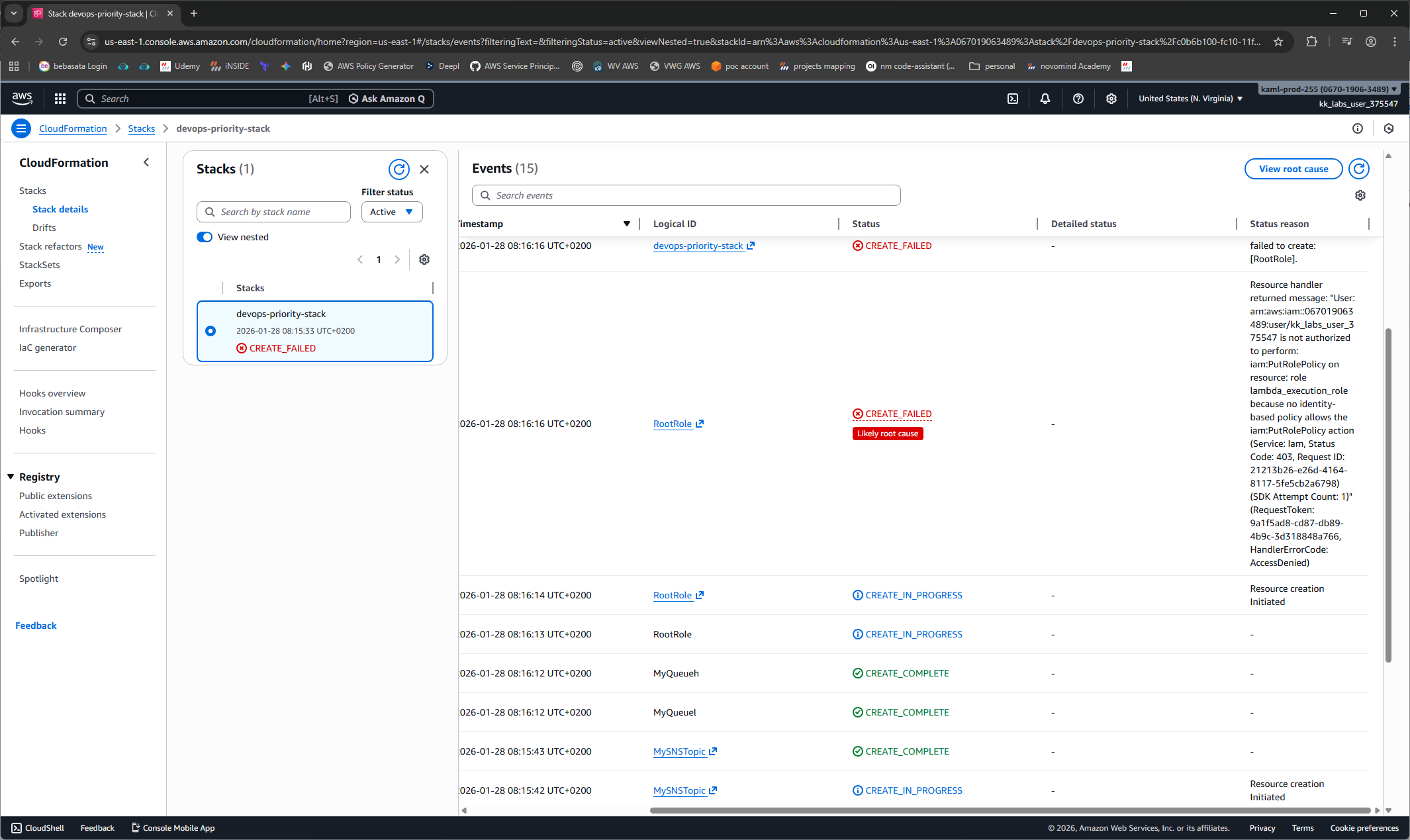
I’ve tried to do using inline policies both console (screenshot1) and cloudformation (screenshot2)
same issue for this lab: Centralized Audit Logging with VPC Peering
lab link: https://engineer.kodekloud.com/task?id=66f3a1ded8001a22a9d80fc8&status=start
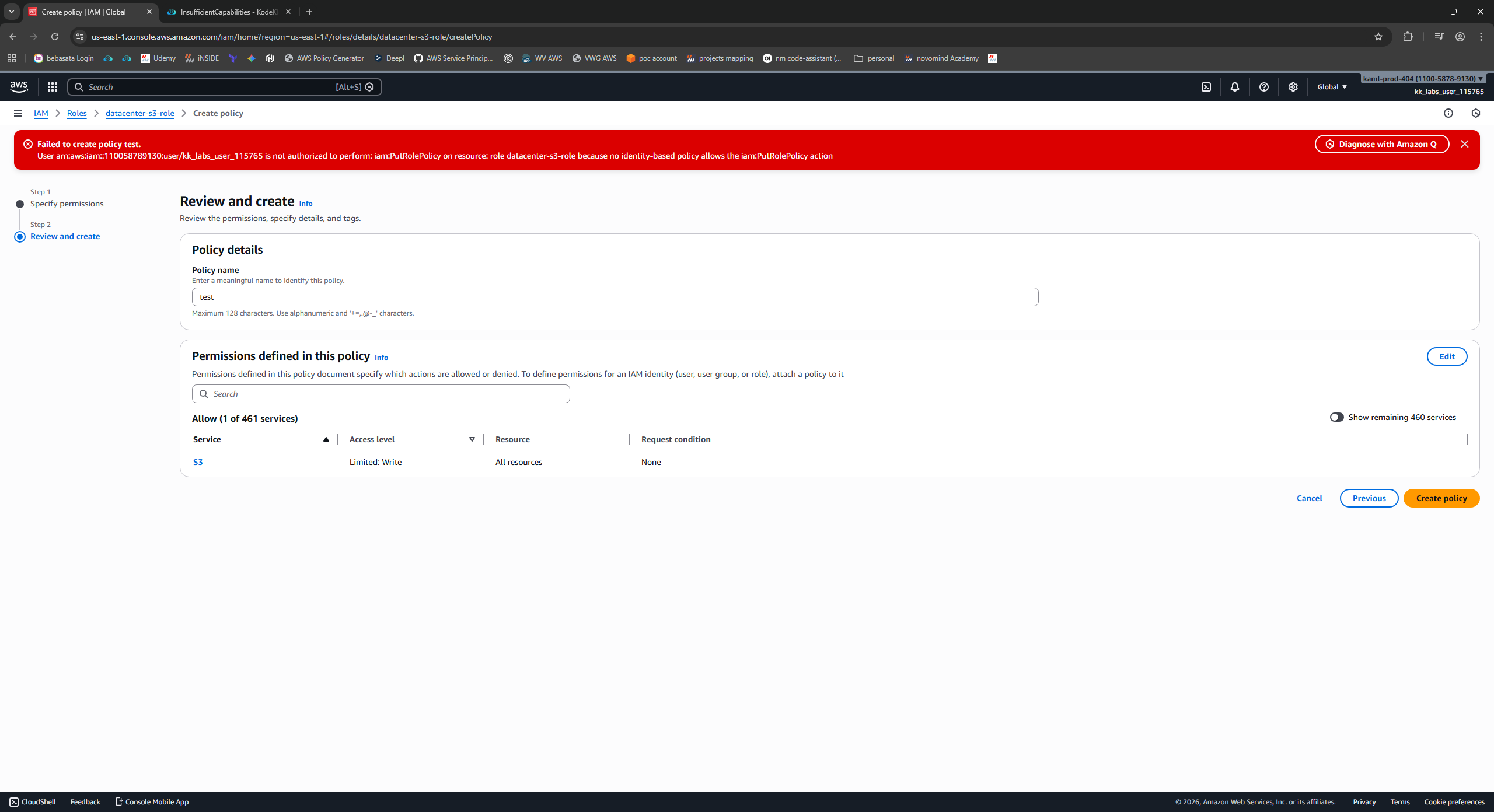
I have played around with this a bit.
What you cannot do
- Create a role, then attach an inline or separate user defined
IAM::Policy
What you can do
- Attach any of the existing managed policies such as
AmazonS3FullAccess
Don’t be fooled by the policy name. It won’t grant any higher privilege than the playground allows, but it should allow create/delete bucket, get/put object and list at minimum
Similarly try the AWSLambdaSQSQueueExecutionRole manage policy for the SQS one.