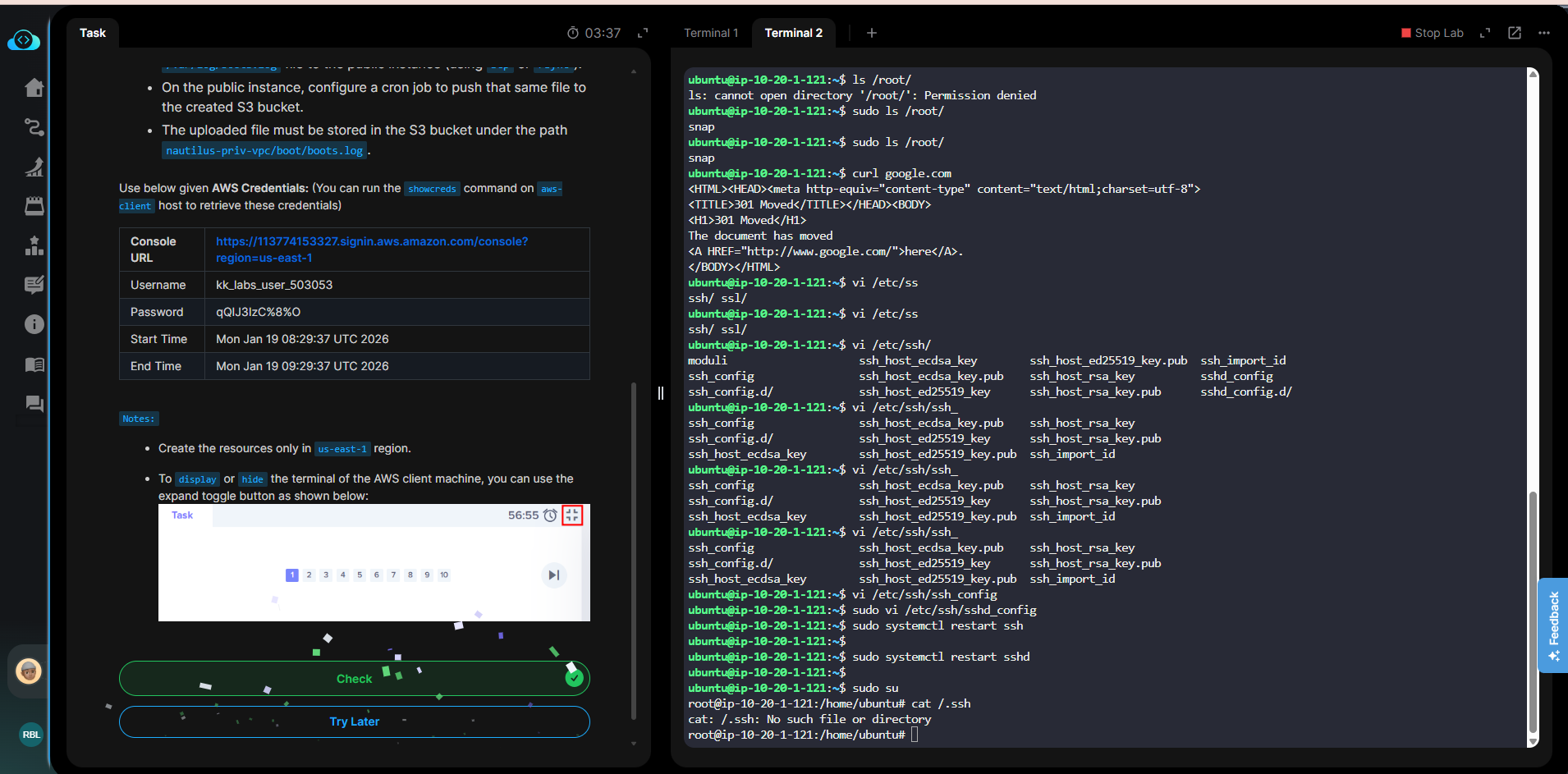
I did scenario day 49 twice and got same error:
'nautilus-priv-vpc/boot/boots.log' not found in bucket 'nautilus-s3-logs-1584'
Yet:
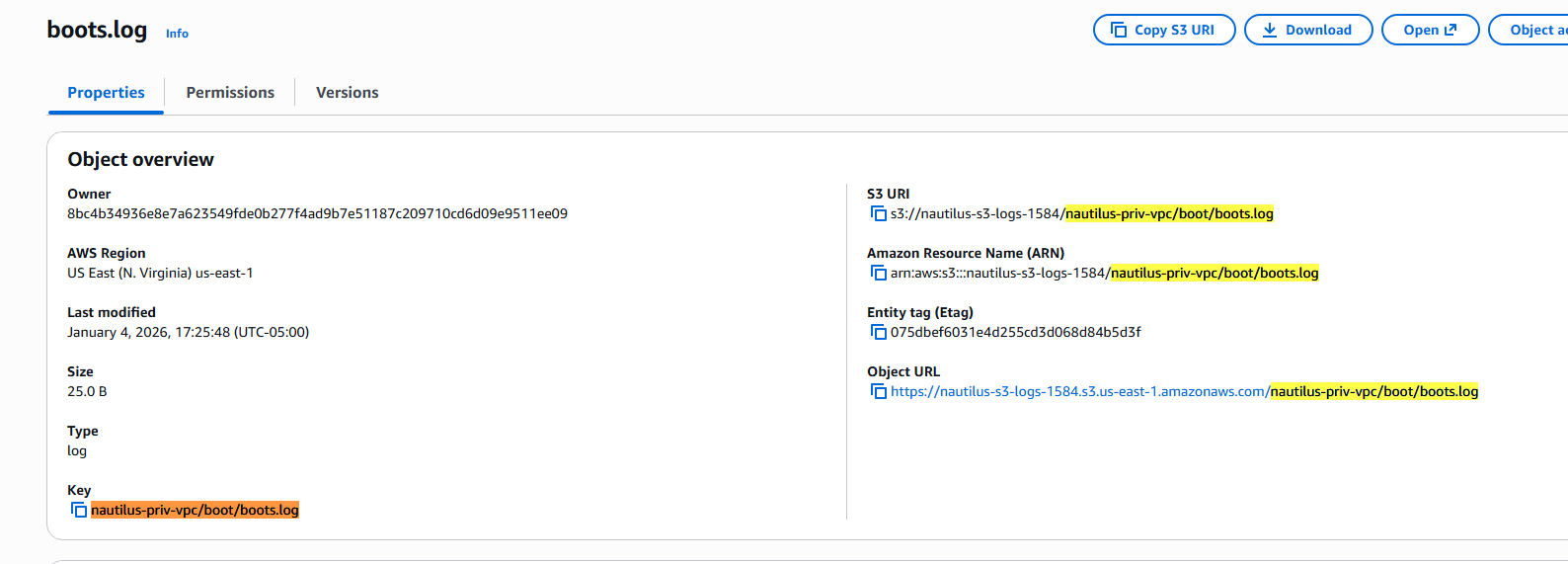
So I’m blocked.
I did scenario day 49 twice and got same error:
'nautilus-priv-vpc/boot/boots.log' not found in bucket 'nautilus-s3-logs-1584'
Yet:
So I’m blocked.
Hi @Schollii
Please refer to the solution here https://github.com/Srikanth0824/kodekloud-engineer/blob/main/100_Days_of_Cloud-AWS/Day49.md
Thanks.
My solution differed from that one only on details not mentioned in the scenario, like possibly the cron had to be every minute (I had every 5 minutes, and public instance was set 1 min later than the private one), or the IAM had to allow all buckets whereas mine was more secure, or maybe the ssh user had to be root instead of ubuntu which is bad practice.
I can’t tell because all I was getting was the error I posted initially and it was not true that the file was not the bucket.
So I think that scenario needs to have a couple extra details because in the end it required way more time than was reasonable for this.
hey @Schollii i stucked on crojob part it does not work propely and does not send log files to bucket.
which one on priv or on pub ec2? what’s your crontab line that’s not working
yes both of them are not working. basically i proceed with the step 8 and 9 in the github repo but it does not upload any log file to my s3 bucket.
Hi @bhashitha
Please share a screenshot of your issue, it will be really helpful for us to assist you.
Day 49: Centralized Audit Logging with VPC Peering.
i am not also able to complete this task . i follow same stps but cron jobs not working .
error .
datacenter-priv-vpc/boot/boots.log’ not found in bucket 'datacenter-s3-logs-10633
Hi @omprakash87
The lab is working well. Please provide more detailed steps of what you’ve done, it’s hard to support you with the current information.