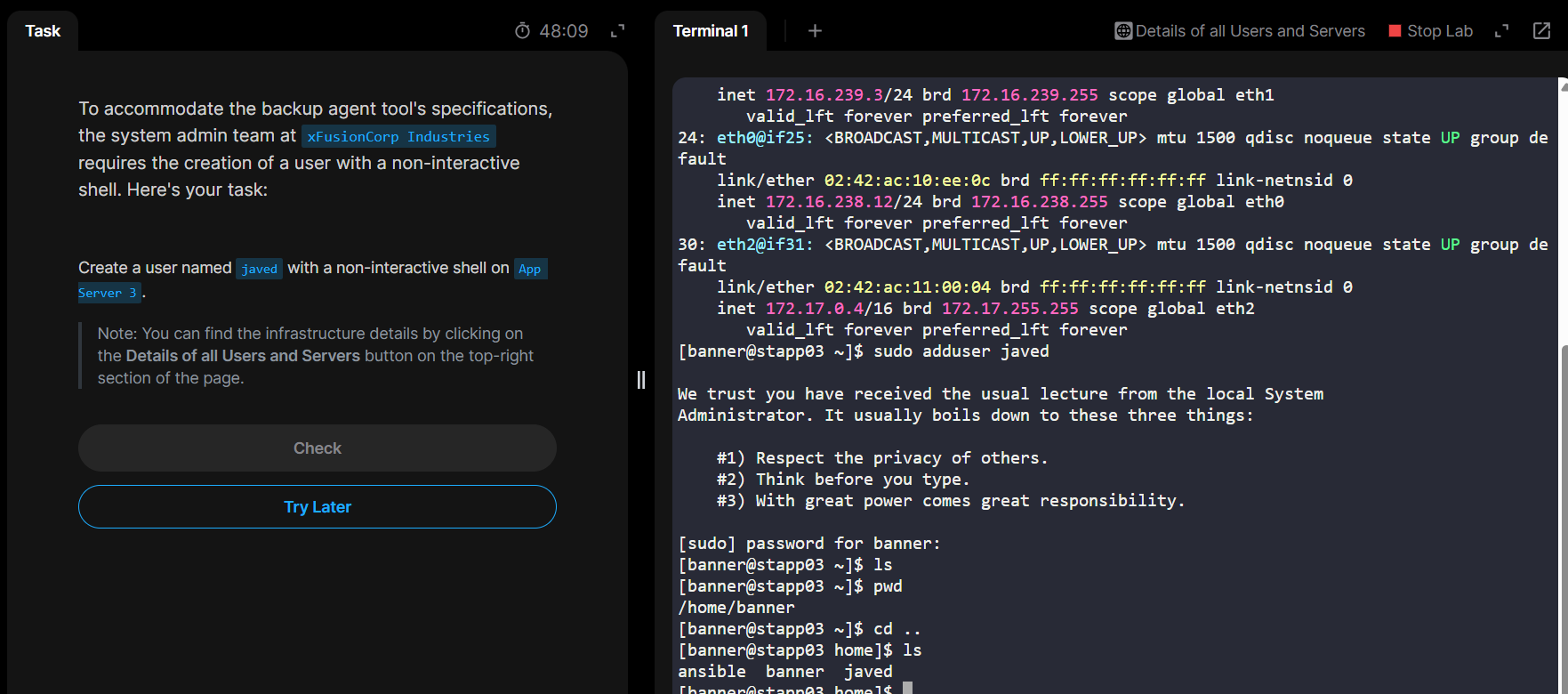
In the Level 1 Docker practice, I am stuck in the first task itself.
I am in the jumpserver, and I am supposed to login to app server 3, which is stapp03, correct?
But ssh into the app server is continuously giving me permission denied error, even though I use sudo.
Task link: https://engineer.kodekloud.com/task?id=64072032741b204d59fbe9c2&status=redo
thor@jumphost ~$ sudo ssh stapp03@172.16.238.12

We trust you have received the usual lecture from the local System
Administrator. It usually boils down to these three things:

    #1) Respect the privacy of others.
    #2) Think before you type.
    #3) With great power comes great responsibility.

[sudo] password for thor:
The authenticity of host '172.16.238.12 (172.16.238.12)' can't be established.
ED25519 key fingerprint is SHA256:+y+Iqv9RF3lxbdSErQN5xvFg1IdIVq9WC2CGY+Dv/xI.
This key is not known by any other names
Are you sure you want to continue connecting (yes/no/[fingerprint])? yes
Warning: Permanently added '172.16.238.12' (ED25519) to the list of known hosts.
stapp03@172.16.238.12's password:
Permission denied, please try again.
stapp03@172.16.238.12's password:
Permission denied, please try again.
stapp03@172.16.238.12's password: