In CKA Mock 1 question 6 im getting the http route error pls check
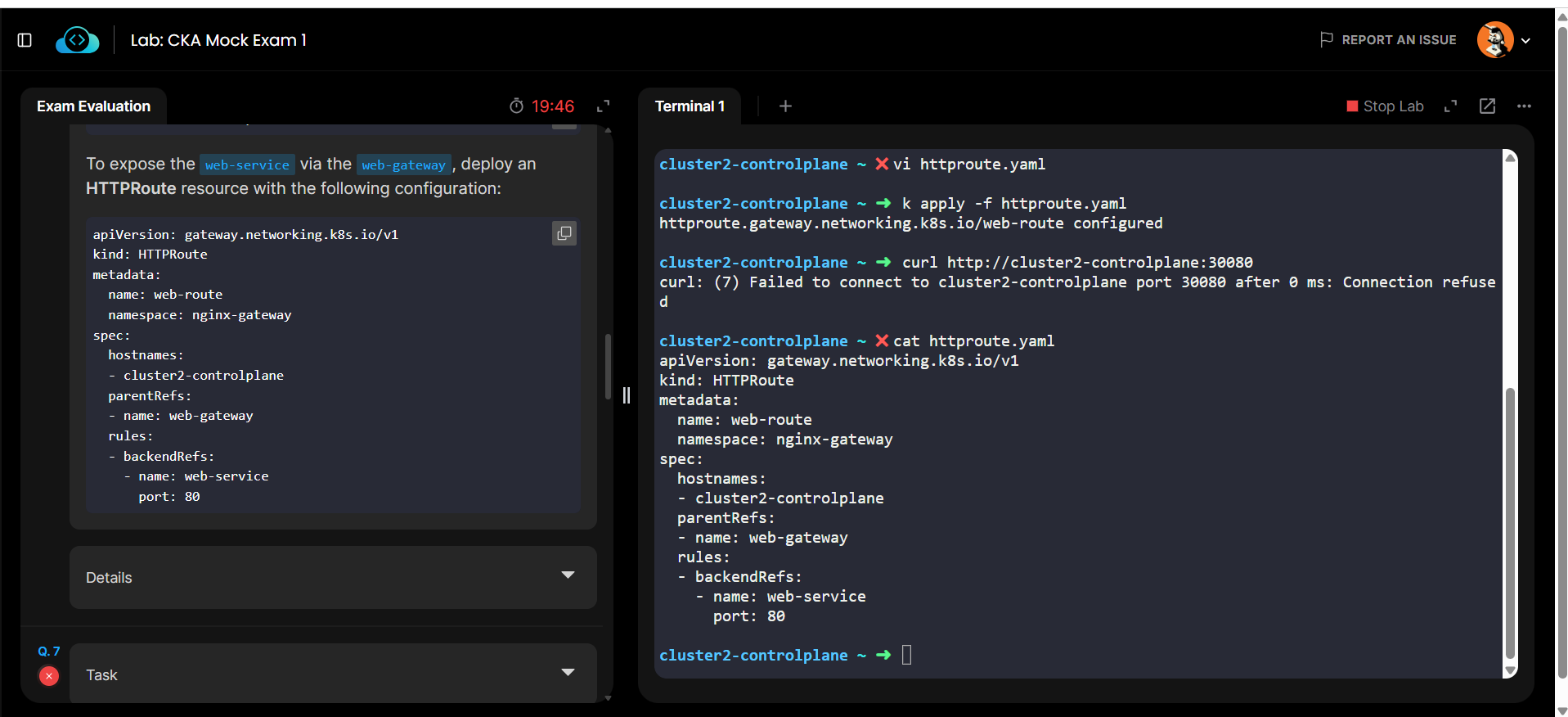
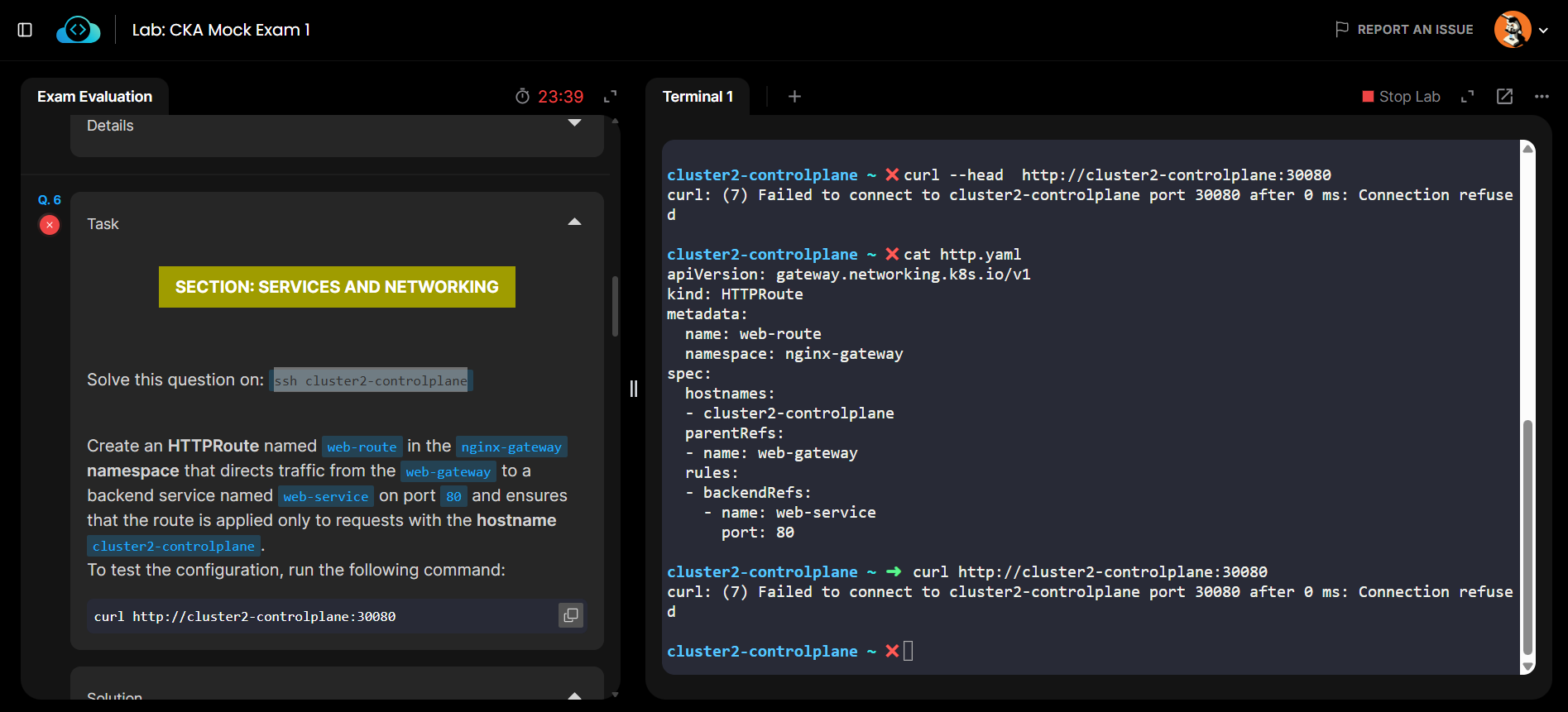
What does the Details tab show about failures?
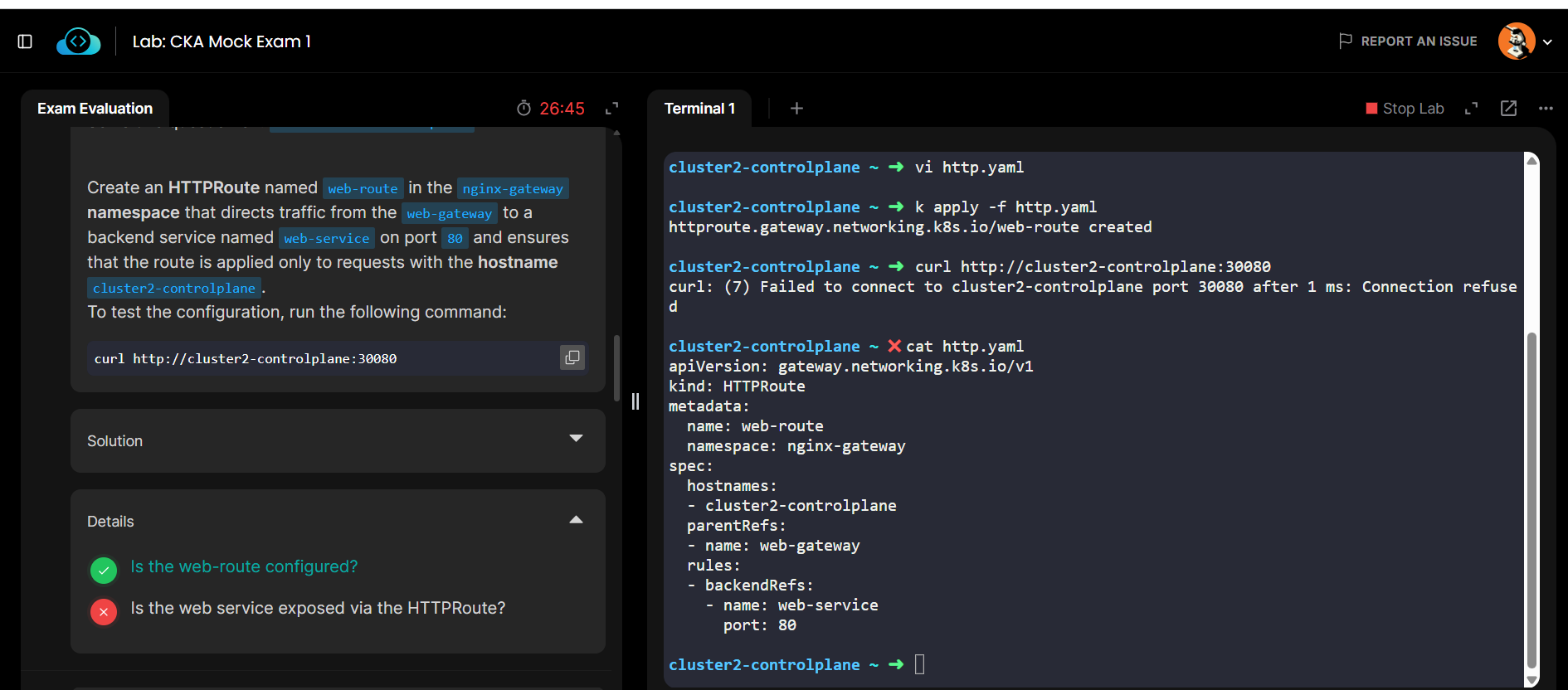
I tried it again, and it works fine at my end.
Ensure that both services are available in the namespace.
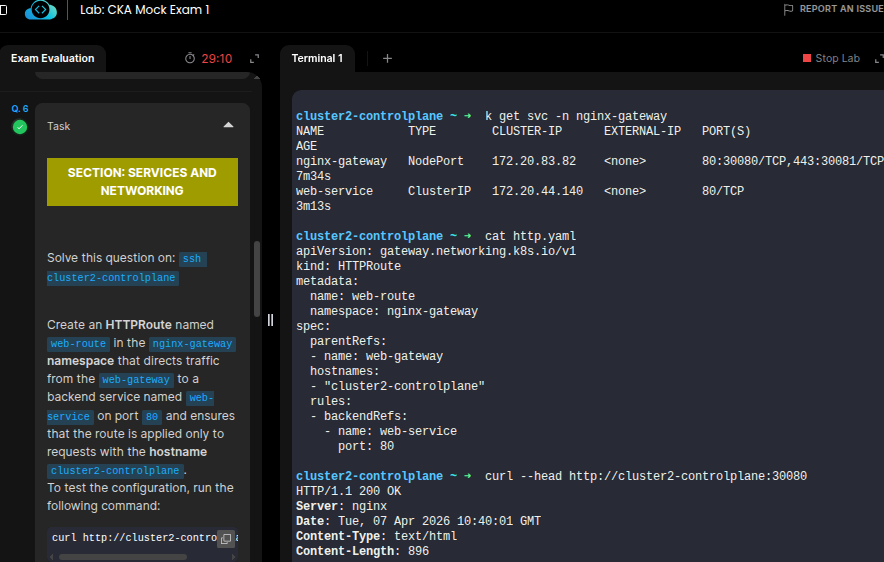
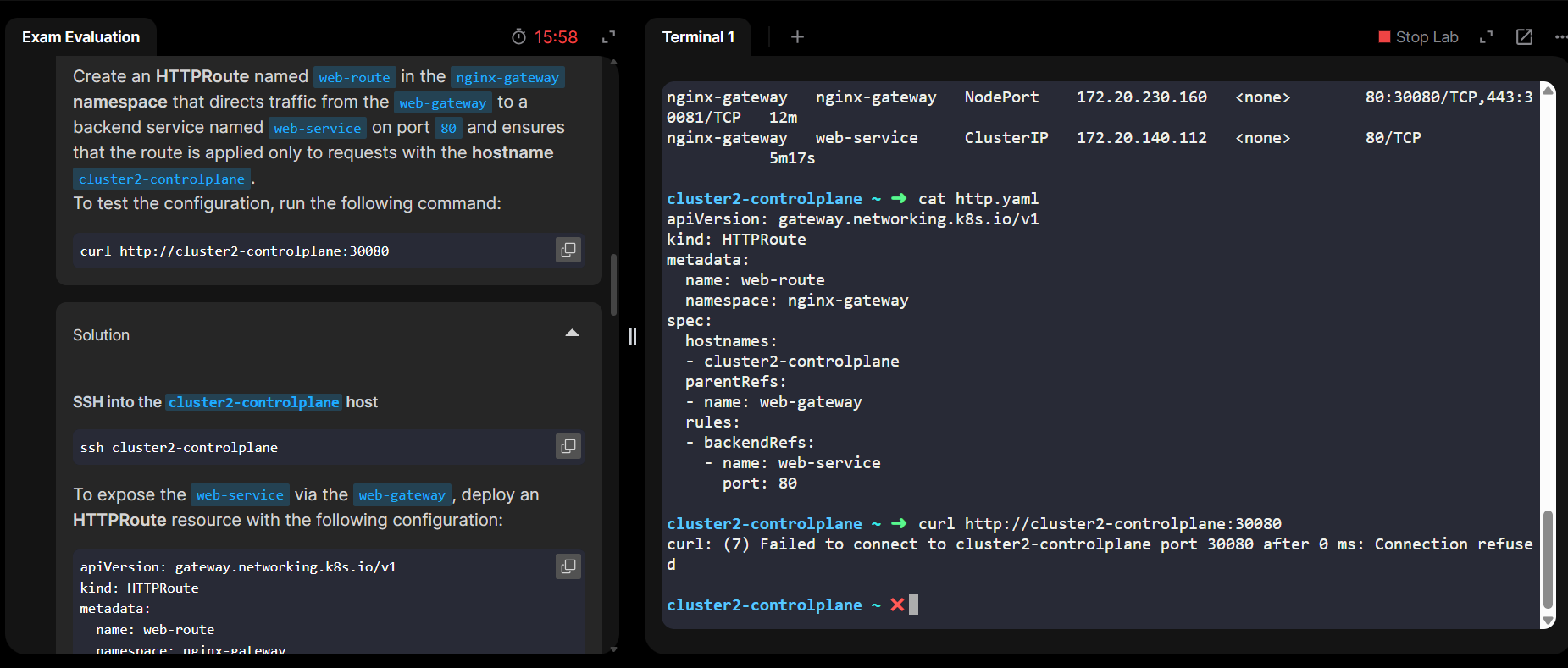
pls let us know if any update on this topic ?
I’ve tried multiple times, but could not reproduce the error you are facing.
Each time I test, it passes with the same httpRoute manifest I shared.
Are you trying apply the mnifest after ending the exam?
No before only i trying to apply then also error can pls check with backend team once
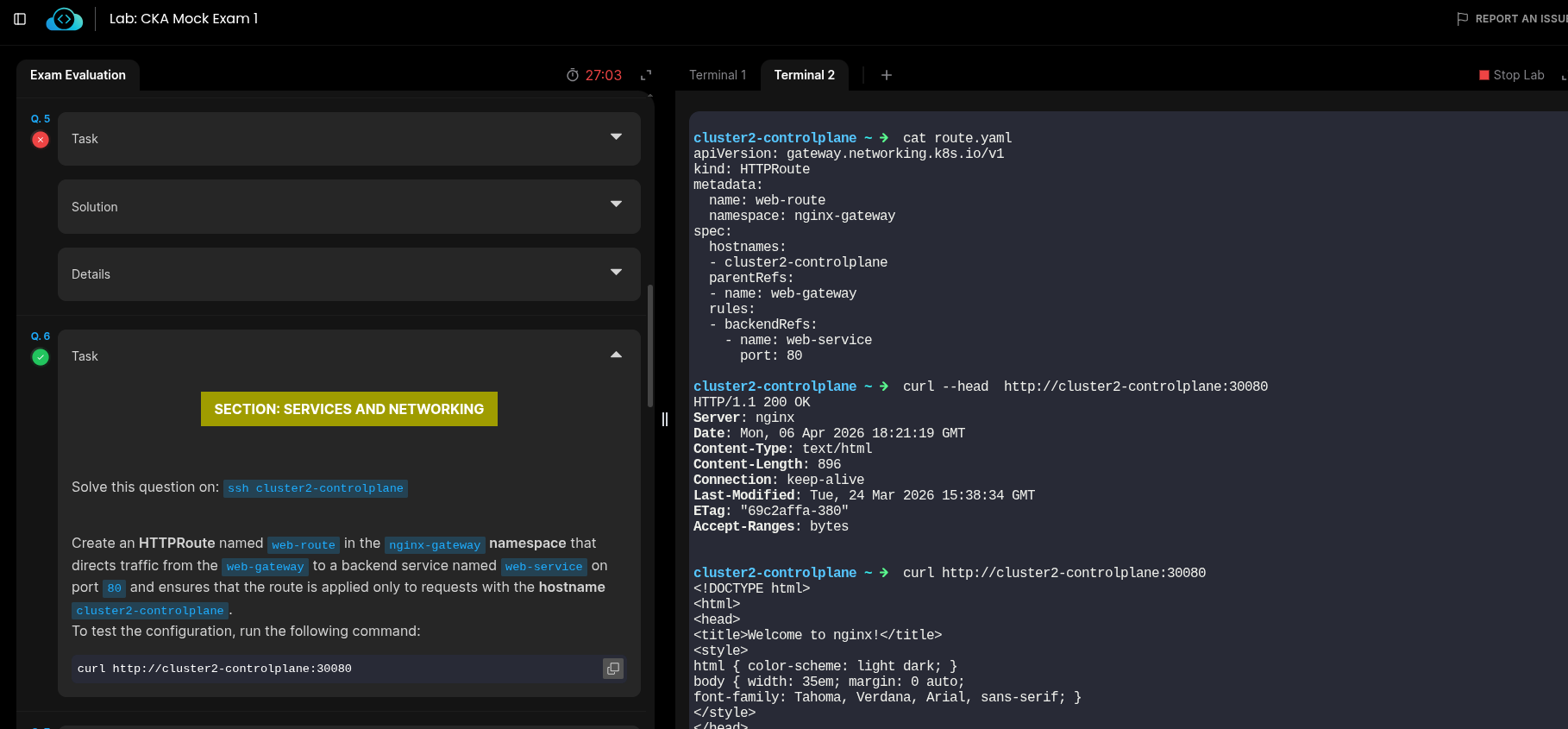
Backend seems to work fine AFAICT. Just tried the solution as posted for Q6; when I do that, “curl http://cluster2-controlplane:30080” works fine.
cluster2-controlplane ~ ➜  k apply -f q6.yaml
httproute.gateway.networking.k8s.io/web-route created

cluster2-controlplane ~ ➜  curl http://cluster2-controlplane:30080
<!DOCTYPE html>
<html>
<head>
<title>Welcome to nginx!</title>
<style>
html { color-scheme: light dark; }
body { width: 35em; margin: 0 auto;
font-family: Tahoma, Verdana, Arial, sans-serif; }
</style>
</head>
<body>
<h1>Welcome to nginx!</h1>
<p>If you see this page, nginx is successfully installed and working.
Further configuration is required for the web server, reverse proxy,
API gateway, load balancer, content cache, or other features.</p>

<p>For online documentation and support please refer to
<a href="https://nginx.org/">nginx.org</a>.<br/>
To engage with the community please visit
<a href="https://community.nginx.org/">community.nginx.org</a>.<br/>
For enterprise grade support, professional services, additional
security features and capabilities please refer to
<a href="https://f5.com/nginx">f5.com/nginx</a>.</p>

<p><em>Thank you for using nginx.</em></p>
</body>
</html>

cluster2-controlplane ~ ➜  k -n nginx-gateway get svc
NAME            TYPE        CLUSTER-IP      EXTERNAL-IP   PORT(S)                      AGE
nginx-gateway   NodePort    172.20.138.16   <none>        80:30080/TCP,443:30081/TCP   12m
web-service     ClusterIP   172.20.42.130   <none>        80/TCP                       4m57s