How do i login to the instance with No SSH key / EC2 Instance Connect not working / SSM agent not online / No permission to create IAM role

The Nautilus DevOps team has been tasked with demonstrating the use of VPC Peering to enable communication between two VPCs. One VPC will be a private VPC that contains a private EC2 instance, while the other will be the default public VPC containing a publicly accessible EC2 instance.

  1. There is already an existing EC2 instance in the public vpc/subnet:

Name: devops-public-ec2
2) There is already an existing Private VPC:

Name: devops-private-vpc
CIDR: 10.1.0.0/16
3) There is already an existing Subnet in devops-private-vpc:

Name: devops-private-subnet
CIDR: 10.1.1.0/24
4) There is already an existing EC2 instance in the private subnet:

Name: devops-private-ec2
5) Create a Peering Connection between the Default VPC and the Private VPC:

VPC Peering Connection Name: devops-vpc-peering
6) Configure Route Tables to enable communication between the two VPCs.

Ensure the private EC2 instance is accessible from the public EC2 instance.
7) Test the Connection:

Add /root/.ssh/id_rsa.pub public key to the public EC2 instance’s ec2-user’s authorized_keys to make sure we are able to ssh into this instance from AWS client host. You may also need to update the security group of the private EC2 instance to allow ICMP traffic from the public/default VPC CIDR. This will enable you to ping the private instance from the public instance.
SSH into the public EC2 instance and ensure that you can ping the private EC2 instance.
Hi @vijaykumarcm20

Is this from 100Daysof Cloud AWS?
Can you share the task name and number for this?

Day 29: Establishing Secure Communication Between Public and Private VPCs via VPC Peering

You need to create SSH keys on the client. Once the VPC peering connection, private Route Tables, and Security groups are created.

You need to connect to the EC2 over Instance Connect and copy the id_rsa.pub from the client to the authorized_keys of the EC2.

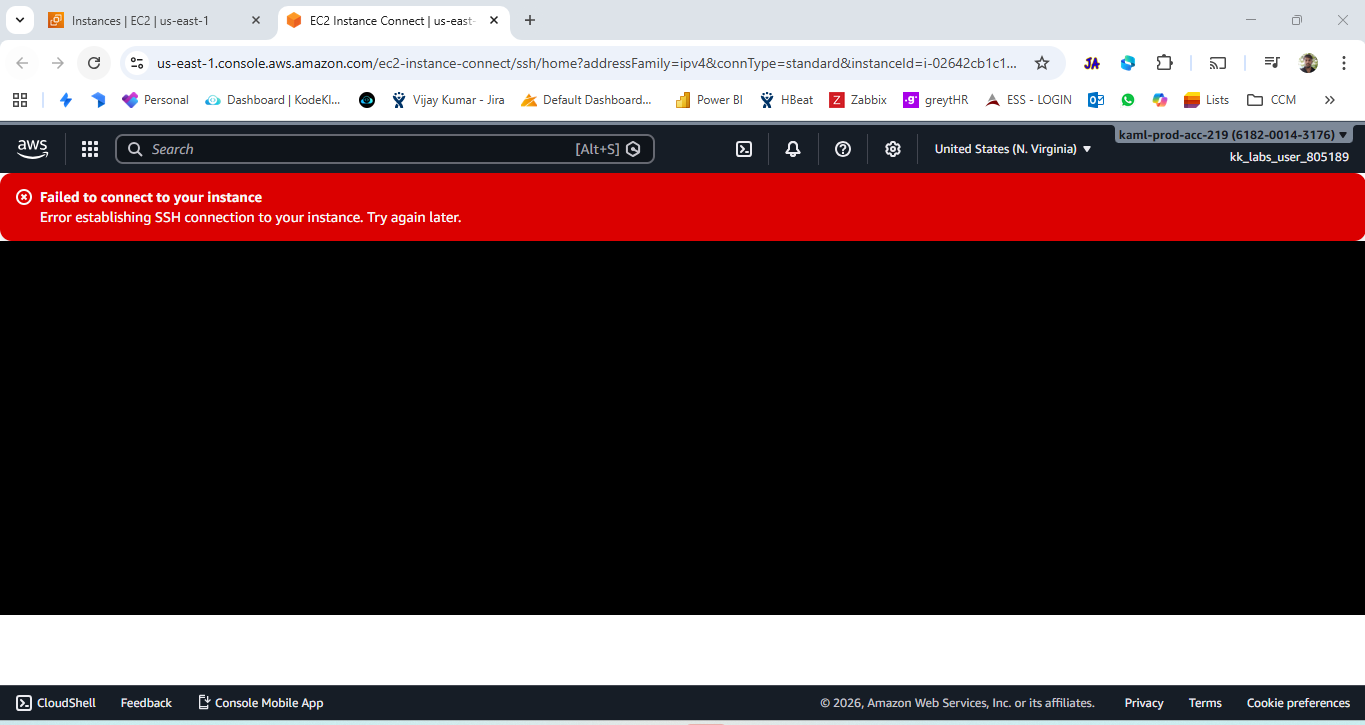
My problem is i’m unable to login to the instance via EC2 instance connect getting this error. without this how can i copy the pub key to authorized_keys file. and the instance is not configured with any other key pair to use it. i’m stuck here.

i have faced same issue for previous labs also, but some how those test cases are passed, since it doesn’t required us to login to the machine. but this question needs that

Refer to this solution, and see if it helps.

i have already gone through your gitbub project, and i have followed similar steps. since ec2 instance login is not happening. there is no way forward to proceed with next steps.

i did this and the issue got resolved.

“When an EC2 is inaccessible due to missing SSH keys and SSM, the standard recovery is to detach the root EBS volume, mount it on a helper instance, fix credentials, and reattach it.”