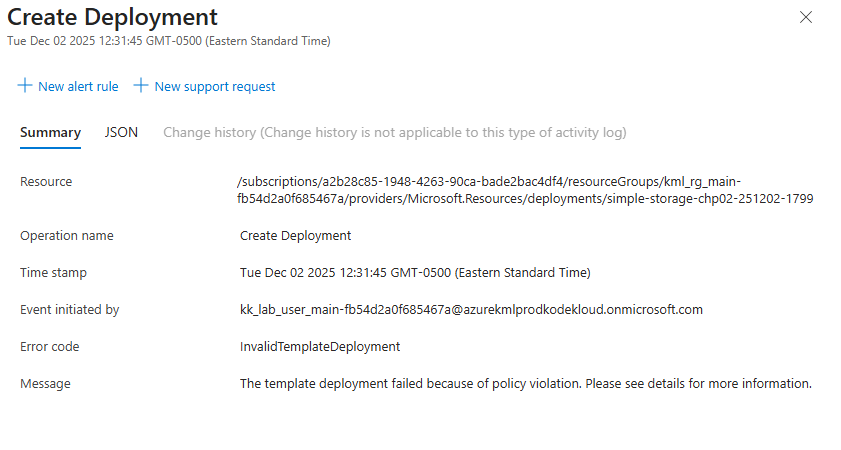
I created a simple Bicep storage resource in Visual studio and I would like to deploy it to Azure portal. Then Microsoft window popped up asking for login credentials. I gave Azure playground credentials .I selected Kode Kloud subscription and existing Resource group. When I executed it . It is not Deploying. Tried a few times. Please help me. and also Please let what credentials I need to give in Azure cli in order to create Azure resources using Terraform. If I cannot create another resource group. Can I deploy in the existing resource group.
I’m assuming you’re trying to hook up VSCode to our playground, which should work, although I’m not really set up to test that. But I don’t see a problem with using the Azure playground per se. I fired up a playground instance and did the following in the Azure code shell as “res.bicep”, based on an Azure tutorial:
Thanks Rob. It worked if I did exactly the way you mentioned. But not working when I am using visual studio right click window option Deploy Bicep file. It says no subscription. I also need some help with creating Azure resources with Terraform. Is there any time window that we can share our screen and resolve issues. Please let me know. Thanks much for the Kodekloud Team.
Make sure you have the Azure extensions installed in VSCode.
Create a playground session and log in using the credentials you get from us.
In VSCode, when you do the " Sign in to your Azure account with Azure Tools" step of the tutorial, choose the same “IAM_username” you used to create your Azure session in the PG.
Make sure you have the Azure extension for Bicep.
Open your Bicep code in VSCode.
Now use the context menu and select “Deploy Bicep File…”. It will ask for the subscription and resource group (it will be able to give you good defaults for these for the PG), and will deploy the file.
This worked for me using the same code I used before:
1:52:23 PM: ====================
1:52:23 PM: Preparing for deployment of /Users/xxxxxxx/projects/azure/vscode-test/restest.bicep
1:52:23 PM: Scope specified in restest.bicep: resourceGroup
1:53:12 PM: No parameter file was provided
1:53:16 PM: Deployment started for /Users/xxxxxxxx/projects/azure/vscode-test/restest.bicep.
1:53:16 PM: Open deployment in portal: https://portal.azure.com/#blade/HubsExtension/DeploymentDetailsBlade/overview/id/%2FsubscriptionsTHE-PLAYGROUND-SUBSCRIPTION
1:53:16 PM: Waiting for deployment to complete
1:53:52 PM: Deployment succeeded for /Users/xxxxxxxx/projects/azure/vscode-test/restest.bicep.