Anyone got over this particular task?
Will be grateful for a detailed steps taken to success…
Could you please tell me what the task/lab is? Such as “Day X of 100 Days of DevOps”, or the KodeKloud Engineer level and task number?
Day- 34
Task- Git Hook
Looking forward to your positive responses ASAP.
@Buddy417 bELOW SCRIPT WILL HELP YOU DEFINETELY
Git Post-Update Hook: Automatic Release Tag
This guide sets up a post-update hook in the bare repository /opt/blog.git so that whenever the master branch is updated, a release tag release-YYYY-MM-DD is automatically created.
Steps
0. Ssh into the storage server
ssh natasha@ststor01
1. Navigate to the bare repository hooks directory
cd /opt/blog.git/hooks
2. Create the post-update hook from sample (or new file)
cp post-update.sample post-update
3. Replace content with this script
cat > post-update << ‘EOF’
#!/bin/sh
post-update hook: always create today’s release tag for master
DATE=$(date +%F)
Check if master branch changed
CHANGED_MASTER=0
for ref in “$@”
do
if echo “$ref” | grep -q “refs/heads/master”; then
CHANGED_MASTER=1
break
fi
done
If master changed or stdin is empty, attempt to create tag
if [ $CHANGED_MASTER -eq 1 ] || [ -z “$@” ]; then
echo “Creating release tag for $DATE…”
if ! git rev-parse “release-$DATE” >/dev/null 2>&1; then
git tag -a “release-$DATE” -m “Release for $DATE”
else
echo “Tag release-$DATE already exists”
fi
fi
EOF
4. Make the hook executable
chmod +x post-update
5. In your working clone, merge feature into master
cd /usr/src/kodekloudrepos/blog
git checkout master
git merge --no-ff feature -m “Merge feature into master”
6. Push master to the bare repository to trigger the hook
git push origin master
7. Fetch tags in your clone and verify
git fetch --tags
git tag
git show release-$(date +%F)
8. Optional: make a dummy commit to force hook execution
touch trigger_hook.txt
git add trigger_hook.txt
git commit -m “Trigger post-update hook”
git push origin master
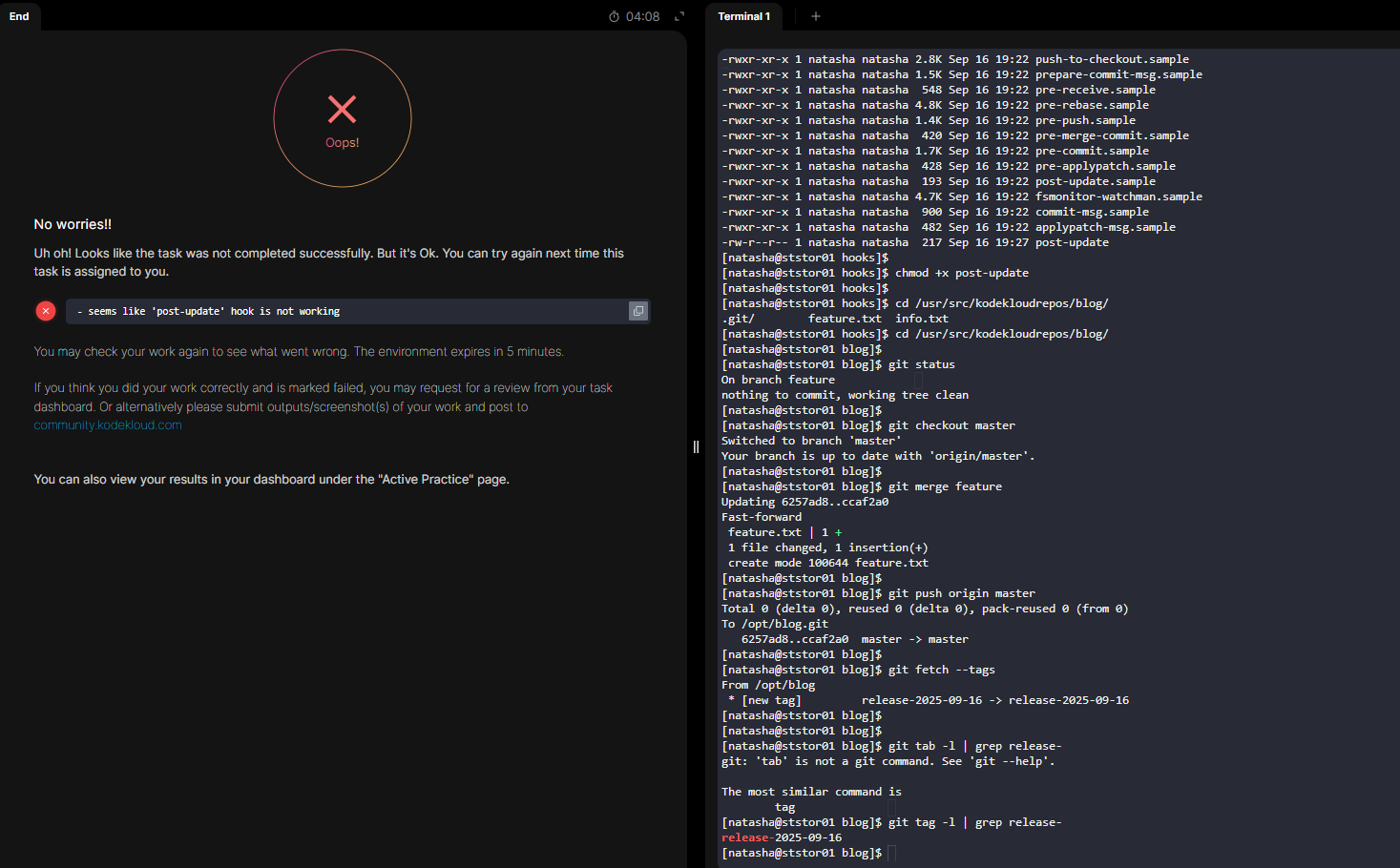
I worked on the Day 34: Git Hook task.
The instructions required creating a post-update hook to generate a release tag (release-YYYY-MM-DD) when pushing to master.
I created the hook in /opt/official.git/hooks/post-update and tested it.
The release tag (release-2025-09-16) was successfully created and verified.
However, the platform still marked the task as failed with the message: “required tag was not created”.
Please see attached screenshots — I believe this might be a grading bug.
Requesting a review/correction.
Thanks!
I worked off the solution from this person’s repo. That solution does seem to be missing a step: the hook doen’t work quite right if the natasha user is not “logged in” from git’s perspective. You do this as:
git config --global user.name natasha
git config --global user.email natasha@ststor01.stratos.xfusioncorp.com
If you use her solution and include this additional step, it works for me. But the login step seems to be essential, at least for her version of the hook script.