I am currently working on an Azure VM lab task where I need to create a virtual machine with a static public IP and enable SSH access using a generated public key. I have followed all the steps carefully, but I am still encountering the same validation error.
Task requirements:
- Create a VM named nautilus-vm
- VM size: Standard_B1s
- Use an Ubuntu image
- Generate an SSH key on the azure-client machine
- Associate the public key with the VM
- Attach a Static Public IP named nautilus-pip
- Ensure the VM is accessible via SSH
What I have verified:
- The VM is in Running state.
- VM name and size match the task requirements.
- The public IP is attached and reachable.
- SSH key was generated on the azure-client machine and added during VM creation.
- I can see the public IP in the VM networking section.
- The Azure agent status shows Ready .
However, when I run the lab validation, I still get the error:
“SSH access to ‘nautilus-vm’ failed or VM is not in the ‘running’ state.”
Has anyone faced a similar issue with this lab? If so, could you please suggest what might be missing or incorrectly configured?
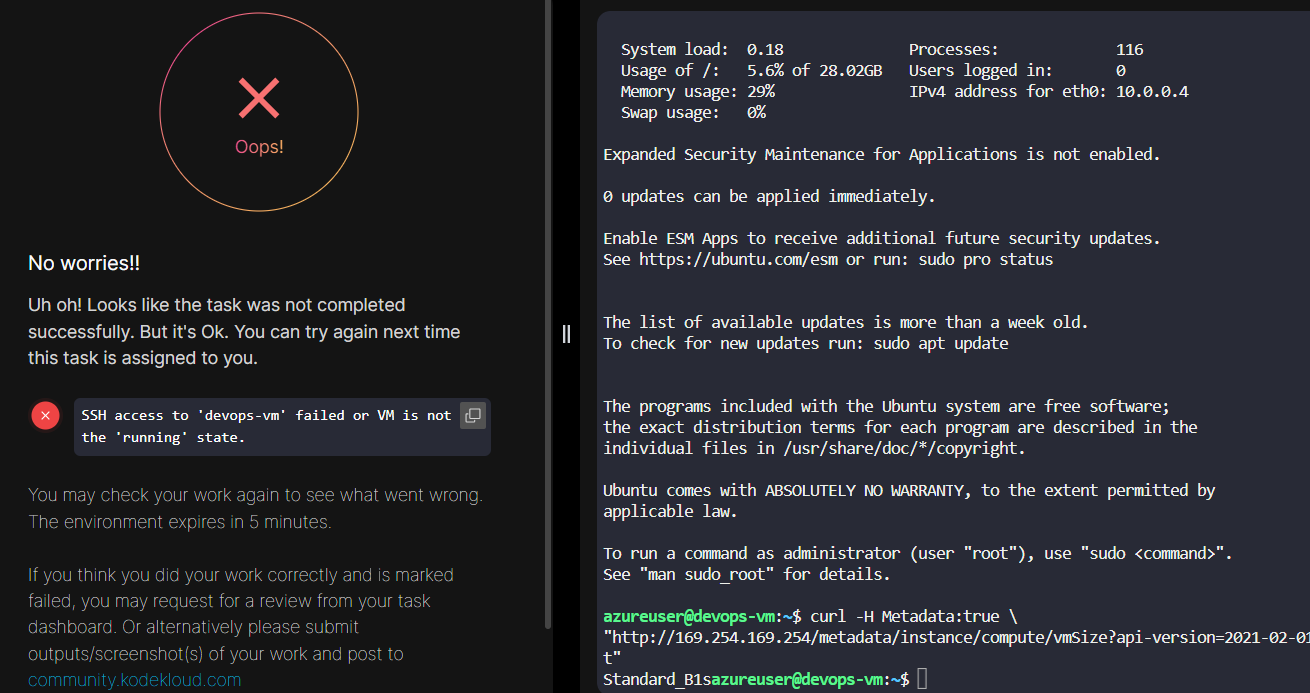
Any help or guidance would be greatly appreciated.