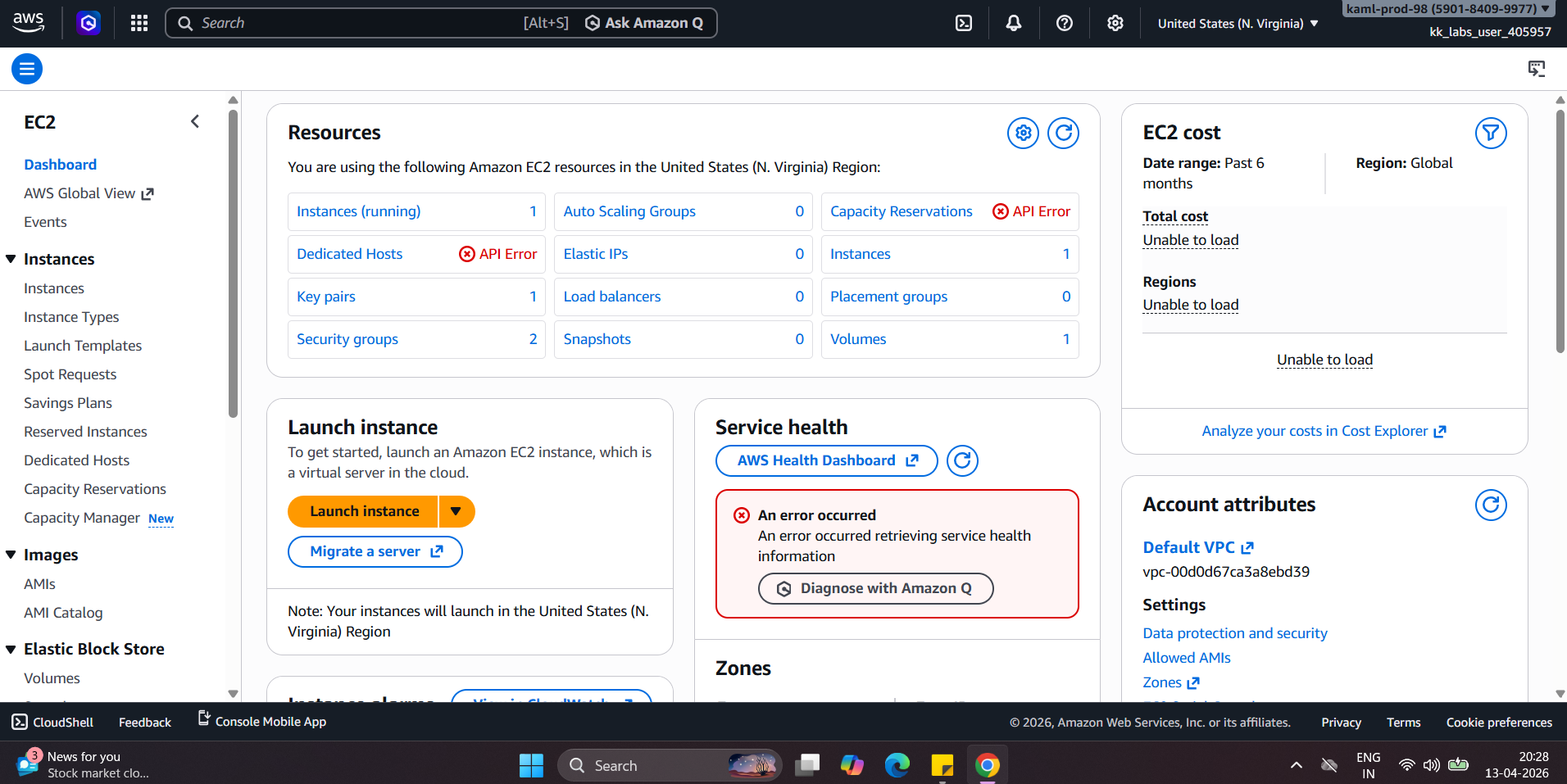
why am i getting API error messages
Also i installed jenkins and trying to open jenkins page ipadress:8080 doesnt open why?
Have you created a security group that opens port 8080 for at least some relevant destination public IP address (say, the one you want to access Jenkins from)? You’d need to do that to get out of the EC2 instance’s VPC.
I’d expect the error messages you’re seeing int he page are just for services that you don’t need, and are harmless.
hey rob,
Thankyou for the reply
yes i have opened the ports 8080 http
Regards,
Ramprasad
You’ll need to make sure, of course, that Jenkins is actually running on 8080. You can try this to make sure:
- ssh into the instance.
- see what happens when you do
curl http://localhost:8080; that will need to work for the security group to allow you to actually access Jenkins from the public IP address of the instance.
Hi Rob,
I have created one instance to replicate the same in AWS playground
Trying to create jenkins environment, basically to work on docker, kubernetes AWS EKS
The issue i am facing when i launch instance and login, I am not sure how to proceed further
Warning: Permanently added ‘ec2-100-52-255-106.compute-1.amazonaws.com’ (ED25519) to the list of known hosts.
ubuntu@ec2-100-52-255-106.compute-1.amazonaws.com: Permission denied (publickey).
I am not sure where i am going wrong here, I am in learning phase
Regards,
Ramprasad
Can anyone help me here please i am trying this from yesterday to work on something
Hey Rob,
How do i resolve this i have tried everything on the above to login, Please help
Regards,
Ramprasad
- Where are you trying to run ssh from? Say, from CloudShell? From your laptop?
- When you say “yes i have opened the ports 8080 http”, how did you do that? What settings did you use?
Hi Rob,
I am unable to login to AWS ubuntu or AWS linux ec2 instances
Please check
Regards,
Ram
Where are you trying to log in FROM? This will affect how the security group is configured, which I also need to know from you please. Without knowing what you’re doing, there’s nothing I can check.
It sounds like you have not configured your EC2 instance correctly; either the keys are not set up right, or the security group is not set up correctly. You may want to try one of our AWS courses. The first part of this course might be enough to get you started. Since you’re using the playground, you already have access to this course, so it’s a good way to learn the basics here.