Hello guys.
I have done everything as in the Demo but for some reason the worker POD is not running as it should and is stuck on CrashLoopBackOff.
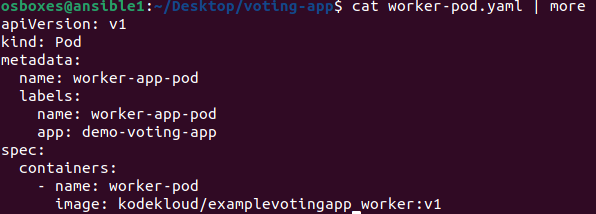
This is the describe:
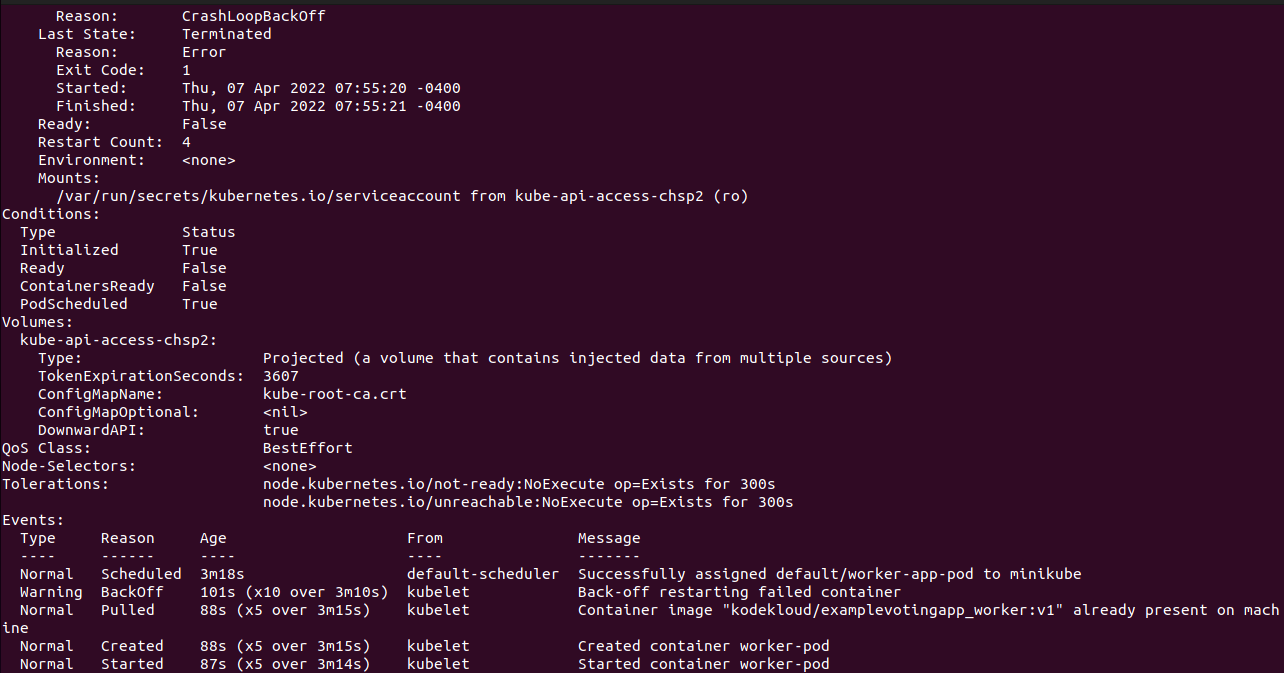
Any idea how can I manage to get it working as it should??
thank you
Hello guys.
I have done everything as in the Demo but for some reason the worker POD is not running as it should and is stuck on CrashLoopBackOff.
This is the describe:
Any idea how can I manage to get it working as it should??
thank you
Hello @segevbor1,
Please follow these full steps to know what you have missed and try again :
Note: We will create deployments again so please before following the steps, Run kubectl delete deployment --all to delete old deployments and avoid any conflicts.
Run git clone https://github.com/mmumshad/example-voting-app-kubernetes-v2.git
Run cd example-voting-app-kubernetes-v2/
Run vim postgres-deployment.yml and modify it’s content as below then save and exit.
Note: It’s a new update from Postgres.
apiVersion: apps/v1
 kind: Deployment
 metadata:
   name: postgres-deployment
   labels:
     app: demo-voting-app
 spec:
   replicas: 1
   selector:
     matchLabels:
       name: postgres-pod
       app: demo-voting-app
   template:
     metadata:
       name: postgres-pod
       labels:
         name: postgres-pod
         app: demo-voting-app
     spec:
       containers:
       - name: postgres
         image: postgres:9.4
         env:
         - name: POSTGRES_USER
           value: postgres
         - name: POSTGRES_PASSWORD
           value: postgres
         - name: POSTGRES_HOST_AUTH_METHOD
           value: trust
         ports:
         - containerPort: 5432
Run kubectl create -f . if you create deployments for the first time, if you created the same deployments before Run kubectl apply -f . .
Run kubectl get service to get the exposed ports.

For example if the output of the command as above you can accces the voting app by hitting One_of_the_worker_nodes_IP:32733 on your browser and the same for the resulting app >> One_of_the_worker_nodes_IP:30013.
Check :
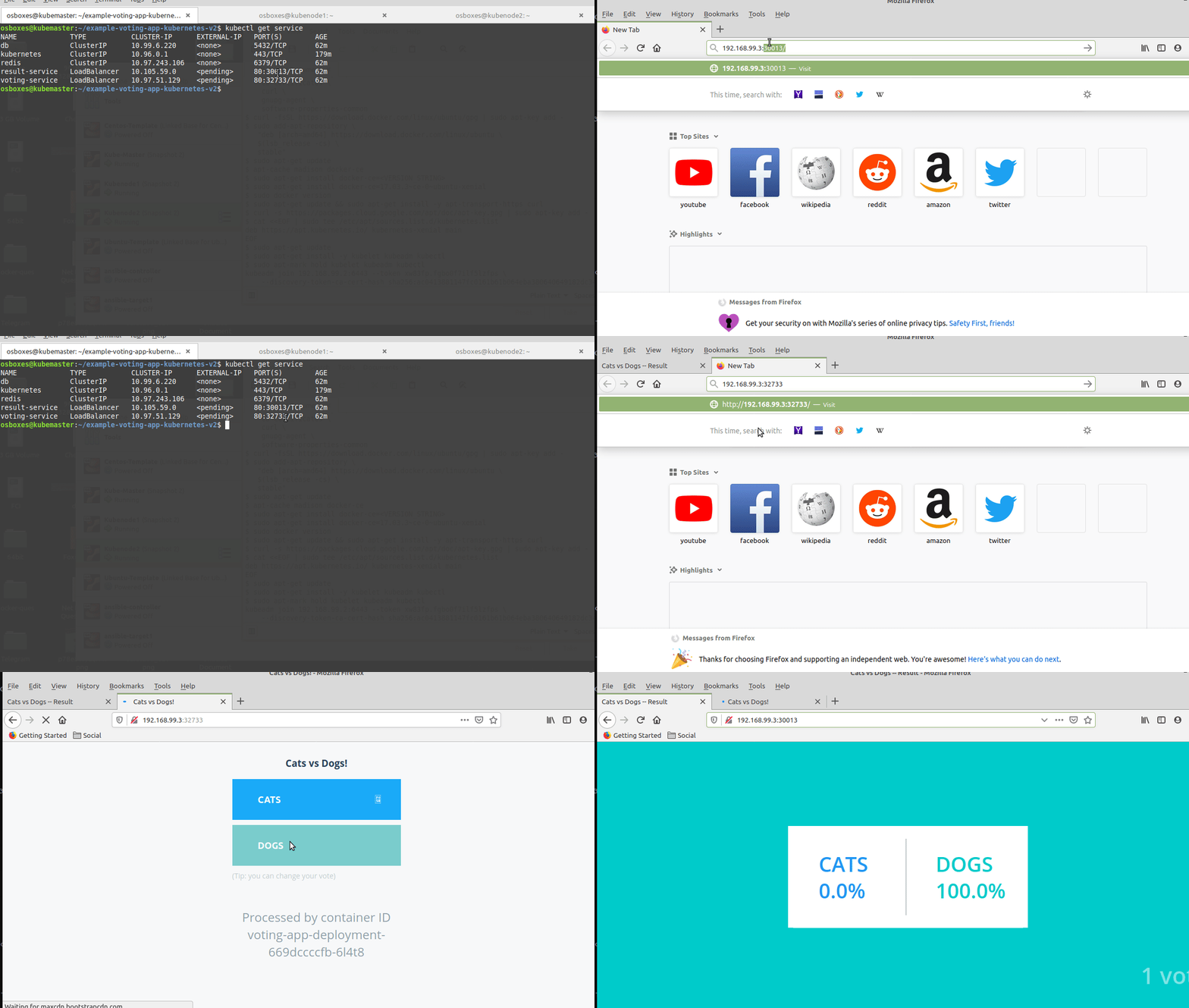
Note: The voting application only accepts one vote per client. It does not register votes if a vote has already been submitted from a client.
Hope this helps!
Thanks,
KodeKloud Support
@ayman
Hello there!
I already saw your answer regarding the same issue in other threads in the forum and it worked!
thank you again 
You are welcome.
Happy learning!