Hello everyone,
I’m facing an issue with Day 50: Expanding EC2 Instance Storage for Development Needs in the 100 Days of Cloud (AWS) path.
I believe my configuration is correct, but unfortunately I failed the challenge  . I’m not sure whether this is a platform bug or if I made a mistake (though I don’t think so).
Here’s the process I followed:
-
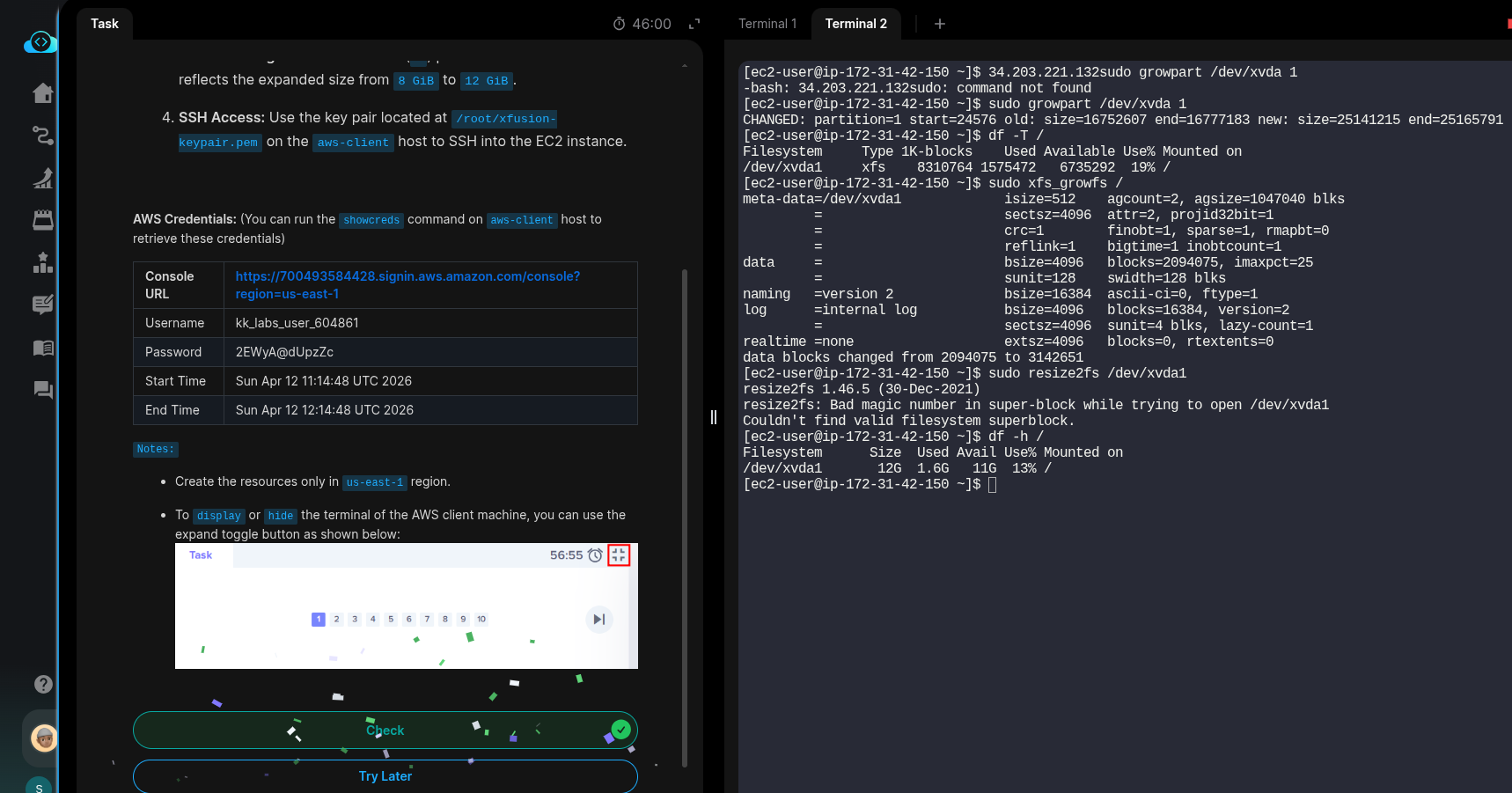
Increased the volume size using the AWS Console (waited until the volume state changed to “in-use”).
-
Connected to the EC2 instance via SSH.
-
Ran the following commands:
- First, expanded the partition:
sudo growpart /dev/xvda 1 - Then, expanded the filesystem:
sudo xfs_growfs -d /
- First, expanded the partition:
wait 5min
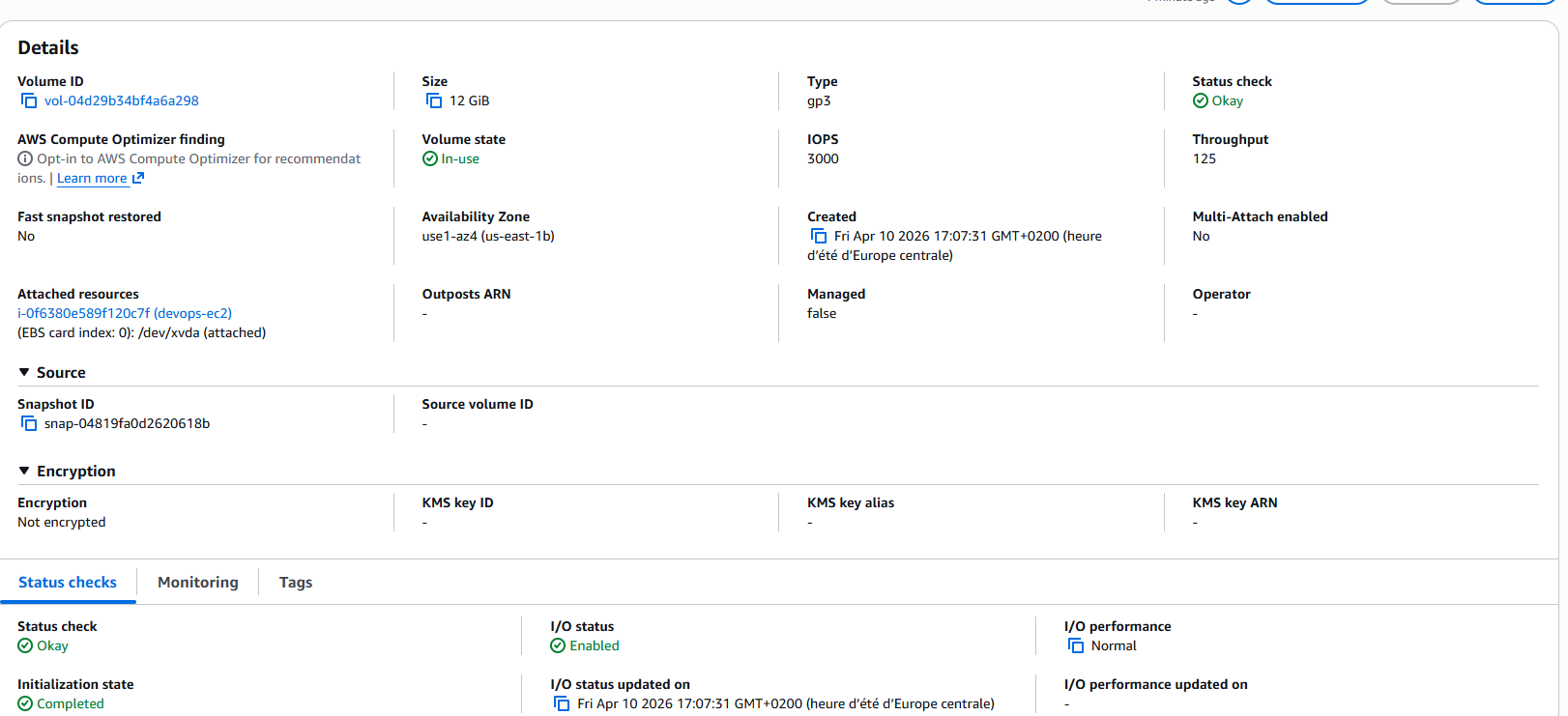
[ec2-user@ip-172-31-16-140 ~]$ df -hT
Filesystem     Type      Size  Used Avail Use% Mounted on
devtmpfs       devtmpfs  4.0M     0  4.0M   0% /dev
tmpfs          tmpfs     475M     0  475M   0% /dev/shm
tmpfs          tmpfs     190M  2.9M  188M   2% /run
/dev/xvda1     xfs        12G  1.6G   11G  13% / <--- this
tmpfs          tmpfs     475M     0  475M   0% /tmp
/dev/xvda128   vfat       10M  1.3M  8.7M  13% /boot/efi
tmpfs          tmpfs      95M     0   95M   0% /run/user/1000
wait another 5min 
============================= test session starts ==============================
platform linux -- Python 3.10.17, pytest-8.3.5, pluggy-1.6.0
rootdir: /usr/share
plugins: testinfra-10.2.2
collected 1 item

../usr/share/test.py F                                                   [100%]

=================================== FAILURES ===================================
____________________________ test_volume_expansion _____________________________

    def test_volume_expansion():
        host = testinfra.get_host("local://")

        # Get the instance ID and public IP
        instance_info = host.run("aws ec2 describe-instances --filters Name=tag:Name,Values=devops-ec2 --query 'Reservations[0].Instances[0].[InstanceId,PublicIpAddress]' --output text")
        assert instance_info.rc == 0, "Failed to get the instance ID and public IP"
        instance_id, instance_ip = instance_info.stdout.strip().split()

        # Check the volume size in AWS
        volume_size = host.run(f"aws ec2 describe-volumes --filters Name=attachment.instance-id,Values={instance_id} --query 'Volumes[0].Size' --output text")
        assert volume_size.rc == 0, f"Failed to get the volume size: {volume_size.stderr}"
        assert volume_size.stdout.strip() == "12", "Volume size is not 12 GiB."

        # SSH into the instance to check the root partition size
        ssh_host = testinfra.get_host(f"ssh://ec2-user@{instance_ip}", ssh_identity_file="/root/devops-keypair.pem")
>       partition_size = ssh_host.check_output("df -h / | grep /dev/xvda1 | awk '{print $2}'")

/usr/share/test.py:19:
_ _ _ _ _ _ _ _ _ _ _ _ _ _ _ _ _ _ _ _ _ _ _ _ _ _ _ _ _ _ _ _ _ _ _ _ _ _ _ _
/usr/local/lib/python3.10/site-packages/testinfra/host.py:98: in run
    return self.backend.run(command, *args, **kwargs)
/usr/local/lib/python3.10/site-packages/testinfra/backend/ssh.py:46: in run
    return self.run_ssh(self.get_command(command, *args))
_ _ _ _ _ _ _ _ _ _ _ _ _ _ _ _ _ _ _ _ _ _ _ _ _ _ _ _ _ _ _ _ _ _ _ _ _ _ _ _

self = <testinfra.backend.ssh.SshBackend object at 0x79f5fc2d2a40>
command = "df -h / | grep /dev/xvda1 | awk '{print $2}'"

    def run_ssh(self, command: str) -> base.CommandResult:
        cmd, cmd_args = self._build_ssh_command(command)
        out = self.run_local(" ".join(cmd), *cmd_args)
        out.command = self.encode(command)
        if out.rc == 255:
            # ssh exits with the exit status of the remote command or with 255
            # if an error occurred.
>           raise RuntimeError(out)
E           RuntimeError: CommandResult(backend=<testinfra.backend.ssh.SshBackend object at 0x79f5fc2d2a40>, exit_status=255, command=b"df -h / | grep /dev/xvda1 | awk '{print $2}'", _stdout=b'', _stderr=b'Host key verification failed.\r\n')

/usr/local/lib/python3.10/site-packages/testinfra/backend/ssh.py:95: RuntimeError
=========================== short test summary info ============================
FAILED ../usr/share/test.py::test_volume_expansion - RuntimeError: CommandRes...
============================== 1 failed in 2.50s ===============================
Has anyone encountered this issue before or knows what might be going wrong?
thanks in advance!
Kev$n