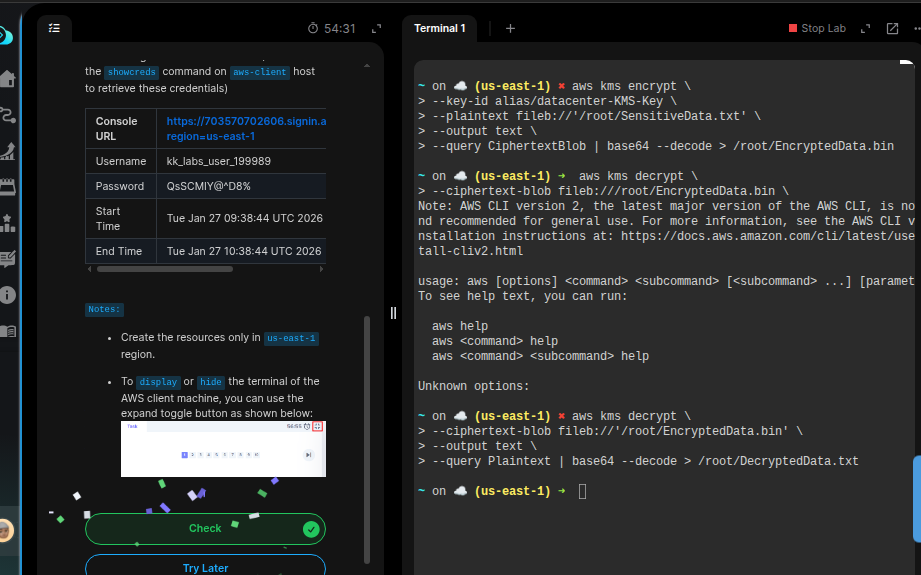
I’m struggling the day 41’s challenge. I encrypt and decrypt the file easily. But my submissions are rejected. Kindly give tips
aws kms encrypt   --key-id alias/devops-KMS-Key \
   --plaintext fileb:///root/SensitiveData.txt   \
   --output text   --query CiphertextBlob | base64 > /root/EncryptedData.bin
aws kms decrypt   --ciphertext-blob \
   fileb://<(base64 -d <(base64 -d /root/EncryptedData.bin)) \
   --output text   --query Plaintext | base64 --decode > /root/DecryptedData.txt
Hi @Anatole-Hagbe
The encrypt command returns CiphertextBlob as base64-encoded text by default when using --query CiphertextBlob. So we need to uuse base64 --decode to convert it back to the binary format required for storage in EncryptedData.bin.
So, the recommended command to encrypt would be:
aws kms encrypt \
--key-id alias/devops-KMS-Key \
--plaintext fileb://'/root/SensitiveData.txt' \
--output text \
--query CiphertextBlob | base64 --decode > /root/EncryptedData.bin
2 Likes
It works. I was confused because they ask to base64 encode the ciphered text. Thanks!