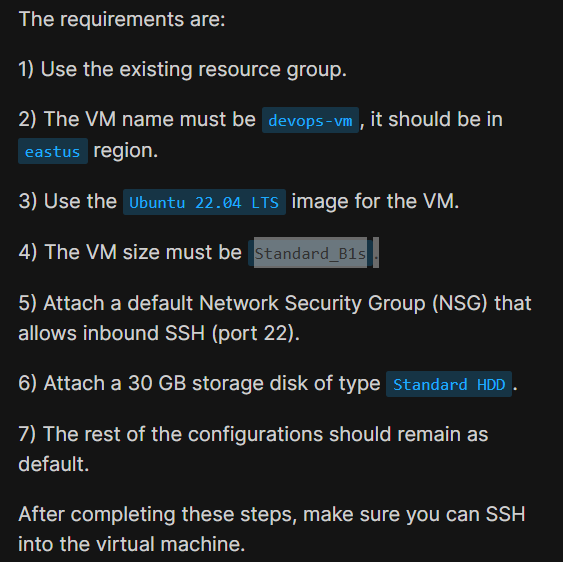
i am unable to create a vm as specified in task given in day 2 azure cloud
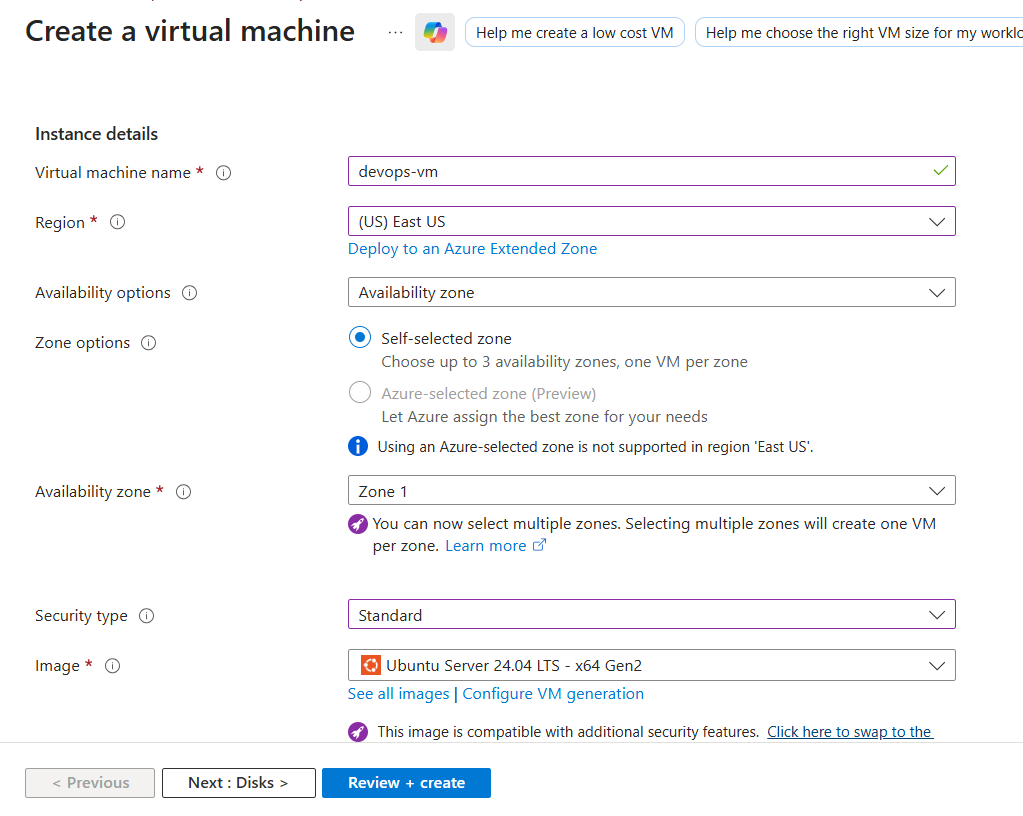
You probably need to change the “Availability Zone” if you’re doing something in a popular region like East US. Zone 2 will let you get the Standard_B1s machine size in most cases. Also, you need to click on “change size” to get some machine sizes.
i tried ding what you suggested but it’s not working and as you can see it’s asking to deploy ubuntu 22 but in portal we can only see 24
Ubuntu 22.04 is still available last I checked. Not sure where you’re checking that it is not available.
i know that’s my confusion ubuntu 22 should be available but i am unable to see this option in labs and that is the reason i raised this query for reference i attached the screenshot as well for better understanding right now i am checking again as you mentioned but still can’t see ubuntu 22 nor do i see stb1
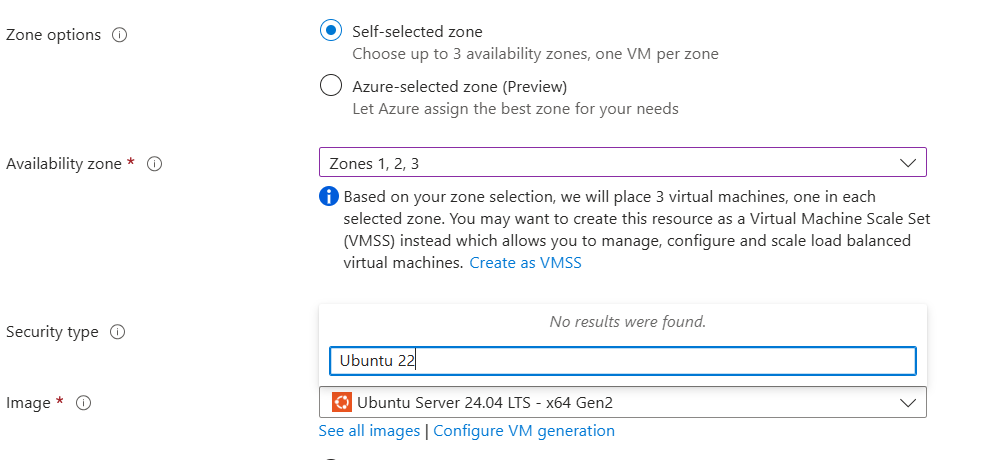
Two things to try:
- Choose a single Availability Zone, rather than multiple. “2” typically works if “1” does not.
- To get to the Ubuntu Server 22.04 image, search the marketplace for “Ubuntu 22.04” – it’s still there.
i did tried that as well but after taking it form market place it gives below error of purchase
{
“code”: “MarketplacePurchaseEligibilityFailed”,
“message”: "Marketplace purchase eligibilty check returned errors. See inner errors for details. ",
“details”: [
{
“code”: “BadRequest”,
“message”: “Offer with PublisherId: ‘dcassociatesgroupinc’, OfferId: ‘ubuntu-2204-lts’ cannot be purchased due to validation errors. For more information see details. Correlation Id: ‘5e06f562-adcc-4396-88e8-48fe3c4969f4’ Cannot complete purchase as your enrollment for this subscription doesn’t allow purchase of marketplace products. Your Azure enrollment administrator can enable purchase of paid marketplace products. for details, see Sign in to your account. Correlation Id: ‘5e06f562-adcc-4396-88e8-48fe3c4969f4’.[{"Cannot complete purchase as your enrollment for this subscription doesn’t allow purchase of marketplace products. Your Azure enrollment administrator can enable purchase of paid marketplace products. for details, see Sign in to your account. Correlation Id: ‘5e06f562-adcc-4396-88e8-48fe3c4969f4’.":"StoreApi"}]”
}
]
}
It’s a bit confusing since there are multiple suppliers for Ubuntu 22.04, but the one you want:
- Is supplied by Canonical
- Is generation 2
- is ubuntu-22_04-lts
- is amd 64
Thanks, It worked. 
{
“code”: “MarketplacePurchaseEligibilityFailed”,
“message”: "Marketplace purchase eligibilty check returned errors. See inner errors for details. ",
“details”: [
{
“code”: “BadRequest”,
“message”: “Offer with PublisherId: ‘bansirllc1619470302579’, OfferId: ‘0089-com-ubuntu-22-04’ cannot be purchased due to validation errors. For more information see details. Correlation Id: ‘d3da5892-e0b7-47fa-b238-367729bbd382’ Cannot complete purchase as your enrollment for this subscription doesn’t allow purchase of marketplace products. Your Azure enrollment administrator can enable purchase of paid marketplace products. for details, see Sign in to your account. Correlation Id: ‘d3da5892-e0b7-47fa-b238-367729bbd382’.[{"Cannot complete purchase as your enrollment for this subscription doesn’t allow purchase of marketplace products. Your Azure enrollment administrator can enable purchase of paid marketplace products. for details, see Sign in to your account. Correlation Id: ‘d3da5892-e0b7-47fa-b238-367729bbd382’.":"StoreApi"}]”
}
]
}
Could you plz help me to resolve this
The requirements are:
-
Use the existing resource group.
-
The VM name must be
datacenter-vm, it should be inwestusregion. -
Use the
Ubuntu 22.04 LTSimage for the VM. -
The VM size must be
Standard_B1s. -
Attach a default Network Security Group (NSG) that allows inbound SSH (port 22).
-
Attach a 30 GB storage disk of type
Standard HDD.