Please I need help with Day 12 task. I have ssh into all server apps, stop the sendmail using the assigned port. However, the curl http://stapp01: “8080” on Jump Host deoesnt connect with apache.
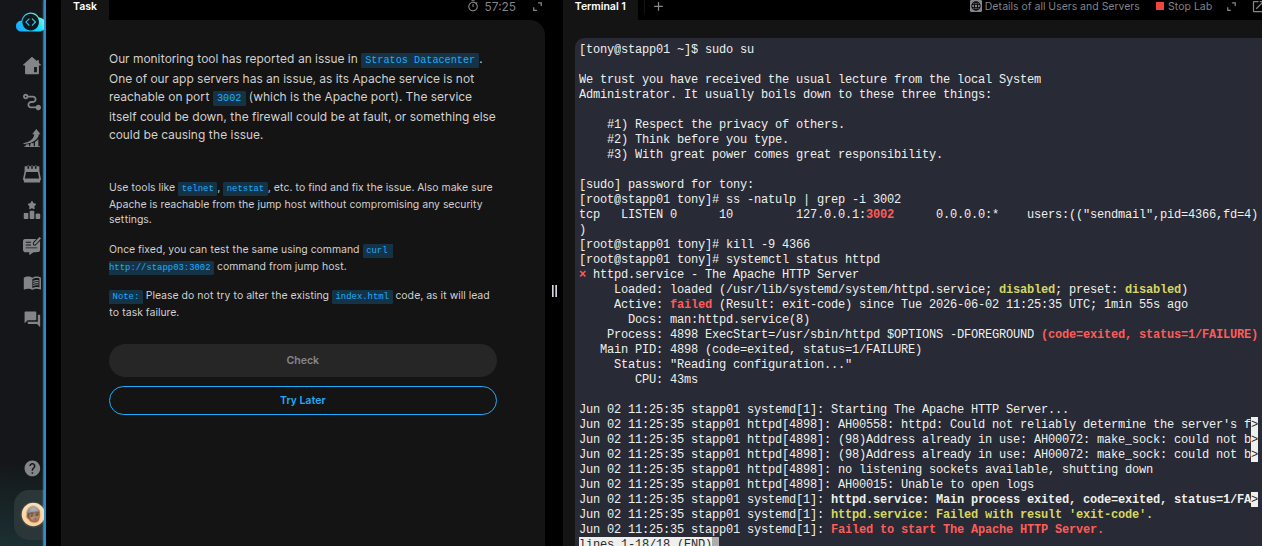
After stopping the conflicting service on all app servers. You need to verify if the httpd (Apache) service is running.
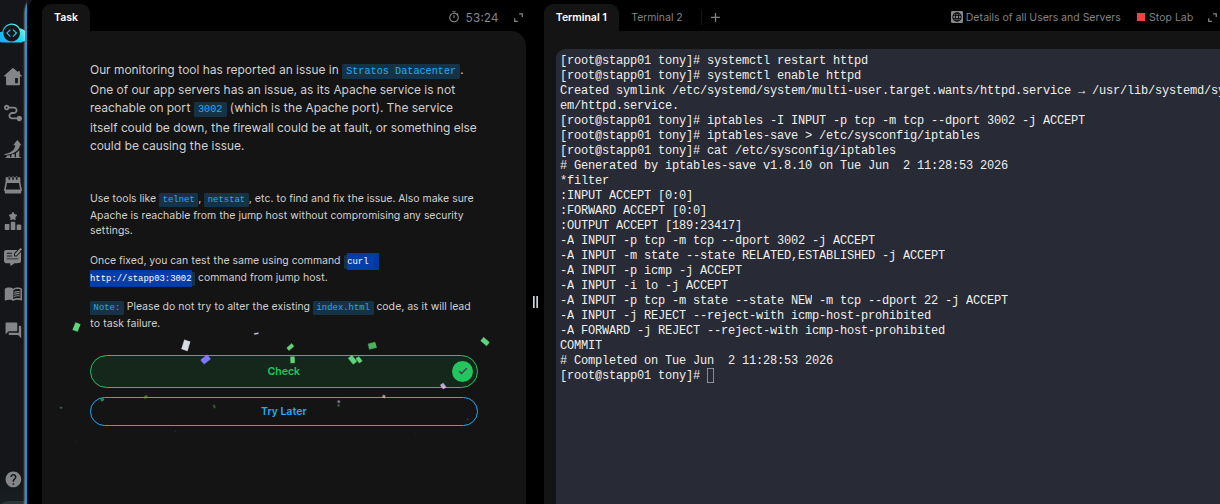
You can test it with systemctl status httpd. If it is not running, restart it and additionally, enable the httpd service.
You might also need to add a firewall rule to allow the port (8080 in this case)
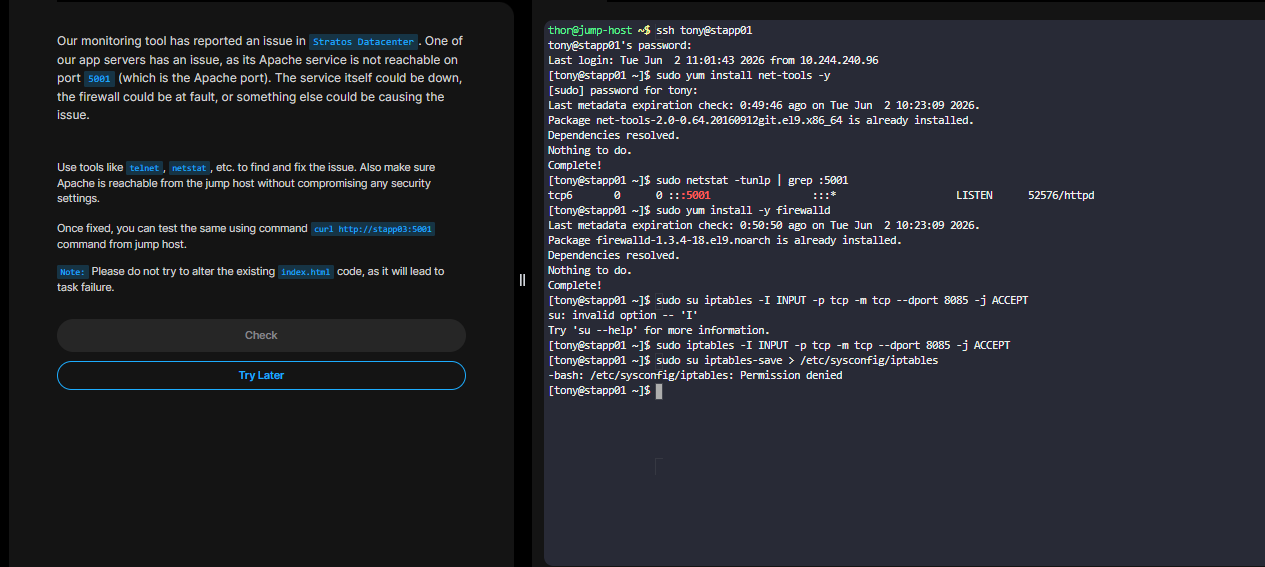
sudo iptables -I INPUT -p tcp -m tcp --dport 8085 -j ACCEPT
sudo iptables-save > /etc/sysconfig/iptables

# Verify if the chain has been added
cat /etc/sysconfig/iptables
Now you can test using curl from jumphost.
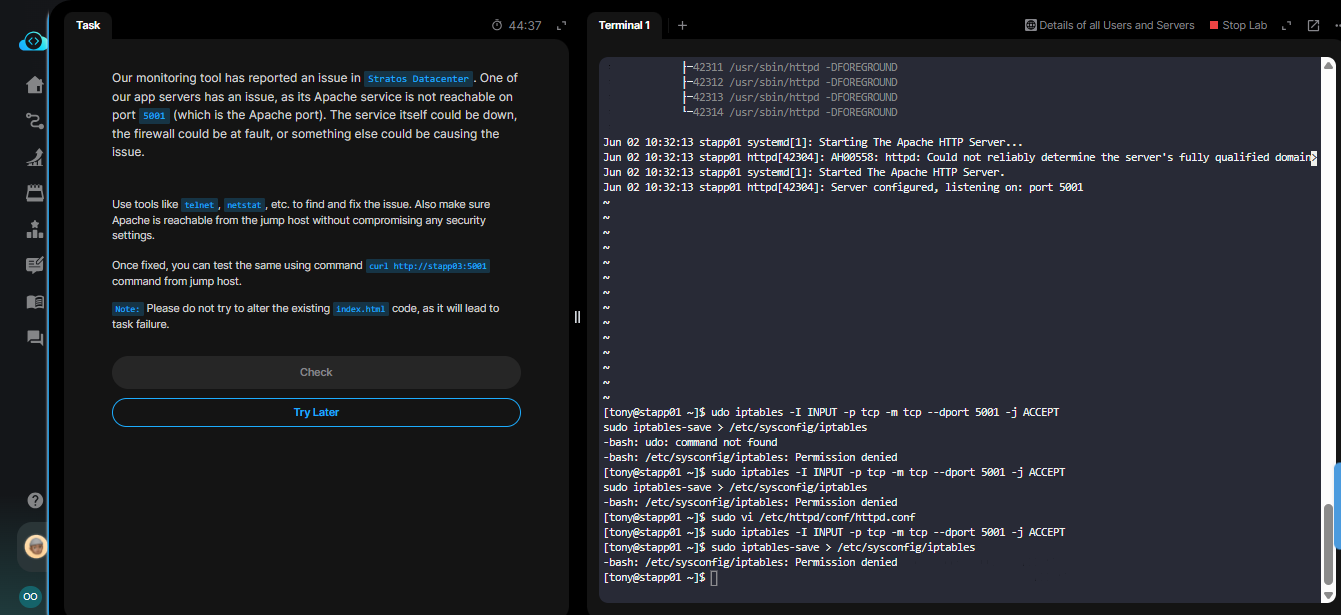
When you SSH into the server, become root using sudo su.
Then execute all other commands
Thank you, Santosh.
I didn’t become root in the server, hence why the lines didn’t go through. I would note the error for future learning and use.
Thank you once again.
its great that your task is solved if yo had any issue further tasks you can refer to my repo for solution .