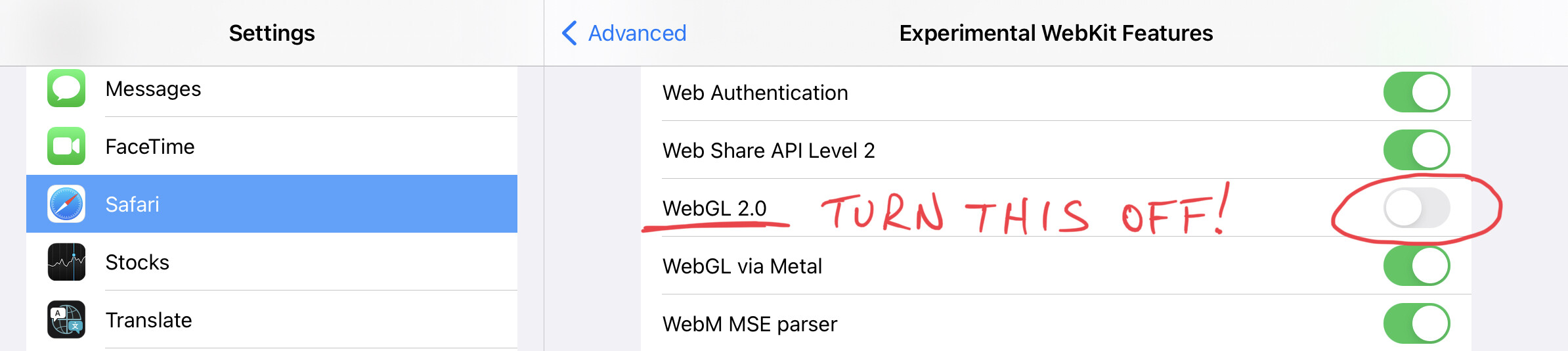
I am not able to proceed with the lab, as no cursor & commands are visible on the terminal, please let me know, how to proceed further
I am new to this, hence I am not sure if this is a right topic, please guide me
Thanks,
Rahul Shinde
I am not able to proceed with the lab, as no cursor & commands are visible on the terminal, please let me know, how to proceed further
I am new to this, hence I am not sure if this is a right topic, please guide me
Thanks,
Rahul Shinde
Can you try it again with chrome using your laptop/PC?
Hi, I have the same issue, but nobody cares… The answer is just please try on chrome and PC ….
Thanks, I was using safari browser. I will check on chrome browser again. Thanks once again
+1 same issue on ipad and chrome with ios15
I am facing the same probelm. Any solutions you got ?
I am using chrome, I have used the troubleshooting guide as well, also tried the incognito mode. Nothing works.