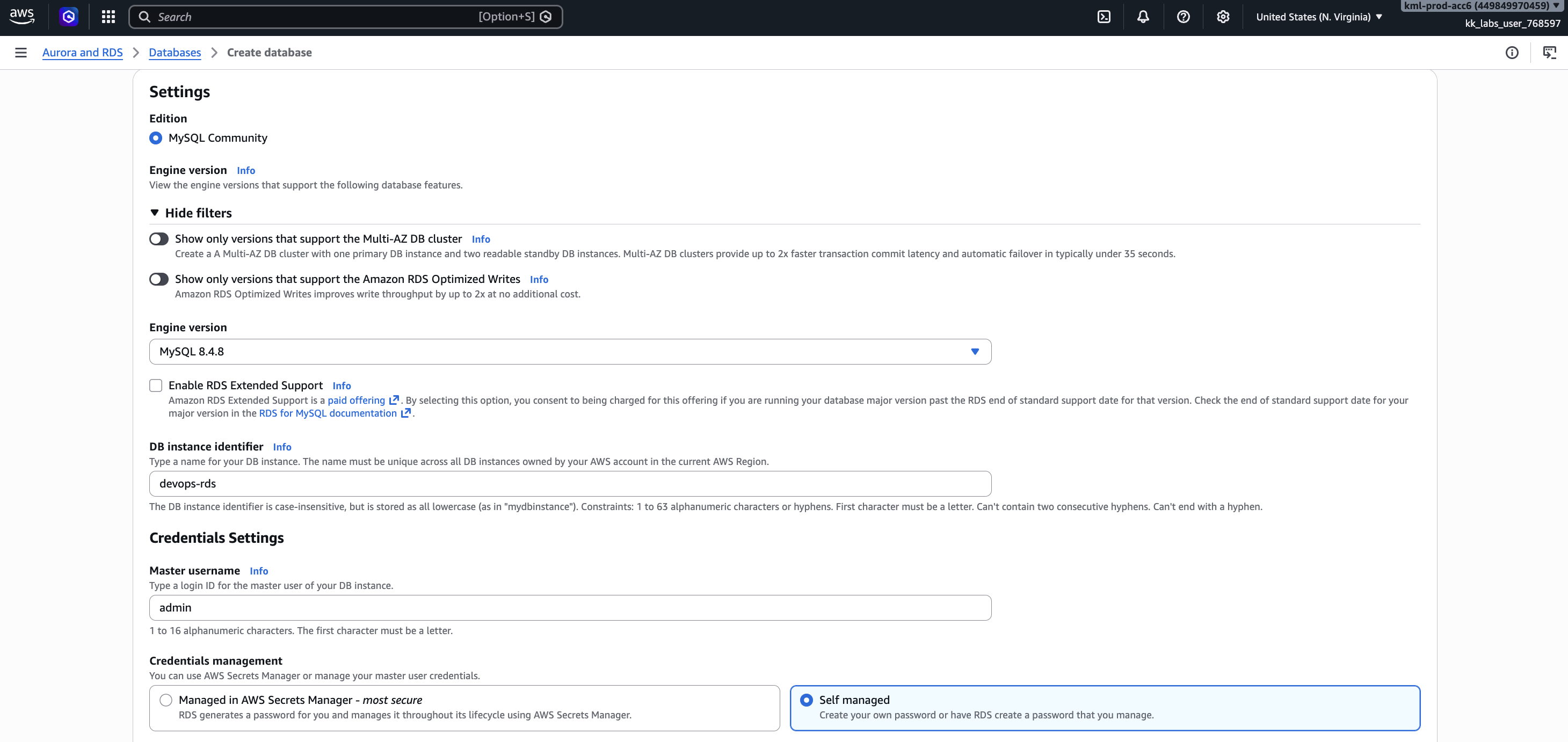
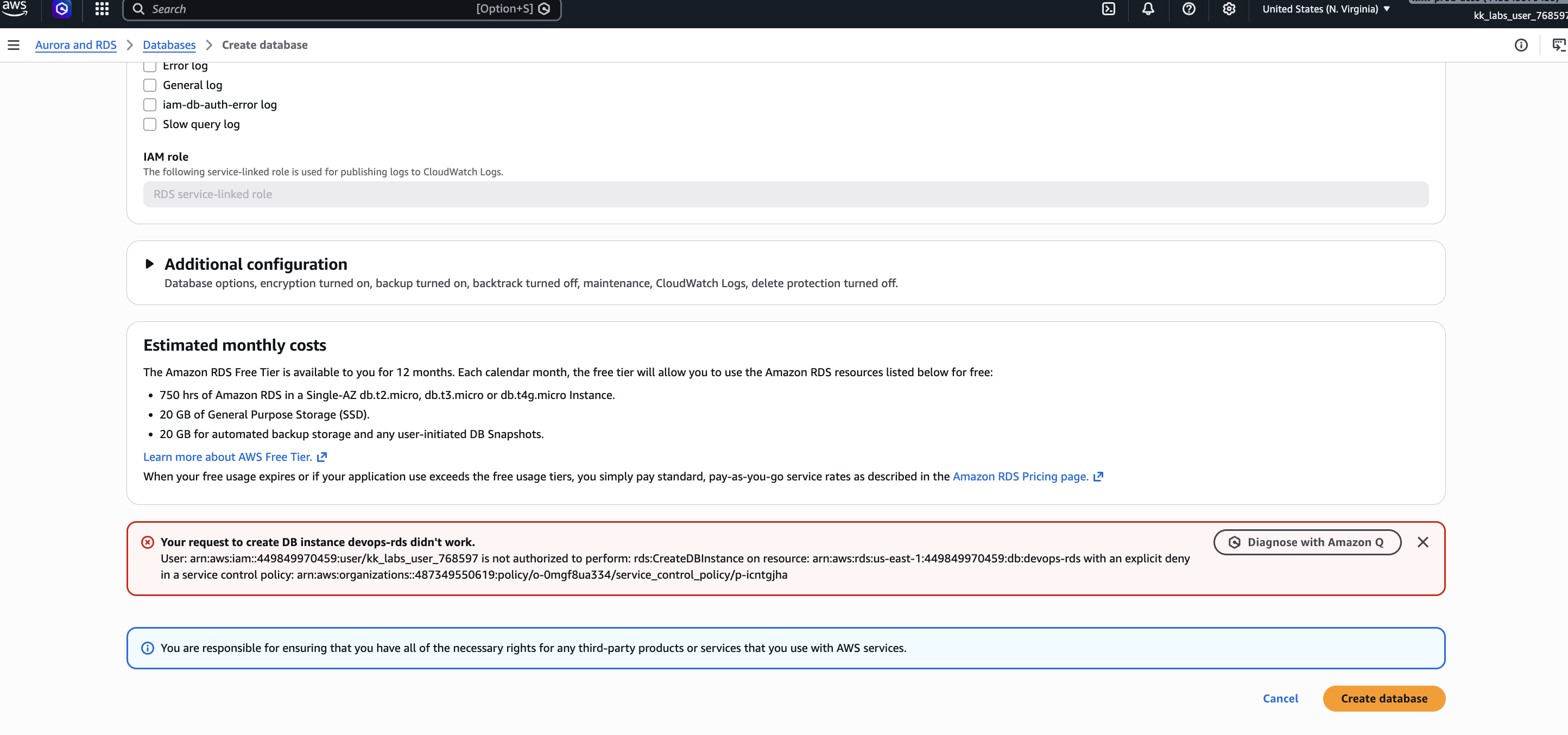
Hi @rob_kodekloud & @Alistair_KodeKloud, I’m still getting the same error while creating the RDS database. Could you please review the process below and let me know if I missed any steps?

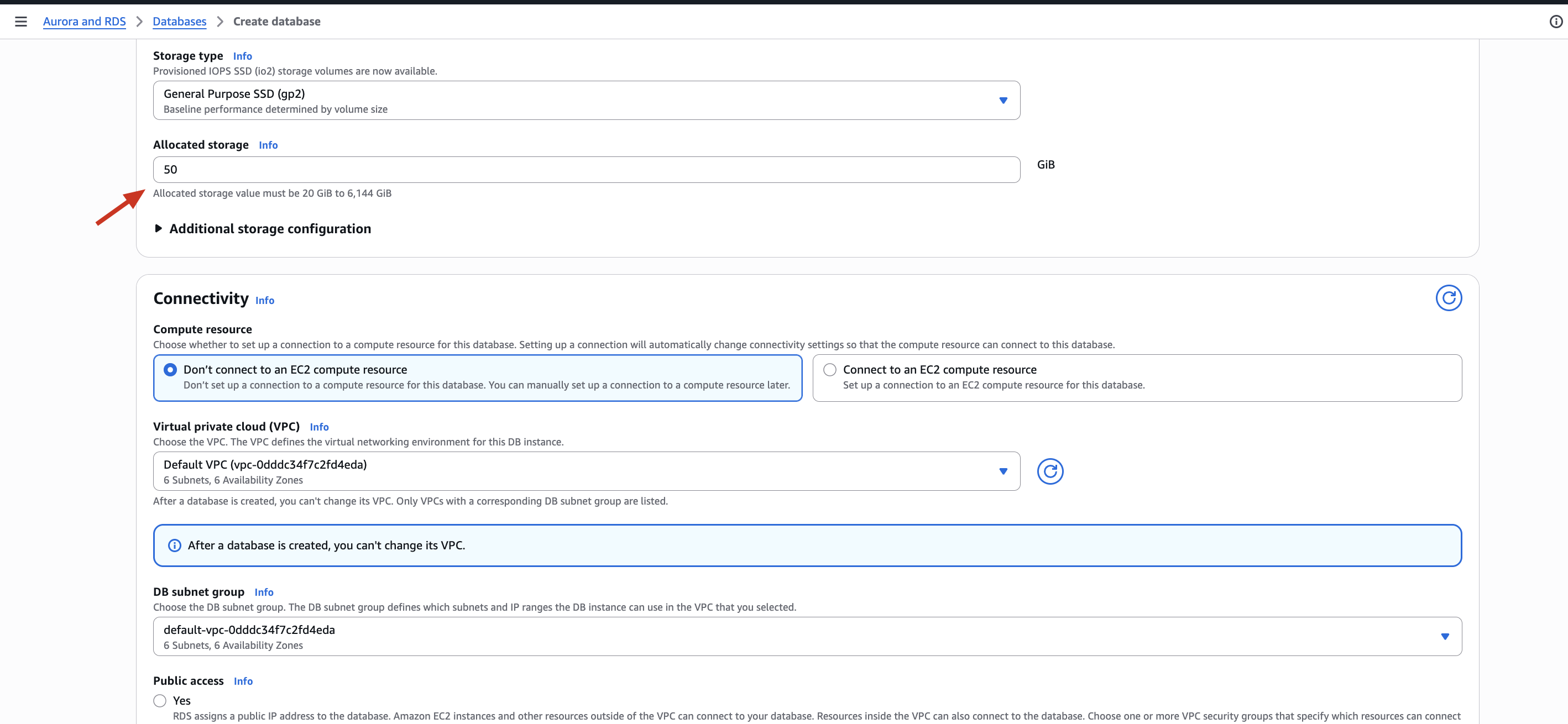
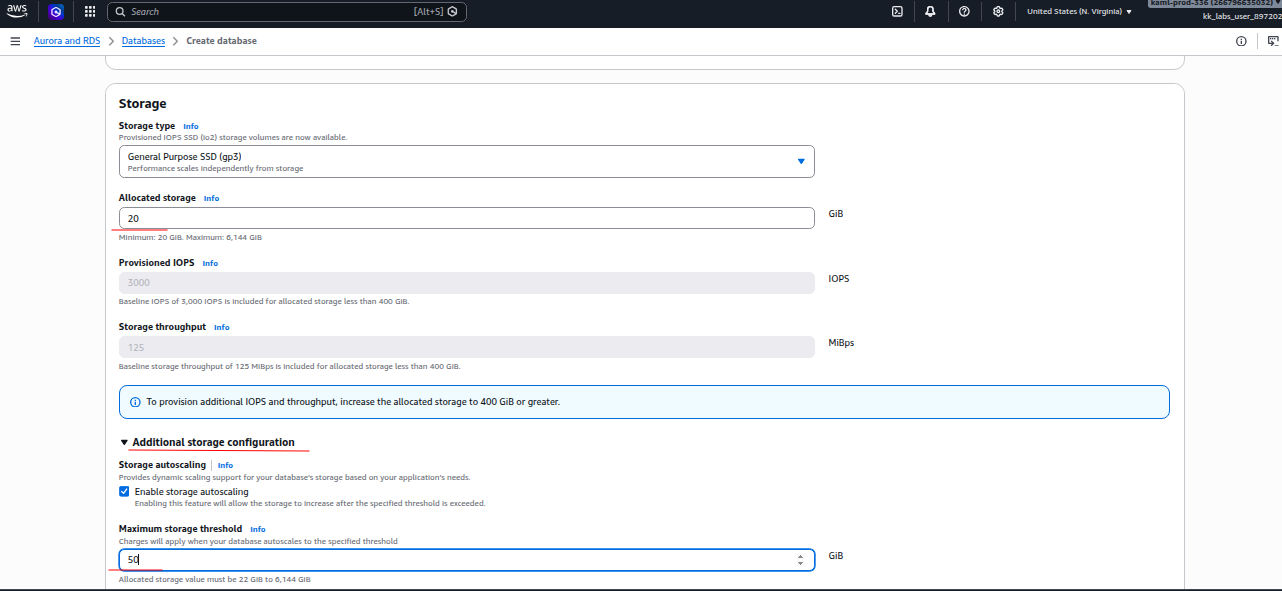
You have allocated 50 GB of storage for the instance.
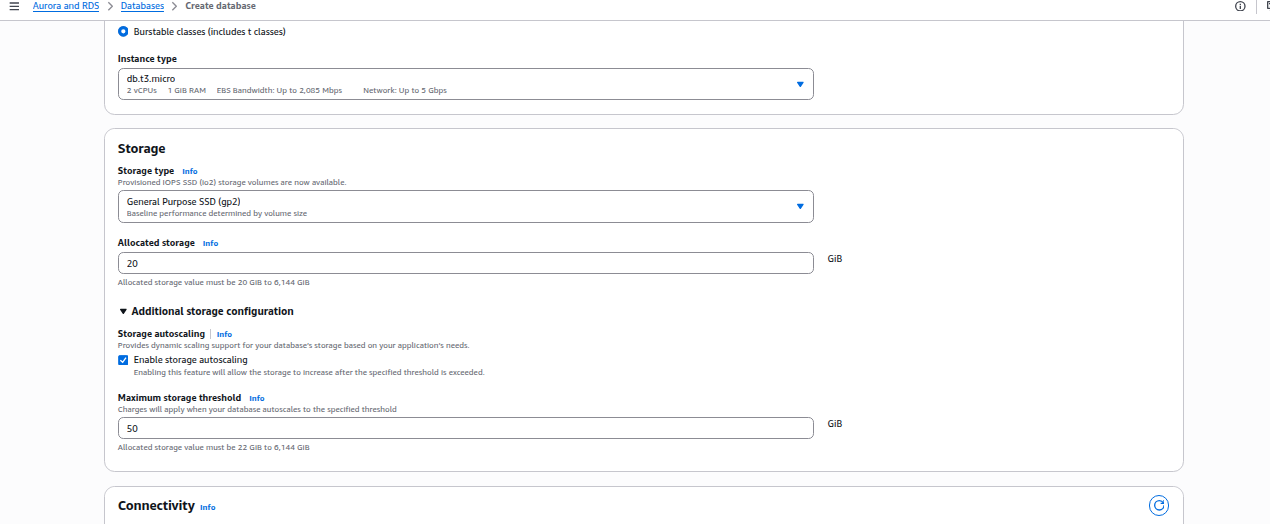
Instead, you need to keep the storage at 20GB and Enable Storage Autoscaling by expanding the Additional Storage configurations and setting a threshold value of 50GB:

@Santosh_KodeKloud I cannot enter that value and i unable to see the option like Enable Storage Autoscaling
Restart the lab, follow the configuration steps from all the images posted in the link I shared,
I facing issue while following your thread
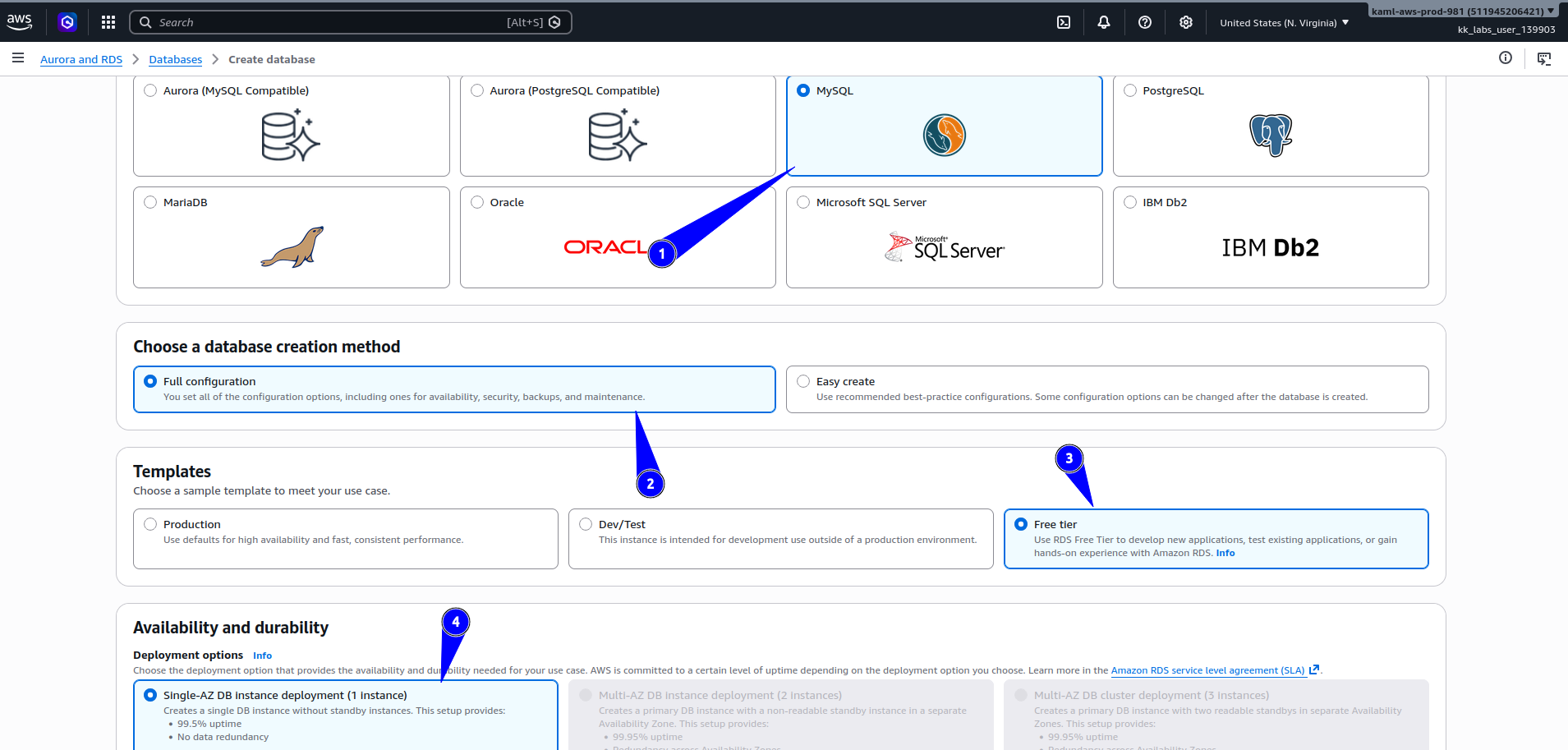
I chooses everything similar to snap
As soon as I switched to Free tier my instance_type becomes empty all option are grayed out.


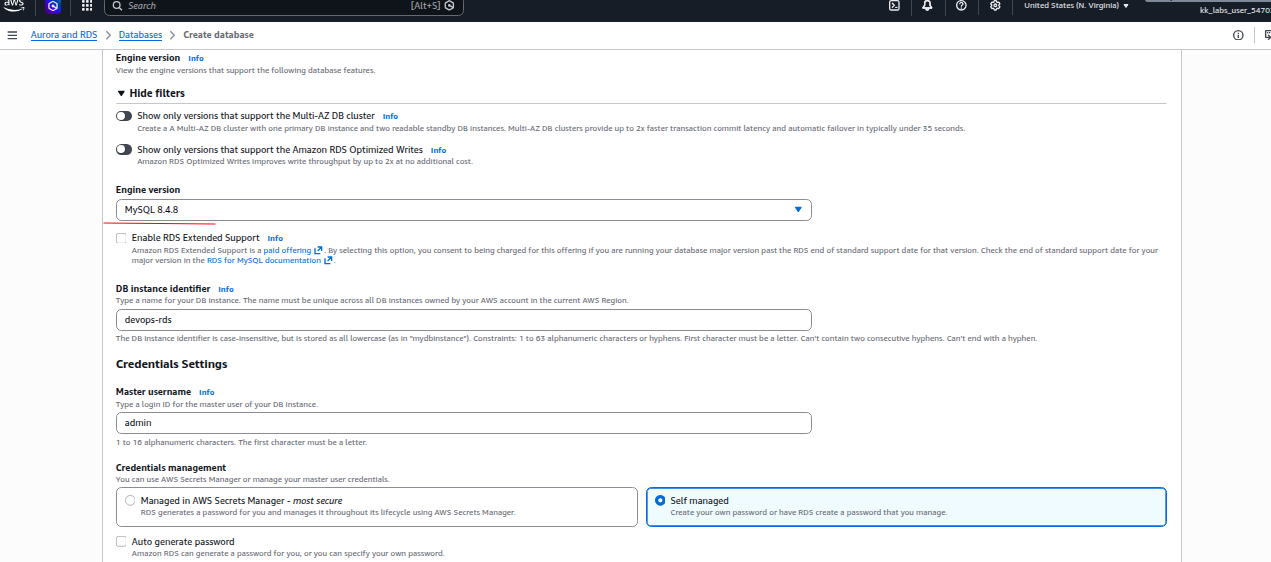
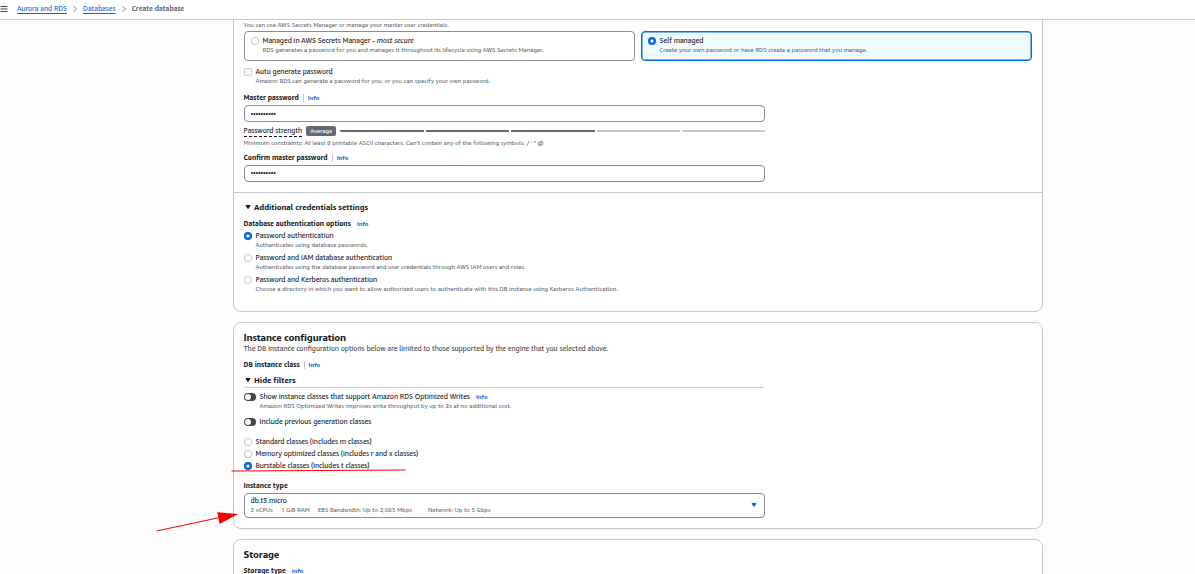
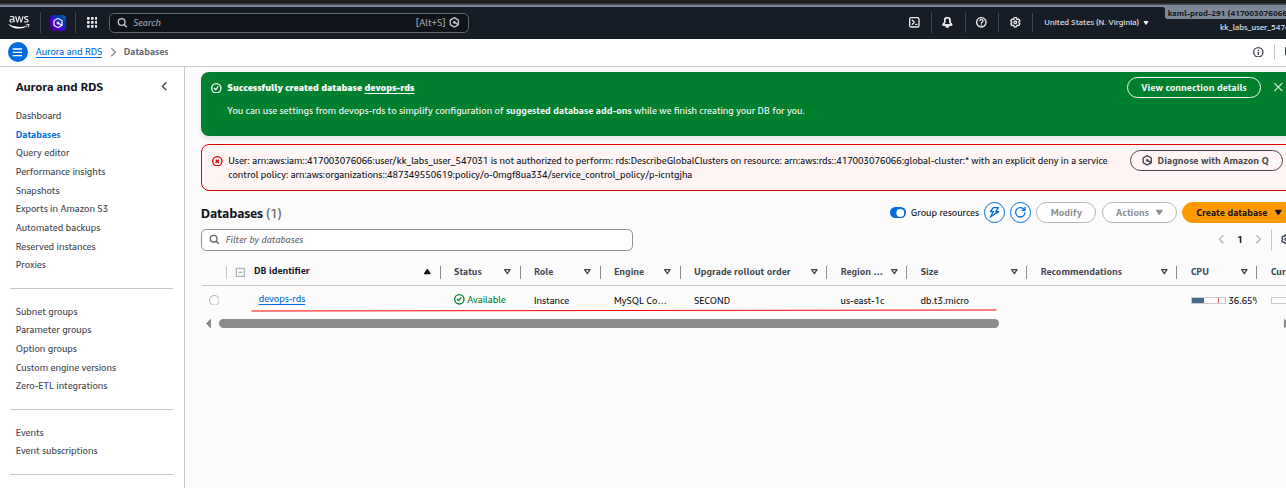
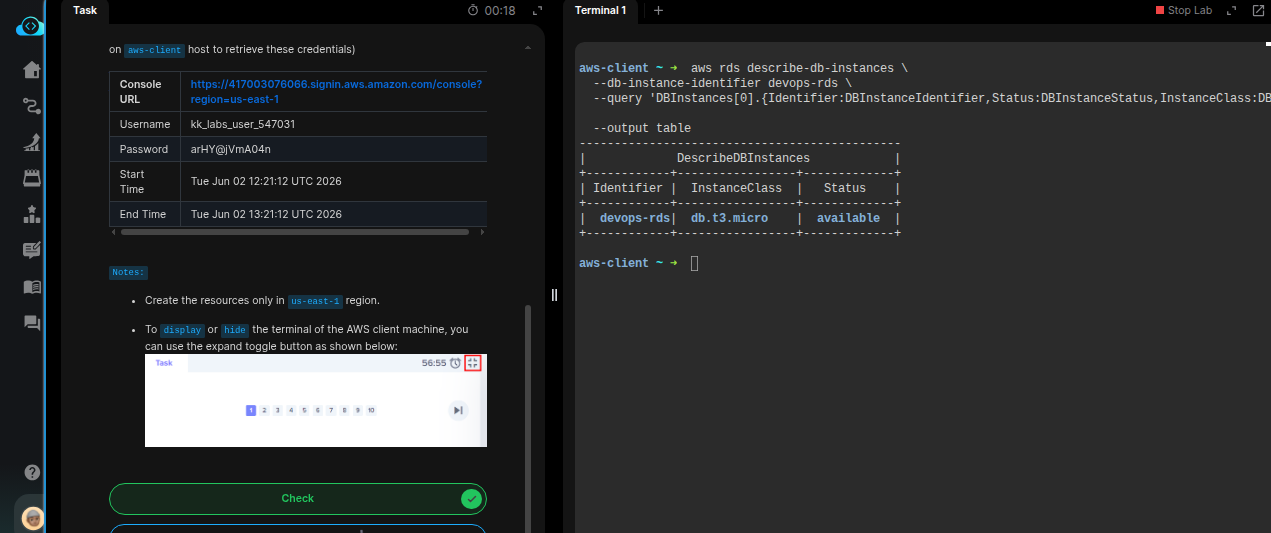
Hello @Santosh_KodeKloud
Im working on Kode-Kloud engineer AWS Level -2
Task number : 9
Configuring a Private RDS Instance for Application Development
while createing option im using :
- Engine options :
- Engine type: MySQL
- Choose a database creation method : Full configuration
- Teamplates : Dev/Test
- Availability and durability :
- Deployment options: Single - AZ DB
- Settings:
- Enginer Version : MySQL 8.4.8
- DB instance identifier : datacenter-rds(as inserted in the lab)
- Credentials management : Self manage
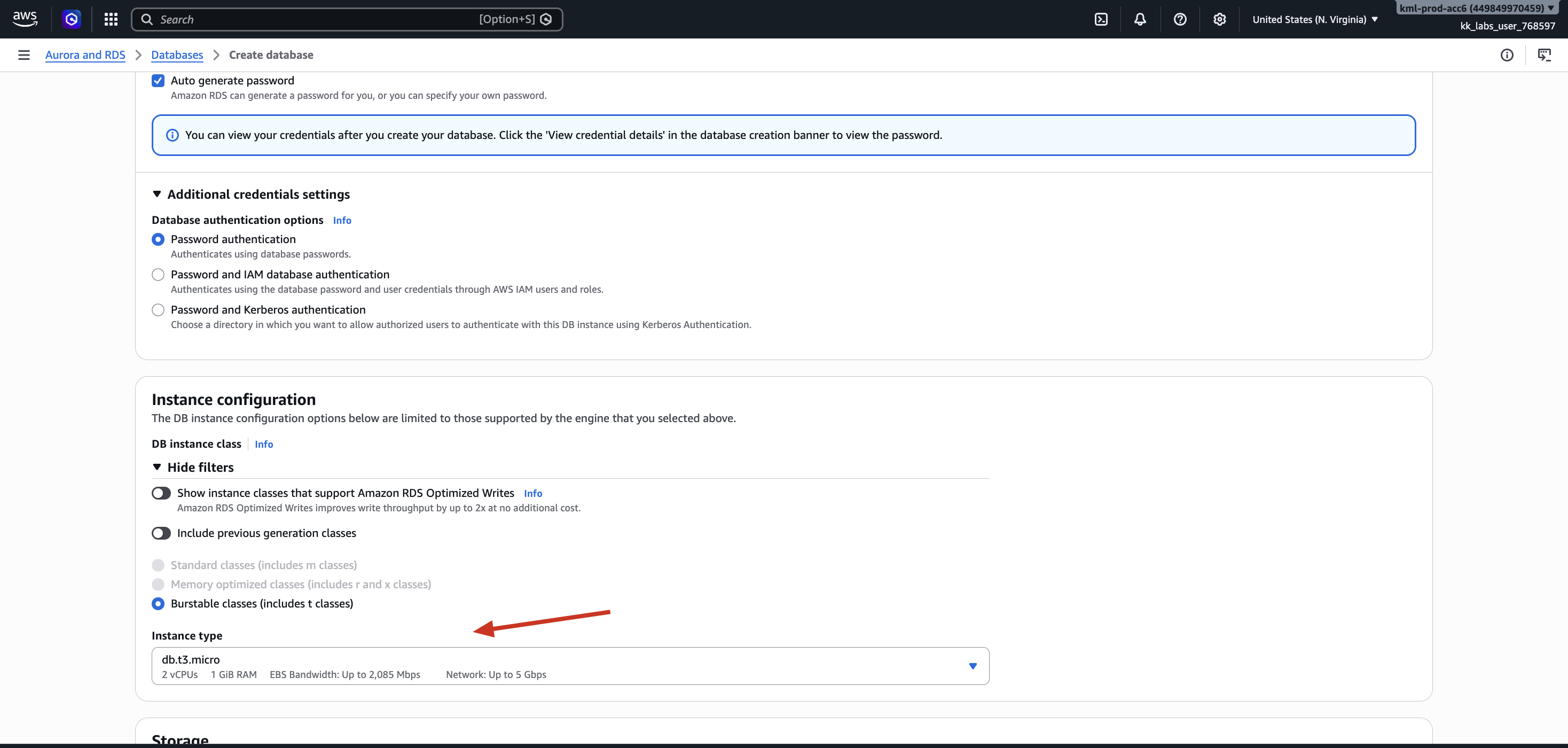
- Auto generate password : True
- Instance configuration
- Choice : Burstable classes (includes t classes)
- instance type : db.t3.micro
- stroge
- allocated (50GB)
- connectiviy
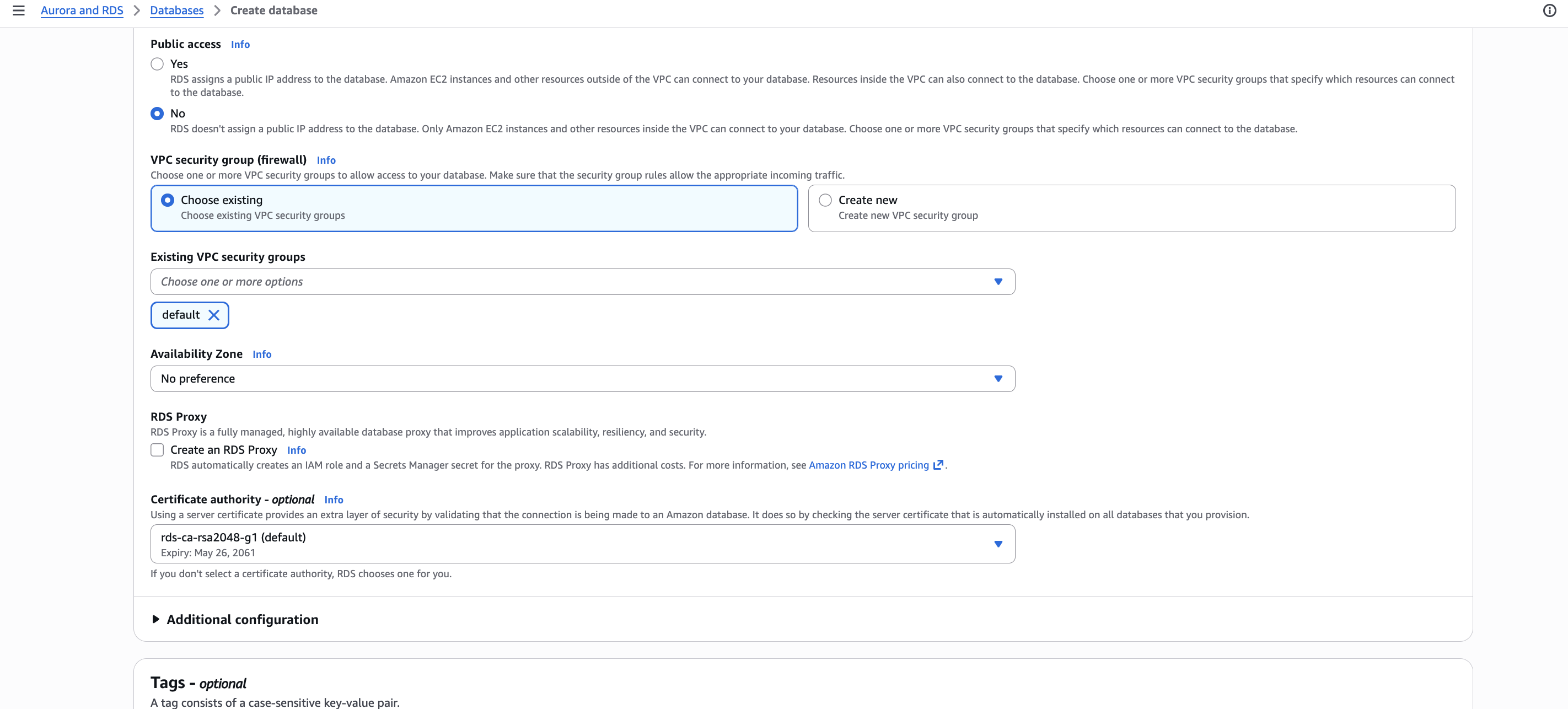
- public access : NO
remining things were using default still getting an below error!

Your Allocated storage is wrong, it needs to be 20GB, and under storage autoscaling threshold should be 50GB
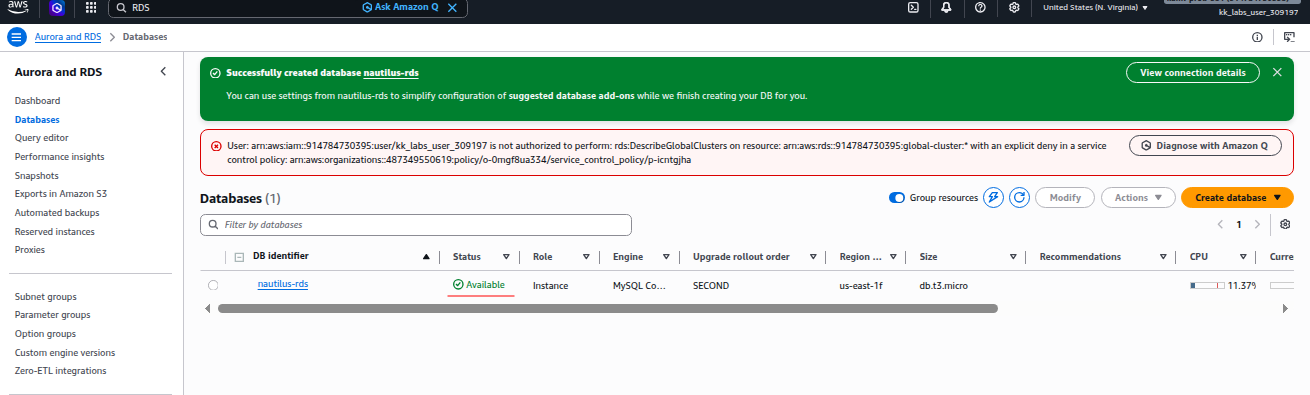
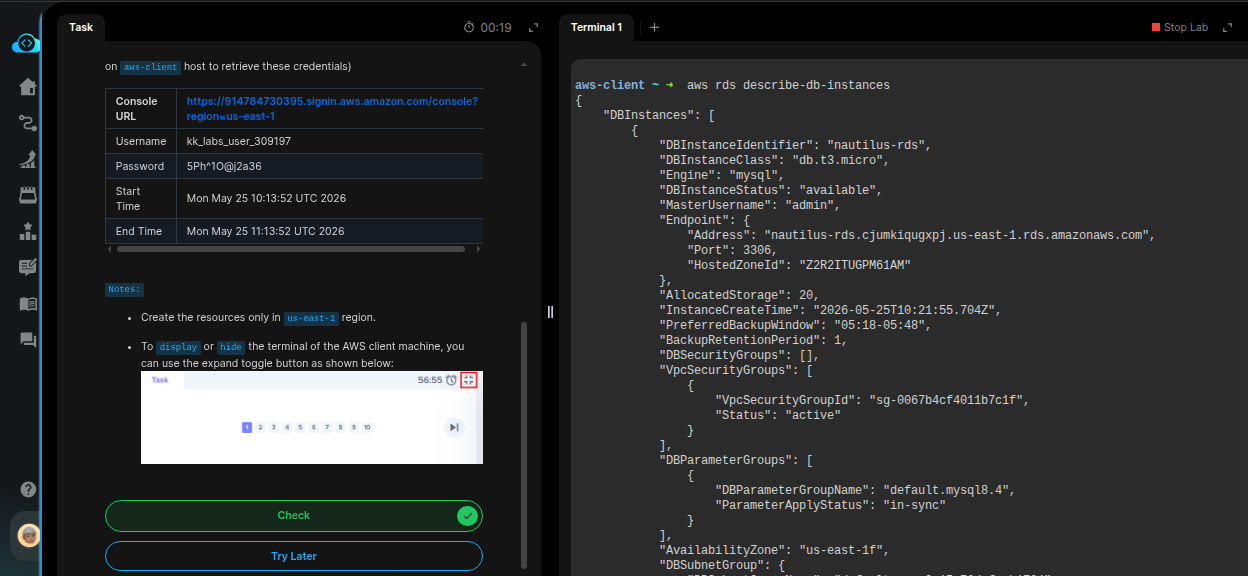
Thanks it worked now