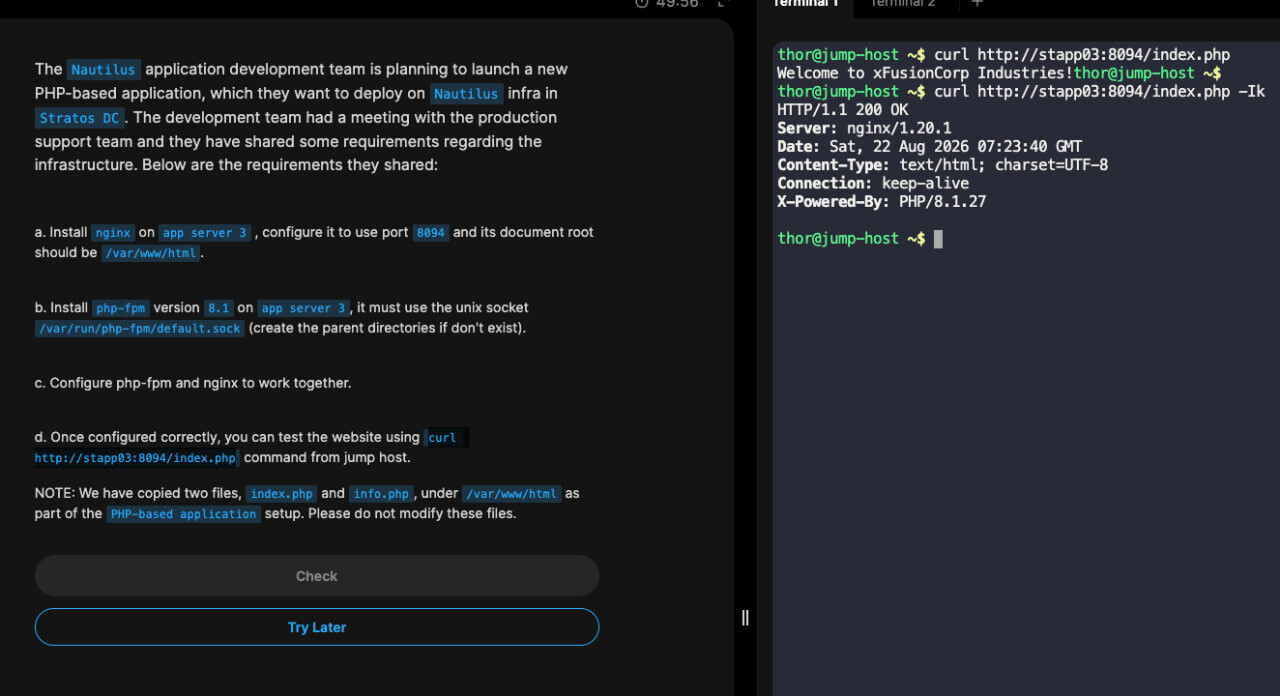
It can work if you have configured the port consistently through the task, but if the port is not the one the question asks for then it will be incorrect.
The port is likely to be different each time you retry the question.
It can work if you have configured the port consistently through the task, but if the port is not the one the question asks for then it will be incorrect.
The port is likely to be different each time you retry the question.
I have just done the lab again and it is working
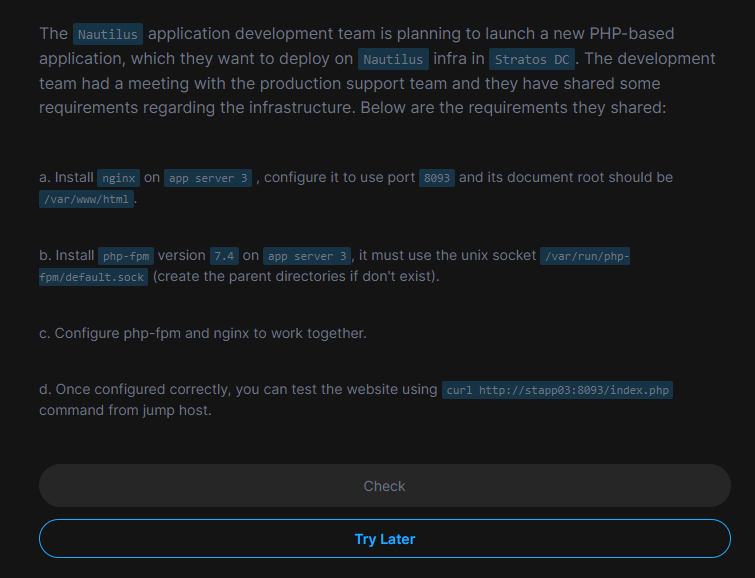
At the end, you must exit from the app server back to jump host and the curl command must work from there too (see part d. of question).
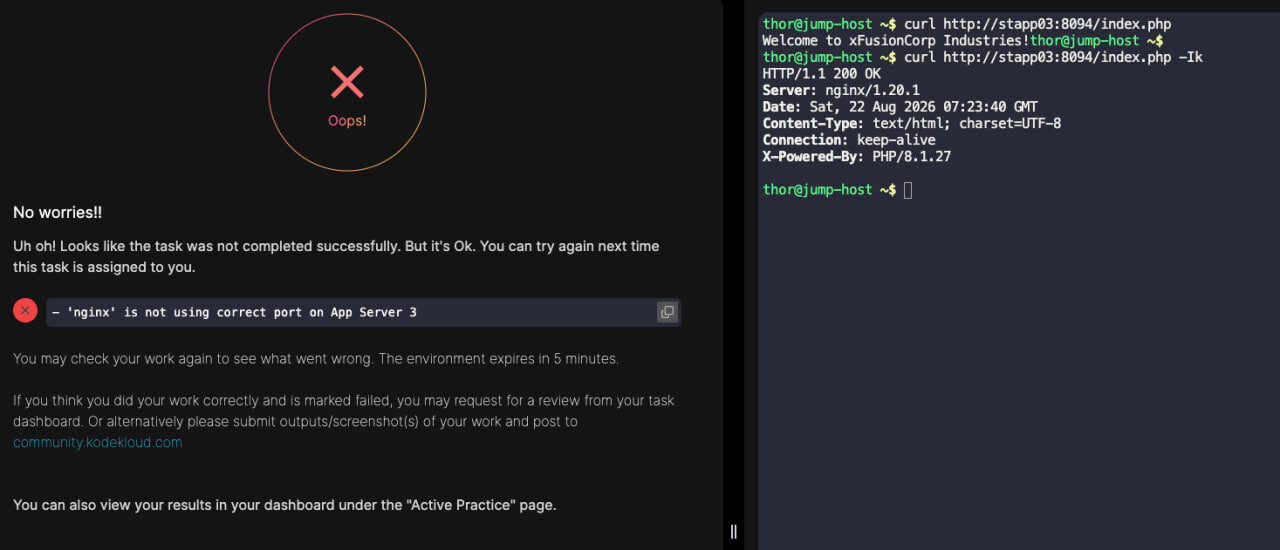
[thor@jump_host]$ curl http://stapp03:8093/index.php
Welcome to xFusionCorp Industries![thor@jump_host]$
@34_Aniket-Kale Just to make absolutely sure the lab isn’t broken I did it a second time and it is not broken, so if it is not working for you, then you have made a mistake somewhere.
I have written up a detailed solution here.
Thank You its working now
Respected Sir,
sudo yum install -y nginx
sudo systemctl enable nginx
Edited /etc/nginx/nginx.conf:
sudo vi /etc/nginx/nginx.conf
 server {
        listen       8095;
        listen       [::]:8095;
        server_name  stapp03;
        root /var/www/html;
 index index.php index.html;

 location / {
 try_files $uri $uri/ =404;
 }

 location ~ \ .php$ {
 include fastcgi_params;
 fastcgi_pass unix:/var/run/php-fpm/default.sock;
 fastcgi_index index.php;
 fastcgi_param SCRIPT_FILENAME $document_root$fastcgi_script_name;
 }
}

  error_page 404 /404.html;
  error_page 500 502 503 504 /50x.html;
sudo systemctl restart nginx
 sudo dnf install epel-release -y
 sudo dnf install https://rpms.remirepo.net/enterprise/remi-release-9.rpm -y
 sudo dnf module list php
 sudo dnf module enable php:remi-8.1 -y
 sudo dnf install php-fpm php php-cli php-common php-mysqlnd php-gd php-xml php-mbstring php-pdo php-opcache -y
 sudo systemctl start php-fpm
 sudo systemctl enable php-fpm
php-v
sudo systemctl status php-fpm
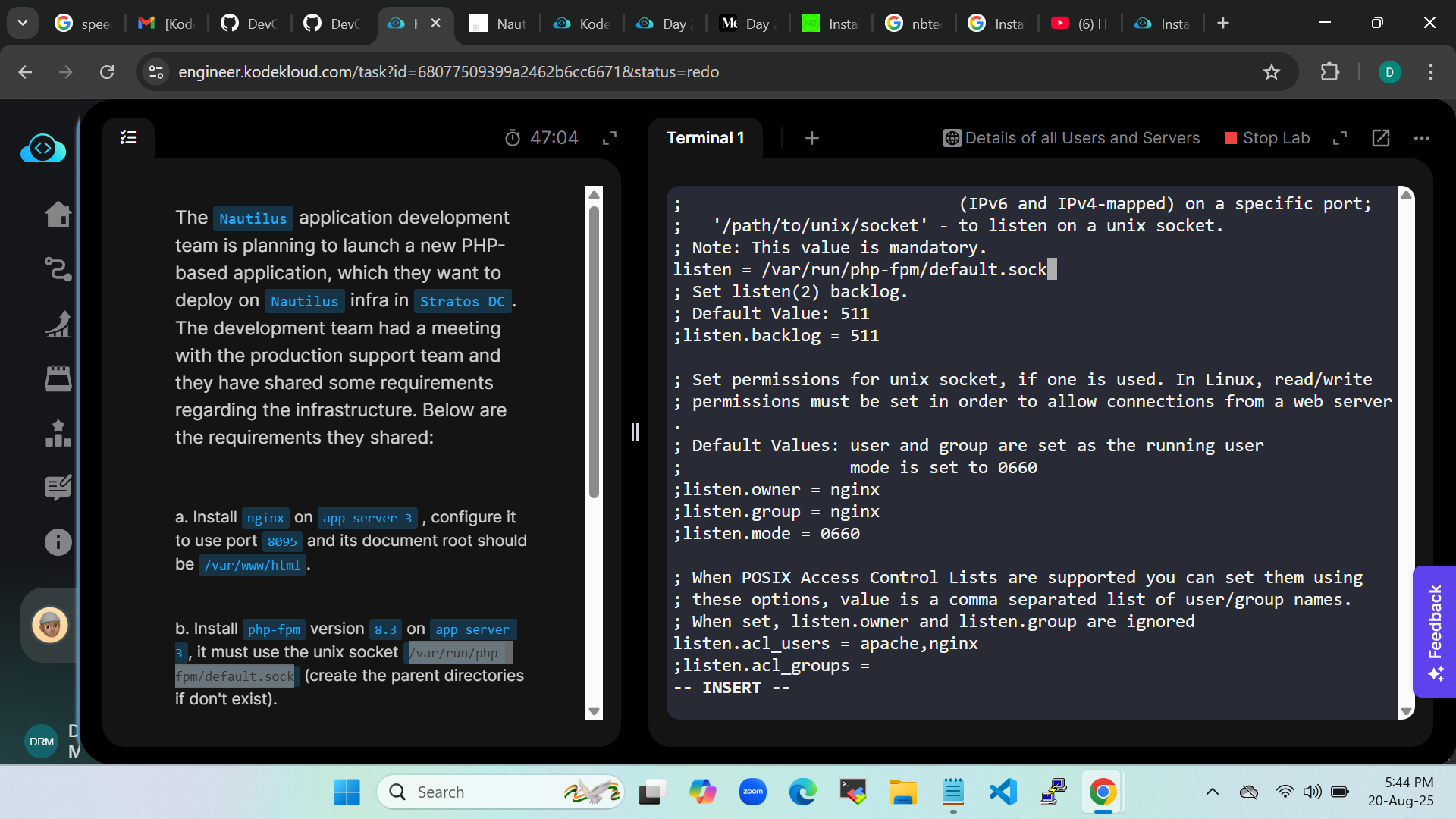
Edited /etc/php-fpm.d/www.conf:
sudo vi /etc/php-fpm.d/www.conf
listen = /var/run/php-fpm/default.sock
;listen.owner = nginx
;listen.group = nginx
;listen.mode = 0660
sudo mkdir -p /var/run/php-fpm
sudo chown -R nginx:nginx /var/run/php-fpm
sudo systemctl enable --now php-fpm
Testing
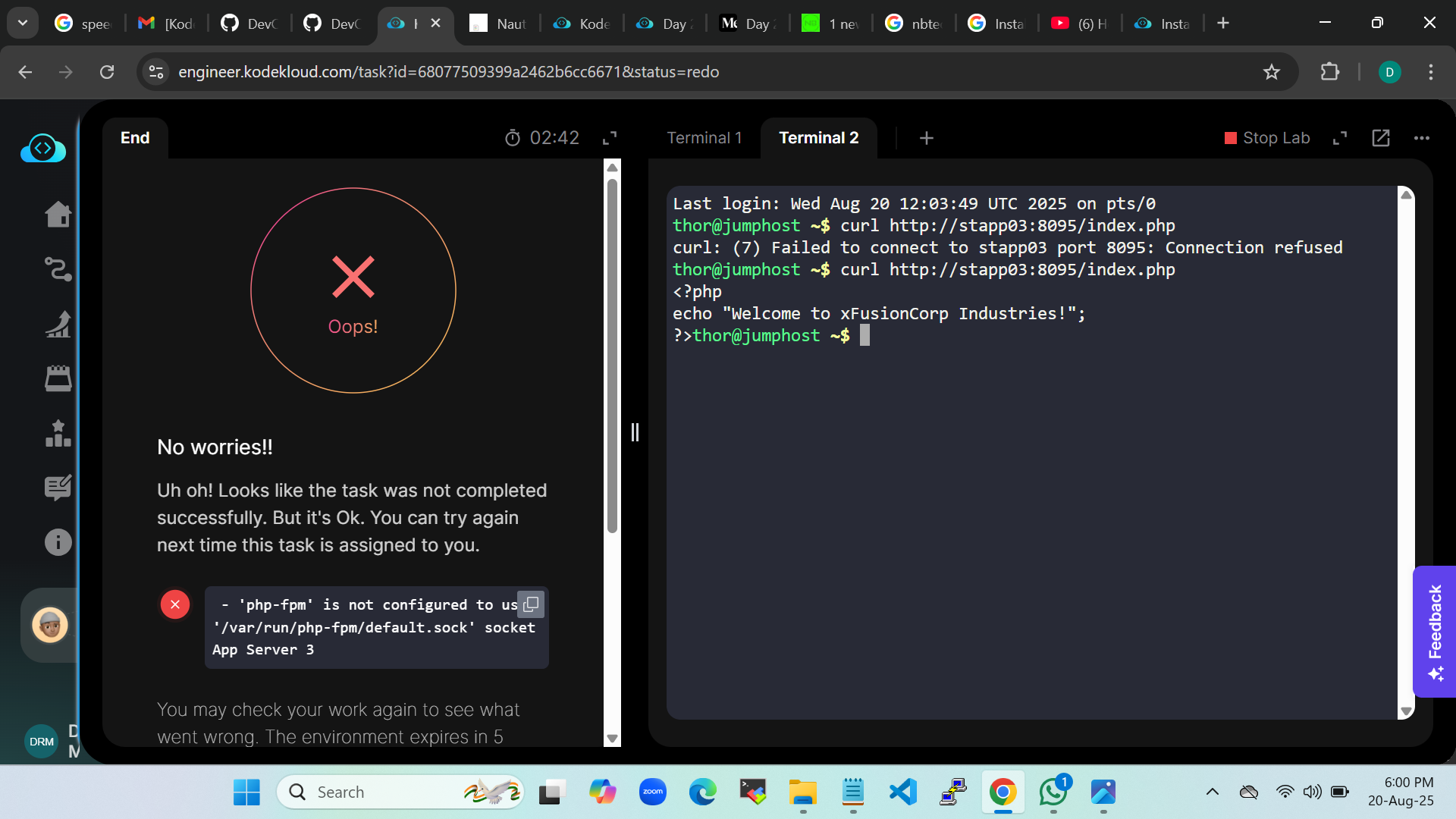
From the Jump Host, I ran:
Curl… command
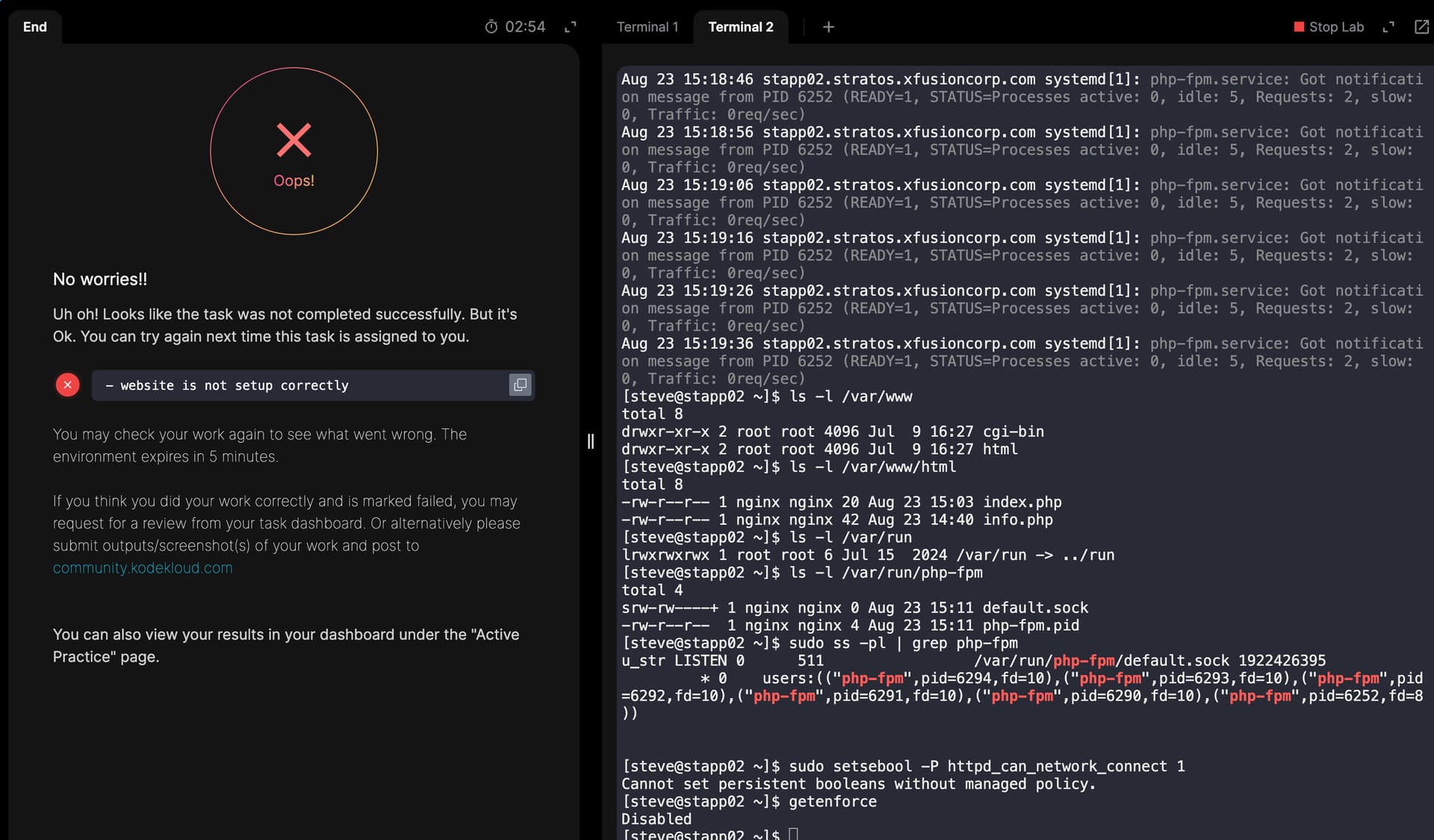
Error : php-fpm is not congigured to use ‘/var/run/php-fpm/default.sock’ socket App Server 3
Kindly detect the error in the whole process.
Found my mistake. Completed now!!!
change ```
fastcgi_pass unix:/var/run/php-fpm/default.sock;
to ```
fastcgi_pass php-fpm;

Then go to /etc/nginx/conf.d/php-fpm.conf and put this "/var/run/php-fpm/default.sock" in the upstream{}
Many Thanks for your reply.
I’ve successfully completed my task.
This is what i did to accomplish the task:
sudo yum install -y nginx
sudo systemctl enable nginx
Edited /etc/nginx/nginx.conf:
sudo vi /etc/nginx/nginx.conf
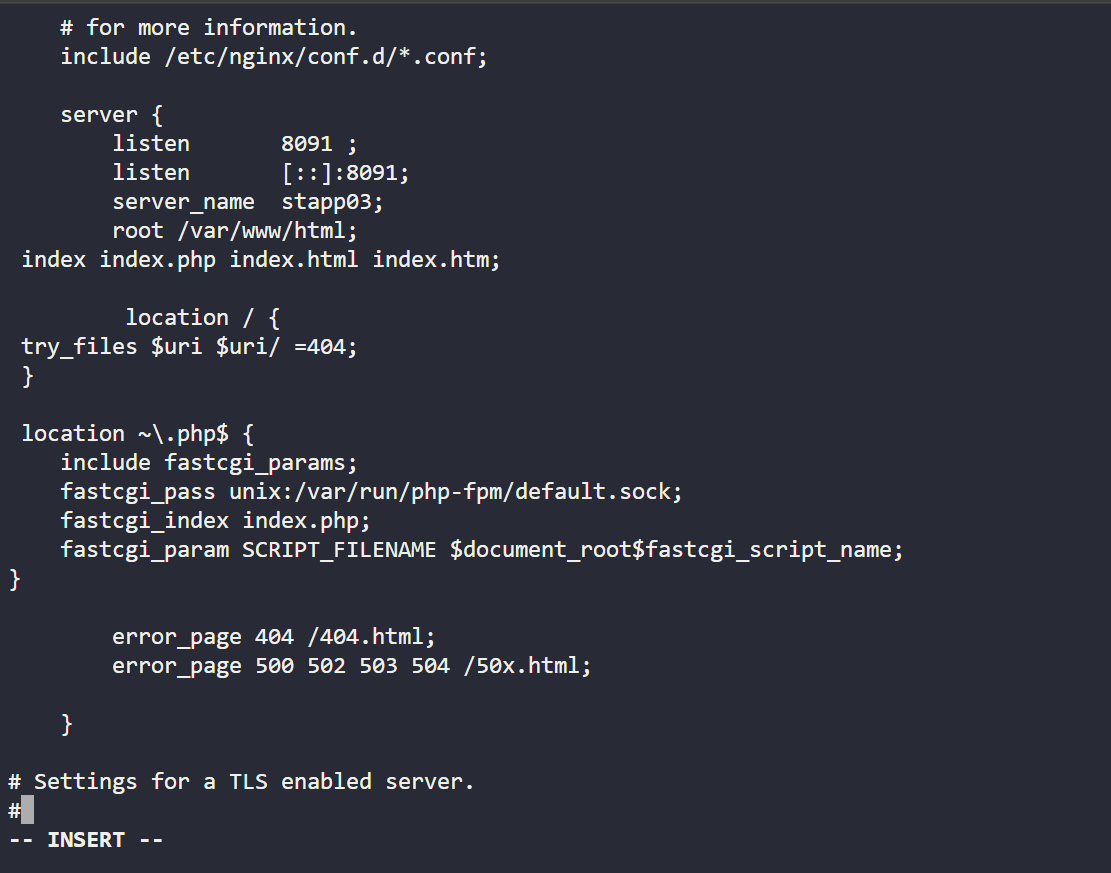
 server {
        listen       8091 ;
        listen       [::]:8091;
        server_name  stapp03;
        root /var/www/html;
 index index.php index.html;

 location / {
 try_files $uri $uri/ =404;
 }

 location ~\.php$ {
    include fastcgi_params;
    fastcgi_pass unix:/var/run/php-fpm/default.sock;
    fastcgi_index index.php;
    fastcgi_param SCRIPT_FILENAME $document_root$fastcgi_script_name;
}

  error_page 404 /404.html;
  error_page 500 502 503 504 /50x.html;
sudo systemctl restart nginx
 sudo dnf install epel-release -y
 sudo dnf install https://rpms.remirepo.net/enterprise/remi-release-9.rpm -y
 sudo dnf module list php
 sudo dnf module enable php:remi-8.3 -y
 sudo dnf install php-fpm php php-cli php-common php-mysqlnd php-gd php-xml php-mbstring php-pdo php-opcache -y
 sudo systemctl start php-fpm
 sudo systemctl enable php-fpm
php -v
sudo systemctl status php-fpm
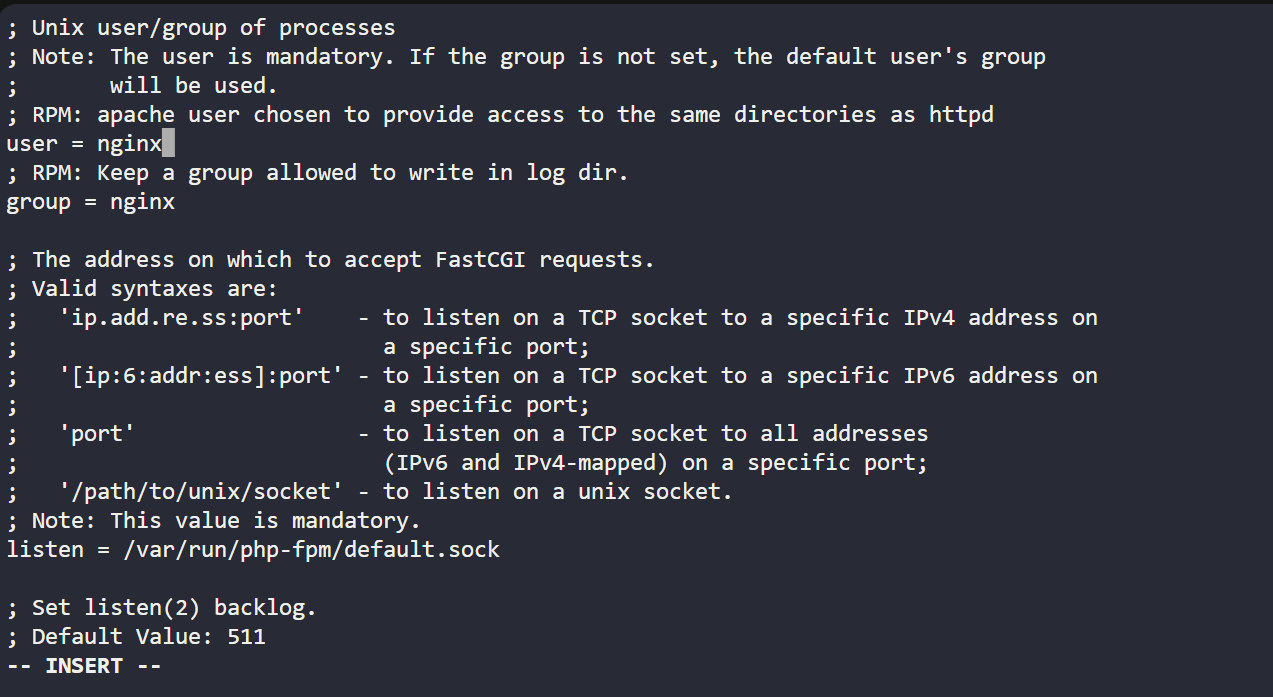
Edited /etc/php-fpm.d/www.conf:
sudo vi /etc/php-fpm.d/www.conf
user = nginx

group = nginx

listen = /var/run/php-fpm/default.sock

listen.owner = nginx

listen.group = nginx

listen.mode = 0660
sudo mkdir -p /var/run/php-fpm
sudo chown -R nginx:nginx /var/run/php-fpm
sudo systemctl enable --now php-fpm
Testing:
From the Jump Host, I ran:
Curl… command
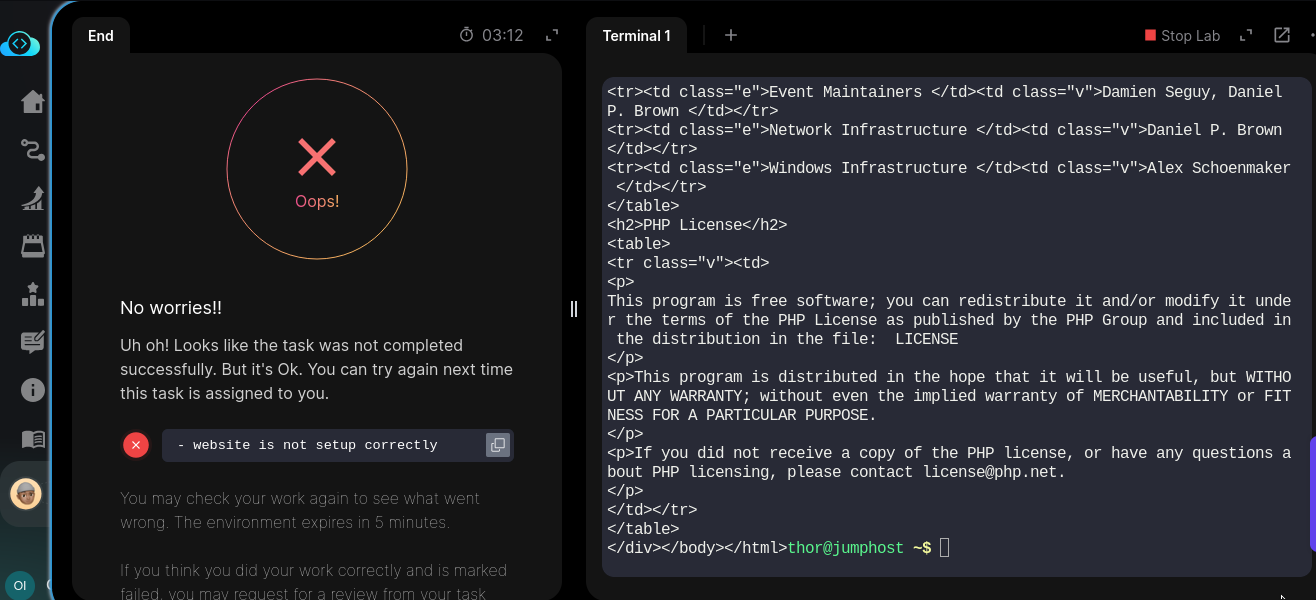
None of these has worked for me. I have attempted this 3 times now without success.
The output message “website not properly setup” is a rather too generic message for anyone to see what the issue is since the final output was successful.
HI @seunsamore
I have re-checked the solution here: Configure Nginx + PHP-FPM Using Unix Sock error - #19 by Alistair_KodeKloud
It is still working fine.
Thank you so much @Alistair_KodeKloud , this checked out!
The point I missed was the configuration of php_fpm nginx module:
Configure php-fpm nginx module
/etc/nginx/conf.d/php-fpm.conf
Good day humble colleagues,
Having issues in this particular task after configuring all parameters, the curl failed
Will be grateful for any positive yields to success
Possibly you’re not hooked up to the socket correctly – nginx could possibly be hooked up to php-fpm in a different way, inspite of the error you’re seeing. Please look over this solution – it might help you track down if you’re doing the full task correctly.
because i use this block in /etc/nginx/nginx.conf
server {
        listen       8099;
        server_name  _;


        root /var/www/html;
        index index.php index.html index.htm;

        location / {
            try_files $uri $uri/ /index.php?$query_string;
        }

        # Pass PHP scripts to PHP-FPM via Unix Socket
        location ~ \.php$ {
            include fastcgi_params;
            fastcgi_intercept_errors on;

            # Match this exactly with your PHP-FPM pool configuration
            fastcgi_pass unix:/var/run/php-fpm/default.sock;

            fastcgi_index index.php;
            fastcgi_param SCRIPT_FILENAME $document_root$fastcgi_script_name;
        }

        # Deny access to .htaccess files if they exist
        location ~ /\.ht {
            deny all;
        }
        error_page 404 /404.html;
        location = /404.html {
        }

        error_page 500 502 503 504 /50x.html;
        location = /50x.html {
        }
    }
instead /etc/nginx/default.d/php.conf
very nice checking
even solution will be work it will never be accepted
BRAVO.