I am reporting a backend synchronization bug with the AWS lab: The Nautilus DevOps team needs to set up an application on an EC2 instance to interact with an S3 bucket…"
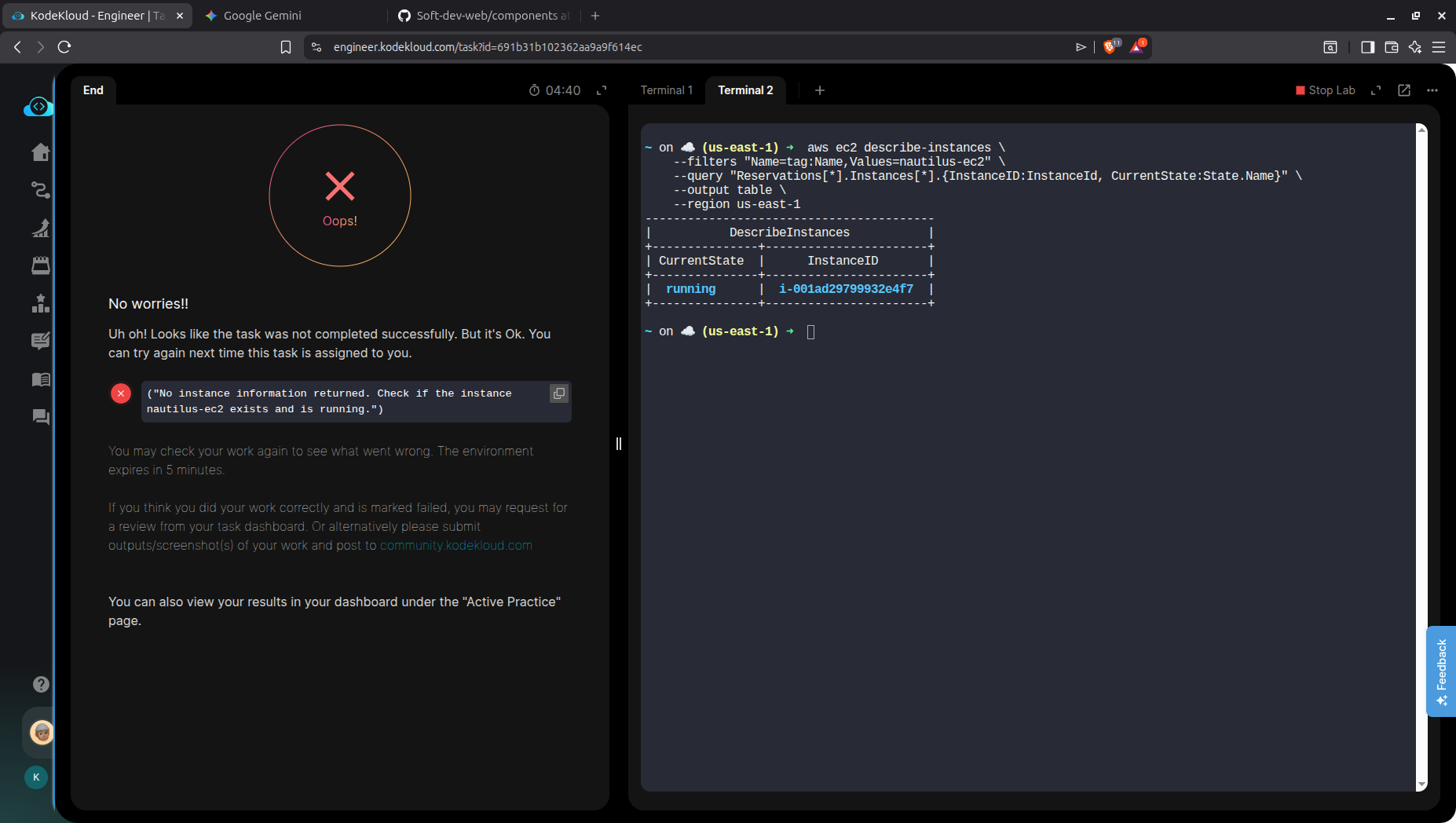
The lab environment is throwing an error stating that the required EC2 instance does not exist or is not running. However, when querying the AWS API directly, the instance is fully provisioned and in a running state. Because the lab’s validation script is out of sync with the actual AWS environment, it is impossible to pass the lab.
No instance information returned. Check if the instance or devops ec2 /
Are you sure you have the right task number? For Day 37, I see the following:
The Nautilus DevOps team is tasked with integrating a PHP application hosted on an Azure VM with a MySQL database hosted on another Azure VM. This will validate the application’s ability to connect to the database in the cloud.
This would suggest you’re doing something other than Day 37 for Azure. Guessing you meant “AWS” instead, which I’ll now check.
OK, I think I get your problem. The task asks you to to install a public key to the root directory of the EC2 instance, which:
does indeed exist, and
has no way enabled to log into that instance, since there is no key pair install on it, and even if there was one, there’s no access given to you to a private key that matches this non-existent public key on that host.
Since the grader depends upon being able to use /root/.ssh/id_rsa from the aws-client to do this, the grader fails. Since you can’t fix this by installing the key pair to the EC2 instance, this lab is probably not possible to complete.
I’ll confer with my AWS-guru colleague, but I’m going to guess that this lab needs to be modified to be completed.
The VM is running however the lab says it doesn’t run this is bug AWS Day 37 the keys have been pushed to the VM/EC2 However I ran into the same issue Instance not running while the attached Screenshot shows it running
The tricky part of this task is getting the public key copied to the /root/.ssh/authorized_keys file on the provided instance. This was blocked for a while due to a change in how the default security group used by the instance was configured; there was no way to copy the key when this was the case.
We’ve since fixed that for this lab, so you can access the instance by using “instance connect”, which now works again, now that the SG is set up right.
The rest of the task is described in this post. If you can copy over the public key to root@INSTANCE and set up the bucket as the task describes, the task will work.