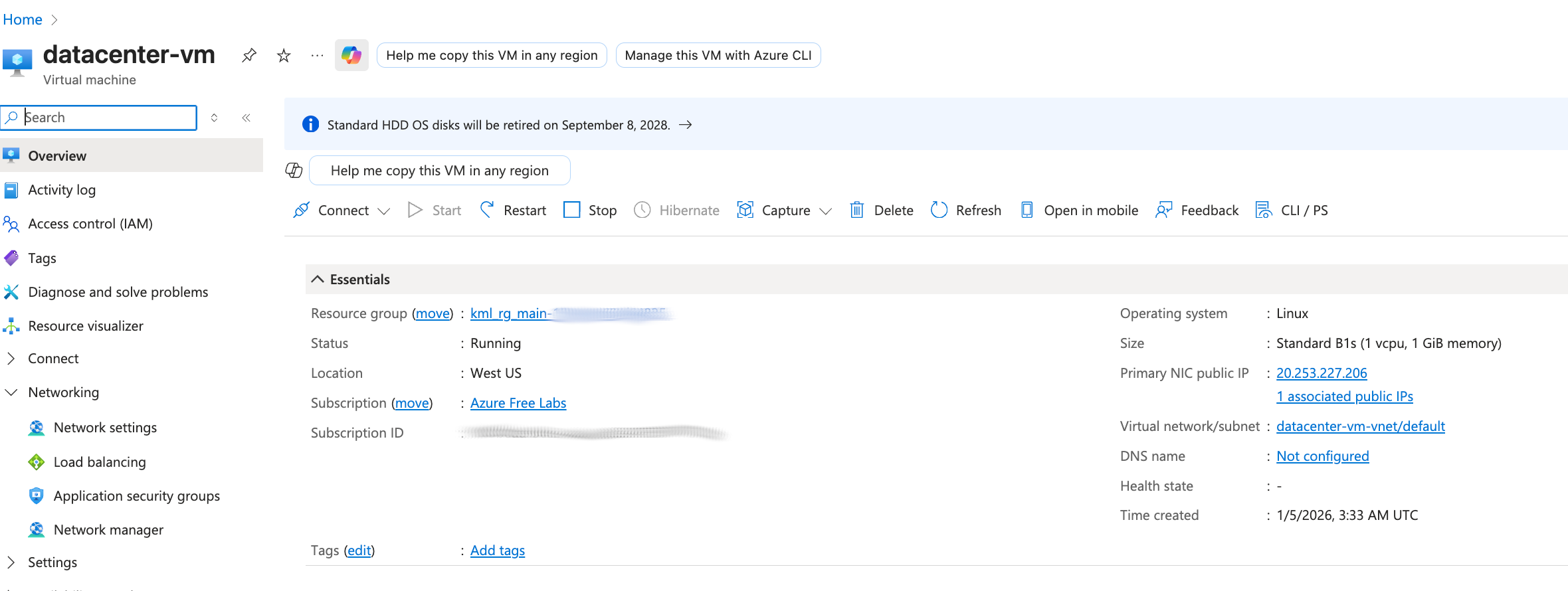
I am working on the Azure VM task that requires creating a VM with size Standard_B1s.
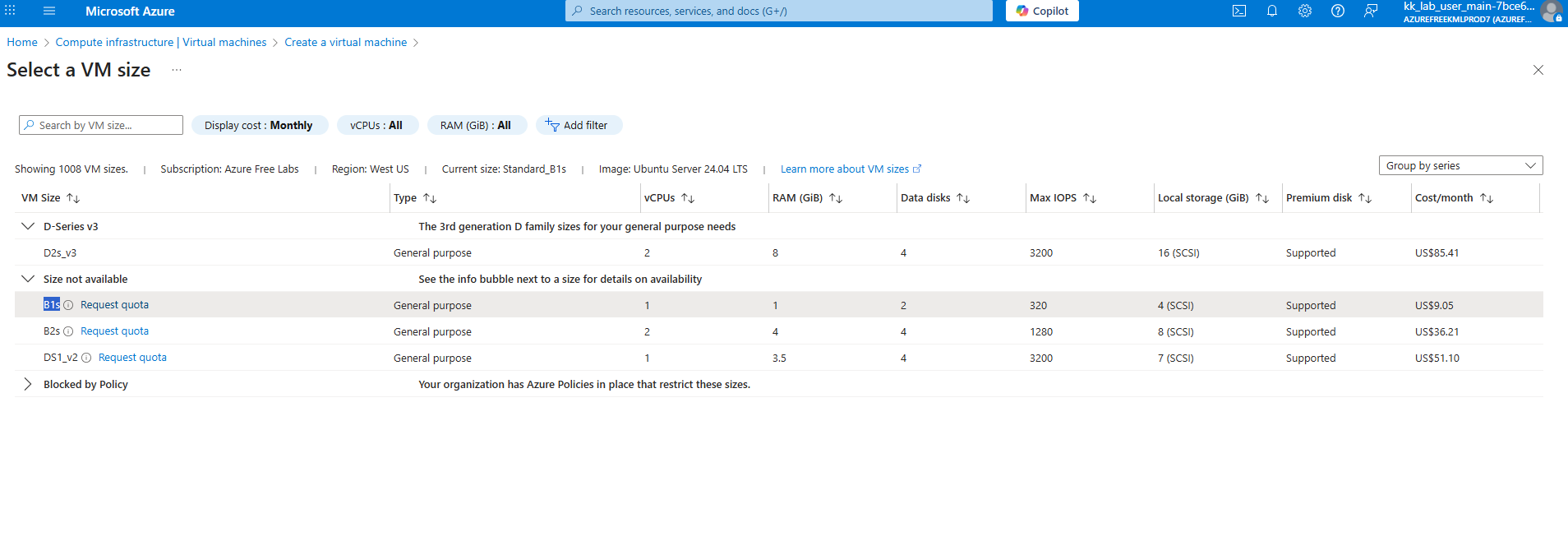
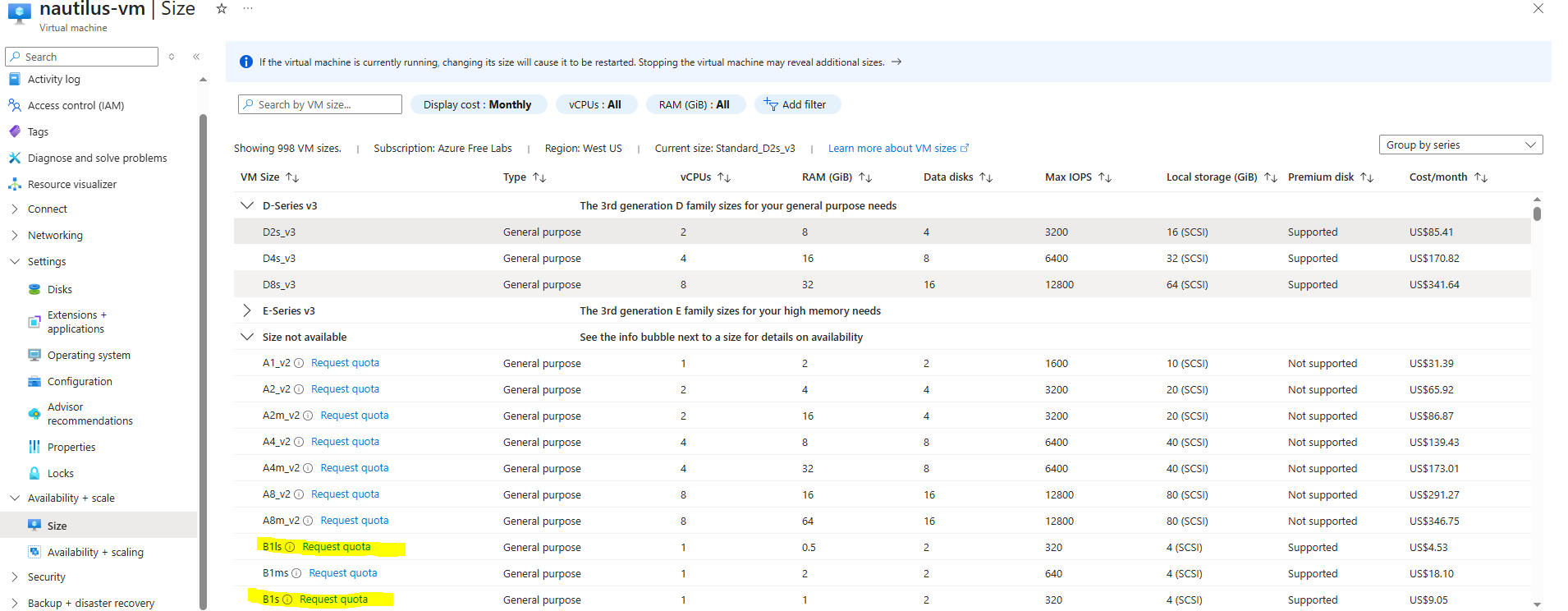
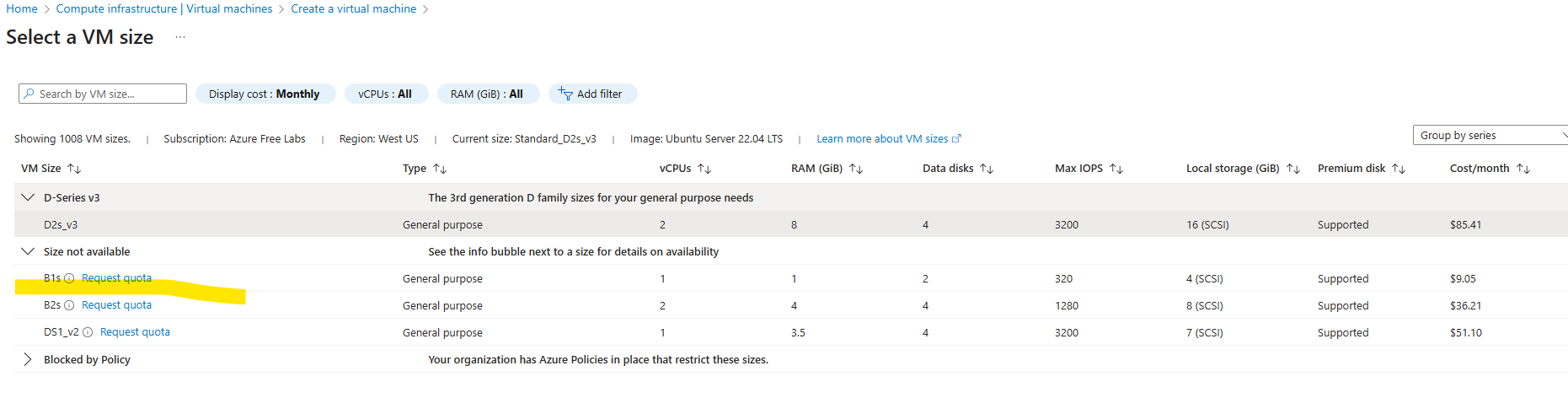
In my lab environment, Standard_B1s is not available in West US .
I verified this through the Azure Portal UI and attempted multiple regions.
Because the required size is unavailable, the task fails with:
“VM ‘nautilus-vm’ does not have the correct size.”
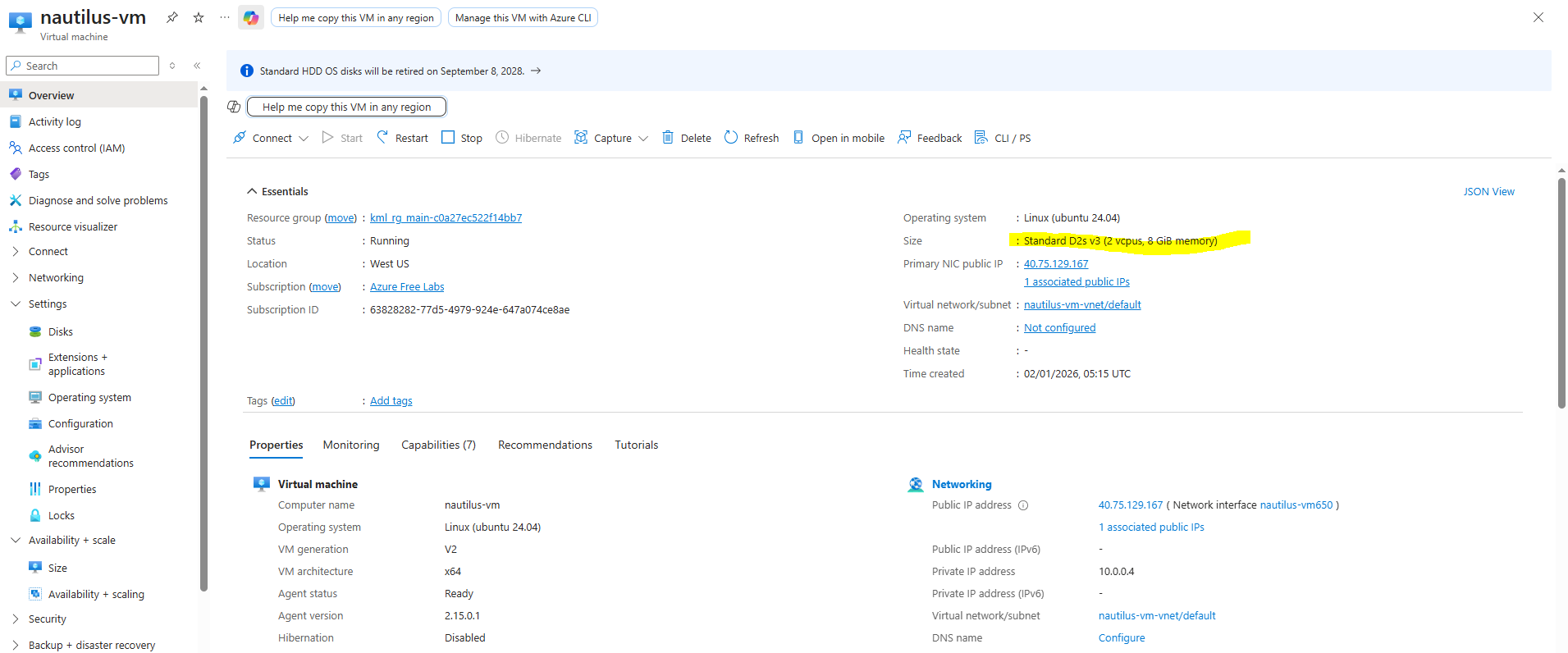
Attached screenshots show:
- Size selection screen with Standard_B1s missing/unavailable
- Region selection
- VM overview after creation
Requesting assistance or lab fix.
Yeah , cant proceed further without this .
I am experiencing the same issue and can not proceed further.
I’m not sure what’s happening here. I’ve tried this multiple times, and it works for me. You need to select “see all sizes” under the sizes line, go to that page, and it allows me to select the B1s size. The vm gets created, and the size is used.
When I submit the task, it passes green. How are you folks selecting the size?
The disk size b1 is available now on west us . It wasn’t available at that time . Its working now .
I totally believe you folks, but clearly, a weird Azure issue. We’re tracking this.
Yes its working now for me as well Thanks @rob_kodekloud