Hi, I am not able to create VM while using azure Lab. Please help me.
Please share the lab link and question number, I’ll check it.
I am using azure play ground. Below is the link.
Azure…_gsMQ…&gclid=CjwKCAjwgO7RBhBKEiwAZNP85qKARVIJQVZd8UyEUeDzHEQNLgiDJvDFAqkr9lQDSH2iOIetY8gvyxoCcOcQAvD_BwE&gbraid=0AAAAACO3P6-AgiDBYjYpXzY8iY98ejpd2
Because you’re using Azure Playground, could you please share a screenshot of the issue you’re seeing? That will help me understand the problem and assist you better.
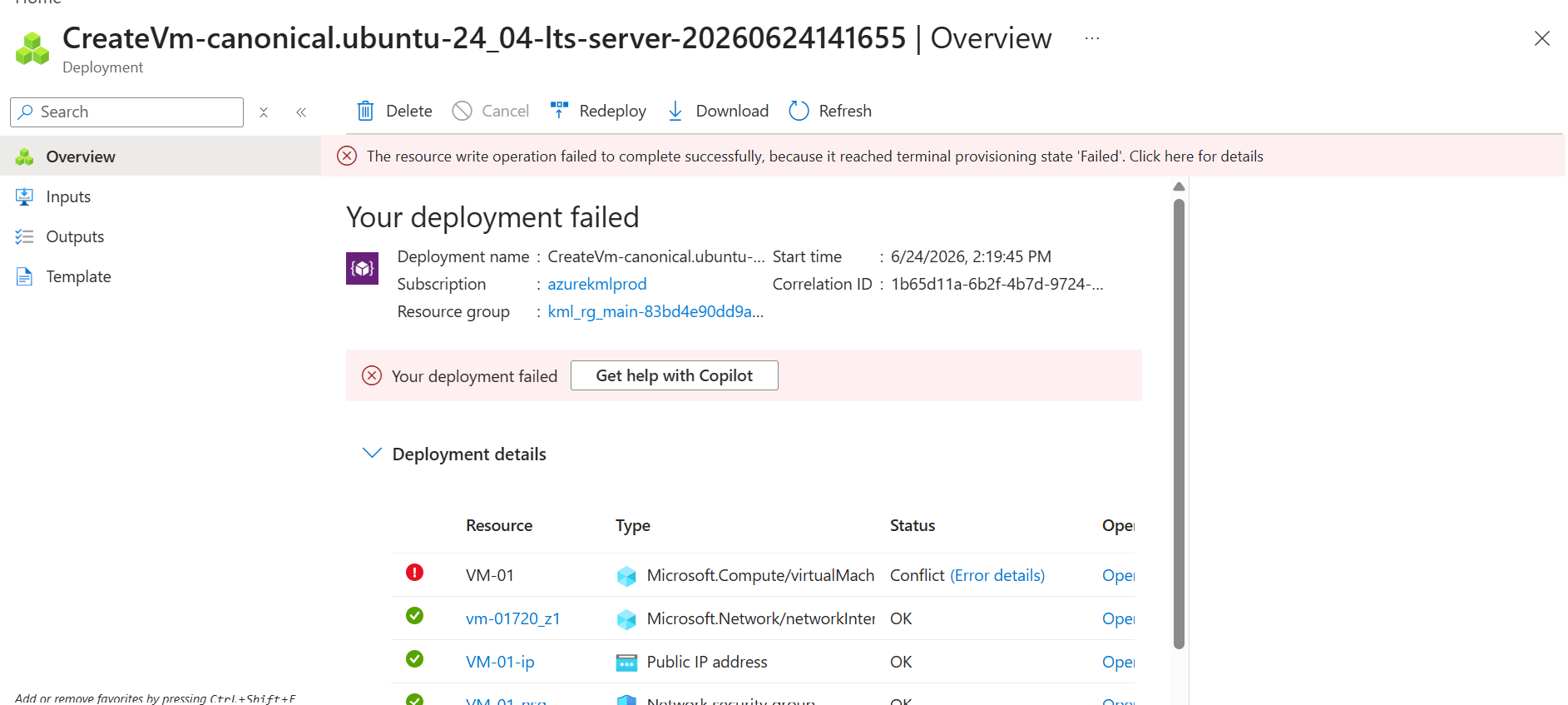
Image attached.
Full error given below.
{
“code”: “DeploymentFailed”,
“target”: “/subscriptions/a2b28c85-1948-4263-90ca-bade2bac4df4/resourceGroups/kml_rg_main-83bd4e90dd9a478f/providers/Microsoft.Resources/deployments/CreateVm-canonical.ubuntu-24_04-lts-server-20260624141655”,
“message”: “At least one resource deployment operation failed. Please list deployment operations for details. Please see Deployment history - Azure Resource Manager | Microsoft Learn for usage details.”,
“details”: [
{
“code”: “ResourceDeploymentFailure”,
“target”: “/subscriptions/a2b28c85-1948-4263-90ca-bade2bac4df4/resourceGroups/kml_rg_main-83bd4e90dd9a478f/providers/Microsoft.Compute/virtualMachines/VM-01”,
“message”: “The resource write operation failed to complete successfully, because it reached terminal provisioning state ‘Failed’.”
}
]
}
Hi @Supriya1047
Please try again and make sure you use the allowed SKUs only and do not reach any resource limits.
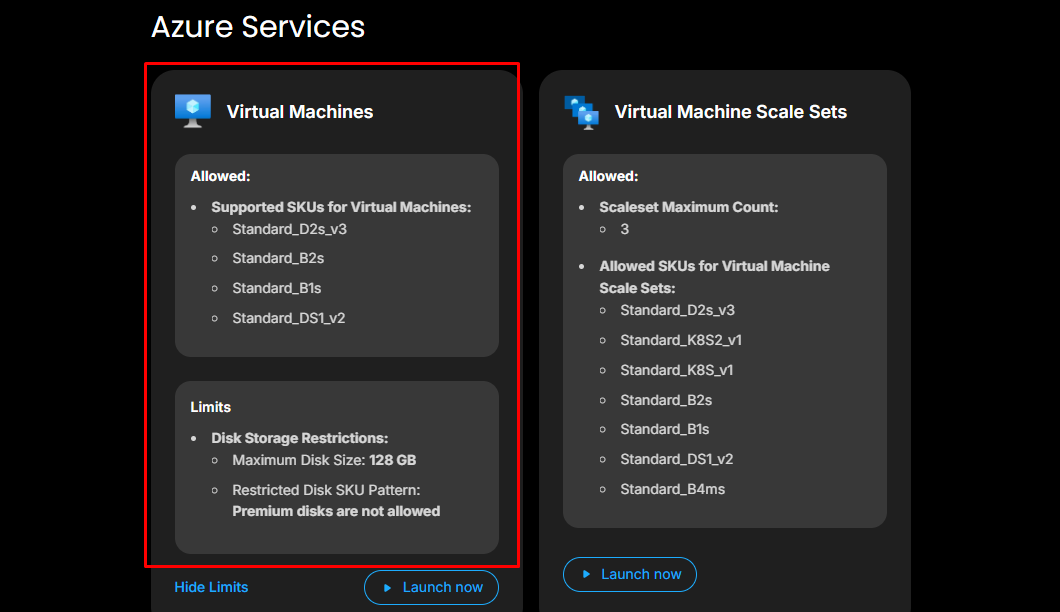

Hi @Supriya1047
I’ve just checked and it’s worked properly from my end. You can see the screenshot below:
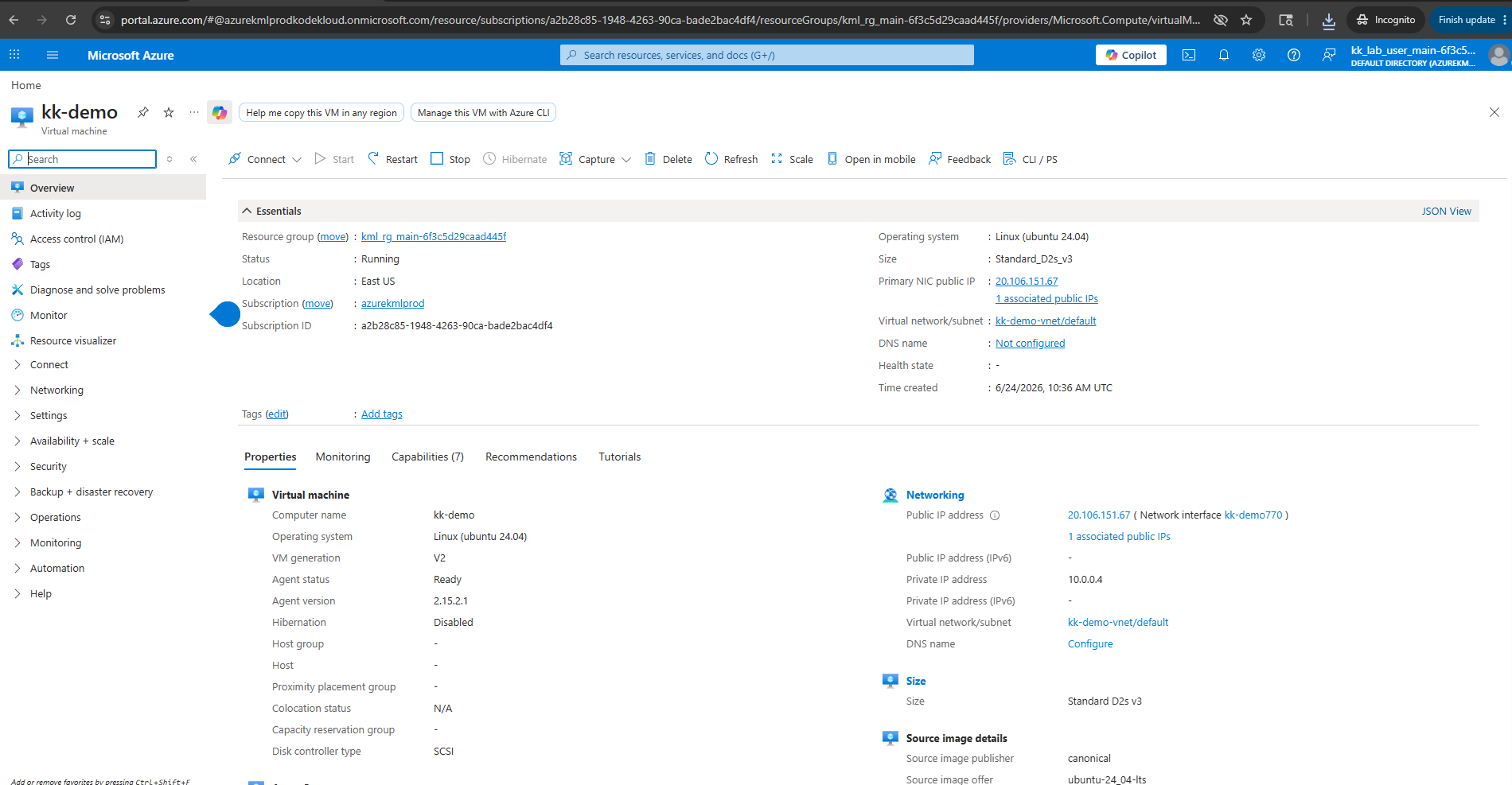
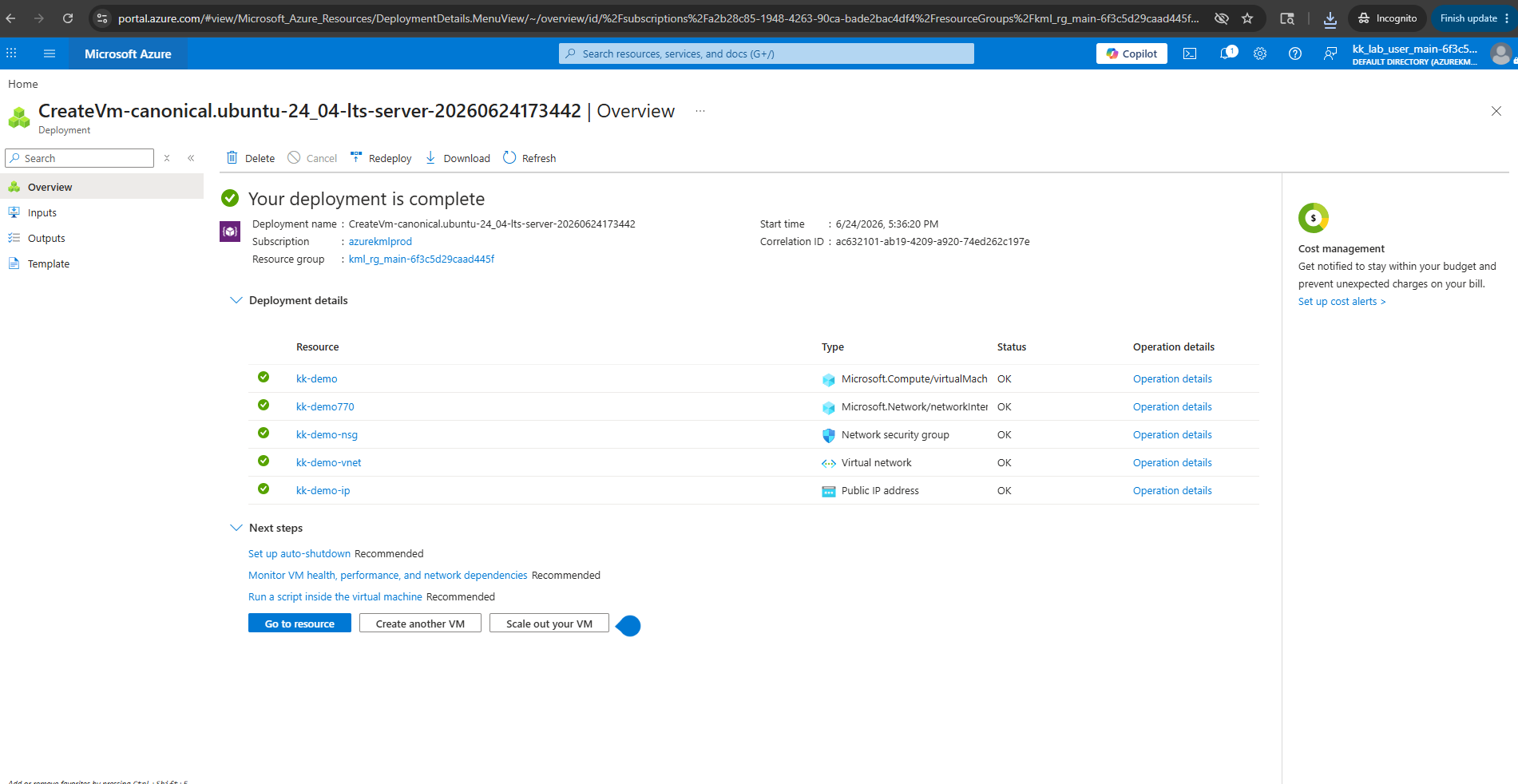
Again same error. Requesting you a call back. so that I can share my screen and fixed the error
Hi @Supriya1047
You can record your screen while creating the VM and share the recording with me. Then I can review it and point out any steps that may have been done incorrectly.