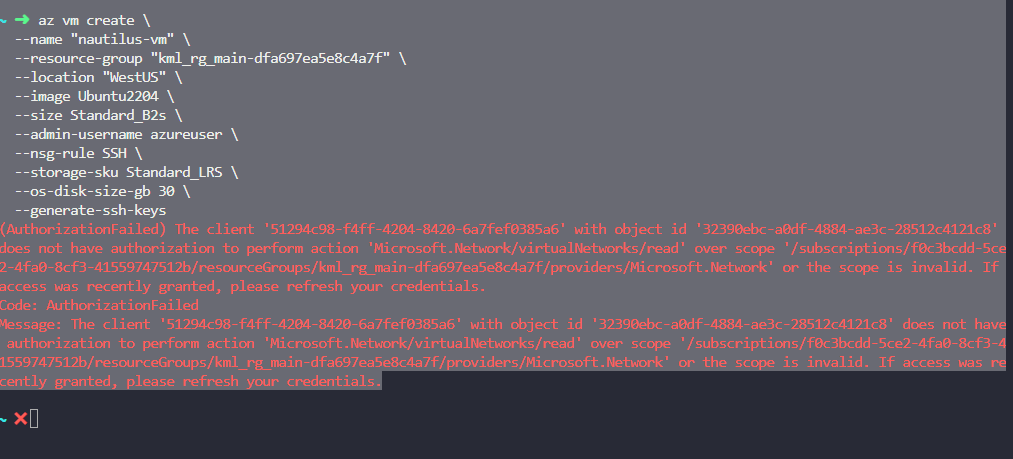
I am facing the below issue while trying to create azure vm command in the kode kloud engineer lab
az vm create
–name “nautilus-vm”
–resource-group “kml_rg_main-dfa697ea5e8c4a7f”
–location “WestUS”
–image Ubuntu2204
–size Standard_B2s
–admin-username azureuser
–nsg-rule SSH
–storage-sku Standard_LRS
–os-disk-size-gb 30
–generate-ssh-keys
Issue log
(AuthorizationFailed) The client ‘a1a7e8ab-cadd-4a55-8240-e45af853fb03’ with object id ‘2df58d70-9f31-46d7-956a-5f9f57e0d743’ does not have authorization to perform action ‘Microsoft.Resources/subscriptions/resourcegroups/read’ over scope ‘/subscriptions/f0c3bcdd-5ce2-4fa0-8cf3-41559747512b/resourcegroups/kml_rg_main-dfa697ea5e8c4a7f’ or the scope is invalid. If access was recently granted, please refresh your credentials.
Code: AuthorizationFailed
Message: The client ‘a1a7e8ab-cadd-4a55-8240-e45af853fb03’ with object id ‘2df58d70-9f31-46d7-956a-5f9f57e0d743’ does not have authorization to perform action ‘Microsoft.Resources/subscriptions/resourcegroups/read’ over scope ‘/subscriptions/f0c3bcdd-5ce2-4fa0-8cf3-41559747512b/resourcegroups/kml_rg_main-dfa697ea5e8c4a7f’ or the scope is invalid. If access was recently granted, please refresh your credentials.