I cannot complete the “Day 29: Establishing Security and Governance” lab due to permission restrictions in the provided Azure Lab environment.
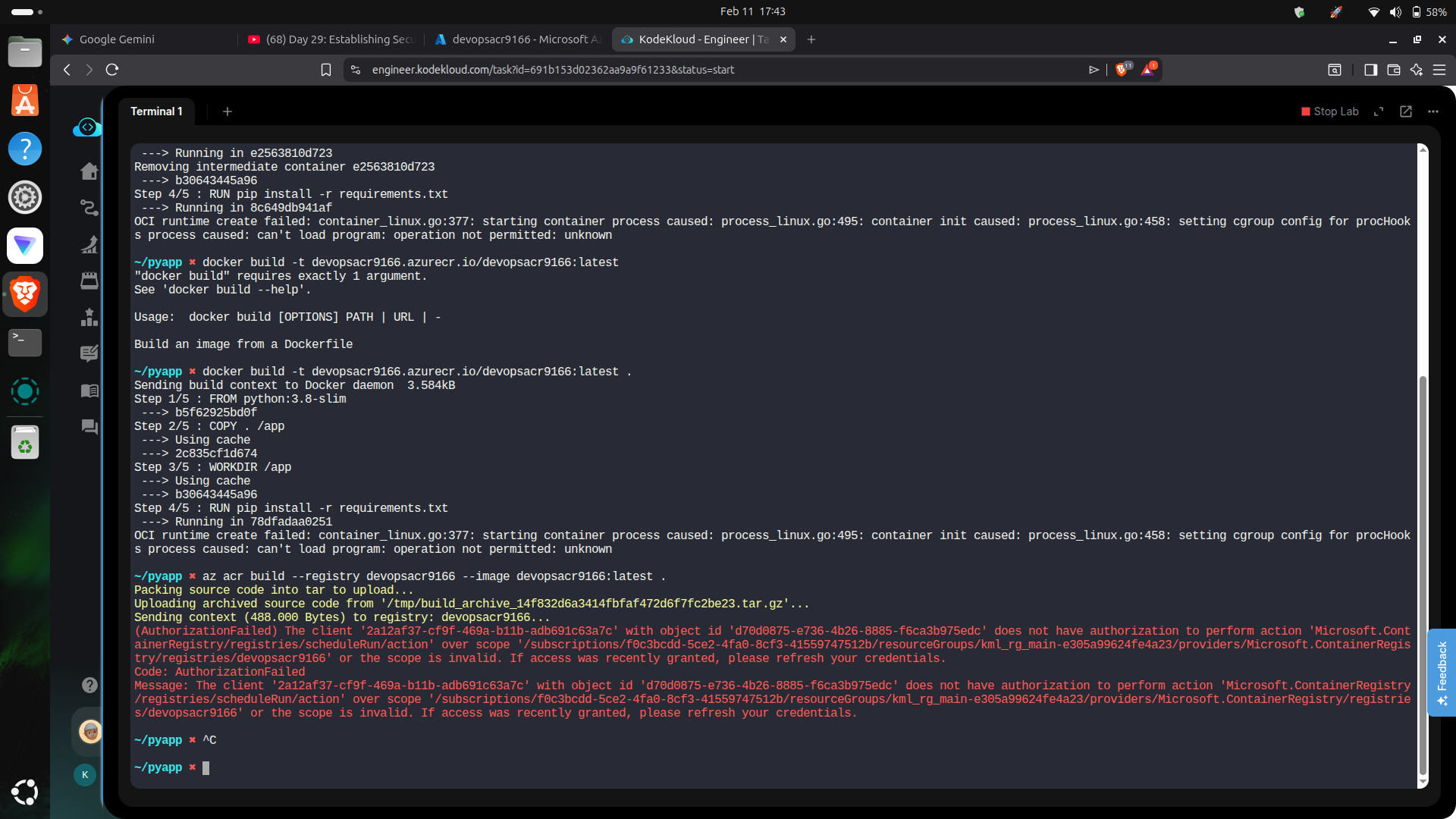
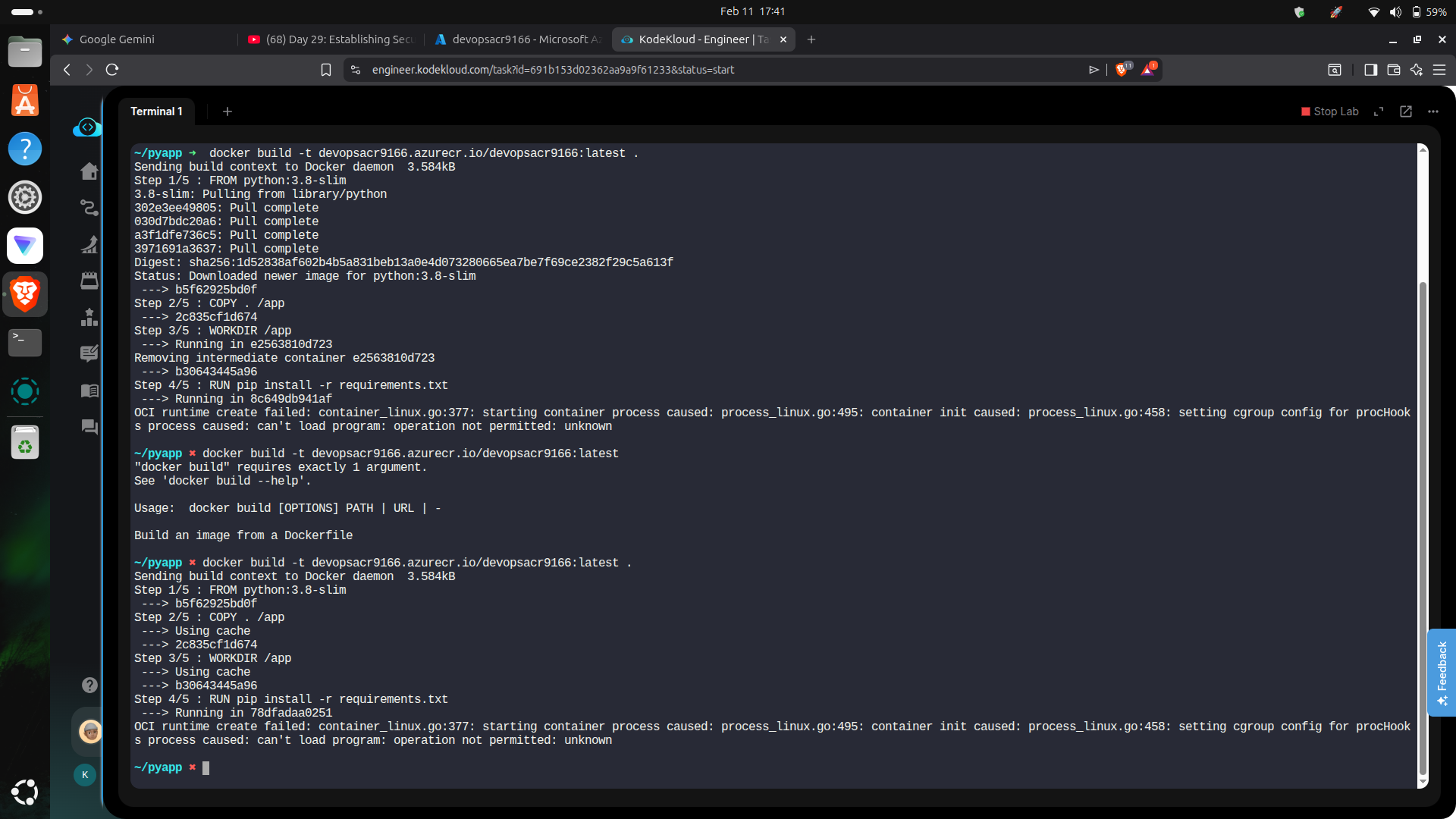
I am trying to build and push a Docker image to the Azure Container Registry according to the instructions and the reference video ( https://youtu.be/FzwhozZzojU), but both methods fail.
Environment Details:
Lab ID/Task: Engineer KodeKloud Task (Azure)
Resource Group: kml_rg_main-e305a99624fe4a23
Registry Name: devopsacr9166
The Errors I am Facing:
- docker build fails (Local Docker Issue) When I run docker build -t …, I receive the following error:
OCI runtime create failed: container_linux.go:377: starting container process caused: process_linux.go:495: … operation not permitted: unknown
(This means the lab terminal is a container that does not support running Docker commands locally).
- az acr build fails (Account Permission Issue) When I try the Azure-native workaround (az acr build) to bypass the local Docker issue, I receive an Authorization error:
Code: AuthorizationFailed Message: The client ‘2a12af37-cf9f-469a-b11b-adb691c63a7c’ with object id ‘d70d0875-e736-4b26-8885-f6ca3b975edc’ does not have authorization to perform action ‘Microsoft.ContainerRegistry/registries/scheduleRun/action’ over scope …
Request: The lab user provided does not have the Owner or Contributor permissions needed to run ACR Tasks, and the local environment is locked down, preventing local Docker builds. Please check the permissions assigned to this lab user so I can proceed.