Hi forks,
I’ve been working on the task “Assigning Public IP to Virtual Machines” . I generated the SSH key pair using ssh-keygen via Azure CLI, and completed the remaining steps through the Azure Portal. Could someone please guide me?
SSH access to ‘nautilus-vm’ failed or VM is not in the ‘running’ state.
Did you manage to capture some screenshots? Also I didn’t what you meant by this
I generated the SSH key pair using
ssh-keygenvia Azure CLI
Based on history, one possibility I can think of is, you creating a ssh key-pair with custom name instead of the default one. It can be something else as well, so it would be helpful if you can share some screenshots of what you have done.
Below mentioned is my task and i tried via console and azure client given task is completed and vm is running and access able via ssh but my task is failed(the key-gen is generated on azure client).
"The Nautilus DevOps Team has received a new request from the Development Team to set up a new Azure Virtual Machine (VM). This VM will be used to host a new application that requires a stable public IP address. To ensure that the VM has a consistent public IP, a Static Public IP address needs to be associated with it. The VM will be named devops-vm, and the Static Public IP will be named devops-pip. This setup will help the Development Team to have a reliable and consistent access point for their application.
Create an Azure VM named devops-vm using any available Ubuntu image, with the VM size Standard_B1s.
Generate an SSH public key on the azure-client host and associate it with the VM for SSH access.
Associate a Static Public IP address named devops-pip with this VM.
Ensure the VM is accessible via SSH using the generated public key.
Use below given Azure Credentials: (You can run the showcreds command on the azure-client host to retrieve these credentials)
Start Time Wed Sep 03 06:51:32 UTC 2025
End Time Wed Sep 03 07:51:32 UTC 2025
Notes:
Perform all operations in the East US region."
What is the name of the ssh key-pair that you’d generated?
Please share the ssh command that you used to login to the instance and also share screenshot of the error.


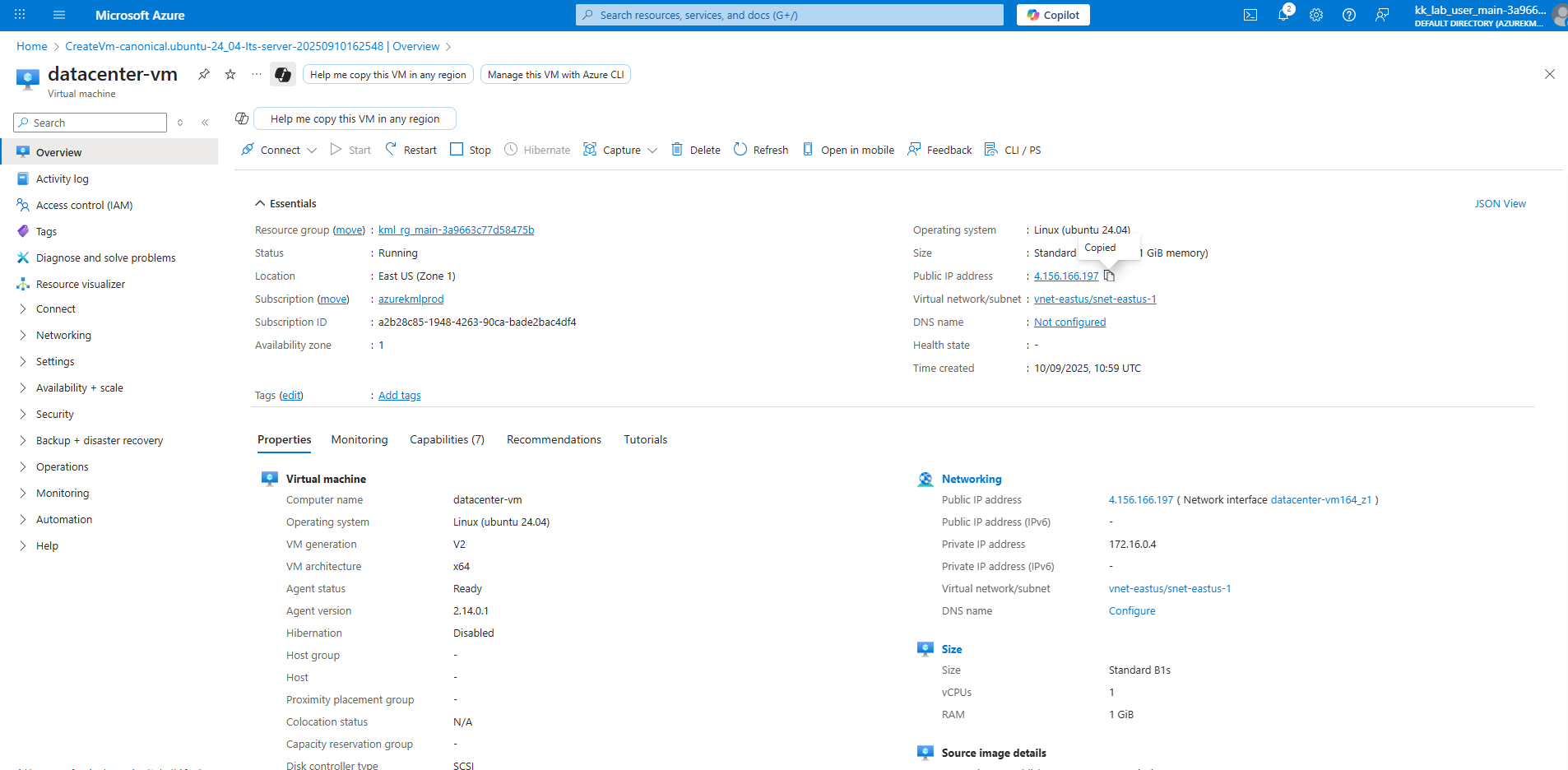
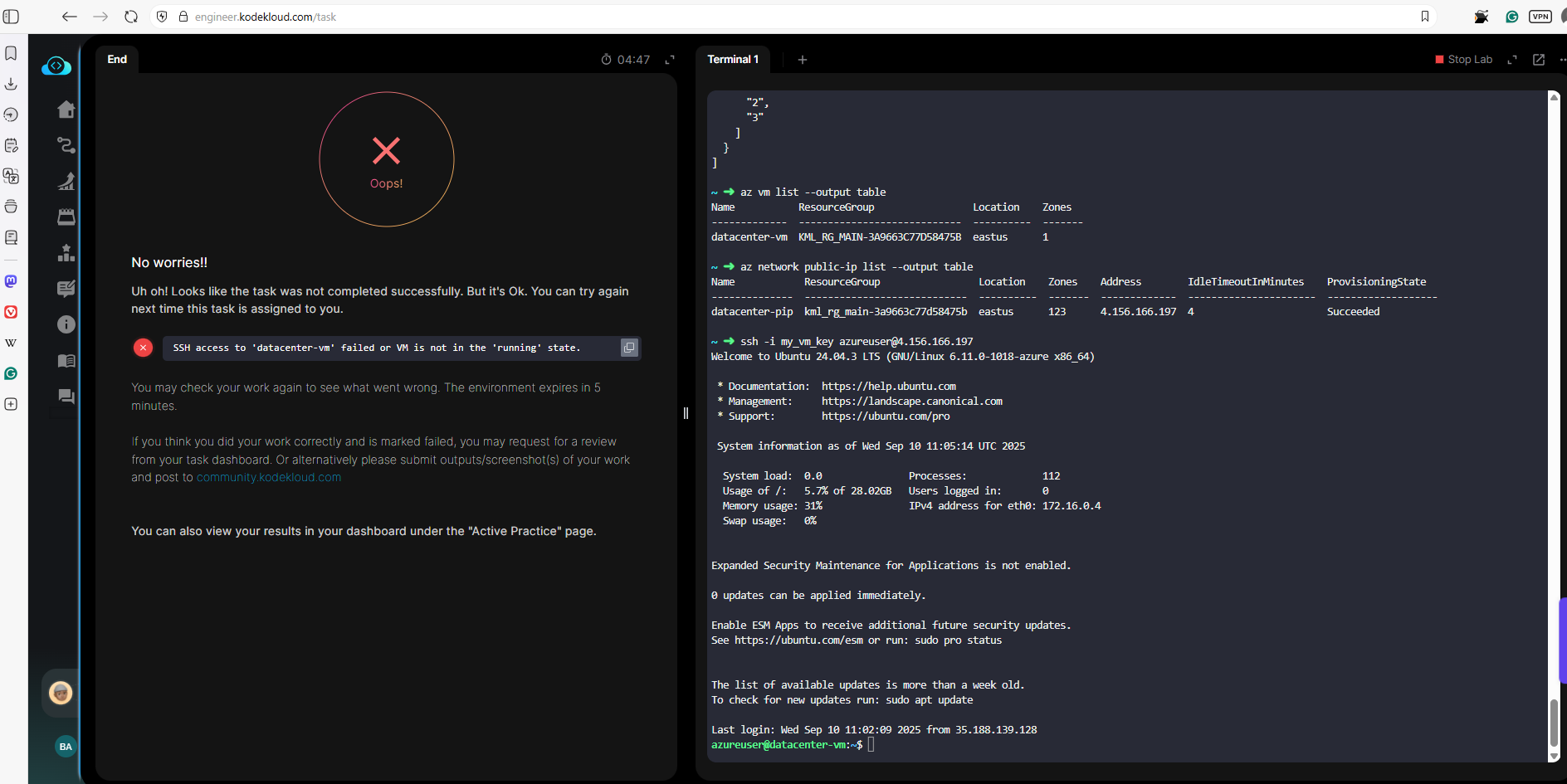
Short answer: Create shh key-pair with default name(id_rsa). It should resolve your issue.
Why?
It’s because the validation doesn’t know the custom name of the ssh key-pair that you’ve used. It will try to ssh to the instance without passing the -i argument and it is failing because you don’t have the key pair with default name.
Thank you, brother… Now it’s working 
1 Like
can you please provide steps by steps answer. I am stuck from couple of days
Let me know what you’ve tried and what is the issue that you are facing.